TeamPal Review — Build a No-Code AI Workforce Without Writing a Single Line of Code
By JoshWP Team | Updated: | ★★★★★ 4.76/5 (102 verified AppSumo reviews)
If you have been searching for an honest, detailed TeamPal review, you have come to the right place. TeamPal is a no-code AI agent builder that lets businesses of any size create a custom AI workforce — without hiring developers, writing prompts from scratch, or juggling five different AI subscriptions. The premise is refreshingly direct: upload your business documents, define the roles you need, and deploy trained AI agents that handle tasks across marketing, support, operations, and content around the clock.
In , the conversation around AI for business has shifted decisively from “should we use AI?” to “how do we deploy it efficiently at scale?” TeamPal sits right at the center of that conversation. In this review I will cover everything you need to make an informed decision: what TeamPal actually does, a detailed breakdown of every feature, the AppSumo lifetime deal pricing across all four tiers, a head-to-head comparison with Copy.ai and other alternatives, real user feedback, and an honest assessment of the pros and cons. Let’s get into it.
- 1. What Is TeamPal?
- 2. Key Features Breakdown
- 3. The AI Agent Library — What Roles Can You Build?
- 4. How TeamPal Works — Step by Step
- 5. TeamPal By The Numbers
- 6. TeamPal Pricing — AppSumo Lifetime Deal
- 7. TeamPal vs Copy.ai vs ChatGPT Teams — Head to Head
- 8. Who Is TeamPal Best For?
- 9. Pros and Cons
- 10. What Real Users Are Saying
- 11. Final Verdict
- 12. Frequently Asked Questions
What Is TeamPal?
TeamPal is a no-code AI workforce platform that enables businesses to build, train, and deploy custom AI agents without writing a single line of code. Think of it as a way to create a permanent AI team — a marketing manager agent, a customer support agent, a project coordinator agent, a research assistant agent — all trained on your specific business data, brand voice, and operational goals.
Unlike generic AI tools where you start every conversation from scratch, TeamPal agents retain context from your uploaded documents, brand guidelines, and business information. You train them once, and they consistently produce outputs that reflect your unique voice, processes, and objectives. The platform integrates with GPT-4 and Google Gemini under the hood, so the raw intelligence is state-of-the-art — but the interface and training system require no technical expertise whatsoever.
The AppSumo positioning places it as an alternative to Copy.ai, but that comparison undersells it. TeamPal is not just an AI content tool — it is a full workflow automation and agent deployment platform. The closest mental model is: what if you could clone your best team members’ knowledge and decision-making patterns into an AI that works 24/7?
Why This Matters in
McKinsey’s 2024 State of AI report found that 72% of organizations have adopted AI in at least one business function, up from 55% the year prior. The bottleneck has shifted from “can we afford AI?” to “can we implement it without a data science team?” TeamPal is built specifically to remove that implementation barrier for small businesses, agencies, and growth teams.
Key Features Breakdown
TeamPal is built around a complete agent lifecycle — from workspace creation and agent training through to deployment and team collaboration. Here is what each major feature set delivers in practice.
Custom AI Workspace Creation
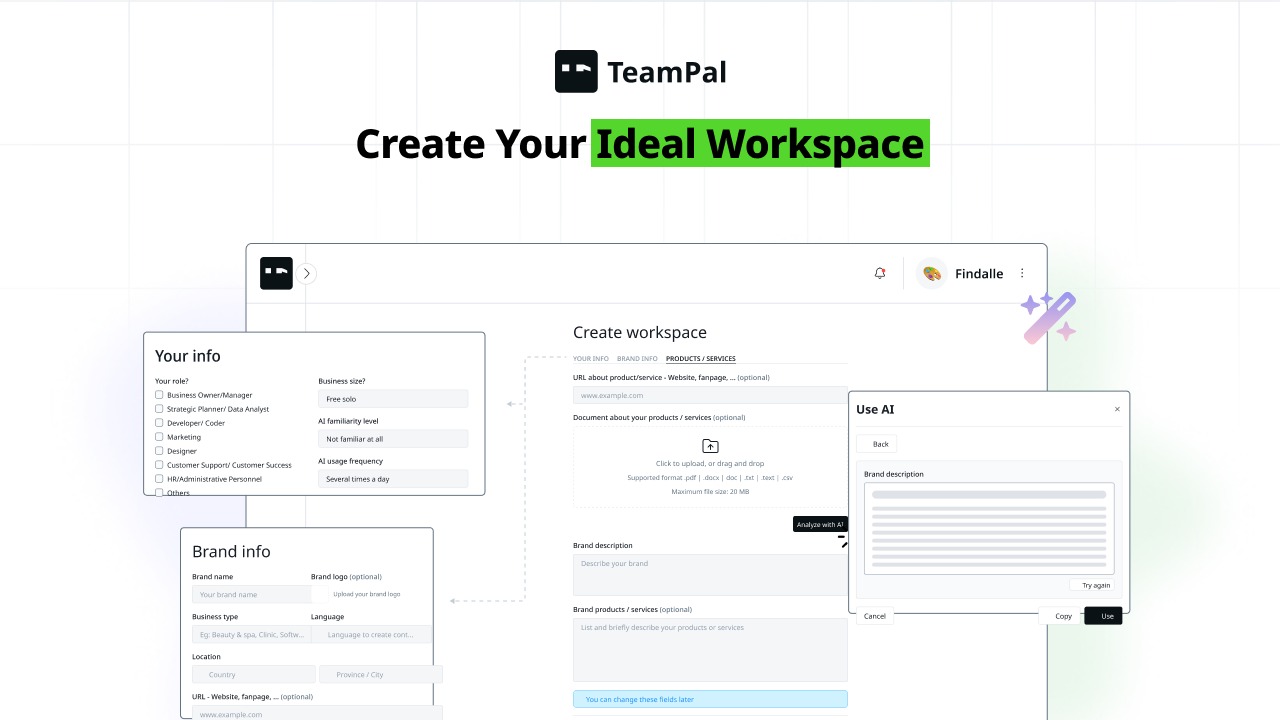
You start by building a workspace tailored to your business. Upload files (PDFs, documents, spreadsheets), paste URLs, or enter your brand information directly. TeamPal uses this material to ground every AI agent in your specific context. The AI then generates agent instructions automatically based on what it learns from your inputs — no manual prompt engineering required.
Prebuilt Agent Library
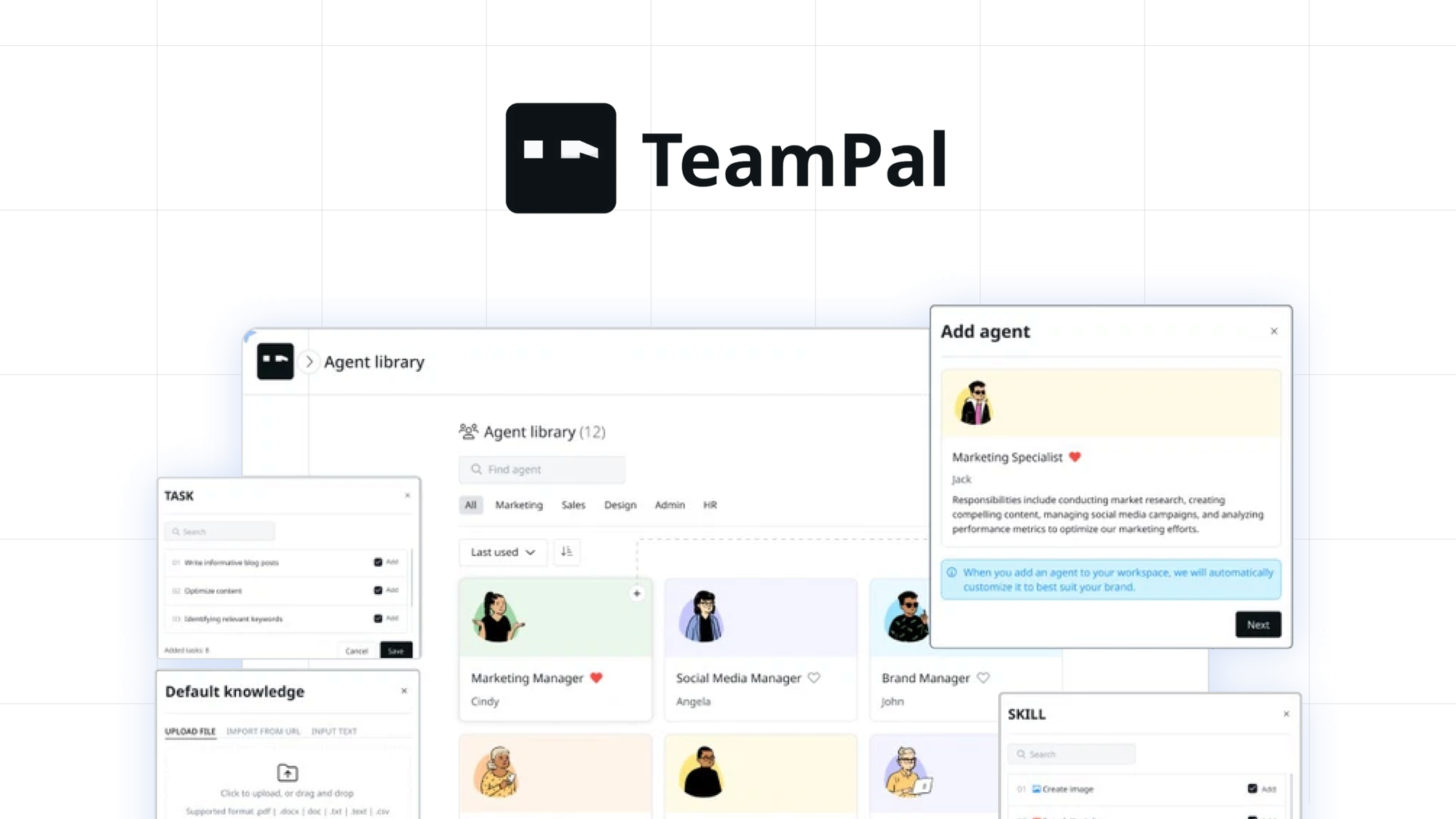
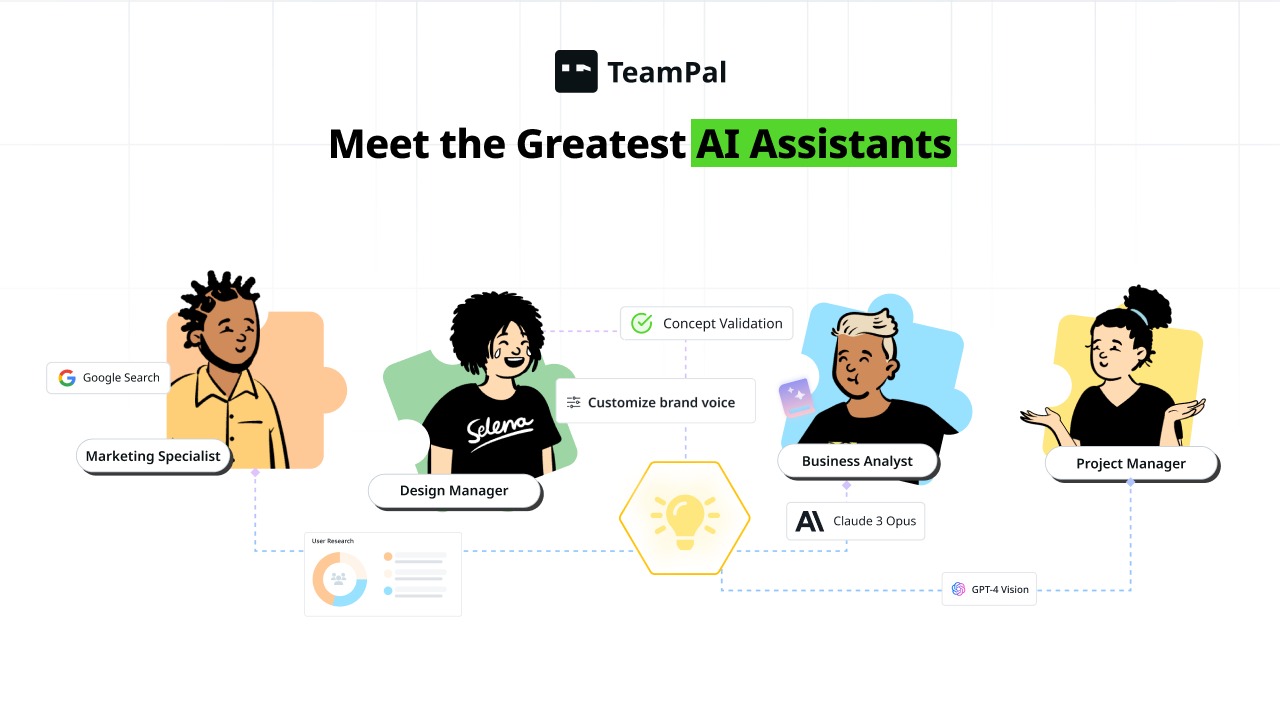
TeamPal ships with dozens of ready-made AI agent templates covering common business roles — marketing managers, customer support reps, research assistants, project coordinators, SEO specialists, social media managers, and more. Each comes pre-loaded with role-appropriate skills and task structures that you customize to your specific needs rather than building from scratch.
Agent Training on Your Data
This is TeamPal’s core differentiator. Every agent you build is trained on your uploaded content — your SOPs, product documentation, brand guidelines, past campaign data, FAQs, or any other material you provide. The result is agents that produce outputs consistent with your established processes and brand voice, not generic AI outputs that need heavy editing.
Multi-User Team Collaboration
TeamPal supports collaborative workspaces where multiple team members can build, test, and manage agents together. You can share documents, brand assets, and agent access with relevant colleagues, making it a genuine team tool rather than a solo AI sandbox. Roles and permissions ensure the right people have the right level of access.
Public Agent Links — Deploy Anywhere
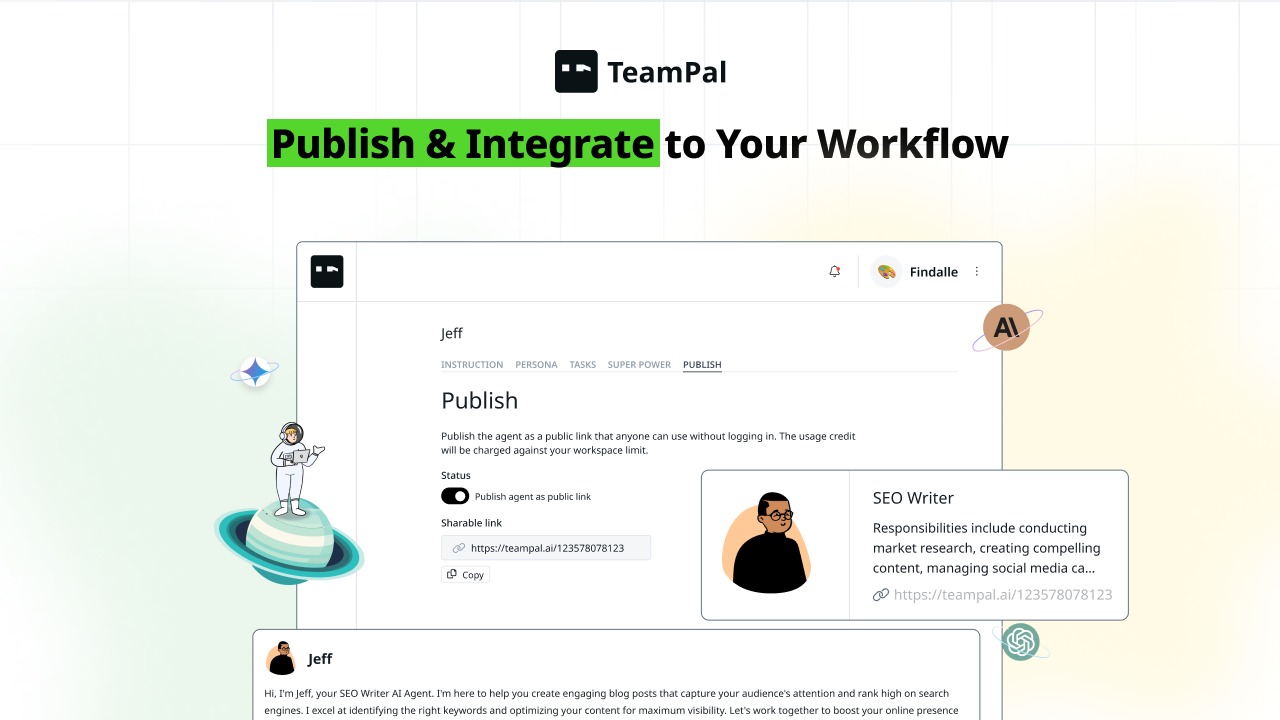
Once your agents are trained and tested, you can deploy them via shareable public links. This means a customer support agent can be embedded in your website, a coaching bot can be shared with clients, or an onboarding assistant can be sent to new hires — all without any technical integration work. Internal and external deployment are both supported.
AI-Generated Agent Instructions
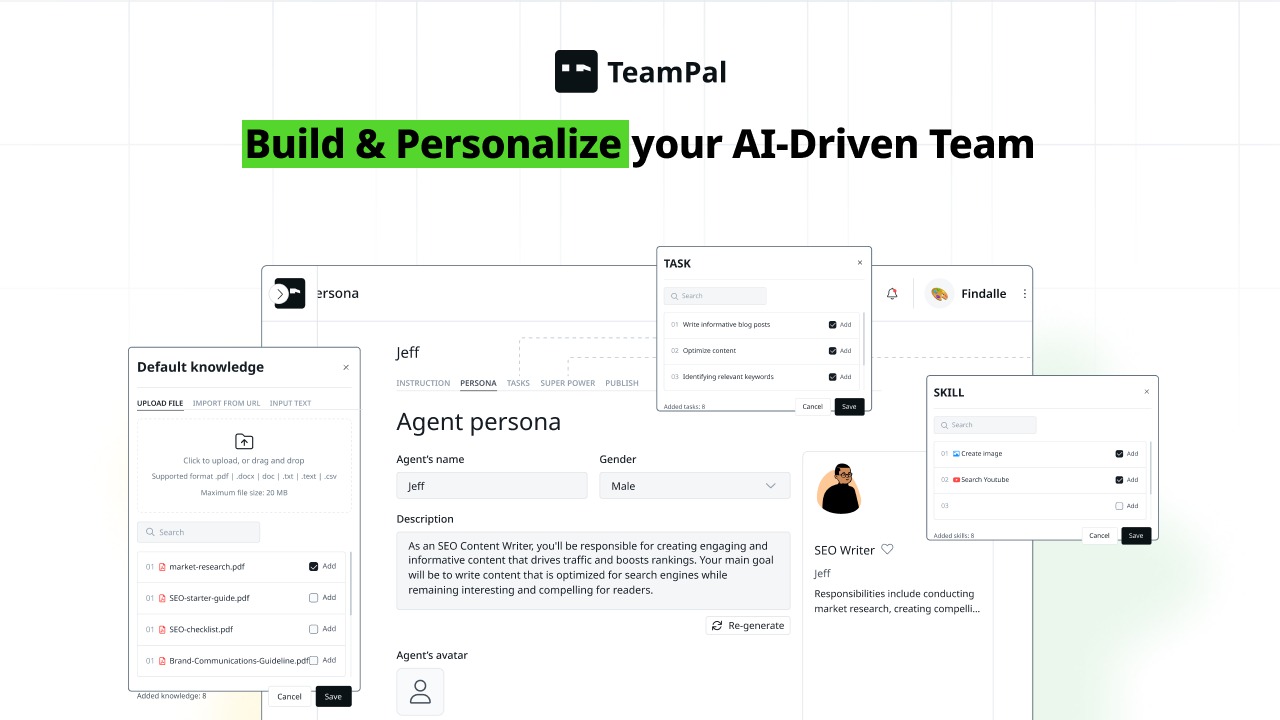
One of TeamPal’s standout quality-of-life features is automated agent instruction generation. Rather than writing detailed system prompts yourself (a process that requires real AI expertise to do well), TeamPal’s AI analyzes your uploaded business data and generates the agent’s instructions automatically. You review and refine rather than building from scratch — saving hours of prompt engineering work per agent.
GPT-4 + Google Gemini Integration
TeamPal is model-agnostic at the core — it integrates with both GPT-4 (OpenAI) and Google Gemini, giving you access to the strongest available AI models without being locked into a single provider. As new model versions release, the underlying intelligence improves automatically without any reconfiguration of your agents.
Cross-Department Workflow Automation
TeamPal is designed to span departments, not just handle one type of task. A single workspace can contain a marketing agent, a research agent, an HR onboarding agent, and a client communications agent — each trained on relevant data for their role. This makes TeamPal a genuine business operating layer rather than a point solution for a single workflow.
The AI Agent Library — What Roles Can You Build?
One of the most practical aspects of TeamPal is its prebuilt agent library. Rather than starting with a blank slate, you pick from role templates that already have appropriate task structures, skill sets, and output expectations configured. Here is a sample of the roles available across departments.
Marketing Manager
Campaign planning, content briefs, audience strategy
Customer Support Rep
FAQ handling, ticket responses, escalation logic
Research Assistant
Topic research, competitive analysis, summaries
Project Coordinator
Task management, status updates, meeting prep
Content Writer
Blog posts, social copy, email campaigns — in your brand voice
SEO Specialist
Keyword strategy, meta descriptions, on-page recommendations
HR & Onboarding Assistant
New hire onboarding, policy Q&A, training delivery
Sales Coach
Objection handling, pitch refinement, proposal drafting
Social Media Manager
Post scheduling plans, hashtag strategy, platform copy
Virtual Business Coach
Strategy consultation, goal tracking, decision frameworks
Custom Agents Beyond the Library
The prebuilt library is a starting point, not a ceiling. TeamPal lets you build fully custom agents from scratch for any role your business needs — niche industry roles, internal-only assistants, client-facing bots, or highly specialized research agents. The only requirement is that you can describe what the role does.
How TeamPal Works — Step by Step
The entire workflow from account creation to live, deployed AI agent is designed to be completed without any technical skill. Here is how the process unfolds.
Create Your Workspace
Sign in and create a new workspace. Upload your business documents — product specs, brand guidelines, SOPs, FAQs, past content — or paste in URLs to your website or key pages. You can also fill in a brand and business info form directly. TeamPal ingests all of this as the training foundation for every agent in the workspace.
Select or Design an Agent
Browse the prebuilt agent library and select a role that matches a task you want to automate — or click “Create Custom Agent” to define a new role from scratch. The agent template comes pre-loaded with relevant skills and responsibilities that you can edit, expand, or trim.
Let AI Generate Agent Instructions
Click the AI instruction generator. TeamPal analyzes your uploaded workspace documents alongside the agent’s role template and automatically writes detailed system instructions — the underlying logic that shapes how the agent thinks, responds, and prioritizes tasks. You review and refine the output. No prompt engineering required.
Test and Refine the Agent
Run the agent through test scenarios in the built-in chat interface. Check that it responds in your brand voice, handles edge cases correctly, and produces outputs at the quality level you need. Adjust instructions, add more training data, or modify the skill set until the output is consistently on target.
Invite Your Team
Add team members to the workspace so they can collaborate on agent building and testing, use the agents for their own tasks, or manage the agent library. Each user can access the agents relevant to their role without needing to understand the setup behind them.
Deploy via Public Links
Generate a shareable link for any agent and deploy it wherever it is needed — embed it on your website as a chatbot, share it with clients as a self-service tool, distribute it internally to your team, or integrate it into specific workflows. No coding, no API setup, no development tickets.
TeamPal By The Numbers
Context matters when evaluating any AI tool. Here is the market data and performance data that frames TeamPal’s position and potential impact for your business.
AppSumo Review Sentiment
TeamPal Feature Ratings (Out of 10)
AI Business Adoption Rate by Function ()
AI Agent Platform — Value Comparison Radar
72%
of companies now use AI in at least one business function (McKinsey, 2024)
$15.7T
Projected AI contribution to global economy by 2030 (PwC)
40%
Average productivity gain reported from AI-assisted workers (IDC, 2024)
TeamPal Pricing — AppSumo Lifetime Deal
TeamPal’s regular pricing on teampal.ai runs at subscription rates that scale with usage and team size. The AppSumo lifetime deal offers permanent access across four clearly differentiated tiers — no recurring fees, no seat expiry. Here is the full breakdown.
| Feature | Tier 1 — $69 | Tier 2 — $199 | Tier 3 — $349 | Tier 4 — $569 |
|---|---|---|---|---|
| Regular Value | ||||
| Workspaces | 1 | 3 | 6 | 10 |
| AI Agents | 5 | 20 | 50 | 100+ |
| Team Members | 1 | 5 | 15 | Unlimited |
| Document Upload | Limited | More | More | Most |
| AI Model Access | GPT-4 + Gemini | GPT-4 + Gemini | GPT-4 + Gemini | GPT-4 + Gemini |
| Public Agent Links | ✅ | ✅ | ✅ | ✅ |
| Prebuilt Agent Library | ✅ | ✅ | ✅ | ✅ |
| AI Instruction Generator | ✅ | ✅ | ✅ | ✅ |
| Team Collaboration | Solo | ✅ Up to 5 | ✅ Up to 15 | ✅ Unlimited |
| Priority Support | Standard | Priority | Priority | Priority+ |
| Lifetime Access | ✅ | ✅ | ✅ | ✅ |
60-Day Money-Back Guarantee on All Tiers
Every AppSumo purchase is covered by a 60-day refund policy and the “We Got Your Back” guarantee. You can deploy real agents, test them in live workflows, and evaluate actual output quality across the full guarantee period before making any final commitment.
Which Tier Should You Choose?
Solo entrepreneurs and freelancers doing initial AI workflow experimentation: Tier 1 at $69 is the right entry point. Small businesses or agencies wanting to run multiple specialized agents across a team: Tier 2 or Tier 3. Organizations looking to deploy AI across multiple departments or client accounts simultaneously: Tier 4 at $569 for unlimited team access across 10 workspaces is the clear choice.
TeamPal vs Copy.ai vs ChatGPT Teams — Head to Head
AppSumo positions TeamPal as an alternative to Copy.ai, but the honest comparison is broader. Here is how it stacks up against Copy.ai and ChatGPT Team — two of the most common AI tools businesses are already paying for.
| Feature | TeamPal | Copy.ai | ChatGPT Team |
|---|---|---|---|
| No-Code Agent Building | ✅ Full no-code | ✅ Workflows (limited) | ❌ Requires prompt skill |
| Train on Your Own Documents | ✅ Core feature | ✅ Limited | ✅ Via file upload (per chat) |
| Prebuilt Role-Based Agents | ✅ Dozens of roles | ✅ Templates (content focus) | ❌ No prebuilt agents |
| Public Agent Deployment Links | ✅ Yes | ❌ No | ❌ No |
| Multi-Department Coverage | ✅ Yes — all departments | ❌ Primarily marketing/content | ✅ Yes (general purpose) |
| AI Instruction Auto-Generator | ✅ Yes | ❌ No | ❌ No |
| Team Collaboration Workspace | ✅ Yes (Tier 2+) | ✅ Yes | ✅ Yes |
| GPT-4 + Gemini Access | ✅ Both | ✅ GPT-4 | ✅ GPT-4 / GPT-4o |
| Lifetime Deal Available | ✅ AppSumo — from $69 | ❌ Subscription only | ❌ $30/user/mo |
| Starting Monthly Price | ~$49/mo (or one-time) | ~$49/mo | $30/user/mo |
| AppSumo Rating | 4.76★ (102 reviews) | N/A | N/A |
The comparison reveals TeamPal’s genuine uniqueness: no other tool in this price range combines no-code agent building, document-based training, role-based prebuilt agents, AI instruction generation, and public deployment links. Copy.ai is a strong content marketing platform but a much narrower tool. ChatGPT Team is powerful but requires real prompting skill to get consistent, business-specific outputs — and carries an ongoing per-seat subscription cost.
Who Is TeamPal Best For?
TeamPal is a flexible platform but it has clear sweet spots. Here is who will get the most value from it — and who might need to look elsewhere.
Marketing Agencies
Build client-specific AI agents trained on each client’s brand voice, product details, and audience data. Scale content production without proportionally scaling headcount. Deploy agents as client-facing tools for content review and approval.
Small Businesses
Automate customer support, internal onboarding, and recurring content tasks that currently eat up owner or employee time. A small team with TeamPal can operate with the AI productivity of a much larger team without the overhead.
Virtual Assistants
VAs managing multiple clients can build a dedicated workspace and agent set for each client. Agents handle repeatable research, drafting, and administrative tasks — freeing the VA to focus on high-judgment work that requires human oversight.
Who Should Look Elsewhere
TeamPal is not the right tool if your primary need is deep no-code automation with system-to-system integrations (Zapier or Make.com would be better). It is also not a substitute for full customer service platforms like Intercom or Zendesk if you need live chat, ticketing, and SLA management. And if you need a dedicated SEO content optimization tool, NeuronWriter or Surfer SEO would be more appropriate alongside TeamPal rather than instead of it.
Pros and Cons
Here is a balanced, honest assessment based on the platform’s features, the AppSumo listing, and verified user feedback from 102 reviews.
Pros
- ✓ True no-code agent building — zero technical skill required
- ✓ AI instruction auto-generation removes the hardest part of agent setup
- ✓ Train agents on your own documents for genuinely on-brand outputs
- ✓ Prebuilt library of role-based agents covers most business departments
- ✓ Public agent deployment links — no coding needed to share agents
- ✓ Integrates with both GPT-4 and Google Gemini
- ✓ Covers multiple departments — not just content, but ops, HR, sales, support
- ✓ AppSumo lifetime deal from $69 — exceptional value vs monthly subscriptions
- ✓ 96% discount vs regular subscription pricing
- ✓ 60-day money-back guarantee for risk-free evaluation
Cons
- ✗ Tier 1 is limited to 1 workspace and 5 agents — may feel restrictive quickly for growing teams
- ✗ No native Zapier or Make.com integration for system-to-system automation (yet)
- ✗ Team collaboration is locked behind Tier 2+ — solo on the base plan
- ✗ Newer product — fewer third-party integrations than established platforms
- ✗ AI output quality still depends on the quality of your training data
- ✗ Not a replacement for dedicated live chat or ticketing systems
- ✗ Some users note the UI has a short initial learning curve before workflows feel intuitive
What Real Users Are Saying
TeamPal holds a 4.76-star rating across 102 verified AppSumo reviews. Here is a representative sample of what buyers are reporting after real-world use.
Kevin M.
Marketing Agency Owner
“We set up a content manager agent trained on each of our three clients’ brand guidelines and it produces first drafts that need maybe 20% editing rather than the 80% we were getting from generic AI tools. The AI instruction generator is a genuine game-changer — I was dreading building the system prompts and it handled it automatically.”
Priya S.
E-commerce Small Business
“I have a customer support agent that knows our entire product catalog and return policy. The number of repetitive emails I used to write every day has dropped dramatically. At $69 lifetime this is the best SaaS investment I have made in two years.”
James T.
Freelance Virtual Assistant
“I manage five clients and built a separate workspace for each. Their research agent handles initial topic research, the content agent produces first drafts, and I deliver polished work at a pace I couldn’t sustain manually. TeamPal effectively doubled my capacity without changing my rates.”
Amara N.
Verified AppSumo Buyer
“Solid product with a genuinely different approach from other AI tools I have tried. The document training is what makes it special. I knocked off a star only because I wish Tier 1 included at least two workspaces — I hit the limit fast. But I upgraded to Tier 2 and have been very happy since.”
AppSumo Rating Distribution (102 Reviews)
Final Verdict
Bottom Line: TeamPal is one of the most genuinely useful no-code AI platforms available for small businesses and agencies — and at $69 for lifetime access, the value proposition is nearly impossible to argue against.
The combination of document-based agent training, automatic instruction generation, and one-click deployment links solves the three biggest barriers to practical AI adoption for non-technical business owners: the training data problem, the prompt engineering problem, and the deployment problem. If you have ever wanted a proper AI team that actually knows your business and outputs work you can use with minimal editing, TeamPal is built for exactly that.
9.5/10
No-Code Power
9.8/10
Value for Money
9.0/10
Ease of Use
9.2/10
Business Impact
Related: Recram Review
Related: TextFocus Review
Frequently Asked Questions
The most common questions from people evaluating TeamPal before buying.
Do I need any coding or AI expertise to use TeamPal?
None at all. TeamPal is designed specifically for non-technical users. You upload your documents, fill in your business details, select a role template or create a custom one, and the platform generates the agent instructions automatically. The most technical thing you will do is click a button.
What kind of documents can I upload to train my agents?
TeamPal accepts common business document formats including PDFs, Word documents, and text files. You can also paste in URLs to web pages — so your product pages, about page, blog posts, and knowledge base articles can all be used as training material. The richer and more specific your training data, the more accurate and on-brand your agent outputs will be.
How is TeamPal different from just using ChatGPT?
ChatGPT starts every conversation with no knowledge of your business. TeamPal agents are permanently trained on your specific documents and context, so you never need to re-explain your brand, product, or processes. TeamPal also generates the underlying agent instructions automatically, handles multi-user team collaboration, and lets you deploy agents as shareable tools — none of which ChatGPT supports natively.
Can I deploy agents externally — for example, as a chatbot on my website?
Yes. TeamPal generates a shareable public link for any agent you build. You can share this link directly, embed the link in a button or CTA on your website, or distribute it to specific stakeholders. It is not yet a full embeddable chat widget with native iframe support, but the link-based deployment is functional for most use cases without any developer involvement.
Which AI models does TeamPal use?
TeamPal integrates with both GPT-4 (OpenAI) and Google Gemini. This gives you access to two of the strongest available AI models, and as these models are updated and improved by their developers, your agents benefit automatically without any reconfiguration on your part.
Is the AppSumo lifetime deal genuinely lifetime — or are there usage caps?
The AppSumo deal provides lifetime access to TeamPal at your purchased tier with no recurring fees. Like most AI tools, there are usage limits (number of agents, workspaces, and team members) defined by the tier you choose — but these are structural limits, not usage-based caps that reset monthly. You pay once and access the platform indefinitely at your tier’s specifications.
Can I build agents for client work and share them with clients?
Yes. This is one of TeamPal’s most valuable use cases for agencies and freelancers. You can build a workspace for each client, train agents on their specific documents and brand, and then share agents with the client via the public link deployment feature. Clients interact with the agent without needing a TeamPal account themselves.
What is the AppSumo refund policy for TeamPal?
All AppSumo purchases include a 60-day money-back guarantee, backed by their “We Got Your Back” program. You have two full months to build real agents, test them on actual business tasks, and evaluate whether the outputs justify the investment before making a final decision.
Stop Running Your Business Without an AI Team in
TeamPal lets you build a custom no-code AI workforce trained on your business data — deployed in minutes, not months. Join thousands of small businesses and agencies already automating their most time-consuming tasks.
60-Day Money-Back Guarantee | Lifetime Access | No Recurring Fees