Wisecut Review — The AI Video Clipper That Turns Long Videos Into Viral Short Clips
By JoshWP Team | Updated: | AppSumo Select Pick | 1M+ Users
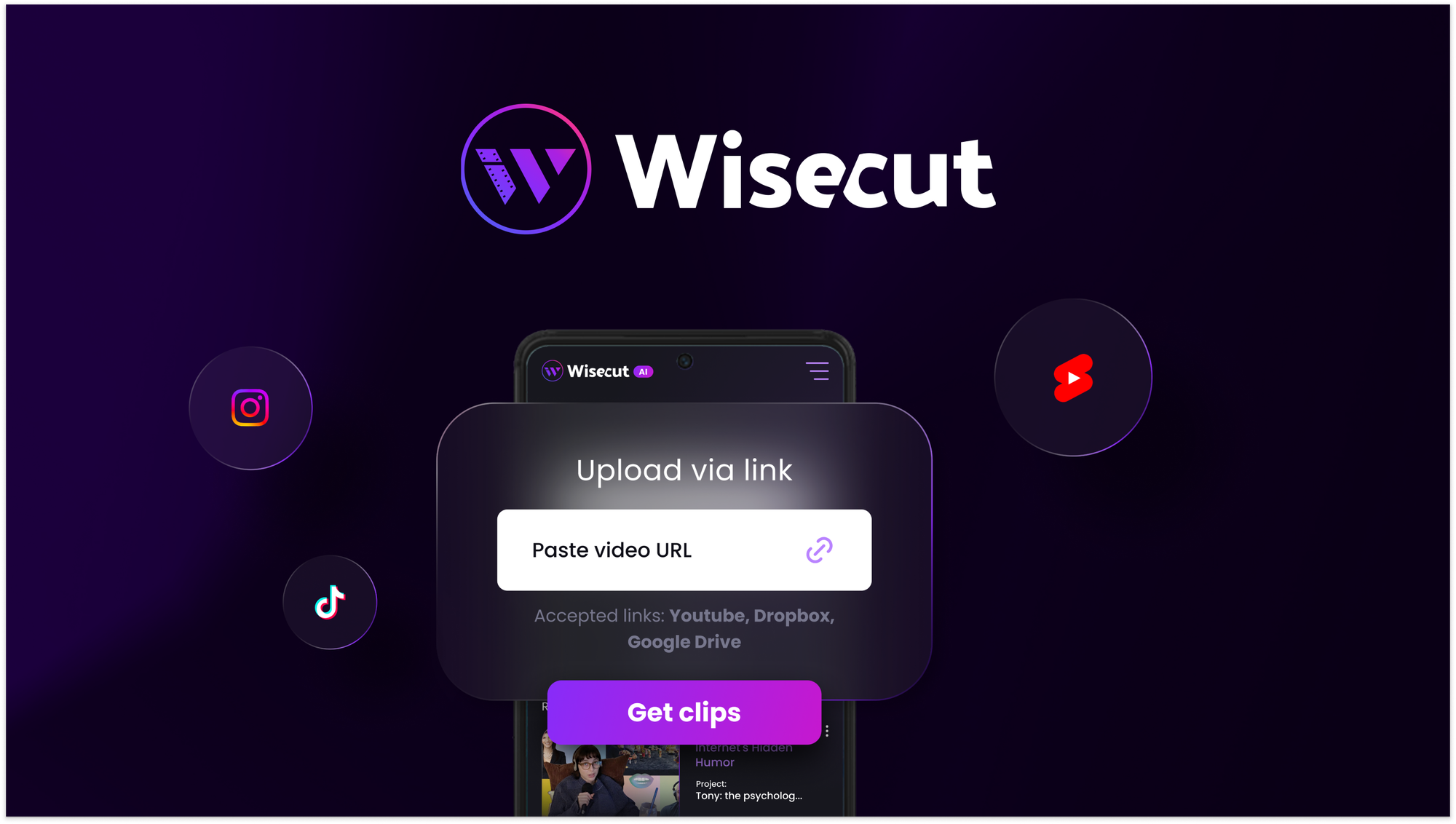
If you have been searching for an honest, comprehensive Wisecut review, you are in exactly the right place. Wisecut is an AI-powered video editing platform that does something genuinely useful: it takes your long-form videos — webinars, podcasts, YouTube recordings, coaching sessions, live streams — and automatically identifies the best moments, cuts out silences, adds captions in multiple languages, reframes for every social platform, and exports polished clips ready to publish on TikTok, Instagram Reels, YouTube Shorts, and LinkedIn.
In , short-form video is not optional for brands and creators — it is the primary driver of organic reach across every major platform. The problem is that producing quality short clips from long recordings is time-intensive, technically demanding, and a task that repeats every single week. Wisecut was built specifically to solve that problem. Founded in 2019 and trusted by over 1 million users, it is one of the most established AI video repurposing tools on the market — and the AppSumo lifetime deal at $79 makes it one of the most accessible.
In this review I will walk through every feature in detail, the exact plan specifications, a head-to-head comparison with Descript and Adobe Premiere, who this tool is genuinely best suited for, honest pros and cons, and answers to the most common questions buyers have. Let’s get into it.
- 1. What Is Wisecut?
- 2. Key Features — A Full Breakdown
- 3. How Wisecut Works — Step by Step
- 4. Platform & Format Support
- 5. Wisecut By The Numbers
- 6. Wisecut Pricing — AppSumo Lifetime Deal
- 7. Wisecut vs Descript vs Adobe Premiere — Head to Head
- 8. Who Is Wisecut Best For?
- 9. Pros and Cons
- 10. Final Verdict
- 11. Frequently Asked Questions
What Is Wisecut?
Wisecut is a browser-based AI video editor specifically built for content repurposing. Its core job is to take long-form video content — recordings that run anywhere from 15 minutes to several hours — and intelligently transform them into polished, publish-ready short clips without requiring any video editing expertise.
What makes Wisecut different from traditional editors like Adobe Premiere or even newer tools like Descript is its end-to-end automation philosophy. Rather than giving you a powerful editing suite and expecting you to do the work, Wisecut does the heavy lifting — AI highlight detection finds your best moments, automatic silence removal cleans up the audio, auto-captioning transcribes and translates, smart reframing adjusts the aspect ratio, and hook title generation adds attention-grabbing overlays. You review, refine if needed, and export. The whole process that used to take hours can happen in minutes.
Founded in Florida in 2019, Wisecut was one of the earliest players in the AI video repurposing space. The team has spent years refining the output quality — specifically focusing on smooth speaker tracking, natural-feeling cuts, and professional-grade exports — rather than just stacking features. That focus on output quality is a recurring theme in what separates Wisecut from newer tools that produce choppy or inconsistent results.
The Short-Form Video Opportunity in
According to HubSpot’s 2024 State of Marketing report, short-form video delivers the highest ROI of any content format for the third consecutive year. Meanwhile, Sprout Social data shows that videos under 60 seconds receive 2.5x more engagement than longer formats on social platforms. For any creator or brand publishing long-form content, the ability to efficiently repurpose it into short clips is not a nice-to-have — it is a core content strategy requirement.
Key Features — A Full Breakdown
Wisecut bundles the complete video repurposing workflow into a single tool. Here is a detailed look at each feature and what it delivers in practice.
AI Highlight Detection & Clip Generation
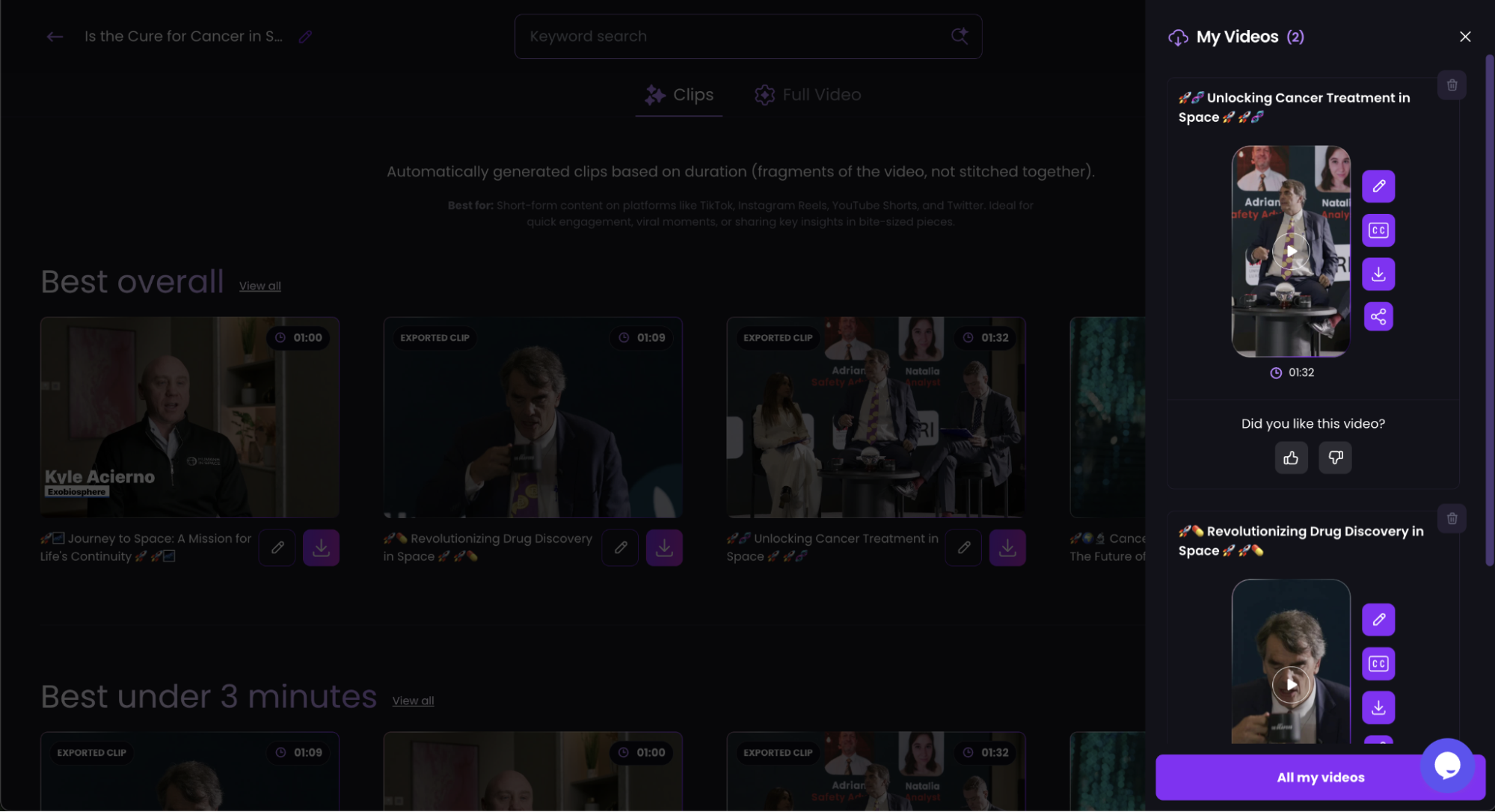
Wisecut’s AI analyzes your entire video, identifies the most engaging and shareable moments, and automatically generates multiple short clips. You can also search your video by keyword — type in a topic or phrase and Wisecut finds every scene where it appears. Set your preferred clip length and the AI does the rest. No manual scrubbing through footage required.
Auto Silence Removal
Dead air, filler pauses, false starts, and hesitation gaps are automatically detected and removed. Wisecut’s silence removal goes beyond a simple noise gate — it accounts for speaker transitions and camera cuts so that removing a pause feels natural and the flow of the conversation is preserved. The result is a tighter, more engaging video without any manual cutting.
Auto-Captions & Multi-Language Translation
Wisecut automatically transcribes your video and generates styled captions. More importantly, it can translate those captions into 12+ languages including English, Spanish, Portuguese, French, German, Italian, Hindi, Dutch, Korean, Japanese, Farsi, and Arabic — giving your content global reach without re-recording or manual translation. Caption styles are customizable for branding consistency.
Auto-Reframe for Every Platform
One of the most time-consuming manual tasks in video repurposing is resizing footage for different platforms — 16:9 for YouTube, 9:16 for TikTok and Reels, 1:1 for Instagram feed. Wisecut handles this automatically using facial recognition to keep the active speaker centered in the frame regardless of aspect ratio. No awkward cropping, no cut-off heads.
AI Storyboard — Edit by Text
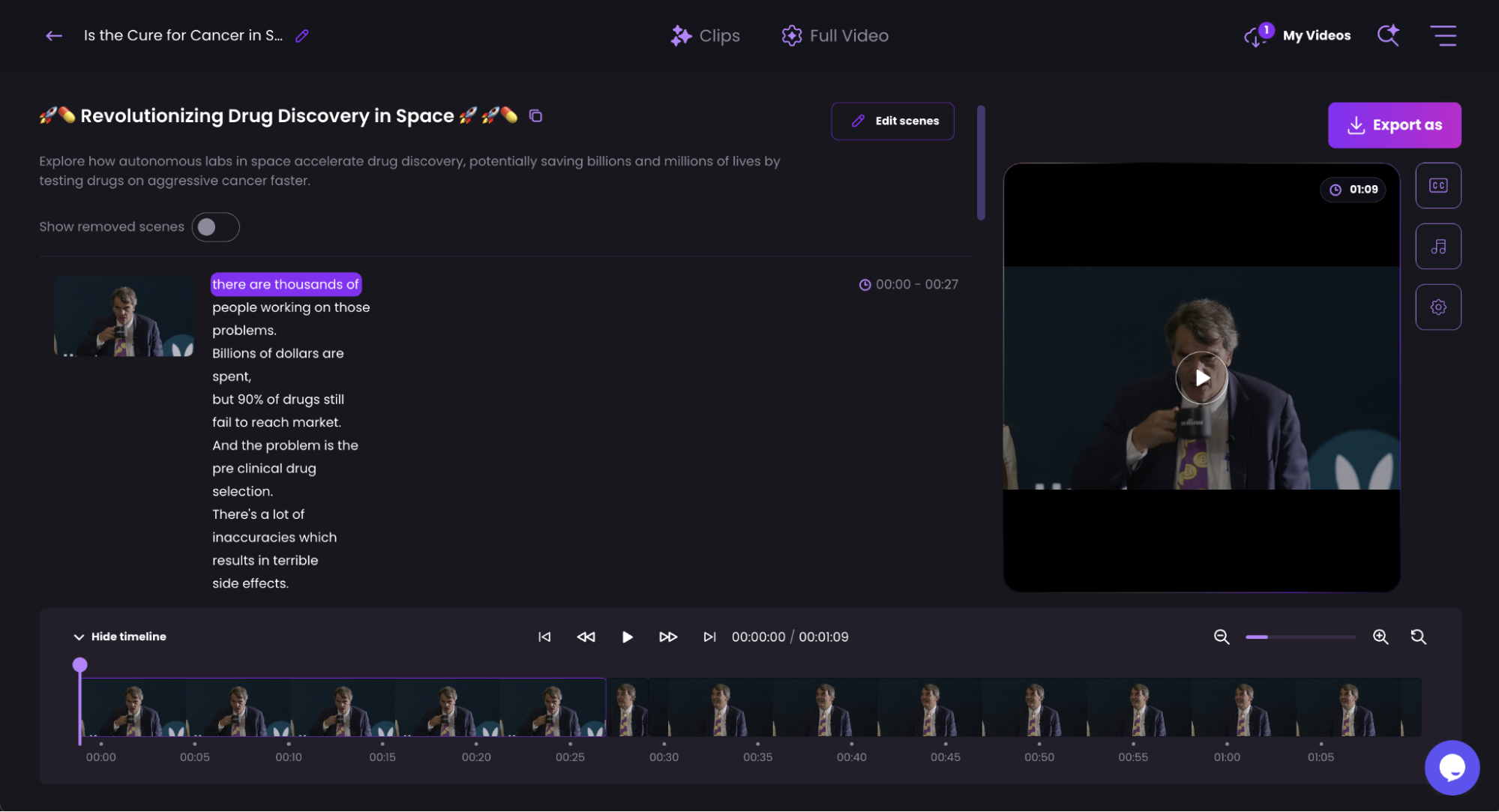
The AI Storyboard feature transcribes your video and lets you edit it like a text document. Delete a sentence from the transcript and Wisecut removes the corresponding video segment. This is transformative for anyone who finds traditional timeline-based editing unintuitive — you edit the words, and the video updates automatically. It also allows merging and trimming scenes from the same visual interface.
Studio Voice & AI Audio Enhancement
Wisecut includes a noise canceling engine and “Studio Voice” processing that cleans up audio recorded in non-studio environments — home offices, outdoor settings, conference rooms with echo. Background noise is suppressed, voice clarity is enhanced, and the AI Voice Booster can lift quiet or muddy audio to broadcast-quality levels without manual EQ work.
Smart Background Music & Audio Ducking
Wisecut adds contextually appropriate background music to your clips automatically. The AI Audio Ducking feature intelligently lowers the music volume when someone is speaking and raises it during pauses — a professional technique that normally requires manual keyframing in a traditional editor. The result is polished, broadcast-ready audio mixing with zero manual effort.
Hook Titles & Facial Punch-In
Hook Titles automatically generate attention-grabbing text overlays for each clip — the kind of bold, opening-frame text that dramatically increases stop-scroll rates on TikTok and Reels. The Facial Recognition Punch-In feature dynamically zooms into the active speaker’s face during key moments, adding the kind of dynamic camera movement that makes talking-head clips feel far more produced.
How Wisecut Works — Step by Step
The entire workflow from raw video to published clip is designed to be completed in minutes, not hours. Here is exactly how the process flows.
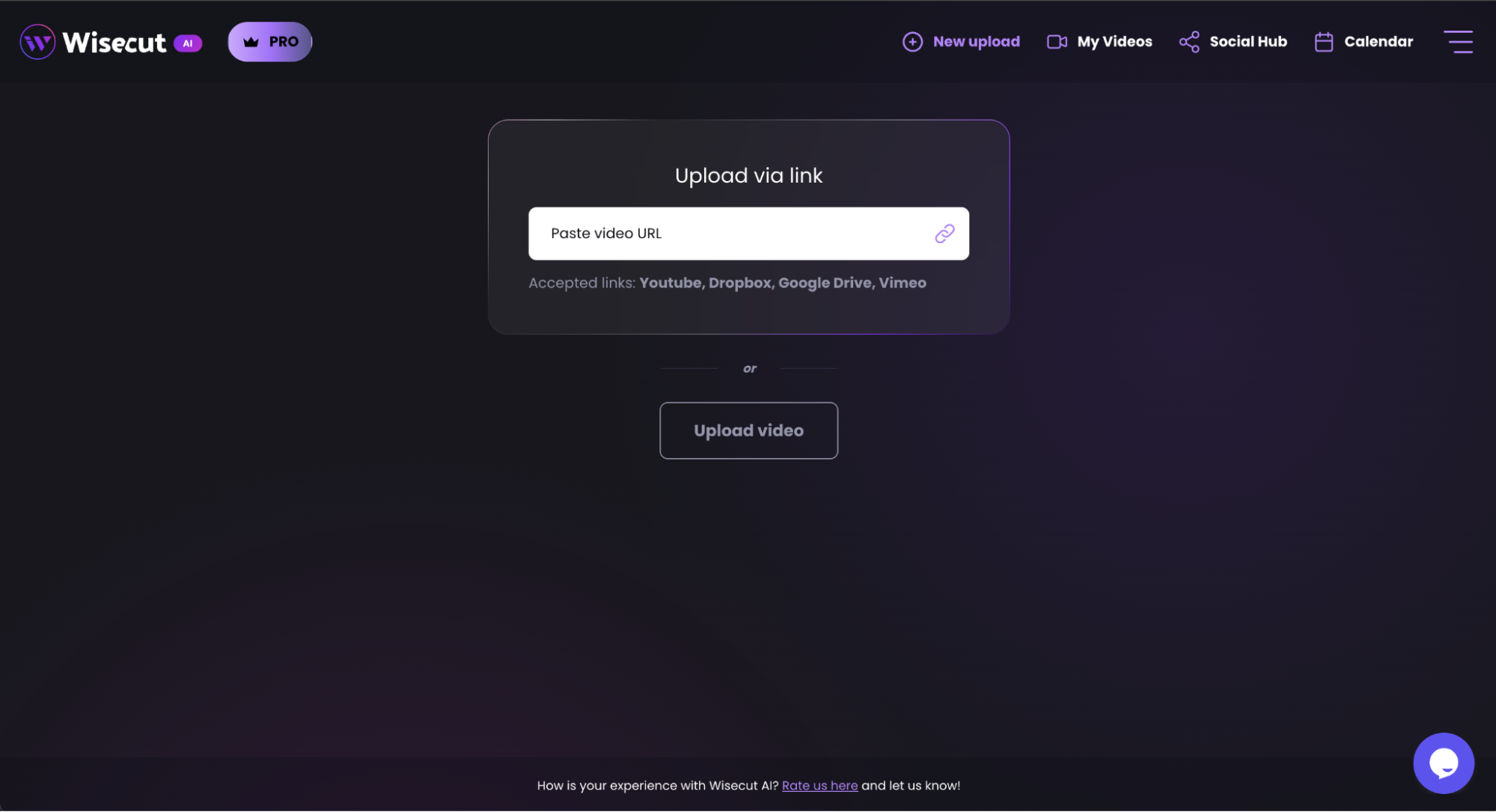
Upload Your Video or Paste a Link
Wisecut accepts direct file uploads (up to 5 GB per file) or links from YouTube, Vimeo, Dropbox, and Google Drive. You can upload recordings you already have or pull in content from platforms where your long-form videos live. No need to download and re-upload files you already have in cloud storage.
Choose Your Output Goal
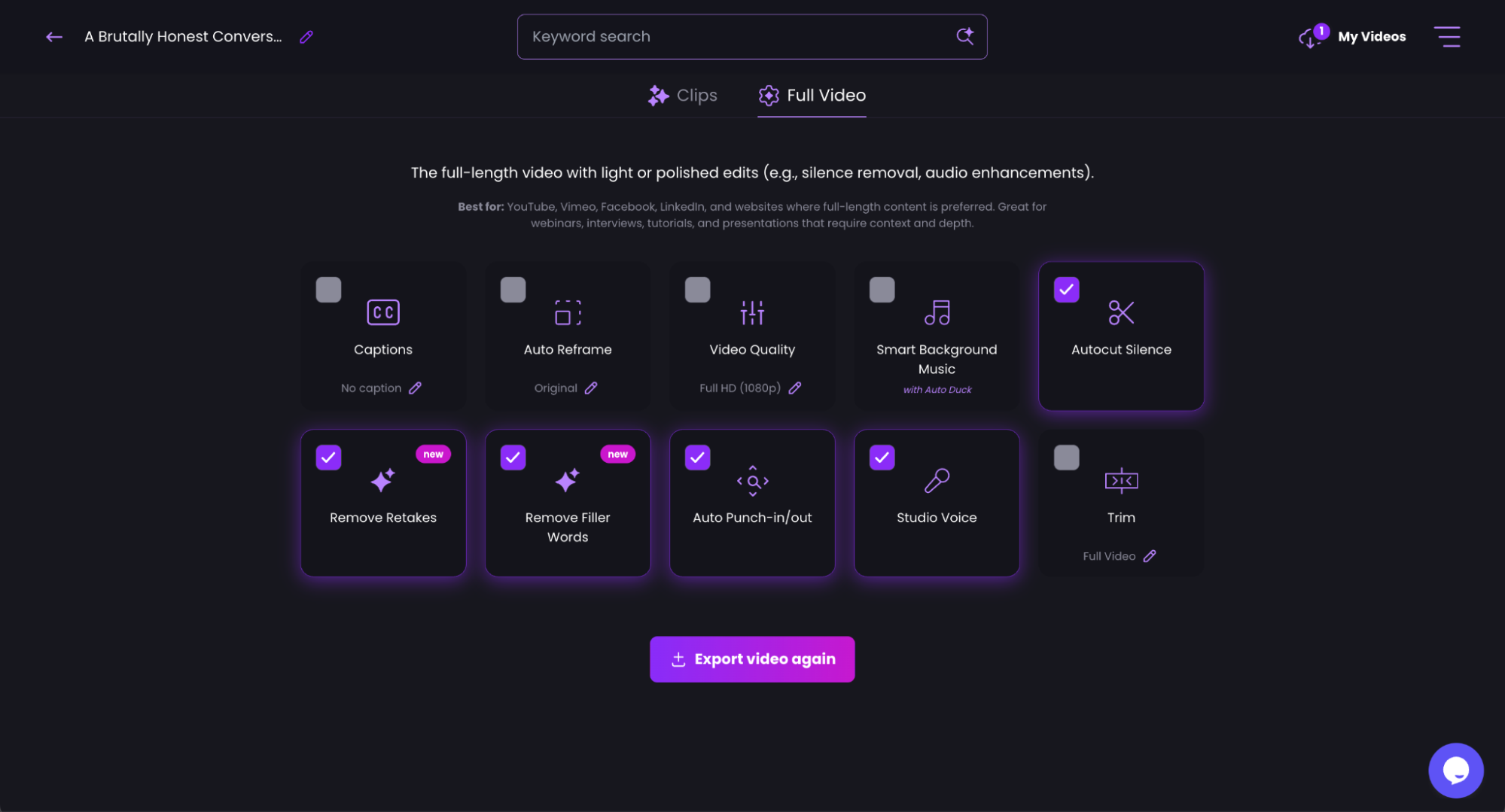
Select whether you want Wisecut to generate multiple short clips, or whether you want to edit the full video (silence removal, captions, audio enhancement applied to the complete recording). You can choose your target clip length — great for matching TikTok’s 60-second sweet spot or YouTube Shorts’ 90-second limit.
Let the AI Process Your Video
Wisecut’s AI runs its full analysis — highlight detection, silence removal, transcription, face detection, and audio processing — automatically. You receive a notification when processing is complete so you are not waiting at the screen. Processing speed varies with video length, but most content is ready in a fraction of the real-time duration.
Review and Polish Your Clips
Wisecut presents your generated clips with the AI edits applied. Review them in the editor, make adjustments using the text-based storyboard, toggle features on or off (captions, hook titles, music, punch-in), and select the aspect ratio for each clip. The editing interface is visual and intuitive — no timeline experience needed.
Export in 4K and Publish
Export your final clips in 4K Ultra HD (when the source footage is 4K) or standard HD. Downloads are unlimited on the AppSumo plan. You can also publish directly from Wisecut to Instagram, TikTok, YouTube, and LinkedIn — eliminating the manual download-upload step between your editor and your platforms.
Platform & Format Support
Wisecut is built for the multi-platform creator. Here is the full picture of what is supported for input, output, and direct publishing.
Input Sources
Export Formats
Direct Publish To
Caption Languages Supported
Wisecut By The Numbers
Short-form video is the fastest-growing content category by engagement and ROI. Here is the data that frames Wisecut’s market position and the business case for video repurposing in .
Short-Form Video ROI vs Other Formats ()
Wisecut Feature Ratings (Out of 10)
Time Saved: AI vs Manual Video Repurposing (minutes)
AI Video Tool Value Comparison
2.5×
More engagement for videos under 60 seconds vs. longer formats (Sprout Social)
73%
of consumers prefer short-form video to learn about products (Wyzowl, 2024)
80%
reduction in editing time reported by creators using AI video tools (HubSpot)
Wisecut Pricing — AppSumo Lifetime Deal
Wisecut’s standard subscription on wisecut.ai is priced as a recurring monthly or annual plan. The AppSumo deal replaces that entirely with a one-time lifetime payment — no monthly fees, ever. There is a single tier with a clean, comprehensive feature set.
Lifetime access · All future Professional plan updates · AppSumo Select Pick
| Feature | License Tier 1 ($79 Lifetime) |
|---|---|
| Minutes Per Month | 120 minutes (expandable with add-ons) |
| Export Quality | 4K Ultra HD |
| Projects | Unlimited |
| Max Export Length | 90 minutes per export |
| Downloads | Unlimited |
| File Size Limit | 5 GB per file |
| Project Expiration | 30 days per project |
| AI Clip Generation | ✅ Included |
| Auto Silence Removal | ✅ Included |
| Auto-Captions & Translation | ✅ 12+ languages |
| AI Storyboard (Text Editing) | ✅ Included |
| Auto-Reframe | ✅ Vertical, Square, Landscape |
| Hook Titles | ✅ Included |
| Facial Recognition Auto Punch-In | ✅ Included |
| Smart Background Music | ✅ Included |
| AI Audio Ducking | ✅ Included |
| AI Voice Booster | ✅ Included |
| Studio Voice (Noise Canceling) | ✅ Included |
| Direct Social Publishing | ✅ Instagram, TikTok, YouTube, LinkedIn |
| Input Sources | Upload, YouTube, Dropbox, Google Drive, Vimeo |
| Future Plan Updates | ✅ All future Professional plan updates included |
| Additional Minutes (Add-On) | $59 per 120 min/mo (up to 1,200 min/mo max) |
60-Day Money-Back Guarantee
All AppSumo purchases are backed by a 60-day refund policy and the “We Got Your Back” guarantee. You have two full months to put Wisecut through your actual content workflow — uploading real recordings, generating real clips — before committing to keeping it.
A Note on the 120 Minutes/Month Limit
120 processing minutes per month is enough to handle approximately 2 hours of raw footage monthly — sufficient for many individual creators and small teams. Heavy users (podcasters releasing weekly episodes, daily vloggers, agencies handling multiple clients) will likely want to purchase the minute add-on ($59 per additional 120 minutes, up to 1,200 min/mo). Budget this into your total cost calculation if you produce high volumes of video content.
Wisecut vs Descript vs Adobe Premiere — Head to Head
Wisecut competes with a wide range of tools in the video editing space. AppSumo positions it as an alternative to Adobe Premiere and Descript. Here is an honest comparison across the dimensions that matter most for video repurposing.
| Feature | Wisecut | Descript | Adobe Premiere |
|---|---|---|---|
| AI Clip Generation | ✅ Core feature | ✅ Via Underlord AI | ✅ Basic (AI Express) |
| Auto Silence Removal | ✅ Built-in | ✅ Built-in | ❌ Manual only |
| Text-Based Editing | ✅ AI Storyboard | ✅ Core feature | ❌ No |
| Auto-Captions & Translation | ✅ 12+ languages | ✅ Limited languages | ✅ Via extension |
| Auto-Reframe for Platforms | ✅ Facial recognition | ✅ Limited | ✅ Auto Reframe tool |
| Smart Music + Audio Ducking | ✅ Both included | ❌ No | ✅ Manual only |
| Direct Social Publishing | ✅ TikTok, Instagram, YouTube, LinkedIn | ❌ No | ❌ No |
| 4K Export | ✅ Yes | ✅ Yes | ✅ Yes |
| Hook Title Generation | ✅ Automated | ❌ No | ❌ No |
| Facial Punch-In (Auto Zoom) | ✅ AI-powered | ❌ No | ❌ No |
| No Technical Skill Required | ✅ Yes | ✅ Mostly | ❌ High learning curve |
| Lifetime Deal Available | ✅ $79 — AppSumo | ❌ Subscription only | ❌ Subscription only |
| Starting Monthly Price | ~$29/mo (or one-time) | ~$24/mo | ~$55/mo |
| Users | 1M+ | Large user base | Industry standard |
Wisecut wins decisively on automation depth, platform publishing, and value. Descript is the closest competitor in approach — both use text-based editing as a core paradigm — but Wisecut adds AI clip generation, auto-reframe with facial recognition, smart music and audio ducking, and hook title generation that Descript lacks. Adobe Premiere is the professional standard for complex editing but requires significant technical skill and offers almost none of the AI automation that Wisecut provides.
The honest verdict on comparison: If your primary goal is repurposing long videos into short social clips efficiently and at high quality, Wisecut is the cleaner, faster solution. If you need granular control over complex multi-track editing projects — color grading, motion graphics, advanced audio mixing — Adobe Premiere or DaVinci Resolve remain the professional standards, but they serve a fundamentally different use case.
Who Is Wisecut Best For?
Wisecut is purpose-built for specific types of content producers. Here is who gets the most value from it — and who might need a different tool.
Podcasters
Turn every episode into 5–10 social clips automatically. Silence removal cleans up conversational pauses, captions make clips accessible, and auto-reframe gets vertical clips to Instagram and TikTok without extra editing. One podcast recording becomes a week of social content.
Course Creators & Educators
Transform long coaching sessions, webinars, and course lectures into bite-sized learning clips for social promotion. Multi-language caption translation lets you serve international audiences without re-recording. Studio Voice makes home-recorded audio sound professional.
Marketers & Content Teams
Repurpose webinars, product demos, and explainer videos into platform-specific clips at scale. Direct publishing to Instagram, TikTok, YouTube, and LinkedIn eliminates the manual distribution step. Hook titles drive higher click-through rates on every clip.
Solopreneurs & Personal Brands
Build a consistent social media presence from your existing long-form content without a video editor on staff. Wisecut handles the technical work — you focus on creating. The no-skill-required approach is ideal for business owners who are subject-matter experts, not video producers.
YouTubers & Video Creators
Use Wisecut alongside your main editing workflow to efficiently produce YouTube Shorts from existing long-form uploads. Paste the YouTube URL directly and generate shorts from the best moments — no re-upload needed. The keyword scene search helps you pinpoint specific segments.
Agencies with Video Clients
Handle video repurposing for multiple clients without proportionally increasing editing hours. Wisecut’s AI does the bulk processing — your team refines and approves. Unlimited projects and downloads keep there no per-client caps eating into your margins.
Who Should Look Elsewhere
Wisecut is not designed for complex narrative film editing, color grading, motion graphics, or multi-camera productions with multiple audio tracks. It is also not the right choice if you need to produce highly polished long-form corporate videos with advanced effects. For those needs, professional editing software like Adobe Premiere, Final Cut Pro, or DaVinci Resolve remains the appropriate choice — though those tools can be paired alongside Wisecut for the repurposing step.
Pros and Cons
Based on the product’s full feature set, the AppSumo listing including founder notes, FAQ answers, and the platform’s six-year track record, here is an honest assessment.
Pros
- ✓ 1M+ users and 6 years of development — proven, mature product
- ✓ End-to-end AI automation — clip, silence removal, captions, reframe, music, publish
- ✓ Caption translation into 12+ languages — reach global audiences
- ✓ Auto-reframe with facial recognition — no cropped heads or off-center speakers
- ✓ Text-based editing (AI Storyboard) — no timeline experience needed
- ✓ 4K export quality on the base plan
- ✓ Direct publishing to Instagram, TikTok, YouTube, LinkedIn
- ✓ Hook titles and punch-in zoom — professional production value automatically
- ✓ Studio Voice and AI audio ducking — broadcast-quality sound from home recordings
- ✓ Unlimited projects and downloads on the lifetime plan
- ✓ $79 lifetime deal — AppSumo Select Pick, 92% off regular price
- ✓ 60-day money-back guarantee
Cons
- ✗ 120 minutes/month may be limiting for high-volume producers without add-ons
- ✗ 4K export requires 4K source footage — no upscaling available
- ✗ 4K is only available for direct file uploads, not link-based imports
- ✗ One video per project — multi-video projects need files combined beforehand
- ✗ Project files expire after 30 days — active management required for long projects
- ✗ Not designed for complex multi-track or narrative editing workflows
- ✗ Caption quality can vary with strong accents or poor source audio clarity
- ✗ Previous AppSumo customers cannot upgrade — requires a new account for the new deal
Related: NeuronWriter Review
Related: SalesBlink Review
Final Verdict
Bottom Line: Wisecut is one of the most complete, polished, and proven AI video repurposing tools available — and at $79 for lifetime access, the AppSumo deal is one of the strongest value propositions in the video editing category.
For creators, marketers, coaches, and business owners who consistently produce long-form video content and struggle to turn it into the short clips that drive social media growth, Wisecut solves the problem end-to-end. The combination of AI highlight detection, silence removal, multi-language captions, facial-recognition reframing, smart music, studio-quality audio processing, and direct social publishing in a single browser-based tool is genuinely impressive at this price point. The 1M+ user base and 6 years of active development add confidence that this is a mature, supported product — not a feature-rich MVP that will be abandoned.
9.5/10
AI Automation
9.8/10
Value for Money
9.2/10
Ease of Use
9.3/10
Output Quality
Frequently Asked Questions
Answers to the most common questions buyers have about Wisecut before purchasing.
Does Wisecut require any video editing experience?
None at all. Wisecut is specifically designed for non-editors. You upload or paste a link, click to generate clips, review what the AI produces, and export. The text-based storyboard editing means any adjustments you make are as simple as editing a document. No timeline, no keyframes, no technical knowledge required.
What video formats and sources does Wisecut accept?
Wisecut accepts direct file uploads up to 5 GB per file. You can also import video via link from YouTube, Vimeo, Dropbox, and Google Drive. Most common video file formats are supported for direct upload. For 4K exports, the source file must also be 4K — Wisecut does not upscale footage — and 4K export is only available for direct file uploads, not link imports.
How does the 120 minutes per month limit work?
The 120 minutes/month refers to the total length of source video you can process through Wisecut’s AI each month. If you upload a 60-minute podcast recording, that uses 60 of your 120 minutes. The minutes reset monthly. If you consistently exceed 120 minutes, you can purchase add-ons at $59 per additional 120 minutes per month, up to a maximum of 1,200 minutes per month.
Can I use Wisecut to edit a full-length video without creating short clips?
Yes. Wisecut has a “Full Video” mode where you can apply AI enhancements — silence removal, captions, audio processing, noise canceling — to the entire recording without breaking it into clips. This is useful for cleaning up and polishing webinar recordings, online course sessions, or meeting recordings that you want to distribute in full-length form.
How accurate are the AI-generated captions and translations?
Caption accuracy is high for clearly spoken English and major European languages with good source audio quality. As with any AI transcription tool, accuracy can decrease with heavy accents, rapid speech, technical jargon, or poor audio conditions. The captions are editable, so you can correct any errors before exporting. Translation quality follows the same pattern — strong for major languages, somewhat variable for less common ones.
Can I publish clips directly from Wisecut to social media?
Yes. Wisecut integrates with Instagram, TikTok, YouTube, and LinkedIn for direct publishing. Once your clip is finalized, you can push it directly to your connected accounts without downloading and re-uploading. This eliminates a significant friction point in the content workflow — especially when publishing multiple clips across multiple platforms from the same session.
Is the AppSumo deal available to previous Wisecut AppSumo customers?
This is a brand new AppSumo deal with a different structure than previous campaigns. Previous AppSumo purchases are honored and remain active, but the two deals cannot be merged or upgraded. Previous customers who want to access this new deal would need to create a new Wisecut account. The founder has confirmed that all past AppSumo customers continue to be supported and receive updates.
What happens after 30 days — do my projects get deleted?
The project expiration is 30 days, which means your project files and edits within Wisecut are stored for 30 days. Your exported and downloaded clips are saved to your device permanently and are not affected. This means you should download your finished clips before the 30-day project window closes. This is a storage management mechanism on Wisecut’s end, not a limitation on your exported content.
What is the AppSumo refund policy for Wisecut?
All AppSumo purchases come with a 60-day money-back guarantee covered by their “We Got Your Back” program. You have two full months to put Wisecut through its paces with your actual content — uploading real recordings, generating real clips, publishing to real platforms — before deciding whether to keep it.
Turn Every Long Video Into a Week of Content in
Join 1 million+ creators and marketers using Wisecut to transform long recordings into polished short clips — automatically. 4K export. 12+ caption languages. Direct social publishing. One lifetime payment.
60-Day Money-Back Guarantee | Lifetime Access | No Recurring Fees | AppSumo Select Pick