LeadToSheet Review : Sync Every Website Form to Google Sheets in Real Time — With Full UTM Attribution, No Code, No Zapier
Every form submission on your website contains valuable lead data that gets buried in email inboxes, scattered across platforms, and stripped of the attribution data you actually need to measure what’s working. LeadToSheet fixes all of that with a single line of JavaScript. This is our full review.
Quick Verdict
LeadToSheet is a focused, elegant solution to a problem that frustrates virtually every marketer and agency: getting form submissions out of email inboxes and into a structured, shareable, attribution-enriched Google Sheet — automatically, in real time, without a Zapier subscription eating into your margins.
Drop one JavaScript snippet on any website. Every form submission — from WordPress, Shopify, Webflow, Wix, Squarespace, React, or plain HTML — instantly streams into your Google Sheet with UTM parameters, Google and Facebook click IDs, device data, and timezone captured automatically. A newly launched Launchpad product by an active founder shipping features weekly. AppSumo lifetime deal starts at $39, with a 60-day money-back guarantee.
- What Is LeadToSheet?
- The Story Behind the Tool
- Who Is LeadToSheet For?
- How LeadToSheet Works: Setup in Seconds
- Core Features: Full Breakdown
- New Features: REST API, Form Endpoints & Email Alerts
- The Lead Management Problem: Data & Context
- LeadToSheet Pricing: AppSumo Deal Breakdown
- LeadToSheet vs. Zapier vs. Make vs. Formspree
- Pros & Cons
- Final Verdict
- FAQ
Introduction
What Is LeadToSheet?
LeadToSheet is a real-time form-to-Google Sheets integration tool that solves one very specific problem extremely well: it captures every form submission on any website and pipes it directly into a Google Sheet the moment someone hits the submit button, along with full marketing attribution data.
The setup requires no coding, no field mapping, no form rebuilding, and no Zapier account. You add one JavaScript snippet to your website — the same way you’d add Google Analytics or a chat widget — and LeadToSheet automatically detects and captures submissions from every form on that site, regardless of what form builder you’re using.
What separates LeadToSheet from a basic Zapier form-to-sheets zap is everything that comes attached to each submission row in your sheet. Every lead record automatically includes UTM source, medium, campaign, content, and term for full marketing attribution; Google Click ID (gclid) and Facebook Click ID (fbclid) for offline conversion uploads back to your ad platforms; plus browser, operating system, device type, and timezone. This is the data that answers the question every agency and every business owner wants answered: which ad, which campaign, which channel actually generated this lead?
Founded in April 2025 and built by Chris Edington, a marketing agency owner based in London, LeadToSheet is an AppSumo Launchpad product — chosen for its potential and innovation. It’s a bootstrapped, early-stage tool with a founder who is actively shipping new features based on community feedback, with a REST API, Form Endpoints, and Email Notifications all dropping in the first year of operation.
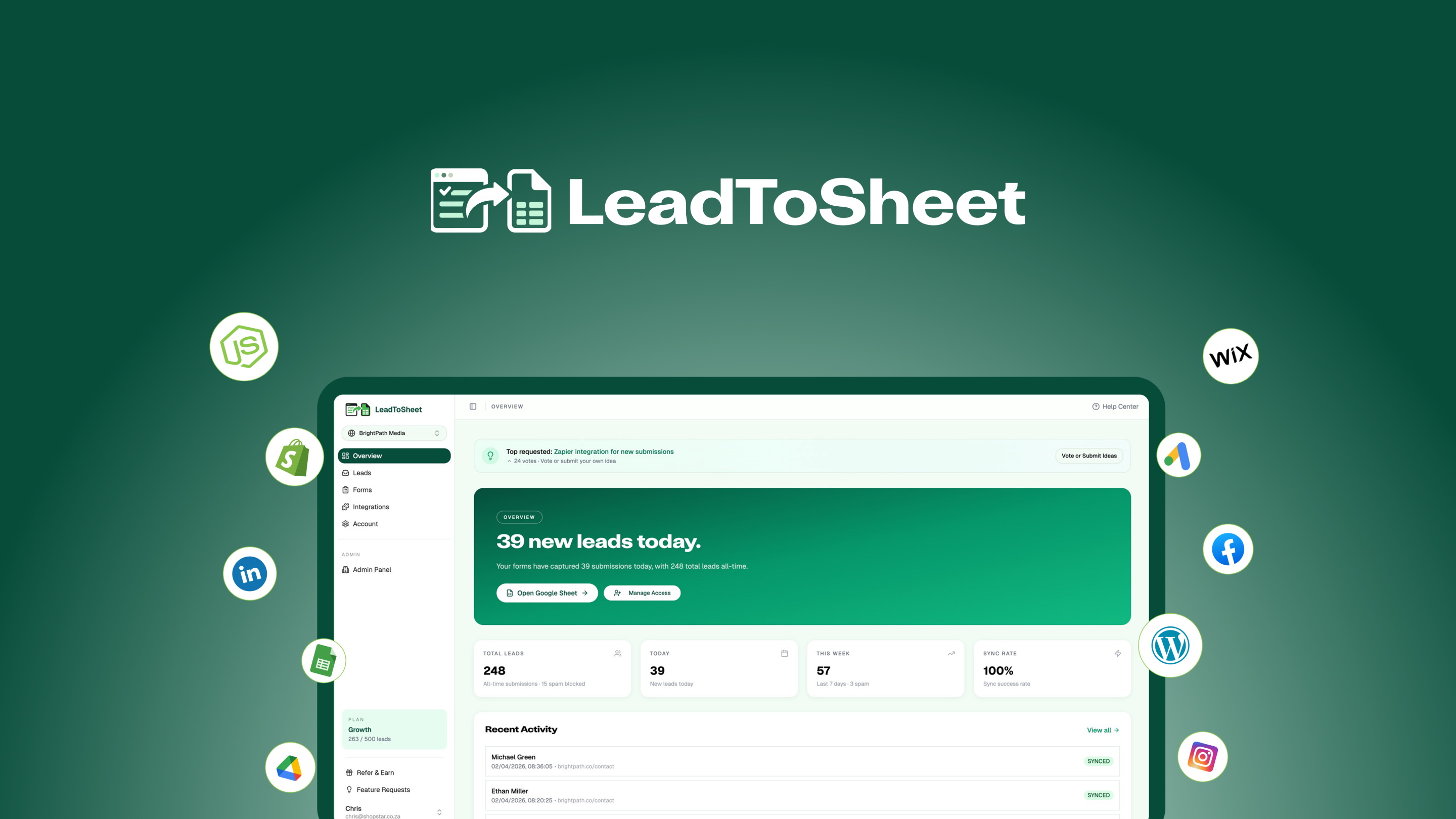
LeadToSheet syncs every form submission to Google Sheets in real time with full marketing attribution.
Why It Was Built
The Story Behind LeadToSheet
Chris Edington, Founder — Marketing Agency Owner, London
“LeadToSheet is the tool I wish I’d had ten years ago.”
Understanding why LeadToSheet exists requires understanding the person who built it. Chris Edington ran a marketing agency for years, and he describes the lead capture problem in terms that anyone who has managed campaigns will immediately recognize: every client site is different, every form plugin behaves slightly differently, and none of them delivered what he actually needed — clean lead data, paid ad attribution, and a way to score leads without connecting five separate tools.
The daily reality was reverse-engineering UTM parameters from email subject lines, manually copying form submissions into spreadsheets, and watching Zapier workflows break in the background while clients asked why attribution data was missing. The tools that existed were either too expensive, too complex, or too fragile for day-to-day agency use.
LeadToSheet is the direct product of that decade of frustration. One JavaScript snippet. Every form on every platform captured. Google Sheets as the single source of truth for leads, attribution, scoring, and sharing — without anyone having to build a custom integration or maintain a Zapier account that charges per task.
Target Users
Who Is LeadToSheet Built For?
LeadToSheet is listed on AppSumo as best for marketing agencies, small businesses, and solopreneurs. In practice, it’s most valuable to anyone who runs paid advertising, manages form submissions across multiple client websites, or needs to share lead data with a team or client without granting CRM access or manually exporting CSVs.
Marketing Agencies
Manage form capture across multiple client websites from one account. Share live Google Sheets with clients for transparent lead reporting. Capture paid ad attribution data automatically for every lead without custom integrations per client.
Small Businesses Running Ads
Know exactly which Google or Facebook ad generated each lead. Upload Google and Facebook Click IDs for offline conversion tracking. Score and prioritize leads inside Google Sheets without a CRM subscription.
Solopreneurs & Freelancers
Replace a Zapier subscription with a one-time lifetime payment. Keep leads organized in the tool everyone already knows — Google Sheets — without learning a new CRM or paying recurring SaaS fees.
Stop losing lead attribution data to email inboxes and broken Zaps.
One JavaScript snippet. Every form on every platform. Real-time sync to Google Sheets with full UTM attribution, ad click IDs, and device data — for a one-time lifetime payment starting at $39.
Get LeadToSheet Lifetime Access →60-day money-back guarantee • AppSumo Launchpad • Lifetime access
The Setup
How LeadToSheet Works: Real Setup in Under 60 Seconds
The pitch says “one line of JavaScript.” That’s not marketing copy — it’s literally the entire integration. Here’s the actual workflow from signup to live lead capture.
Sign Up & Connect Google Sheets
Create your LeadToSheet account, authorize access to your Google account, and select or create the Google Sheet where you want submissions to land. LeadToSheet automatically creates the column headers based on the fields it detects in your forms — no manual field mapping required.
Paste One JavaScript Snippet into Your Site
Copy your unique SDK key from the Integrations page and paste the snippet into your website’s header — the same place you’d add Google Analytics or a Facebook Pixel. No form modifications, no plugin installations, no configuration files. One paste.
data-sdk-key=”YOUR_SDK_KEY”>
</script>
Verify Your Installation with One Click
From the Integrations page, click the verify button. LeadToSheet checks your site and confirms the SDK is installed correctly. You get an immediate pass or fail — no guessing whether it’s working.
Every Form Submission Flows Into Your Sheet Automatically
From this point forward, every form submission on your site — contact forms, quote request forms, newsletter signups, booking forms, anything — lands in your Google Sheet within seconds of submission, fully enriched with attribution data. No maintenance required. Your existing forms, success messages, and spam filters remain completely unchanged.
Works on Every Major Platform — No Special Plugins Needed
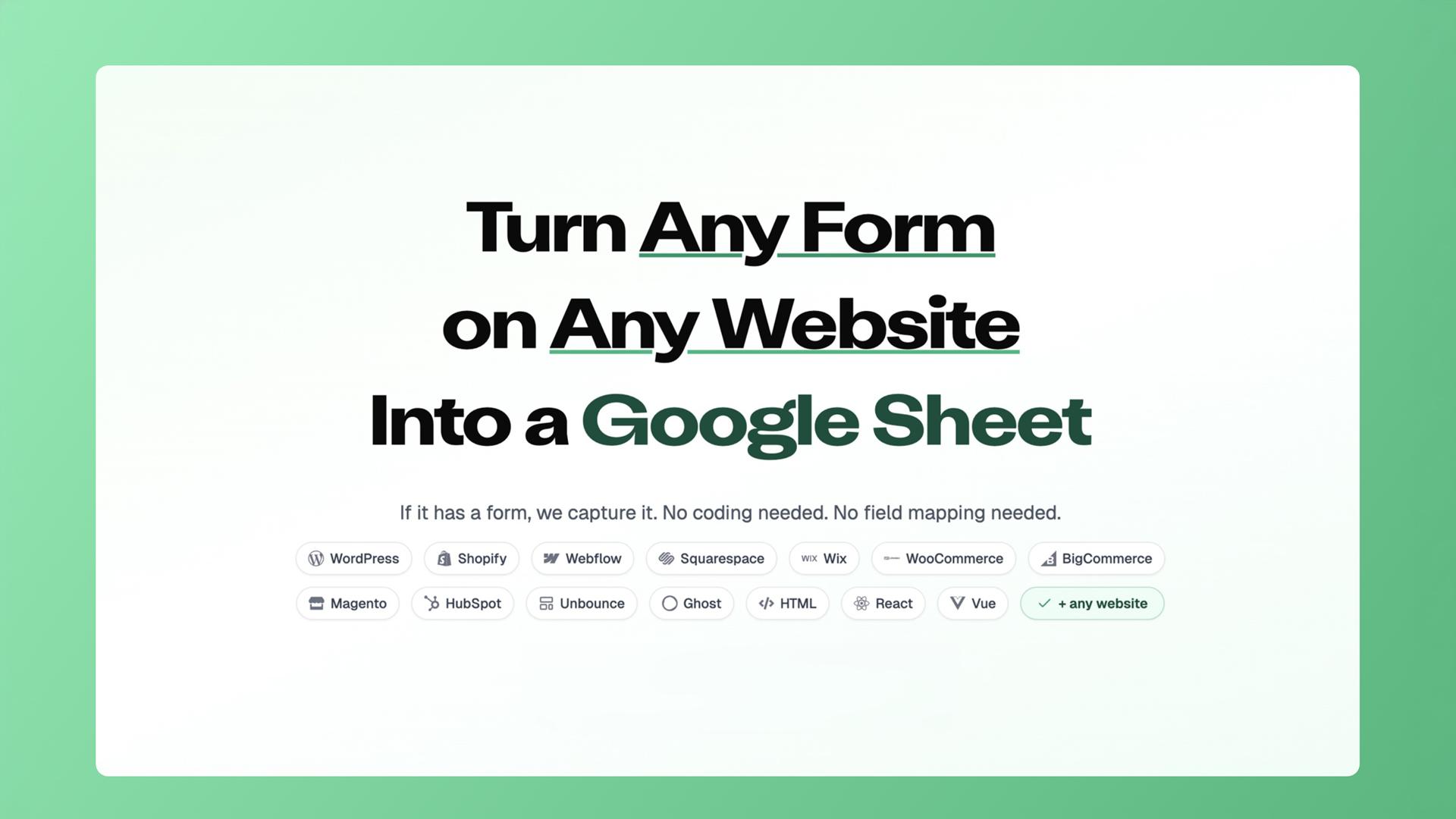
The LeadToSheet dashboard showing form sync status and real-time lead capture.
Feature Breakdown
Core Features: What LeadToSheet Actually Does
LeadToSheet is a focused tool that does a handful of things extremely well rather than trying to be a broad platform. Here’s a complete breakdown of every core capability.
Real-Time Form Sync to Google Sheets
Every submission lands in your Google Sheet within seconds. No scheduled syncs, no batch exports, no manual downloads. The moment someone hits submit on any form on your site, the data appears in your sheet — making it immediately available for any automation, review, or notification you’ve built on top of Google Sheets.
Automatic UTM Attribution Capture
Every form submission automatically captures UTM source, UTM medium, UTM campaign, UTM content, and UTM term in dedicated columns in your sheet. No custom form fields needed, no manual tagging, no extra configuration. If UTM parameters are present in the visitor’s URL (from any paid or organic campaign), LeadToSheet captures them.
Google & Facebook Click ID Capture (gclid / fbclid)
Captures Google Click IDs (gclid) and Facebook Click IDs (fbclid) automatically for every lead that arrives from a paid ad. These IDs can be uploaded back to Google Ads and Meta Ads as offline conversions, allowing your ad platforms to optimize for actual leads and sales rather than just click events — a meaningful ROAS improvement for any account running lead gen campaigns.
Device & Browser Data Capture
Automatically logs the submitting user’s browser, operating system, device type (mobile/desktop/tablet), and timezone with every submission. This data is valuable for segmentation, lead quality assessment, and identifying patterns in your highest-converting traffic sources.
Lead Scoring
LeadToSheet includes built-in lead scoring so you can automatically prioritize your most valuable submissions. Score based on form fields, traffic source, device type, or any combination of captured data — directly inside the platform without needing a separate CRM or manual scoring spreadsheet formula setup.
Smart Spam Validation & Filtering
LeadToSheet includes smart validation that filters out bot submissions, duplicate entries, and obvious spam before they reach your Google Sheet. Your existing form spam filters remain untouched — LeadToSheet adds an additional layer on top without interfering with your form’s current behavior or user experience.
Analytics Dashboard & Multi-Site Management
A central dashboard shows all connected forms across all your websites with submission counts, last activity, page source, total leads, and conversion rates. Each website gets its own SDK key, its own Google Sheet, and its own analytics view. Agencies managing multiple clients have everything in a single login.
Webhook Support
Add webhook endpoints to forward submissions to external URLs in real time. This allows LeadToSheet to slot into any existing workflow that accepts webhooks — CRMs, notification tools, custom applications — without replacing your Google Sheets sync. The sheet and the webhook fire simultaneously.
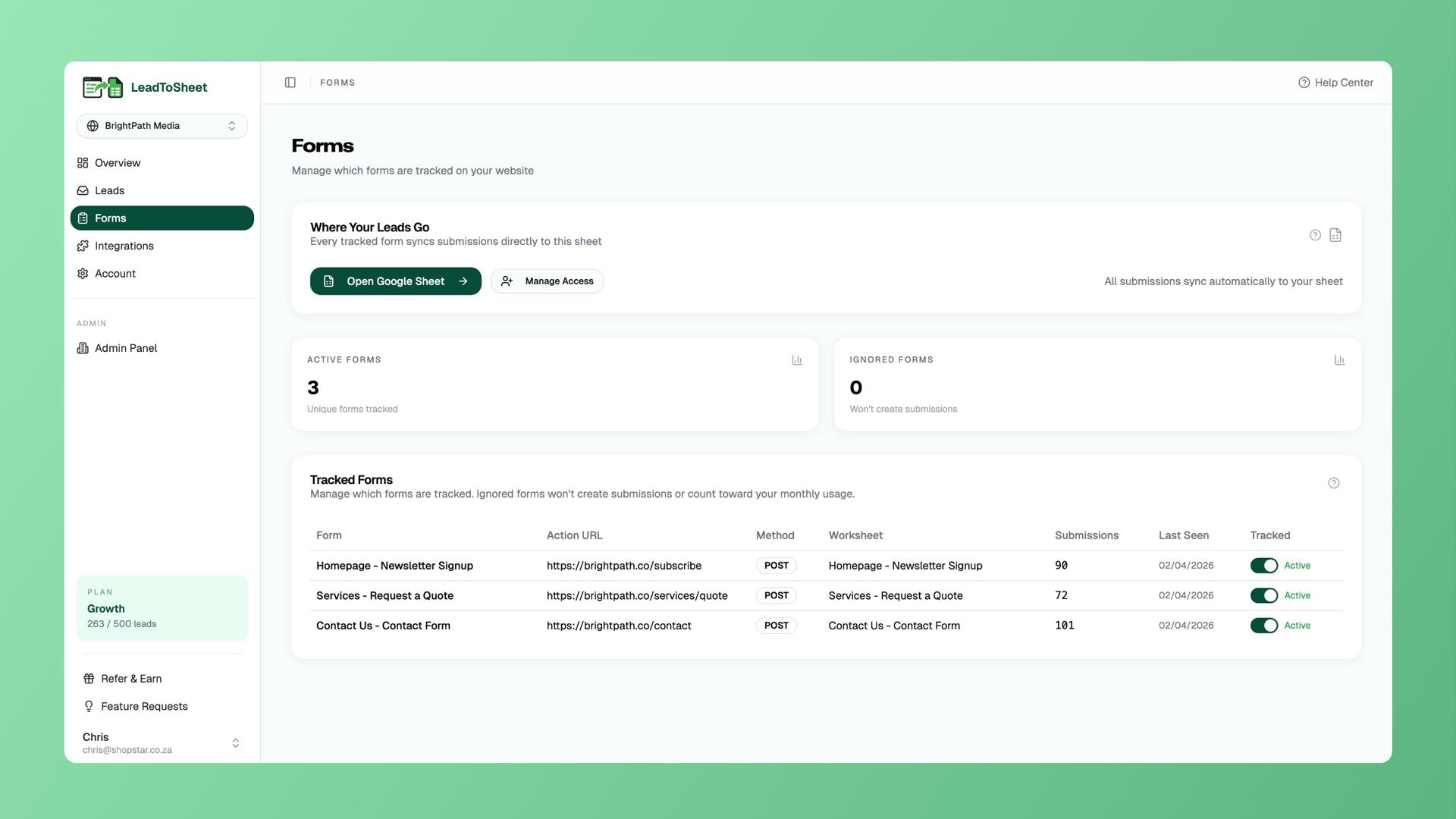
All tracked forms with submission counts, last activity, and conversion rates in one view.
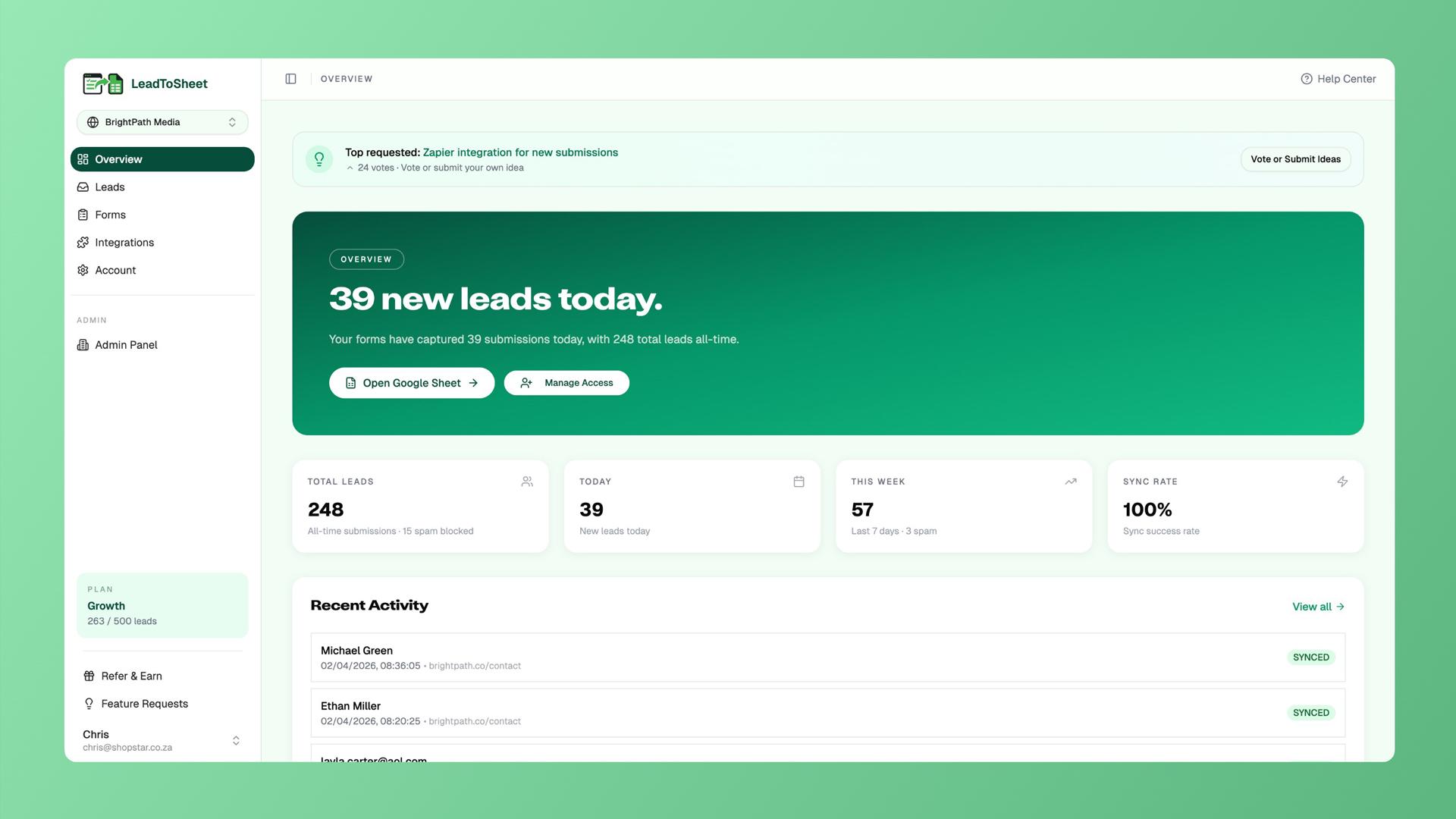
Leads overview dashboard showing attribution, device data, and scoring across all sites.
Latest Updates
What’s New: REST API, Form Endpoints & Email Notifications Just Shipped
One of the most encouraging signals about any early-stage SaaS product is the velocity of meaningful updates. LeadToSheet’s founder shipped three substantial new features in May 2026, all included in the existing lifetime deal at no extra cost. Here’s what each one does.
Form Endpoints New
A drop-in URL that you point any HTML form’s action attribute at. No SDK, no JavaScript, no embed code at all. Just paste https://www.leadtosheet.com/f/your-id into your form’s action attribute and submissions flow straight into your sheet. Works with plain HTML forms, AJAX/fetch requests, and multipart file uploads. Perfect for static sites, landing pages, or any platform where you can’t add JavaScript to the head.
This is a meaningful expansion — it means LeadToSheet now works on platforms where adding JavaScript to the header isn’t possible, covering a use case the original SDK couldn’t reach.
REST API New
A full public REST API with Bearer token authentication. Read submissions, manage forms, and post leads programmatically — ideal for developers who want to pipe lead data directly into their own applications rather than (or alongside) Google Sheets. Complete OpenAPI spec and documentation available at /docs/api.
This opens up LeadToSheet as a data layer for custom applications, not just a Sheets integration — a significant expansion of the platform’s possible use cases for technical teams.
Email Notifications New
Two notification modes with separate recipient lists:
- ✓Real-time alerts the moment any lead comes in — includes the form name, all captured fields, UTMs, ad click IDs, and a direct link to the dashboard
- ✓Daily, weekly, and monthly digests with totals, top forms by volume, top traffic sources, and recent activity
- ✓Different recipient lists per channel — sales team gets real-time alerts, managers get digests
This closes the notification gap for teams that need immediate lead alerts without logging into the dashboard, making LeadToSheet viable as the sole lead capture system rather than a background data layer.

LeadToSheet’s integrations page — verify installation, manage webhooks, and configure Form Endpoints.
The Problem It Solves
The Lead Management Problem: Why This Tool Matters in
The pain point LeadToSheet addresses is one of the most universal and consistently underestimated problems in digital marketing: the gap between generating a lead and actually capturing its full context in a useful, structured format. Most businesses running paid ads have a version of this problem. Forms work. Leads come in. Attribution disappears.
The form plugin sends an email. The email gets buried in an inbox. Someone manually copies the lead into a spreadsheet or CRM, and by then the UTM data, the ad click ID, and the device information that would tell you which exact ad generated which exact lead are long gone. Zapier fills some of this gap, but at a per-task pricing model that gets expensive as volume scales, and with a fragility that means broken zaps go unnoticed until a client asks why lead counts dropped.
#1
Question agencies ask: “Which ad generated this lead?”
68%
AppSumo discount off the regular $120/year price
$0
Per-task fees (vs. Zapier which charges per task)
<2s
Time from form submission to data appearing in Google Sheets
Annual Cost Comparison: LeadToSheet vs. Zapier vs. Make vs. Alternatives
Approximate annual cost for equivalent form-to-Google Sheets lead capture with attribution (LeadToSheet shown as LTD amortized over 3 years)
Data Points Captured Per Lead Submission
How many attribution and contextual data fields each tool captures automatically alongside form field data
Tool Comparison Radar: LeadToSheet vs. Zapier vs. Make
Comparative scores across key lead capture dimensions (out of 10)
AppSumo Lifetime Deal
LeadToSheet Pricing: The AppSumo Deal Fully Explained
LeadToSheet’s regular pricing runs at $120/year for Tier 1 (100 submissions/month) up to $600/year for the Professional tier. Through AppSumo, you get lifetime access with a one-time payment — no annual renewals. Three tiers are available based on your monthly submission volume, with the middle tier (500 submissions/month at $99) recommended by the platform as the most popular option.
| Feature | Tier 1 — $39 | Tier 2 — $99 | Tier 3 — $199 |
|---|---|---|---|
| Monthly Submissions | 100 / month | 500 / month ★ Recommended | Unlimited |
| Real-time Google Sheets Sync | Yes | Yes | Yes |
| UTM Attribution Capture | Yes | Yes | Yes |
| Google & Facebook Click IDs | Yes | Yes | Yes |
| Device / Browser / Timezone Data | Yes | Yes | Yes |
| Lead Scoring | Yes | Yes | Yes |
| Smart Spam Validation | Yes | Yes | Yes |
| Analytics Dashboard | Yes | Yes | Yes |
| Webhook Support | Yes | Yes | Yes |
| REST API | Yes | Yes | Yes |
| Form Endpoints | Yes | Yes | Yes |
| Email Notifications | Yes | Yes | Yes |
| Regular Annual Price | $120/yr | $360/yr | $600/yr |
| AppSumo LTD Price | $39 once | $99 once | $199 once |
| Discount | 68% off + lifetime | 73% off + lifetime | 67% off + lifetime |
Tier 2
$99
$360/yr
500 submissions / month
Small businesses, agencies with multiple clients
Get Tier 260-Day Money-Back Guarantee
LeadToSheet’s AppSumo deal includes the standard 60-day full money-back guarantee. You have two full months to test the tool across your real websites and real form traffic before committing permanently — zero risk.
Every lead you generate deserves to be captured with full context.
LeadToSheet ensures no submission gets lost, no UTM data gets stripped, and no attribution question goes unanswered — for a one-time lifetime payment starting at $39.
60-day money-back guarantee • AppSumo Launchpad • Lifetime access
How It Stacks Up
LeadToSheet vs. Zapier vs. Make vs. Formspree vs. Manual Export
LeadToSheet is positioned on AppSumo as an alternative to Zapier and Make. That framing makes sense for the use case of routing form data to Google Sheets, but the comparison needs nuance. Zapier and Make are general-purpose automation platforms that can connect hundreds of apps. LeadToSheet is a specialist tool that does one workflow — form to Google Sheet with full attribution — dramatically better and cheaper than either general-purpose tool.
| Feature | LeadToSheet (LTD) | Zapier (Starter) | Make (Core) | Formspree | Manual Export |
|---|---|---|---|---|---|
| Monthly Cost | ~$1/mo amortized | $29.99/mo | $10.59/mo | $10/mo | $0 |
| Lifetime Deal | Yes ($39 once) | No | No | No | N/A |
| Real-Time Sync | Yes (<2 seconds) | 5-15 min delay (Starter) | 15 min intervals | Yes | Manual only |
| UTM Parameter Capture | Automatic (all 5) | Manual setup required | Manual setup required | No | No |
| Google/Facebook Click IDs | Automatic | Manual setup required | Manual setup required | No | No |
| Device/Browser Data | Automatic | No | No | No | No |
| Lead Scoring | Built-in | Build yourself | Build yourself | No | No |
| Spam Filtering | Built-in | No | No | Yes | No |
| Setup Complexity | 1 JS snippet | Multiple zap steps | Scenario builder | Form action URL | Manual always |
| Works on Any Platform | Yes | Yes | Yes | HTML forms only | Yes |
| Per-Task Fees | None | Yes (750 tasks/mo cap) | Yes (10K ops/mo cap) | By plan | N/A |
| REST API | Yes (new) | Yes | Yes | Limited | No |
The key conclusion: for the specific use case of capturing form submissions into Google Sheets with full paid ad attribution, LeadToSheet is substantially better than either Zapier or Make — not because those are bad platforms, but because LeadToSheet was purpose-built for this one workflow and handles it with zero configuration overhead. The UTM capture, click ID logging, device data, and lead scoring all happen automatically with no custom setup required. Building the equivalent in Zapier or Make would take hours and would still miss the device data and built-in lead scoring.
Honest Assessment
LeadToSheet Pros & Cons
What Works Well
- ✓Automatic UTM, gclid, and fbclid capture — no manual setup per form or campaign
- ✓Works on every major website platform with a single JS snippet
- ✓Real-time sync in under 2 seconds — true real-time, not polled intervals
- ✓No per-task fees — unlimited submissions on Tier 3, no surprise bills
- ✓Built-in lead scoring without a CRM
- ✓Form Endpoints for platforms where JS isn’t possible
- ✓REST API for developers building on top of the data
- ✓Email notifications with per-channel recipient lists
- ✓Active founder shipping meaningful updates regularly
- ✓60-day money-back guarantee — plenty of time to test in production
- ✓Google Sheets is a tool everyone already knows — zero CRM learning curve
Limitations to Know
- ✗New product (founded April 2025) — no long track record yet, though development velocity is strong
- ✗No AppSumo reviews yet — brand new Launchpad listing
- ✗Google Sheets only — no Airtable, Notion, or CRM direct integrations yet
- ✗Not a full CRM replacement — designed to feed data into Sheets, not manage pipelines
- ✗Tier 1 at 100 submissions/month is very limited for active sites
- ✗Cannot upgrade or downgrade between tiers after 60 days of purchase
- ✗Small team (1-10 people) — enterprise support expectations need to be calibrated accordingly
Bottom Line
Final Verdict: Is LeadToSheet Worth It in ?
Yes — with the appropriate expectations for what it is: a focused, purpose-built tool that solves a real and widespread problem extremely well, built by a founder with direct experience of the pain it addresses and a demonstrated commitment to rapid iteration based on user feedback.
The core problem LeadToSheet solves — capturing form submissions to Google Sheets with full attribution data automatically — is something that thousands of agencies and businesses are either doing manually (time-consuming and error-prone), doing poorly through fragile Zapier zaps (expensive and unreliable), or not doing at all (losing the attribution data that tells them what their ad spend is actually producing). All three of those situations represent money left on the table, and LeadToSheet addresses all three simultaneously with a setup that takes under five minutes.
The new Form Endpoints feature (no JS required — just a form action URL) and the REST API expand the tool from a single-use-case product into a more general lead routing infrastructure. The email notifications bring LeadToSheet into the daily workflow without requiring anyone to log into a dashboard. These are meaningful additions shipped within the first year of the product’s existence, and they’re all included in the existing lifetime deal.
The honest caveat is newness. LeadToSheet launched in April 2025. There are no AppSumo reviews yet. The 60-day money-back guarantee covers you for testing, but anyone who needs a five-year track record before trusting a tool with production lead data should note this is genuinely early-stage. That said, the founder’s transparency (posting detailed updates directly in the AppSumo listing), the product’s existing feature depth, and the Launchpad vetting all point to this being a legitimate, well-built tool from someone who knows the problem they’re solving from the inside.
At $39 for Tier 1 or $99 for the recommended 500-submission/month tier, the downside risk is minimal and the upside — clean attribution data on every lead your forms generate, forever, without a recurring Zapier bill — is substantial.
Our LeadToSheet Rating Breakdown
Note: “Track Record / Maturity” scored lower reflecting the tool’s April 2025 launch date, not a quality concern. All other scores reflect the product as it exists today.
Related: WiseCut Review
Related: WriteVoice Review
Common Questions
Frequently Asked Questions About LeadToSheet
How does LeadToSheet capture UTM parameters if I don’t add fields to my forms?
LeadToSheet’s JavaScript SDK reads UTM parameters directly from the page URL at the moment of form submission — the same way analytics tools like Google Analytics read them. The visitor’s browser already has this information; LeadToSheet just captures it alongside the form data and adds it as additional columns in your Google Sheet. No hidden form fields, no form modifications, and no configuration required.
Will LeadToSheet break my existing forms or change how they look?
No. LeadToSheet operates as a passive observer of form submissions — it doesn’t modify your forms, inject fields, change your success messages, or interfere with your existing form plugin’s validation or spam filtering. It simply listens for submit events and captures the data. Your forms look and behave identically for users before and after the JS snippet is added.
What’s the difference between the JS SDK and the new Form Endpoints?
The JavaScript SDK is the main integration method — you add one script tag to your site and LeadToSheet automatically detects and captures every form. Form Endpoints are a newer alternative for situations where you can’t add JavaScript to the page (static sites, certain landing page builders, or plain HTML forms). With Form Endpoints, you simply set your HTML form’s action attribute to your unique LeadToSheet endpoint URL and submissions are routed directly to your Sheet, with no JavaScript involved at all.
How does the gclid / fbclid capture help with my ad campaigns?
Google and Facebook Click IDs (gclid and fbclid) are unique identifiers that ad platforms attach to every click from their ads. When you have these IDs stored in your Google Sheet alongside each lead, you can upload them back to Google Ads and Meta Ads as offline conversion events. This tells the ad platforms which exact clicks turned into actual leads — allowing their optimization algorithms to learn from real business outcomes rather than just click events, which typically improves conversion rates and reduces cost per lead over time.
Can I use LeadToSheet with multiple websites and multiple Google Sheets?
Yes. You can manage multiple websites from one LeadToSheet account. Each website gets its own SDK key and its own connected Google Sheet. The analytics dashboard shows all connected forms across all sites in a unified view. This makes LeadToSheet practical for agencies managing multiple client sites, with clean data separation between clients.
Is the tool secure? Where is my lead data stored?
Lead data flows from your website directly into your own Google Sheet — it lives in your Google account, under your control. LeadToSheet processes the submission in transit to add attribution data, but the primary data store is your Google Sheet, not LeadToSheet’s servers. The tool is verified through PandaDoc on AppSumo and operates with standard OAuth authentication for Google account access.
What happens if I exceed my monthly submission limit?
If you’re approaching or exceeding your plan’s monthly submission limit (100/month on Tier 1, 500/month on Tier 2), you’d need to upgrade to a higher tier. Note that upgrades can only be done while the AppSumo deal is still live, so it’s better to purchase the tier that matches your expected volume from the start. Tier 3’s unlimited submissions removes this concern entirely for high-volume sites.
Is there a free trial before buying?
LeadToSheet can be explored at leadtosheet.com before purchasing the AppSumo deal. The AppSumo purchase itself is covered by a 60-day full money-back guarantee, making it effectively a two-month risk-free trial on the full paid product. If you connect LeadToSheet to your real forms for 60 days and it doesn’t work as described, you can request a complete refund.
Your forms are generating leads. LeadToSheet makes sure you know exactly where each one came from.
Real-time sync. Automatic UTM attribution. Google and Facebook Click IDs. Lead scoring. No recurring fees. One JavaScript snippet. Starting at $39 lifetime on AppSumo.
One-time payment • Lifetime access • 60-day money-back guarantee • AppSumo Launchpad