OpenClaw vs Odysseus: Which Self-Hosted AI Should You Use?
OpenClaw and Odysseus both give you more control than a normal cloud chatbot, but they solve different problems. OpenClaw is an always-on personal assistant that lives in your chat apps. Odysseus is a private AI workspace for research, documents, email, local models, and model testing. This guide compares both so you can choose the right self-hosted AI stack before spending hours on setup.
Quick Verdict
Use OpenClaw if you want a personal AI assistant that stays online, connects to messaging apps, handles scheduled work, routes conversations through channels, and can be deployed quickly with a managed OpenClaw setup. It is the stronger choice for phone-first automation, Telegram-style workflows, recurring jobs, and always-on assistant behavior.
Use Odysseus if you want a full private AI workspace in your browser. It is better for research, document work, email triage, notes, calendar, model comparison, local model experiments, and users who prefer one dashboard over a chat-app assistant.
My practical recommendation: beginners who want the fastest path to a self-hosted agent should start with OpenClaw on Hostinger. Builders who enjoy Docker, local models, and a broader productivity workspace should test Odysseus locally first.
The self-hosted AI category has split into two useful directions. One direction is the always-on assistant: an agent that follows you into Telegram, WhatsApp, Slack, Discord, Signal, iMessage, and scheduled automations. The other direction is the private workspace: a browser dashboard that brings chat, research, documents, email, notes, tasks, calendar, model comparison, and local model tools into one place.
That split is exactly why the OpenClaw vs Odysseus question matters. They are not interchangeable clones. OpenClaw is closer to an assistant gateway and automation control plane. Odysseus is closer to a self-hosted AI operating desk. Both can use powerful models. Both can touch sensitive data if you let them. But the day-to-day experience is very different.
Helpful guides to keep open:
- OpenClaw Hostinger Tutorial for a full one-click OpenClaw VPS walkthrough.
- How to Set Up Hermes Agent on Hostinger VPS if you want another self-hosted AI agent comparison point.
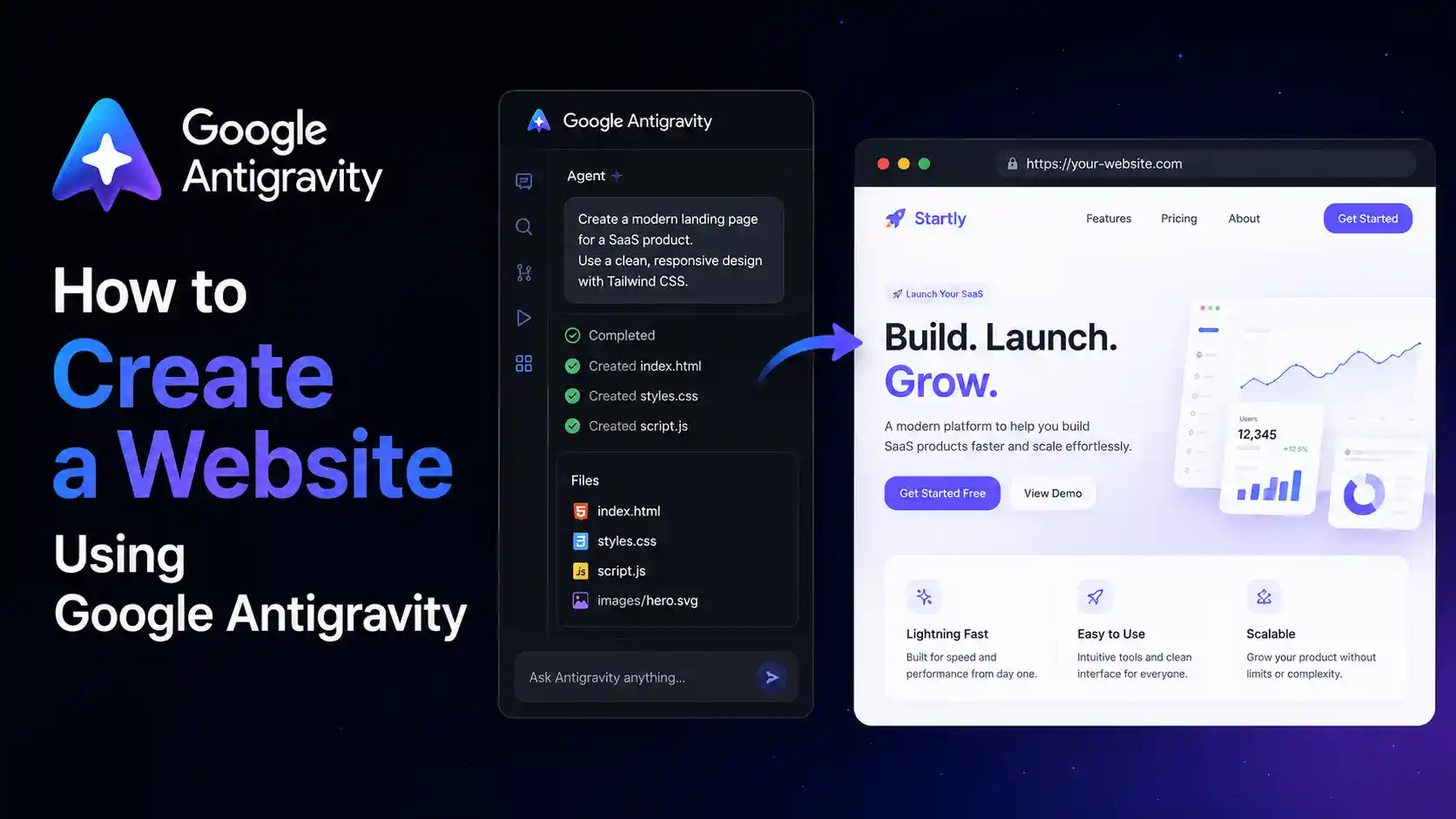
- How to Create a Website Using Google Antigravity if your AI workflow also includes building sites and product pages.
OpenClaw vs Odysseus Comparison Table
If you only remember one thing from this article, remember this: OpenClaw is built around an assistant that comes to you through channels. Odysseus is built around a workspace you open when you want to work with AI.
| Category | OpenClaw | Odysseus |
|---|---|---|
| Best for | Always-on personal assistant, chat app automation, scheduled work, phone-first workflows | Private AI workspace, research, documents, email, notes, tasks, calendar, model comparison |
| Main interface | Messaging channels plus Control UI | Browser workspace dashboard |
| Setup style | CLI onboarding, Docker/manual options, and Hostinger 1-click deployment | Docker recommended, native installs available for Linux, macOS, and Windows |
| Messaging apps | Strong focus: Telegram, WhatsApp, Slack, Discord, Signal, iMessage, WebChat, and more | Not the main product focus; workspace features matter more |
| Local model workflows | Possible, but not the central product story | Stronger fit through Cookbook, local/API model setup, model comparison, and GPU notes |
| Research and documents | Useful through agents and tools, but less workspace-native | Deep Research, documents, notes, library, email, calendar, and tasks are first-class areas |
| Beginner path | Easiest if you use Hostinger’s 1-click OpenClaw agent | Comfortable for users who can run Docker and read logs |
| Security concern | Channel exposure, gateway access, tool permissions, pairing, sandbox policy | Auth, local ports, private data in workspace, model/service ports, email/document access |
| License | MIT according to the OpenClaw repository | AGPL-3.0-or-later according to the Odysseus repository |
| Verdict | Choose for an AI assistant that runs continuously and meets you in your apps | Choose for a self-hosted productivity and model experimentation cockpit |
What Is OpenClaw?
OpenClaw is a self-hosted personal AI assistant you run on your own devices or server. The official repository positions it as an assistant that answers through the channels you already use and treats the gateway as the control plane for sessions, channels, tools, events, and routing.
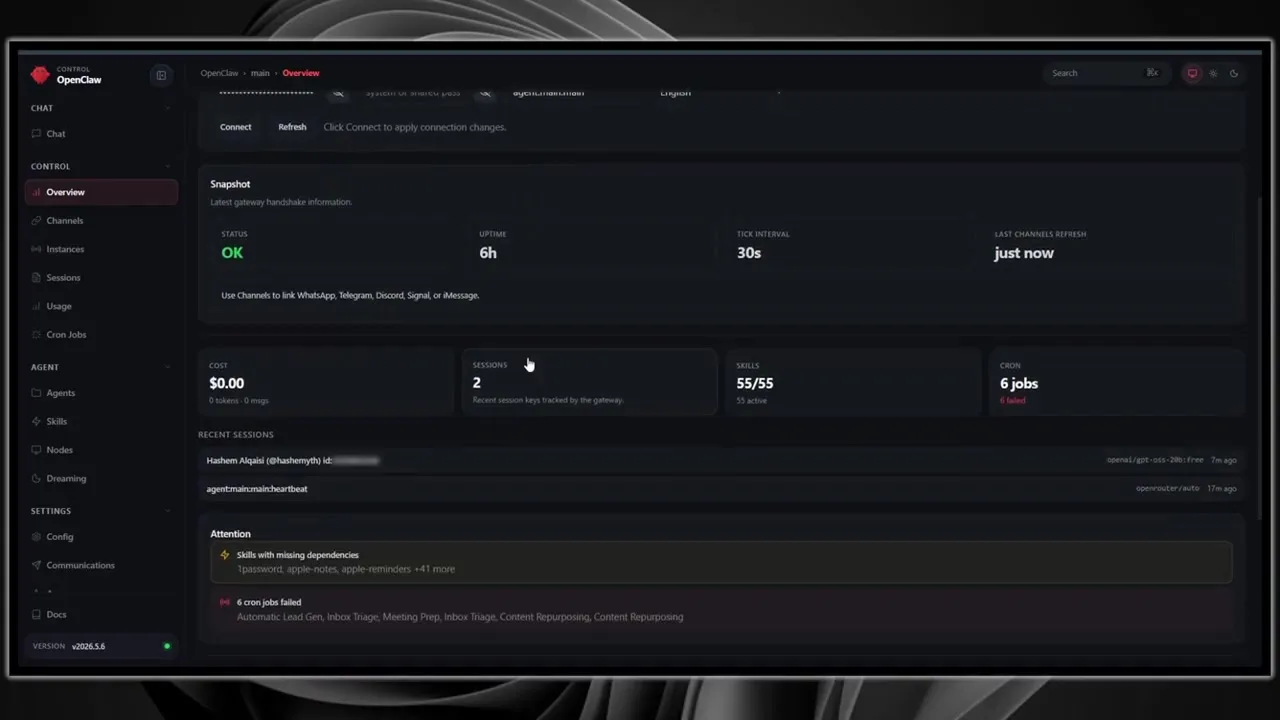
In practical terms, OpenClaw is useful when you want AI to live outside a single browser tab. You can interact through chat apps, connect channels, define agents, manage sessions, schedule cron jobs, install skills, and run controlled automation. The Control UI gives you a dashboard, but the bigger idea is that the assistant can be present in your normal communication surfaces.
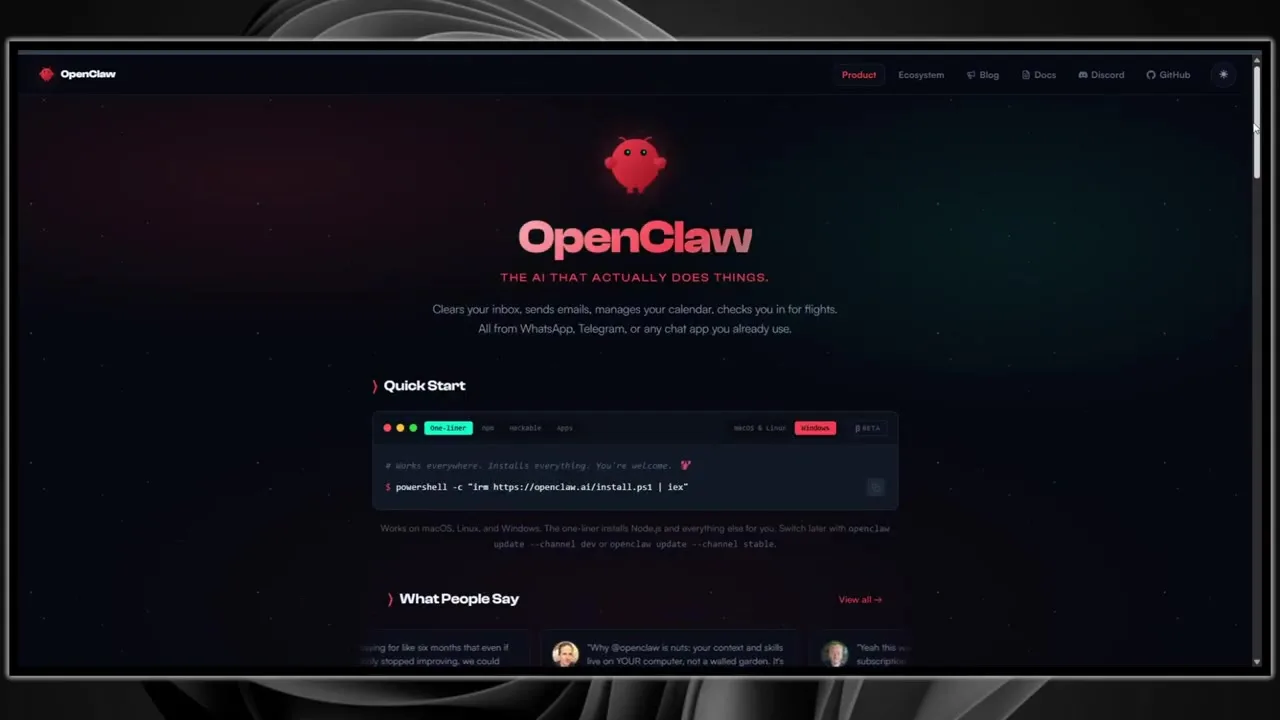
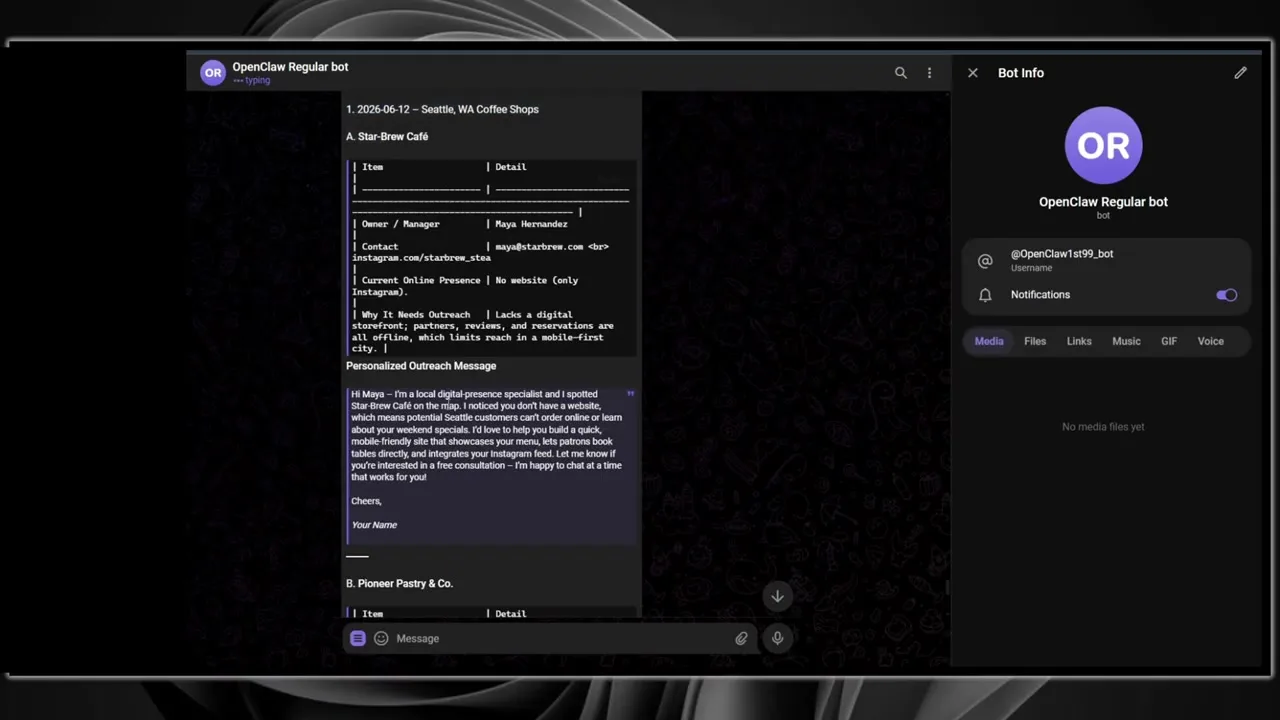
The video shows OpenClaw being used for scheduled jobs, Telegram delivery, browser-like assistant output, and a hosted dashboard. That is the right mental model: OpenClaw is strong when the agent needs to be reachable, persistent, and connected to the outside world.
OpenClaw Strengths
- Always-on assistant design: great for workflows that should run while you are away.
- Messaging-first access: useful if you want Telegram, WhatsApp, Discord, Slack, Signal, iMessage, or WebChat access.
- Channel routing and pairing: unknown senders can be held behind pairing instead of being processed immediately.
- Scheduled jobs: cron-style jobs make recurring summaries, reports, and reminders easier to operate.
- Hostinger path: the one-click OpenClaw option lowers the setup barrier for non-Linux users.
OpenClaw Weaknesses
- More exposure surfaces: every channel, skill, and connected service creates more to secure.
- Agent permissions matter: tool access can become risky if the assistant can read files, run commands, browse, or message people.
- Requires operational discipline: backups, logs, spending limits, updates, and sandboxing are still your responsibility.
- Less workspace-native: it can help with documents and research, but it does not feel like a dedicated office suite in the way Odysseus does.
What Is Odysseus?
Odysseus is a self-hosted AI workspace. Its public repository describes it as a workspace for chat, agents, research, documents, email, notes, calendar, and local model workflows. That definition is important because Odysseus is not mainly trying to be your Telegram bot. It is trying to be the AI desk where you work with models, files, research, tasks, and productivity data.
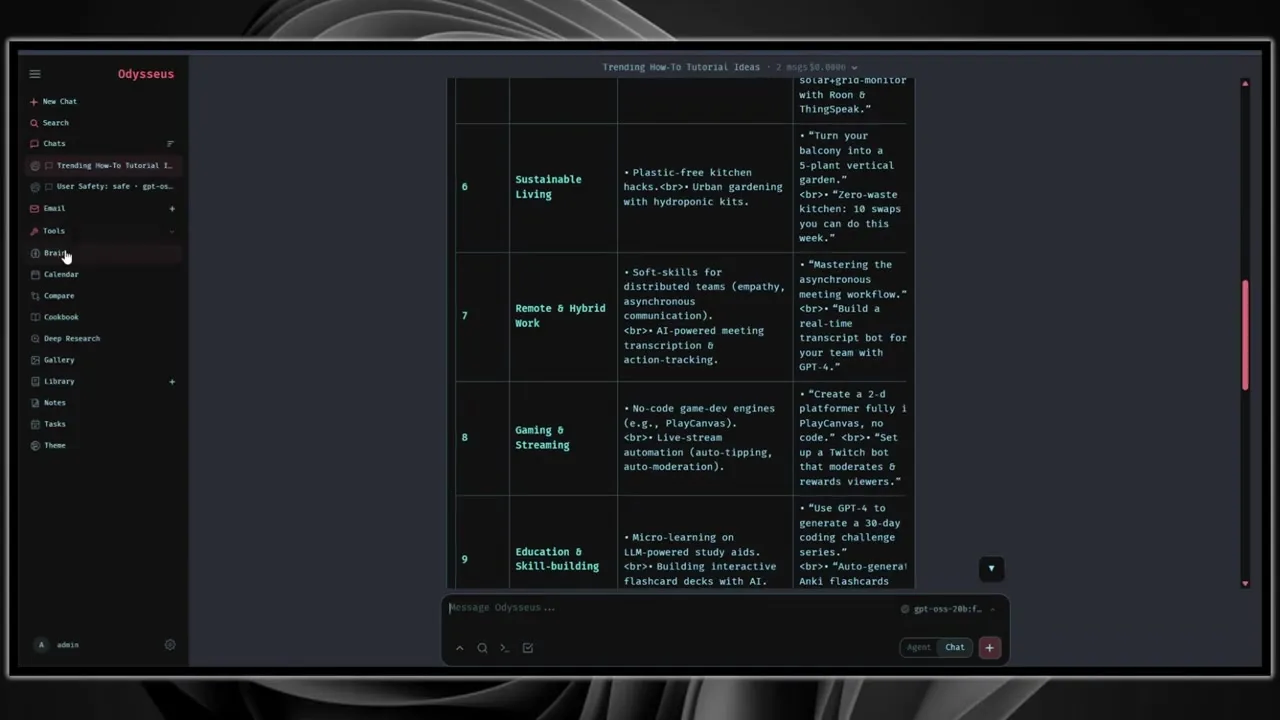
The interface shown in the video has a left sidebar with areas such as Search, Chats, Email, Tools, Brain, Calendar, Compare, Cookbook, Deep Research, Gallery, Library, Notes, and Tasks. That tells you the intended user: someone who wants a private web app where AI can support daily knowledge work.
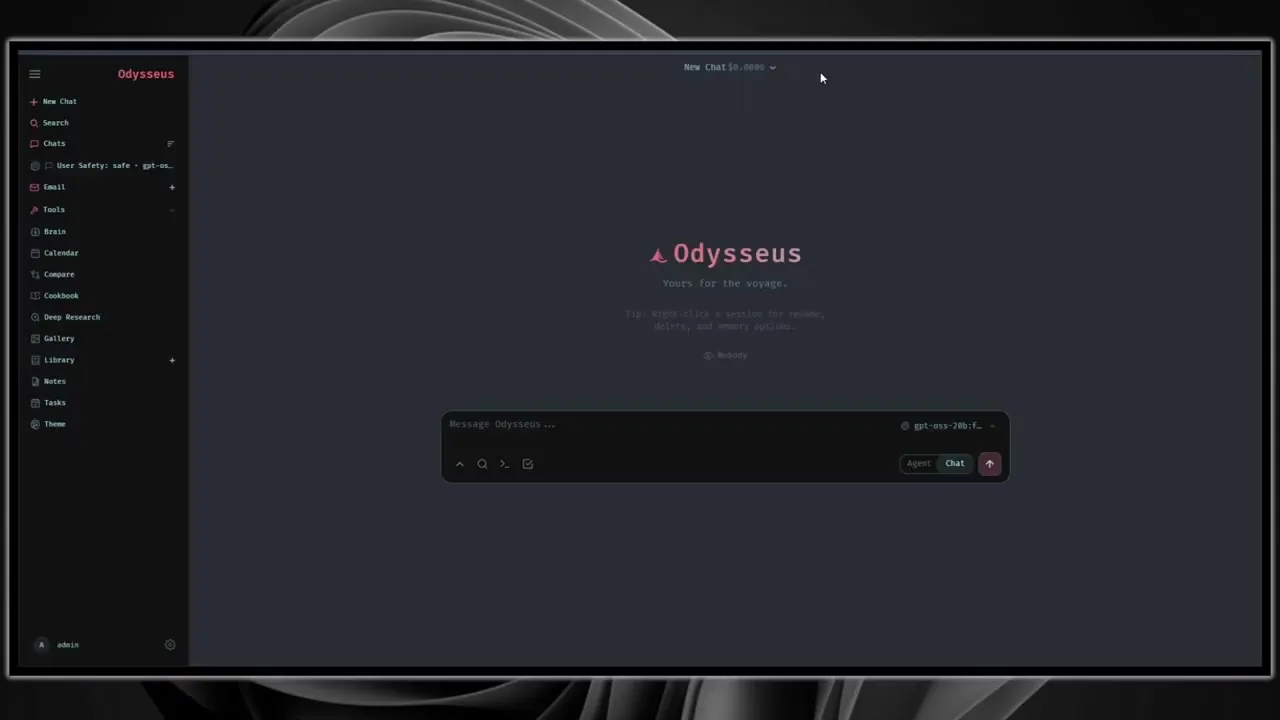
Odysseus is also attractive if you care about model experimentation. The repository documents local and API model support, Cookbook workflows, GPU notes, Ollama connectivity, and model comparison. That makes it a more natural home for people testing OpenRouter models, local models, Ollama, NVIDIA/AMD GPU setups, or side-by-side model behavior.
Odysseus Strengths
- Workspace depth: chat, agents, documents, email, notes, tasks, calendar, and research live in one interface.
- Model experimentation: Compare and Cookbook make it easier to test model quality and local serving options.
- Docker-first quick start: the recommended setup is straightforward if you already know Docker.
- Local-first posture: it binds to loopback by default in Docker and warns against public exposure without intent.
- Research workflows: Deep Research and source-reading features fit knowledge work better than a pure chat bot.
Odysseus Weaknesses
- Less beginner-friendly than a managed one-click app: you should be comfortable with Docker, ports, logs, and environment files.
- Not as channel-native: it is better as a dashboard than as a messaging-app assistant.
- Local model complexity: GPU passthrough, Ollama, CUDA, ROCm, and model serving can become a project by itself.
- Workspace risk: email, documents, notes, and local files are sensitive. Keep authentication and private networking tight.
Setup and Hosting: Which One Is Easier?
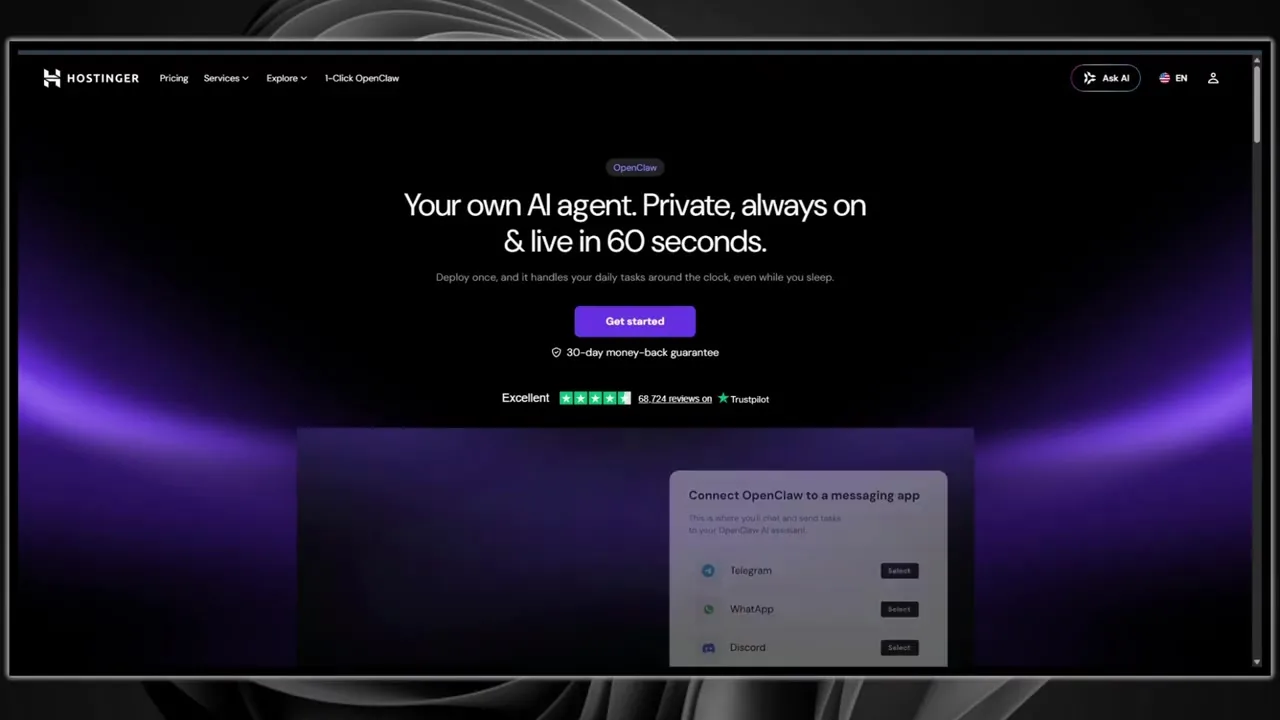
OpenClaw wins on beginner setup if you use a managed deployment route. The Hostinger 1-click OpenClaw agent page shown in the video is designed around a simple promise: a private, always-on AI agent that can go live quickly. That does not remove the need for security review, but it does remove a lot of manual server work.
Want the Fastest OpenClaw Setup?
Use Hostinger’s 1-click OpenClaw agent if your priority is getting an always-on assistant running quickly, then follow the hardening steps in the full JoshWP OpenClaw tutorial.
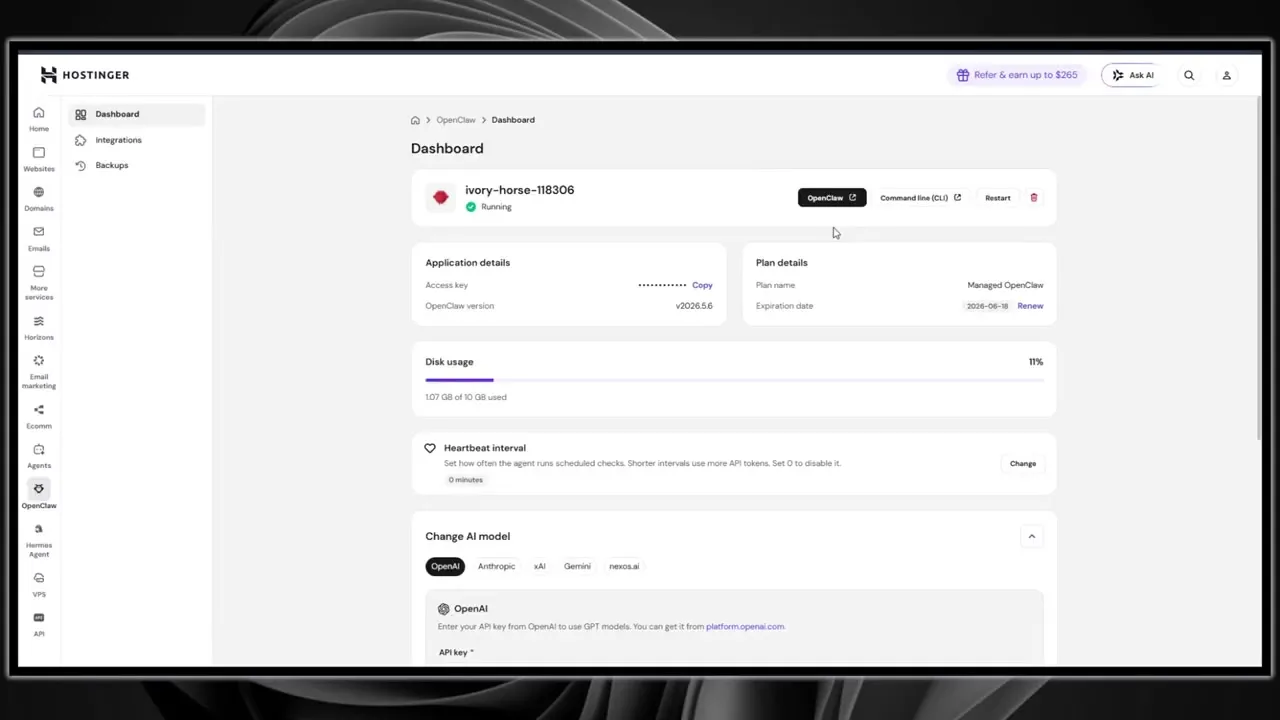
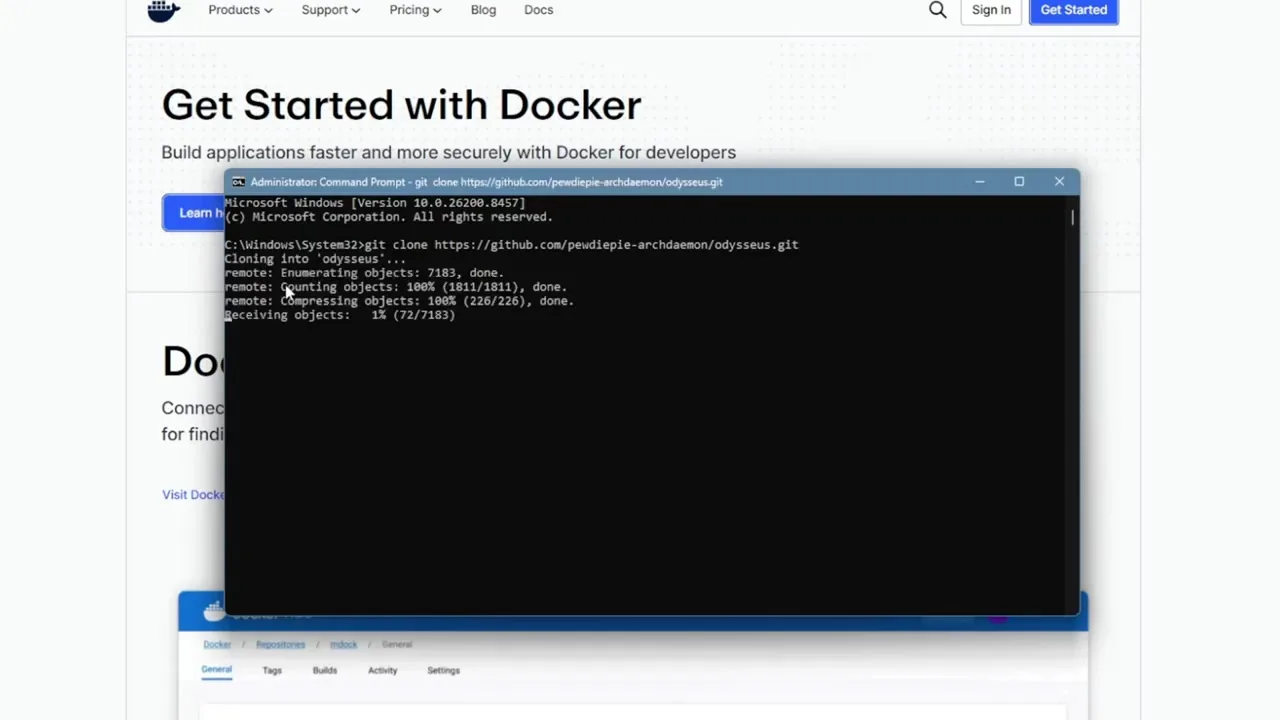
Odysseus is not difficult for a technical user, but it is more hands-on. The public setup guide recommends Docker: clone the repository, copy the example environment file, build and start the containers, then open the local web interface after the containers are healthy. The first admin password appears in the logs, and you configure models, search, email, and other features inside Settings.
Setup Verdict
OpenClaw is easier for beginners when deployed through Hostinger. Odysseus is easier for technical users who want to run Docker locally, test models, and keep everything on a workstation or private server.
| Setup Question | Choose OpenClaw If… | Choose Odysseus If… |
|---|---|---|
| You hate server setup | You want Hostinger’s one-click deployment and a hosted dashboard | You probably should not start here unless someone else manages Docker |
| You already use Docker | You can run it manually, but Hostinger is still faster for always-on hosting | Docker is the recommended quick-start route |
| You want phone access | Strong choice because messaging channels are central | Possible through browser access, but not the core workflow |
| You want local-only experimentation | Useful, but not the best first fit | Strong choice, especially for local models and private workspace workflows |
Feature Comparison: Assistant Gateway vs AI Workspace
The biggest mistake is judging these tools by a generic checklist. Both can talk to models. Both can run workflows. Both can become powerful. The more useful question is what each product makes easy.
OpenClaw Makes Messaging and Assistant Presence Easy
OpenClaw supports many channels and includes concepts like sessions, agents, skills, nodes, cron jobs, and channel controls. The video shows OpenClaw output being delivered through Telegram and managed from the Control UI. This is where OpenClaw feels natural: ask from your phone, receive a summary, schedule a job, and let the gateway route the work.
Odysseus Makes Workspace Work Easy
Odysseus makes more sense when you want to sit down and work inside an AI dashboard. The video shows areas for Compare, Brain, Deep Research, Library, Notes, Tasks, Calendar, and Email. The repository describes features for documents, writing edits, web research, source reading, model comparison, and local/API model workflows.
Feature Verdict
Choose OpenClaw when the assistant should act like a persistent operator. Choose Odysseus when the app should act like a private AI office.
AI Models, Costs, and Local Inference
Neither OpenClaw nor Odysseus magically removes model cost. If you connect a commercial API, you still pay for usage according to that provider’s billing. If you run local models, you trade API cost for hardware, electricity, setup time, and maintenance.
OpenClaw is model-flexible, but the product story is less about local model tinkering and more about the assistant experience. It can use current model providers and route agent work through the gateway. For a normal always-on agent, this is usually fine because reliable cloud models often outperform smaller local models for tool use, planning, and messy real-world instructions.
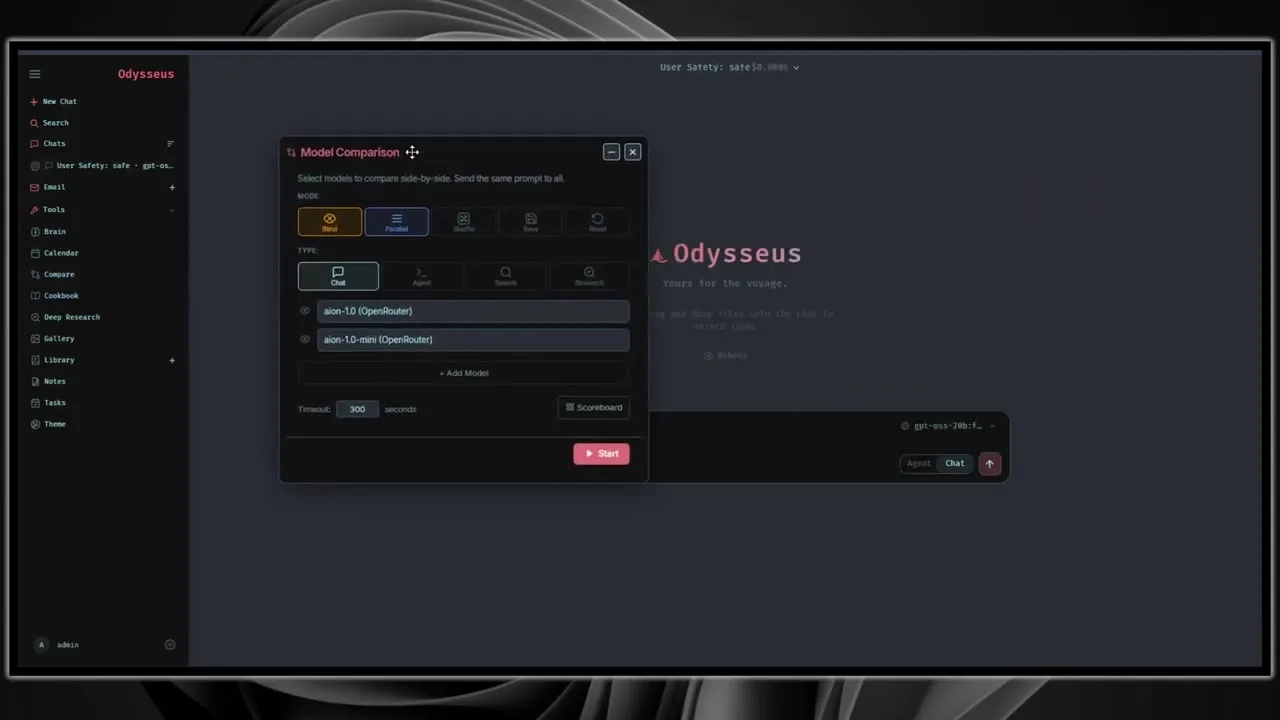
Odysseus gives model testing more room. Its Compare feature lets you test models side by side, while Cookbook is designed around hardware-aware model recommendations, downloads, and serving. The setup docs also include practical notes for Ollama, NVIDIA GPU passthrough, AMD/ROCm, and Apple Silicon limitations.
Cost tip: use dedicated API keys for either platform, set spending limits where the provider allows it, and test with low-risk prompts before connecting email, files, calendars, or messaging channels.
Automation: Which Platform Handles Real Work Better?
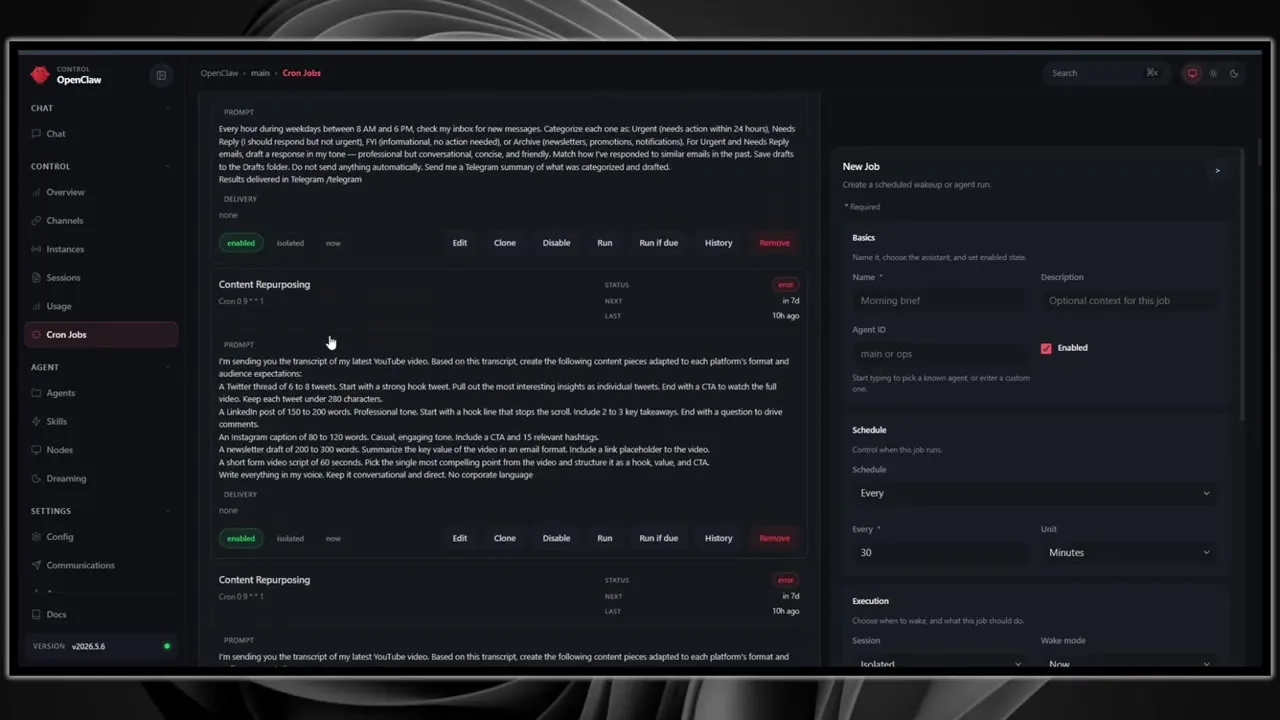
OpenClaw is the better default for automation that needs to run without you staring at the dashboard. The video shows cron jobs, scheduled inbox checks, content repurposing jobs, and Telegram summaries. That style of workflow matches OpenClaw’s gateway architecture.
Odysseus can also support workflows, especially inside the workspace: research a topic, compare model outputs, draft documents, triage email, organize notes, create tasks, or work from a calendar. That is automation too, but it feels more like assisted knowledge work than a channel-connected agent running in the background.
| Workflow | Better Fit | Why |
|---|---|---|
| Telegram daily briefing | OpenClaw | Channel delivery and scheduled jobs are central to the experience |
| Research report with source reading | Odysseus | Deep Research and workspace organization are a natural fit |
| Model A/B testing | Odysseus | Compare is designed for side-by-side model evaluation |
| Mobile-first assistant | OpenClaw | Messaging app support is broader and more important |
| Email and document workspace | Odysseus | Email, documents, notes, library, and tasks live in the UI |
| Always-on hosted assistant | OpenClaw | Hostinger’s one-click deployment makes this unusually simple |
Build an Always-On OpenClaw Workflow
Start with one low-risk workflow: a daily summary, a Telegram briefing, or a scheduled research task. Keep permissions narrow until you trust the behavior.
Security and Privacy: Self-Hosted Does Not Mean Automatically Safe
Self-hosting gives you control, but it also gives you responsibility. A self-hosted AI agent can be more private than a random SaaS chatbot, yet it can also be more dangerous if you expose a port, weaken authentication, connect a sensitive inbox, install unreviewed skills, or let a model run tools without boundaries.
OpenClaw’s own materials warn that inbound direct messages are untrusted input, and they document pairing policies for unknown senders. The repository also notes that tools can run on the host for the main session, while non-main sessions can be sandboxed. That is powerful and serious. If the assistant can reach files, browsers, channels, cron jobs, or connected accounts, a bad instruction can become a real action.
Odysseus has a different risk shape. It is a local web app with private workspace data: documents, email, notes, model credentials, local files, search settings, and possibly service ports. Its setup guide says Docker binds the web UI to 127.0.0.1 by default and warns to use broader binding only when you intentionally want LAN or reverse-proxy access. That is the right posture: private by default, exposed only with care.
Security checklist for both platforms:
- Keep admin interfaces private by default; use loopback, SSH tunnel, VPN, Tailscale, or a protected reverse proxy.
- Enable authentication and change default or temporary admin passwords immediately.
- Use dedicated model API keys with spending alerts and provider-side limits.
- Do not expose raw model servers, service ports, or dashboards directly to the public internet.
- Separate experimental agents from agents that can access email, files, payments, or production systems.
- Review skills, plugins, scripts, and model tools as real software, not just prompts.
- Require confirmation before sending messages, deleting files, posting publicly, or modifying important systems.
- Back up configuration and workspace data, then test a restore before relying on the system.
Privacy Verdict
Odysseus is the calmer fit for a private local workspace when you keep it on loopback or a trusted network. OpenClaw is the stronger fit for an always-on assistant, but it needs more careful channel and tool governance because it intentionally connects to more outside surfaces.
Which Self-Hosted AI Should You Use?
The best choice depends less on which project sounds cooler and more on where you want the AI to live.
Choose OpenClaw If You Want a Personal AI Assistant
OpenClaw is the better choice if your main goal is to have an assistant you can message, schedule, connect, and leave running. It is especially strong when the agent should deliver results through Telegram or another chat app, run recurring jobs, and stay online on a VPS.
- You want an always-on AI assistant.
- You want Telegram, WhatsApp, Slack, Discord, Signal, iMessage, or WebChat access.
- You want scheduled reports and recurring automation.
- You want the fastest managed setup through Hostinger.
- You are willing to harden channels, tokens, skills, and tool access.
Choose Odysseus If You Want a Private AI Workspace
Odysseus is the better choice if your main goal is to work inside a dashboard: research, documents, email, notes, tasks, calendar, model comparison, and local models. It rewards people who like tuning their setup and keeping work in one browser-based control room.
- You want a self-hosted AI workspace rather than a chat-app assistant.
- You care about Deep Research, documents, email, notes, and calendar workflows.
- You want to compare models side by side.
- You want to experiment with local models, Ollama, GPU setups, or OpenRouter-style APIs.
- You are comfortable with Docker, logs, environment files, and private network exposure.
Use Both If Your Workflow Has Two Modes
There is a legitimate case for using both. OpenClaw can be your always-on assistant and messaging layer. Odysseus can be your focused research and model-testing workspace. The key is not letting them share every credential and directory by default.
If you run both, separate API keys, ports, folders, backups, and user access. Keep sensitive workflows isolated. Avoid giving both systems blanket access to the same mailbox, browser profile, local filesystem, or production accounts until you understand their behavior.
Why Hostinger Makes OpenClaw Easier for Beginners
The reason Hostinger keeps coming up in this comparison is simple: OpenClaw benefits from persistent hosting. An assistant that only runs while your laptop is awake is less useful than an assistant that is available all day. Hostinger’s one-click OpenClaw agent gives beginners a practical path without manually wiring up every server piece.
That convenience is valuable, especially if your first goal is to test an agent through Telegram or another messaging app. You still need to set boundaries, manage model usage, and protect access, but you can start from a working deployment instead of a blank terminal.
Start with the Hosted OpenClaw Path
If you want a private, always-on assistant and do not want to spend your afternoon debugging Docker networking, Hostinger’s 1-click OpenClaw agent is the fastest route shown in this comparison.
Frequently Asked Questions
Is OpenClaw better than Odysseus?
OpenClaw is better for an always-on personal assistant that works through messaging apps and scheduled jobs. Odysseus is better for a private browser-based AI workspace with research, documents, email, notes, calendar, model comparison, and local model workflows.
Is Odysseus easier to install than OpenClaw?
For Docker users, Odysseus is straightforward: clone the repository, copy the environment example, run Docker Compose, and open the local web interface. For beginners who want hosted setup, OpenClaw is easier because Hostinger offers a one-click OpenClaw agent deployment.
Can I run OpenClaw on Hostinger?
Yes. Hostinger’s one-click OpenClaw agent is one of the easiest ways to keep OpenClaw online. Use the full OpenClaw Hostinger tutorial to configure the gateway, model, channels, Telegram, and security settings.
Can Odysseus run local AI models?
Yes. Odysseus includes local model workflows through Cookbook and documents Ollama, GPU, and serving considerations. Local model quality and speed depend heavily on your hardware, model size, runtime, GPU support, and memory.
Which is better for Telegram?
OpenClaw is the stronger choice for Telegram because messaging channels and pairing policies are central to its assistant model. Odysseus is better when you want a private dashboard rather than a messaging-first agent.
Which is better for research?
Odysseus is usually better for research because it has a workspace model with Deep Research, documents, library, notes, and model comparison. OpenClaw can automate research summaries, but Odysseus gives research more visible workspace structure.
Which one is more private?
Privacy depends on configuration. Odysseus can be very private when kept on localhost or a trusted network. OpenClaw can also be private, but its channel integrations, gateway access, and automation tools require stricter operational controls.
Should I use Hermes Agent instead?
Hermes Agent is another self-hosted agent option worth comparing, especially if you want Telegram-style workflows on a VPS. Read the Hermes Agent Hostinger VPS tutorial before choosing your long-term stack.
Final Recommendation
Choose OpenClaw if you want an assistant that is present, reachable, and running in the background. It is the better fit for chat apps, scheduled automation, Telegram workflows, and beginners who want a quick hosted route through Hostinger.
Choose Odysseus if you want a self-hosted AI workspace where you can research, write, compare models, manage documents, work with email, organize notes, and experiment with local models. It is better for hands-on builders and people who want a dashboard-centered AI environment.
For most non-technical users, I would start with OpenClaw on Hostinger because the path to a working always-on agent is shorter. For technical users, I would install Odysseus locally alongside OpenClaw and decide based on actual daily use. The tool you keep using after the novelty fades is the one that fits your workflow.
Ready to Try OpenClaw First?
Launch a managed OpenClaw agent, keep permissions narrow, test one workflow, and expand only after the assistant behaves reliably.
Related Guides
Continue comparing and building self-hosted AI workflows with these JoshWP guides:
- OpenClaw Hostinger Tutorial for a full one-click OpenClaw deployment guide.
- How to Set Up Hermes Agent on Hostinger VPS for another self-hosted AI agent option.
- How to Create a Website Using Google Antigravity for AI-assisted website creation workflows.
Video inspiration credit: This article is inspired by Ash Automates AI and the video OpenClaw vs Odysseus: Which Self-Hosted AI Should You Use.