Can You Really Browse Anonymously?
We test the reality of online anonymity: why incognito mode fails, what VPNs actually hide, how fingerprinting tracks you anyway, and the tools that actually provide identity isolation.
Can You Really Be 100% Anonymous Online?
True, 100% anonymity on the modern web is nearly impossible for everyday browsing because the internet is built on exchanging identifying data (IP addresses, device headers, rendering behaviors). However, you can achieve practical anonymity for specific tasks using tools like Tor, or strict identity isolation using anti-detect browsers. The biggest misconception is that tools like Incognito mode or standard VPNs make you anonymous — they hide your local history or mask your IP, but they do not stop websites from identifying your device via browser fingerprinting, WebRTC leaks, or behavioral tracking.
of standard browsers have a completely unique fingerprint, making them easily trackable even with a VPN (EFF Panopticlick).
of users misunderstand what private/incognito browsing actually protects them from (USENIX/Blasing et al. study).
uniqueness rate for Tor Browser users, as it forces uniform fingerprints across all users to hide them in the crowd.
daily active users on the Tor network, relying on multi-layer encryption for true network-level anonymity.
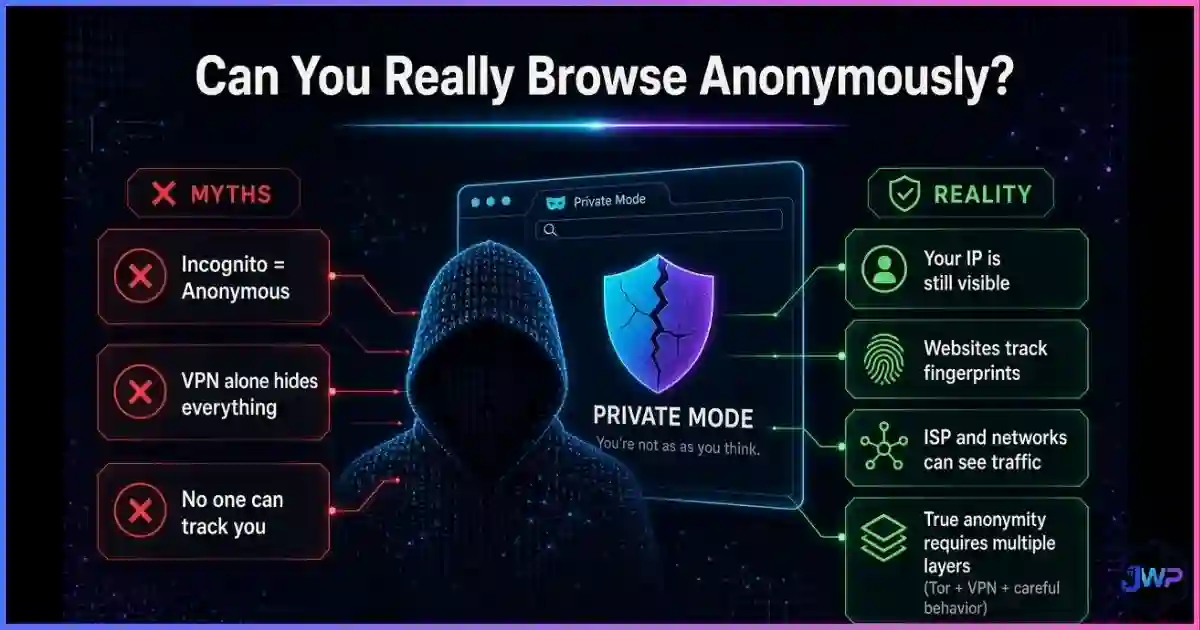
Table of Contents
What “Anonymous” Actually Means
Before evaluating tools, we must distinguish between three concepts that are frequently confused. Understanding the difference between browser privacy vs. browser security is the first step to understanding anonymity.
- Security: Protecting your device and data from malicious actors (hackers, malware, phishing). A secure browser stops code execution; it does not necessarily hide your identity.
- Privacy: Keeping your data, communications, and activities confidential from unauthorized parties (ISPs, advertisers, data brokers). You can have privacy without anonymity (e.g., sending an encrypted email from your real name).
- Anonymity: Hiding your identity entirely so that your actions cannot be linked back to you or your other activities. This is the hardest state to achieve because it requires defeating both network-level tracking (IP addresses) and device-level tracking (fingerprints).
Anonymity Statistics & Charts
Research consistently shows a massive gap between what users think protects their anonymity and what actually does. The charts below illustrate the effectiveness of common tools against modern tracking vectors.
Browser Uniqueness: How Identifiable Are You?
(Default)
(Default)
(Shields On)
Browser
Source: EFF Panopticlick & Cover Your Tracks data. Lower is better for anonymity. Tor forces uniformity so all users look identical; standard browsers expose unique hardware and software combinations.
What Common Tools Actually Protect Against
Editorial scoring based on tracking vector coverage (IP, cookies, fingerprinting, WebRTC). Incognito only stops local history storage; VPNs hide IP but not fingerprints; Tor and anti-detect browsers address both layers.
User Misconceptions About Online Anonymity
hides IP from ISP
browser fingerprinting
resets device identity
Sources: USENIX Security Symposium (Blasing et al. on Incognito misconceptions); EFF Cover Your Tracks user surveys. The “anonymity illusion” leads users to adopt tools that do not match their actual threat models.
Data Leaks by Anonymity Tool
Based on standard VPN configurations. While VPNs successfully mask your primary IP address, they frequently fail to prevent WebRTC leaks or mask the hardware-level attributes used in browser fingerprinting.
The Anonymity Illusions: Incognito & VPNs
The Incognito Myth
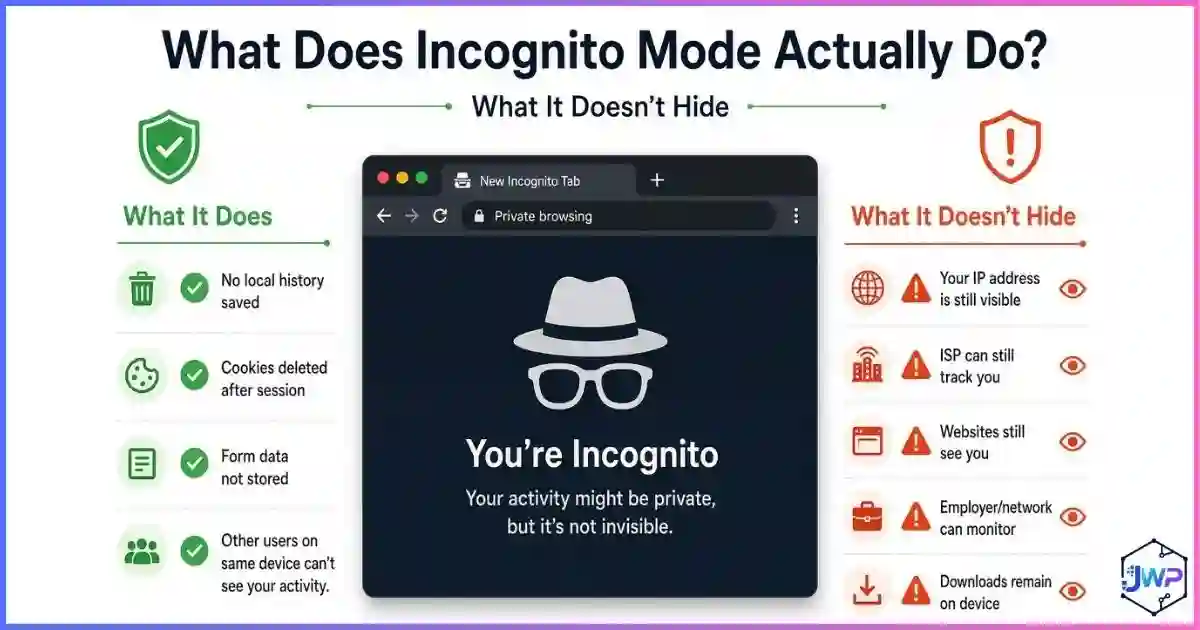
Private browsing modes (Incognito in Chrome, Private Window in Firefox/Safari) are the most misunderstood tools on the web. As detailed in our guide on what incognito mode actually does, these modes only prevent your local device from saving history, cookies, and form data after the session ends.
They do not hide your IP address from the websites you visit. They do not stop your Internet Service Provider (ISP) from logging your DNS requests. And they do not change your browser fingerprint. If you log into a Google or Facebook account in an Incognito window, those platforms instantly know exactly who you are.
The VPN Limitation
A Virtual Private Network (VPN) is an excellent privacy tool, but a poor anonymity tool. When you compare an anti-detect browser vs. VPN vs. proxy, the distinction becomes clear:
- What a VPN does: Encrypts your traffic between your device and the VPN server, hiding your real IP address from the destination website and hiding your browsing activity from your ISP.
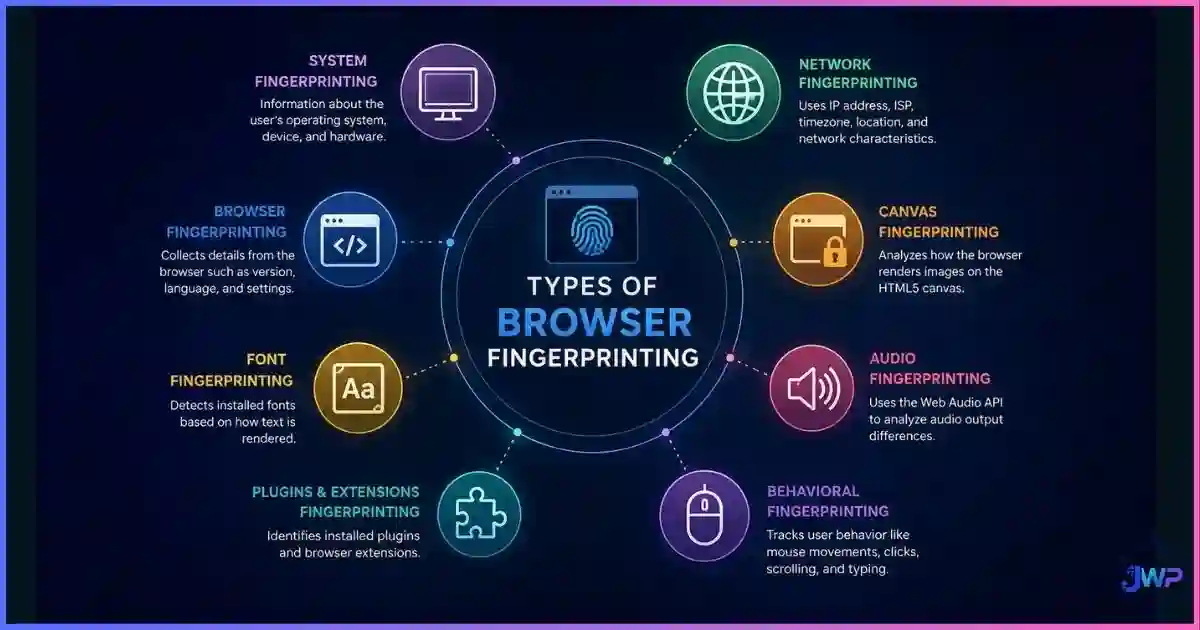
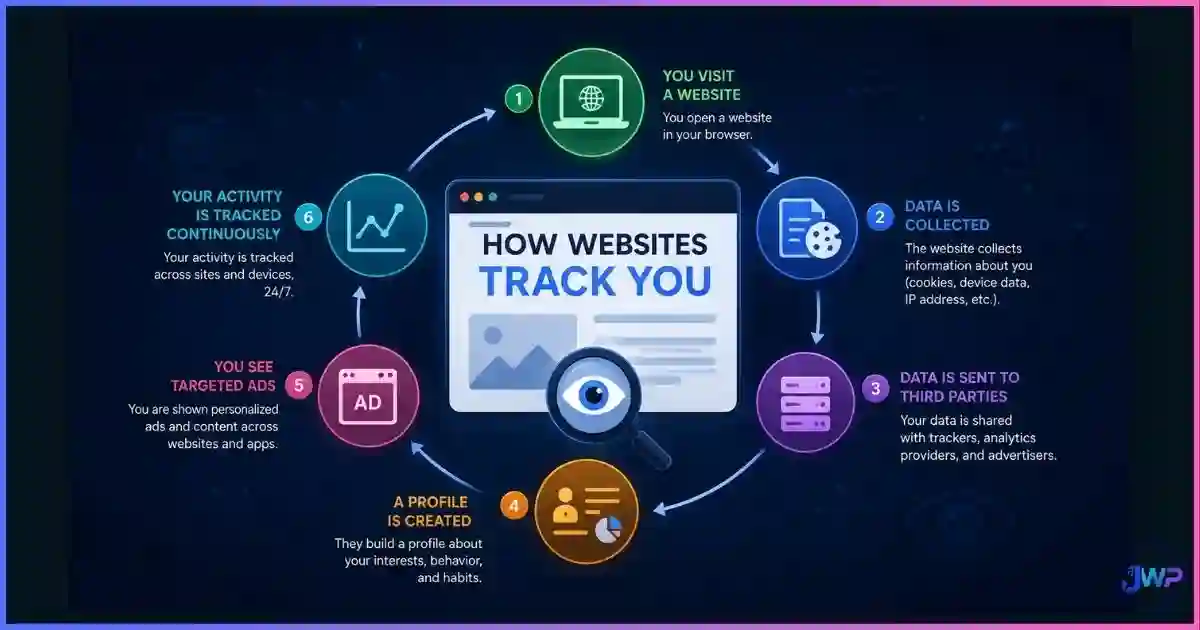
- What a VPN fails to do: It does not change your browser’s User-Agent, screen resolution, installed fonts, canvas rendering hash, or timezone. A website can still use how websites track you via fingerprinting to identify your device, even if the IP address belongs to a commercial VPN provider.
The 4 Layers of De-Anonymization
To understand why anonymity is hard, you must understand how websites strip it away. Modern tracking operates on four distinct layers:
| Layer | What It Identifies | How It Defeats Anonymity |
|---|---|---|
| Network Layer | IP Address, DNS, ISP, Geolocation | Ties your traffic to a physical location and household. Defeated by VPNs, Proxies, and Tor. |
| Protocol Layer | TLS Handshake (JA3), HTTP Headers | Identifies the exact browser version and OS without running JavaScript. Defeated by Tor and advanced spoofing. |
| Browser Layer | Canvas, WebGL, Fonts, AudioContext | Creates a unique hardware/software signature. Defeated by uniform browsers (Tor) or spoofed profiles (Anti-detect). |
| State Layer | Cookies, LocalStorage, Cache, ETags | Stores persistent IDs on your device. Defeated by clearing data or using isolated browser profiles. |
Most users only protect the Network Layer (using a VPN). But if your Browser Layer is unique, advertisers can simply link your new VPN IP address to your old identity the moment you visit a site that reads your canvas fingerprint.
Stop leaking your identity across every layer.
Incogniton isolates your state layer and spoofs your browser layer, ensuring every profile has a unique, consistent digital identity that cannot be linked to your real device.
Get Incogniton Anti-Detect Browser →Affiliate link — we may earn a commission at no extra cost to you.
Tools That Actually Work: Tor & Anti-Detect Browsers
Tor Browser: The Gold Standard for Anonymity
The Tor network routes your traffic through three volunteer-operated relays, encrypting it at each step. The Tor Browser is specifically engineered to defeat the Browser Layer of tracking: it forces a standard window size, blocks canvas fingerprinting, standardizes fonts, and reports a generic User-Agent. Because every Tor user looks identical, you “hide in the crowd.” The trade-off is severe performance degradation and frequent CAPTCHAs.
Anti-Detect Browsers: The Professional Standard for Isolation
For professionals who need to manage multiple identities (affiliate marketers, ad buyers, e-commerce sellers, QA testers), Tor is impractical. Instead, they use anti-detect browsers. Rather than forcing everyone to look identical, anti-detect browsers allow you to create dozens of isolated profiles, each with its own consistent, believable spoofed fingerprint paired with a dedicated proxy.
This provides identity isolation rather than true anonymity. Platform X sees Profile A (a Windows user in New York), and Platform Y sees Profile B (a Mac user in London). The platforms cannot link the two accounts, protecting you from cross-account bans.
Can Websites Detect Your Anonymity Tools?
Yes. The tracking industry is highly sophisticated, and websites can detect anti-detect browsers, VPNs, and Tor if the tools are poorly configured. Common detection methods include:
- IP Blocklists: Maintaining databases of known Tor exit nodes, commercial VPN ranges, and datacenter proxies.
- Inconsistency Checks: If your IP geolocation says “Germany” but your browser timezone is set to “Los Angeles” and your language is “en-US”, fraud systems flag the session as spoofed.
- WebRTC/DNS Leaks: Checking if the IP address returned by WebRTC matches the IP address of the HTTP request.
- Canvas Noise Detection: Some anti-detect tools add “noise” to canvas fingerprints. Advanced scripts can detect the mathematical patterns of this noise, identifying the browser as spoofed.
Identity Isolation vs. True Anonymity
Most people asking “Can I browse anonymously?” are actually asking “Can I stop platforms from linking my accounts and tracking my behavior?” The answer requires shifting from a mindset of anonymity to a mindset of isolation.
True anonymity (Tor) is for whistleblowers, journalists, and users in oppressive regimes. Identity isolation (Anti-detect browsers + residential proxies) is for digital marketers, agency owners, and multi-account managers. By treating every account as a completely separate digital entity with its own cookies, cache, and fingerprint, you achieve the practical benefits of anonymity without sacrificing the speed and compatibility of the modern web.
Manage multiple accounts without the bans.
Incogniton provides strict profile isolation, ensuring your cookies, cache, and fingerprints never cross-contaminate between accounts. Start with up to 10 profiles for free.
Try Incogniton Free →Affiliate link — we may earn a commission at no extra cost to you.
Frequently Asked Questions
Is it possible to be 100% anonymous on the internet?
Does Incognito mode make me anonymous?
Does a VPN make my browsing completely anonymous?
Is Tor Browser safe for anonymous browsing?
Can websites detect if I am using a VPN or Tor?
What is the difference between privacy and anonymity?
Sources and Research Notes
The data and conclusions in this guide are based on peer-reviewed security research, browser vendor documentation, and large-scale tracking measurements.
- Eckersley, P. (2010). “How Unique Is Your Web Browser?” EFF Panopticlick — foundational research on browser fingerprinting and entropy. panopticlick.org
- Blasing, P., et al. (2020). “The Web Never Forgets: Persistent Tracking Mechanisms in the Wild.” USENIX Security Symposium — user studies on misconceptions regarding private browsing modes. usenix.org
- Tor Project Metrics (2024). “Tor Network Statistics.” — Daily active users and relay bandwidth data. metrics.torproject.org
- Laperdrix, P., et al. (2020). “Fingerprinting the Fingerprinters: Understanding the Web Tracking Ecosystem.” INRIA — analysis of cross-site tracking vectors and evasion techniques. amiunique.org
- Englehardt, S., & Narayanan, A. (2016). “Online Tracking: A 1-million-site Measurement and Analysis.” Princeton CITP — large-scale measurement of cookie and fingerprinting prevalence. citp.princeton.edu
- GlobalWebIndex / Statista (2024). “VPN Usage and Privacy Concerns Global Report.” — Statistics on consumer adoption of privacy tools and threat model misunderstandings.