How Websites Track You
Every Click, Cookie, and Canvas: See Exactly How the Web Follows You
A practical, non-technical breakdown of every major method websites use to track you — cookies, storage, fingerprinting, pixels, CNAME cloaking, session replay — with real data, charts, and a realistic plan to take back control without going off-grid.
Quick answer
What is the main way websites track you? Websites track you by combining cookies and device storage (which remember you), third-party scripts and pixels (which follow you across sites), browser fingerprinting (which identifies you without storing anything), and network signals like your IP address. The average page loads dozens of third-party domains, and roughly half of all page requests can go to third parties. No single tool stops everything — but layered defenses (tracking protection, isolated profiles, permission hygiene, and anti-detect browsers for sensitive work) dramatically shrink your traceable surface.
How Widespread Is Online Tracking?
Tracking is not a fringe practice — it is the default business model of much of the web. Measurements from the HTTP Archive show that around 90–92% of pages load one or more third parties, and the median page in the top million websites contacts 27 third-party domains; among the top 1,000 sites the median jumps to 66. Older Almanac data found that roughly 45–46% of all page requests go to third parties, meaning nearly half of what your browser downloads on many pages is sent to companies you never chose to visit.
Academic censuses agree. UC Berkeley’s Web Privacy Census found that the vast majority of cookies set by the top 100 websites — about 84.7% of third-party hosts — belong to third-party domains, and Princeton’s Web Census measured tracking infrastructure across one million sites, finding a small group of tracking companies present on a huge share of the web.
Tracking prevalence across the web
Sources: HTTP Archive Web Almanac (2024/2025), UC Berkeley Web Privacy Census, W3Techs, IMC ’25 canvas fingerprinting study.
Share of page requests sent to third parties
Source: HTTP Archive Web Almanac (2021), third-party chapter.
First-Party vs Third-Party: The Distinction That Explains Everything
A first party is the website you intentionally visit. A third party is any other domain whose code, images, fonts, or scripts load on that page. When you read a news site, the first party is the publisher; the ad exchange, analytics vendor, social widget, and live-chat tool are third parties — and each one can set its own identifiers and log your visit.
This is why browser cookies explained simply always start with this split: a first-party cookie helps a site remember your cart, while a third-party cookie lets an advertiser recognize you on unrelated sites. Modern tracking builds on the same idea with more durable storage and storage-free techniques, which we cover next. If you want the deeper comparison, our guide on cookies vs local storage vs browser fingerprinting breaks down how each identifier survives cleanup.
9 Ways Websites Track You (Ranked by How Hard They Are to Stop)
1. Third-party and first-party cookies
Cookies are the original tracker. Third-party cookies power cross-site ad tracking, while first-party cookies handle logins and preferences. Browsers now restrict third-party cookies, but first-party cookies combined with server-side “customer data platforms” keep cross-site attribution alive. The Web Almanac notes the median third-party cookie lives about a full year — these are not session trinkets.
2. Local storage, session storage, and IndexedDB
HTML5 storage lets scripts stash larger, longer-lived identifiers than classic cookies. Unlike cookies, localStorage is not sent with every request, but it can quietly re-seed a “zombie” cookie after you clear browsing data. It dies when you clear site data — which is exactly why trackers pair it with fingerprinting.
3. Browser fingerprinting
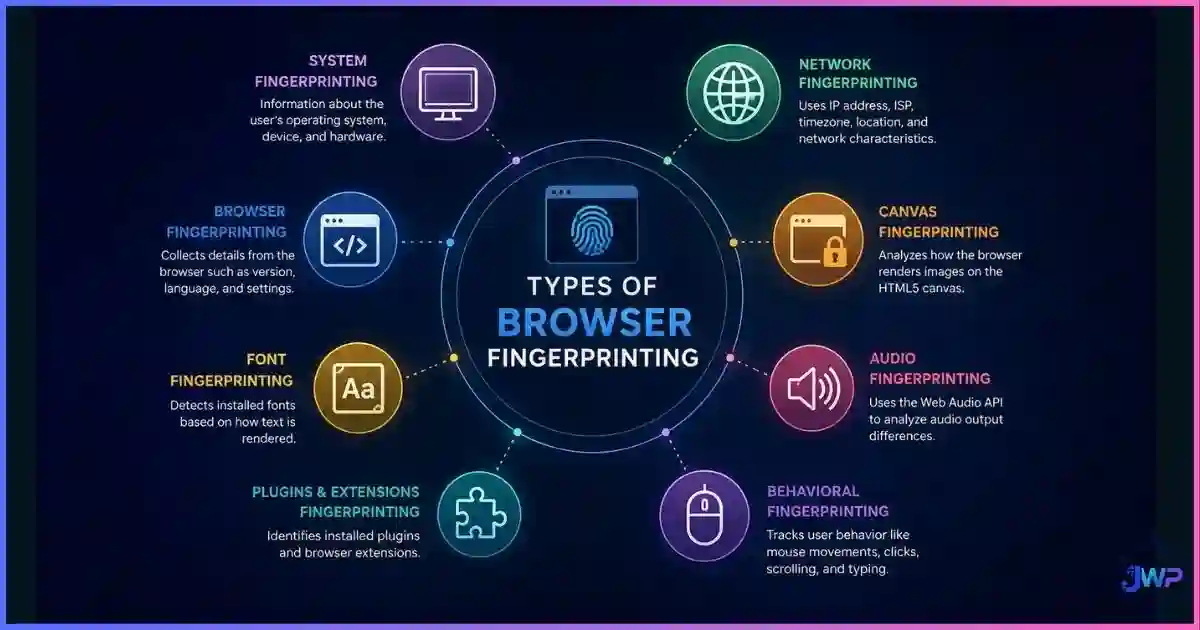
Instead of storing an ID on your device, fingerprinting reads your device: user agent, screen resolution, timezone, installed fonts, GPU, and rendered graphics. In EFF’s classic study, only 1 in 286,777 other browsers shared a given fingerprint, and 94.2% of browsers with Flash or Java were unique. A 2025 Internet Measurement Conference paper documented canvas fingerprinting on 12.7% of the top 20,000 sites. Because nothing is stored, there is nothing to delete — which is why browser fingerprinting is considered the most stubborn tracking method.
4. Tracking pixels and invisible beacons
A 1×1 transparent image (or an empty fetch) reports your visit, device, IP-derived location, and timestamp to an analytics or ad server. Pixels are how marketing emails and retargeting ads know you opened, clicked, or converted. They are simple, universal, and reload on every visit.
5. CNAME cloaking (first-party disguise)
Sites map a subdomain like metrics.example.com via CNAME to a tracking vendor, so the tracker’s traffic looks first-party. This defeats naive third-party blocking because, to your browser, the request goes to the site you visited. It is one of the main reasons “block third-party cookies” alone no longer solves tracking.
6. Session replay and behavior analytics
Session-recording scripts capture clicks, scrolls, rage taps, and even form interactions to reconstruct your visit like a video. Useful for UX teams, but it means a vendor observes fine-grained behavior on every page — a behavioral profile far richer than any cookie.
7. Click IDs and URL parameters (gclid, fbclid, msclkid)
When you click an ad or a social post, the destination URL often carries a per-click identifier. The ad platform and the site then sync that ID server-side, tying your click to your on-site behavior without any browser storage at all. Clearing cookies does nothing — the linkage happens on servers.
8. Account and email identity graphs
The most accurate “tracker” is your login. Once you sign in (or submit an email for a discount), hashed emails link your browsing to a persistent identity across the platform’s ad network, partner data brokers, and CRM systems. Research in Scientific Reports found that merely the four most-visited domains in a browsing history were enough to identify 95% of individuals — behavioral patterns alone are nearly as identifying as names.
9. Network-level signals: IP, WebRTC, and DNS
Your IP address reveals your approximate location and ISP and acts as a short-term identifier. WebRTC can expose local network addresses even behind some proxies, which is why understanding WebRTC and browser privacy matters. Unencrypted DNS queries give your ISP (and anyone on-path) a log of every domain you resolve.
| Tracking method | What it collects | Survives cookie cleanup? | Difficulty to block |
|---|---|---|---|
| Third-party cookies | Cross-site identity, ad targeting | No | Low |
| First-party cookies | Logins, carts, site memory | No | Low |
| Local / session storage | Re-seeded IDs, zombie cookies | No (cleared with site data) | Medium |
| Tracking pixels | Page views, opens, device basics | Yes (request-based) | Medium |
| CNAME-cloaked analytics | Full analytics, first-party disguised | Partially | High |
| Click IDs (gclid/fbclid) | Ad-click to on-site behavior sync | Yes (server-side) | High |
| Session replay | Clicks, scrolls, form behavior | Yes (server-side) | Medium |
| Canvas / WebGL fingerprinting | Device & graphics uniqueness | Yes (nothing stored) | High |
| IP / WebRTC / DNS signals | Network identity, rough location | Yes | Medium |
Persistence vs blockability of each method
Editorial scoring (0–100): higher = more persistent after cleanup / harder to block with standard tools.
Want separate identities instead of one traceable profile?
Anti-detect browsers like Incogniton create isolated browser profiles with distinct fingerprints, cookies, and storage — so your work browsing, ad accounts, and personal life never merge into one trackable identity.
Try Incogniton FreeAffiliate disclosure: we may earn a commission if you purchase through our links, at no extra cost to you.
How Ad Networks Stitch It All Together
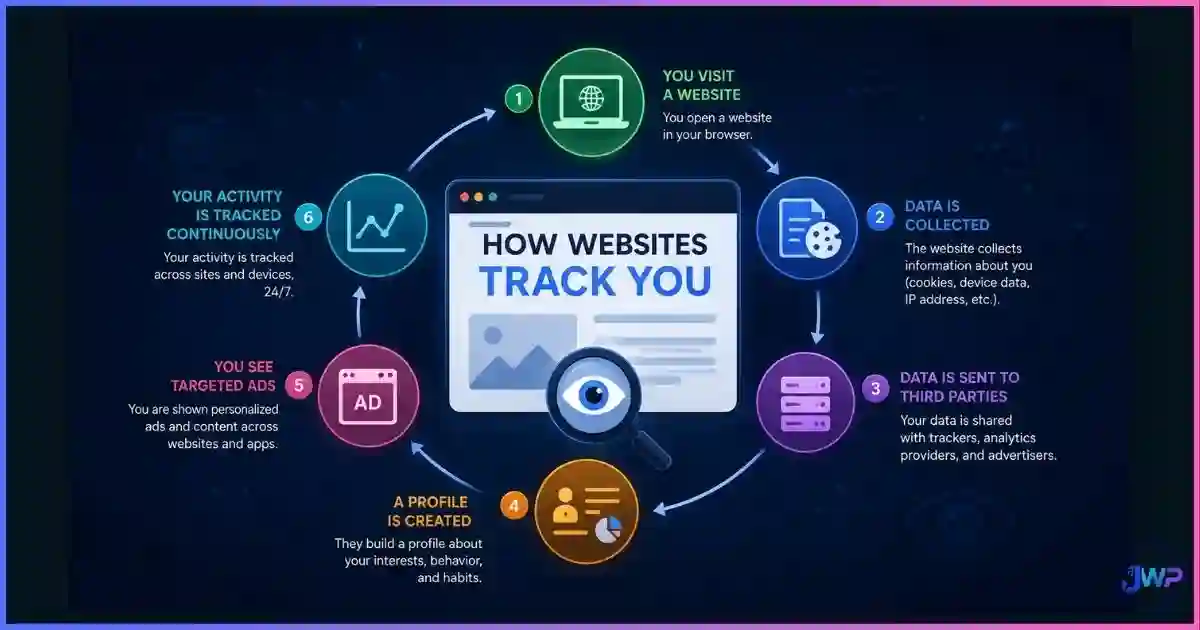
No single tracker needs to see everything. Ad tech works like a puzzle: an analytics vendor sees your behavior on one site, a social pixel sees you on another, a data broker buys both datasets, and a shared identifier (cookie ID, hashed email, click ID, or fingerprint) snaps the pieces together. This is why a product you viewed once “follows” you across the internet for weeks. Our companion guide on how advertising networks track browsers walks through the ad-exchange auction, identity graphs, and retargeting loop step by step.
Remember the stat from W3Techs: Google Analytics alone is used by 48.1% of all websites (over 83% market share of known analytics), and Meta’s Pixel sits on 8.7% of sites. Two ecosystems observing nearly half the web is precisely the infrastructure that makes stitched profiles possible.
Tracking Myths vs Reality
| Myth | Reality |
|---|---|
| “Incognito mode stops websites from tracking me.” | Incognito only keeps history and cookies off your device. Sites, trackers, and your network still see you normally. See what incognito mode actually does. |
| “A VPN makes me untrackable.” | A VPN masks your IP but leaves cookies, logins, and fingerprints untouched — trackers simply switch to the other signals. |
| “Clearing cookies fixes everything.” | Fingerprinting, click IDs, and account graphs survive cookie cleanup; localStorage can even resurrect deleted cookies. |
| “Fingerprinting is rare and exotic.” | Canvas fingerprinting alone was measured on 12.7% of the top 20K sites (IMC ’25), and fingerprint-adjacent scripts are mainstream in ad fraud and analytics tooling. |
| “Small sites don’t track.” | Small sites embed the same Google/Meta/analytics stack as everyone else — tracking is inherited from third-party code, not site size. |
See What Is Tracking You Right Now
You cannot fix what you cannot see. A 15-minute audit tells you which of the nine methods above are active on the sites you use daily:
- EFF Cover Your Tracks — shows how unique your browser looks to fingerprinters.
- WhoTracks.me / tracker dashboards — look up which trackers a domain loads.
- Browser DevTools → Network tab — filter by “third-party” and watch how many domains a single page contacts.
- Site settings / permissions panel — review which sites hold camera, location, and microphone access.
- Extension audit — remove anything unmaintained; some “free” extensions monetize by injecting trackers, as we cover in malicious browser extensions.
Then test how identifiable you are with our walkthrough on how to check your browser fingerprint — it takes five minutes and is usually the moment people realize how much their device “stands out.”
How to Reduce Tracking (Without Going Off-Grid)
- Enable strict tracking protection in your daily browser to block known third-party trackers and fingerprinting scripts.
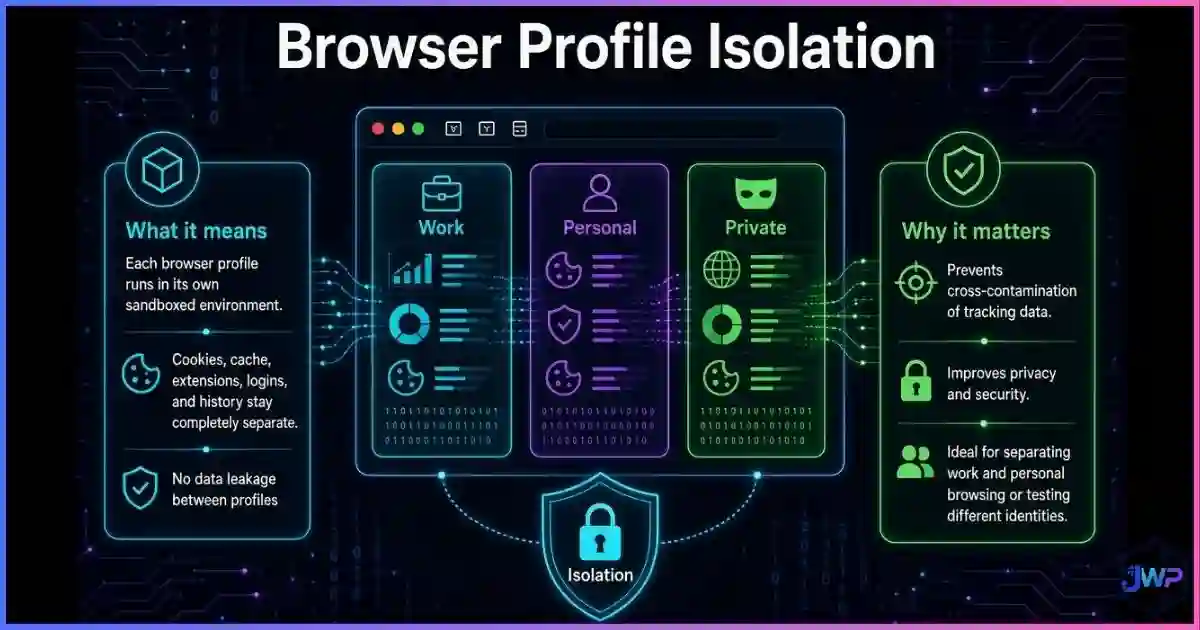
- Separate your identities. Use different browser profiles for work, personal, and “deal-hunting” browsing so cookies and behavior never merge. If you manage multiple accounts or need genuinely distinct digital identities, an anti-detect browser adds per-profile fingerprint control that normal profiles cannot.
- Tighten permissions. Most sites do not need your location or microphone — our browser permissions explained guide shows the safe defaults.
- Strip click IDs. Remove
gclid/fbclidparameters (manually or with a link-cleaner extension) before browsing after ad clicks. - Log out and use aliases. Browsing logged-out with an email alias for signups starves identity graphs of their best fuel.
- Use encrypted DNS / HTTPS everywhere so your ISP sees domains but not page-level activity.
- Re-audit quarterly. Tracking tech evolves; your defenses should too.
Layer your defense: blocker + isolated profiles
Tracker blockers handle cookies and pixels; isolated, fingerprint-managed profiles handle the rest. Incogniton gives you both workflows in one place — spin up a clean profile for anything sensitive and keep your main identity boring and uninteresting to data brokers.
Get Incogniton — Create Isolated ProfilesAffiliate disclosure: we may earn a commission if you purchase through our links, at no extra cost to you.
The 10-Minute Privacy Pass Checklist
- ✓Ran a third-party audit (DevTools or tracker dashboard) on my 5 most-visited sites.
- ✓Turned on strict tracking protection / tracker blocking in my daily browser.
- ✓Cleared old cookies and site data; set cookies to expire on quit where practical.
- ✓Reviewed and revoked unused site permissions (location, camera, mic).
- ✓Removed or disabled browser extensions I no longer actively use.
- ✓Created separate profiles for work vs personal vs shopping browsing.
- ✓Tested my fingerprint with EFF Cover Your Tracks and noted the result.
- ✓Stripped ad click IDs (gclid/fbclid) from links before continuing to browse.
- ✓Switched sensitive research to an isolated / anti-detect profile.
- ✓Set a quarterly calendar reminder to repeat this pass.
Frequently Asked Questions About Web Tracking
Can websites track me without cookies?
Does incognito mode stop websites from tracking me?
Will a VPN stop fingerprinting?
Is fingerprinting worse than cookies?
Do tracker blockers break websites?
Should I care about tracking if I have “nothing to hide”?
Sources and Research Notes
Statistics and measurements cited in this article come from public research. Tracker prevalence and browser features change often, so treat figures as directional snapshots.
- HTTP Archive Web Almanac — Third Parties (2024/2025): ~92% of pages load third parties; median of 27 third parties (66 for top-1,000 sites).
- HTTP Archive Web Almanac — Third Parties (2021): 45.9% of mobile and 45.1% of desktop requests are third-party.
- W3Techs — Traffic Analysis Tools Usage: Google Analytics used by 48.1% of all websites; Meta Pixel on 8.7% of sites.
- EFF — Cover Your Tracks / “How Unique Is Your Web Browser?”: fingerprint unique among 286,777 browsers; 94.2% uniqueness with Flash/Java.
- UC Berkeley Law — Web Privacy Census: ~84.7% third-party hosts among cookies on top-100 sites.
- Princeton Web Transparency Project — Online tracking: A 1-million-site measurement.
- IMC ’25 — Characterizing Canvas Fingerprinting Use Across the Web: canvas fingerprinting on 12.7% of top-20K sites.
- Scientific Reports — Browsing behavior exposes identities on the Web: four most-visited domains identify 95% of individuals.