Malicious Browser Extensions: The Hidden Spyware in Your Browser
How “sleeper” extensions bypass store reviews, steal your session cookies, and compromise every account you own — plus how profile isolation stops the bleeding.
What makes a browser extension malicious?
A malicious browser extension is a third-party add-on that abuses browser APIs to perform unauthorized actions like data theft, session hijacking, ad injection, or spyware deployment. The most dangerous modern threat is the “sleeper” extension: a legitimate, highly-rated tool that behaves perfectly for years to build millions of installs, only to push a silent update that turns it into malware. Because extensions often request permission to “read and change all your data on the websites you visit,” a single compromised add-on can bypass your passwords, 2FA tokens, and browser cookies instantly.
Google Chrome users estimated to have unknowingly installed dangerous extensions in recent security studies.
combined installs of just 32 malicious Chrome extensions discovered by Avast before Google removed them.
devices infected by “sleeper” spyware extensions that woke up via malicious updates after years of normal behavior.
malicious extensions removed by Google in a single sweep for injecting malvertising and affiliate link hijacking.

Table of Contents
What Are Malicious Browser Extensions?
Browser extensions are small software programs that customize your browsing experience by hooking into the browser’s internal APIs. They can modify web pages, intercept network requests, read your clipboard, and manage your tabs. When used legitimately, they are incredibly useful (ad blockers, password managers, grammar checkers). When weaponized, they become the most dangerous form of web tracking and spyware because they operate with the same privileges as the browser itself.
Unlike a drive-by download that requires you to click a bad link, a malicious extension is usually installed voluntarily from an official storefront like the Chrome Web Store or Edge Add-ons. Once installed, it sits quietly in the background, often completely invisible to traditional antivirus software, because it is executing within the trusted context of the browser process.
Malicious Extension Threat Statistics & Charts
The scale of the extension malware problem is massive, largely because automated store scanners struggle to catch delayed-execution payloads. The data below highlights the most common attack vectors and payloads observed by security researchers between 2023 and 2026.
Most common malicious extension payloads
Sources: Avast Threat Labs, Gen Digital, and McAfee research (2023-2025). Ad injection and affiliate link replacement remain the most common “low-effort” monetization tactics, while cookie stealing is the most dangerous for account takeovers.
The most common “Trojan Horse” extension categories
Source: Reason Labs and Cisco Talos research. Attackers target utilities that require broad “read all website data” permissions, making it easy to hide malicious code inside a seemingly harmless tool.
The “Sleeper” Extension Attack
The most sophisticated malware campaigns no longer upload obvious viruses to the Chrome Web Store. Instead, they use the Sleeper model:
- Acquisition: An attacker buys a legitimate, popular extension from an indie developer who wants to cash out, or they hijack a developer account via phishing.
- Incubation: The extension continues to work perfectly for months. It accumulates millions of users and thousands of 5-star reviews, establishing deep trust.
- Activation: The attacker pushes a silent, auto-updating payload. The extension suddenly begins injecting affiliate links into your Amazon searches, or worse, silently exfiltrating your session cookies to a remote server.
Recent campaigns have seen sleeper extensions wake up as spyware on over 4 million devices, completely bypassing store security reviews because the initial code submission was clean. This is why browser updates and extension auditing are critical; an extension that was safe yesterday can become lethal today.
What Malicious Extensions Do Once Installed
| Payload Type | How it works | The real-world impact |
|---|---|---|
| Session Hijacking | Reads document.cookie or intercepts authentication headers. | Attackers bypass your password and 2FA to log directly into your bank, email, or ad accounts. |
| Affiliate Injection | Scans the DOM for retail links and replaces them with the attacker’s tracking ID. | You pay the same price, but the malware operator steals the commission from the legitimate creator. |
| Form Grabbing | Injects JavaScript listeners into input fields before you hit “submit.” | Captures credit cards, passwords, and PII before the browser’s encryption or password manager can protect them. |
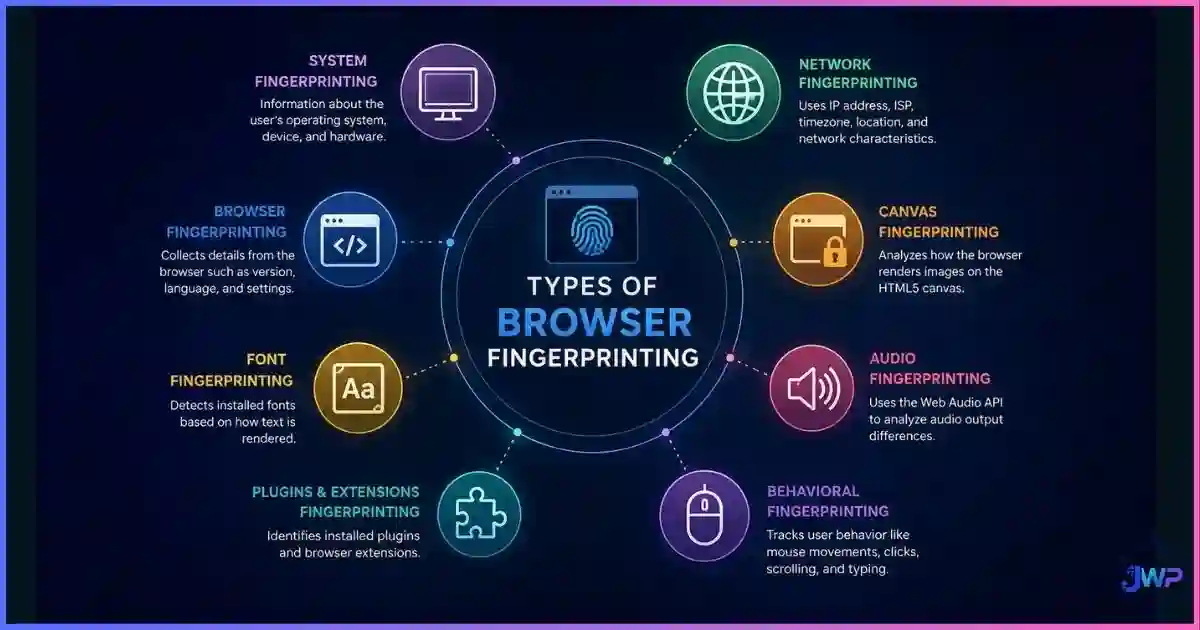
| Fingerprint Spoofing | Alters canvas or WebGL outputs to evade bot detection. | Turns your legitimate browser into a node for ad fraud or credential stuffing networks. |
Because extensions operate at the DOM level, they can completely undermine browser fingerprinting protections and intercept data that a VPN cannot see. If you are comparing network tools, remember that a VPN will not stop a malicious extension from reading your screen or stealing your cookies.
The Permission Trap
The root cause of most extension malware is excessive permission grants. When you install an add-on, Chrome or Edge will show a warning box. Most users blindly click “Add Extension” without reading it.
The most dangerous permission is “Read and change all your data on the websites you visit.” This grants the extension full access to every DOM element, every cookie, and every keystroke on every site. A simple “Dark Mode” or “Calculator” extension has zero legitimate reason to request this. For a deeper dive into how browsers handle these access grants, read our guide on browser permissions explained.
How to Spot and Remove Malicious Extensions
Antivirus software rarely catches browser extension malware because the code executes inside the browser’s sandboxed process. You must audit your extensions manually.
- The “Why does this need access?” test: If a tool does not interact with web page content (like a simple New Tab clock), it should not have “Read all data” permissions.
- Check the developer: Look for the “Featured” badge in the Chrome Web Store, which indicates manual vetting by Google. Search the developer’s name to see if they have a real website or privacy policy.
- Read the 1-star reviews: Malicious updates often trigger a wave of 1-star reviews from users complaining about “pop-ups,” “search engine changes,” or “slow performance.” Scammers often buy fake 5-star reviews, but the 1-star reviews usually tell the truth.
- Audit installed extensions quarterly: Go to
chrome://extensions/and remove anything you do not actively use. If an extension was acquired by a new company, research the acquisition.
If you suspect an infection, changing your passwords is not enough. You must revoke all active sessions, as the malware likely stole your session tokens. For a complete remediation workflow, see our guide on how to secure your web browser.
Why Profile Isolation Is Your Last Line of Defense
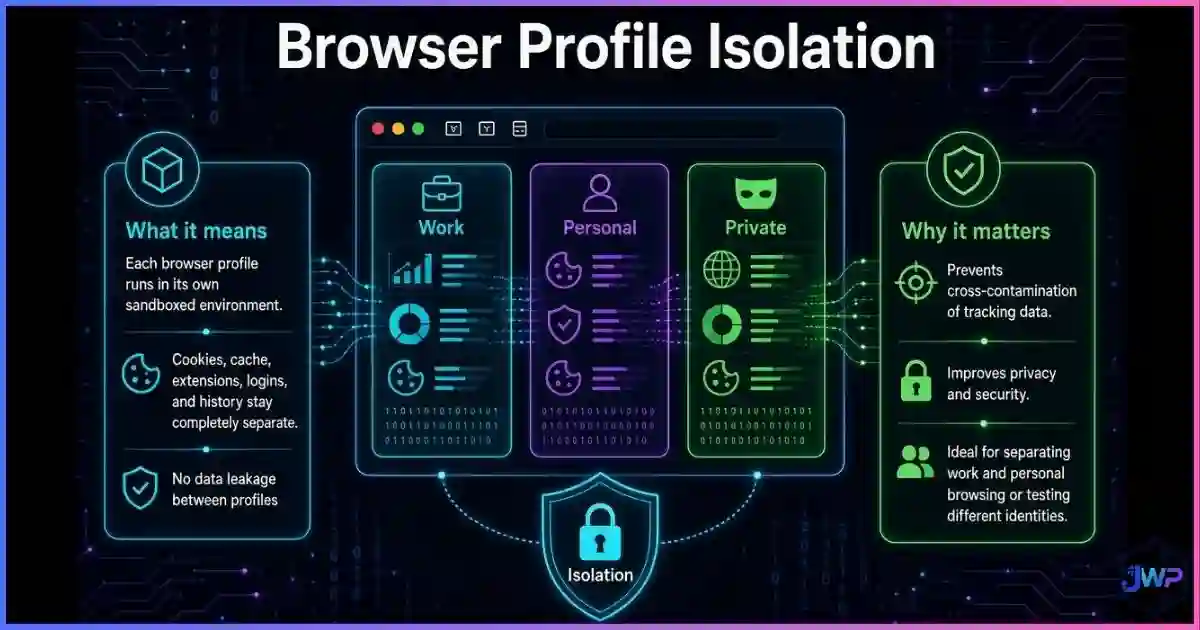
If you use a standard browser for both personal browsing and managing high-value accounts (ad networks, e-commerce, affiliate dashboards), a single malicious extension compromises everything. The extension can read the cookies for your Facebook Ad account, your Amazon Seller account, and your Gmail simultaneously.
This is where anti-detect browsers provide a massive security advantage through profile isolation. In a tool like Incogniton, every browser profile is a completely sealed container. It has its own cookie jar, its own cache, and crucially, its own isolated extension environment.
If you install a risky productivity extension in Profile A (your “research” profile), and that extension turns malicious, it is physically impossible for it to see the session cookies or fingerprint data of Profile B (your “business” profile). The breach is contained to a single identity. For a detailed look at how this architecture works, read our Incogniton review.
Stop one bad extension from burning your entire business.
Incogniton isolates your extensions, cookies, and fingerprints per profile. If a tool goes rogue in one profile, your high-value ad and seller accounts in other profiles remain completely untouched.
Get Incogniton →Affiliate link — we may earn a commission at no extra cost to you.
Extension Security Checklist
- Audit your
chrome://extensions/(or equivalent) page today. Remove anything you haven’t used in 30 days. - Check the permissions for your remaining extensions. Revoke “Read and change all data” for any utility that doesn’t strictly need it.
- Enable “Developer mode” to check if any extensions are running unpacked or sideloaded code (a common malware persistence tactic).
- Never install extensions from third-party links or pop-up ads; only use the official browser web stores.
- For high-value accounts, use a dedicated, extension-free browser profile or an isolated anti-detect profile.
- Monitor your accounts for unexpected logins or changed settings, which are early indicators of a session hijack.
Frequently Asked Questions
How do browser extensions become malicious?
What is a ‘sleeper’ browser extension?
Can a malicious extension steal my passwords?
Are extensions from the official Chrome Web Store safe?
How can I tell if an extension is safe?
Do anti-detect browsers protect against malicious extensions?
Sources and Research Notes
Sources & Research Notes (click to expand)
Threat data and statistics are based on public disclosures from major cybersecurity firms and academic research institutions. Extension policies and store inventories change rapidly; always verify current store statuses.
- Avast Threat Labs (2023). “Malicious Chrome extensions with 75M installs removed from Web Store.” — Discovery of 32 extensions altering search results and pushing spam. avast.com
- Forbes / Independent Study (2024). “280 Million Google Chrome Users Installed Dangerous Extensions.” — Analysis of extension vulnerability and user exposure. forbes.com
- Malwarebytes Labs (2025). “Sleeper browser extensions woke up as spyware on 4 million devices.” — Research into delayed-execution payloads via silent updates. malwarebytes.com
- Gen Digital / Avast (2024). “Backdoored browser extensions hid malicious traffic in analytics requests.” — Analysis of covert data exfiltration techniques. gendigital.com
- Cisco Talos / Guard.io (2023). “500+ Malicious Extensions Removed From Chrome Web Store.” — Documentation of the “GhostPoster” malvertising campaigns. guard.io
- GitLab Security / Threat Intel (2025). “Malicious browser extensions impacting at least 3.2 million users.” — Trojanization campaigns targeting developer tools. gitlab.io