BestRSSFeed Review: Is RSS Feed Flow the Best RSS Tool in ?
We spent time inside the platform to give you a complete, no-fluff assessment of RSS Feed Flow — from combining feeds to embedding widgets.
What is BestRSSFeed.com?
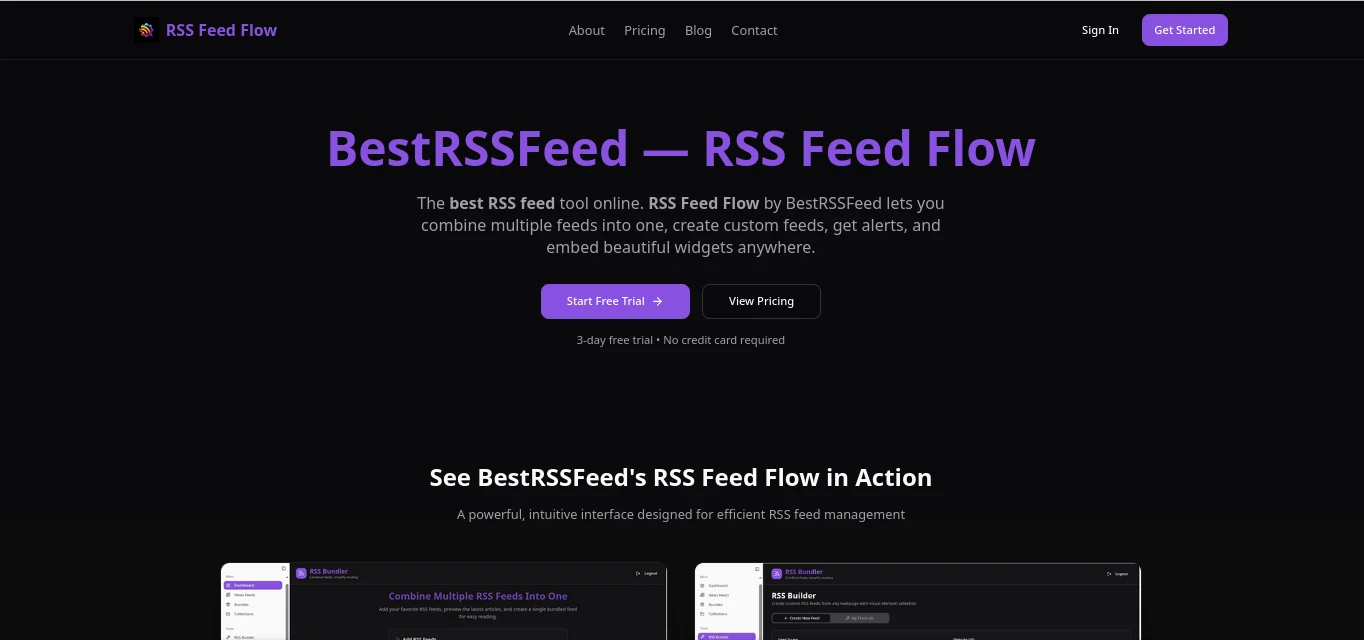
If you have ever tried to wrangle a dozen different RSS feeds from news sites, blogs, and industry publications into a single, manageable stream, you already understand the problem that BestRSSFeed.com was built to solve. The platform is home to RSS Feed Flow, a web-based RSS aggregation and management tool that positions itself as the go-to solution for combining multiple RSS feeds, creating custom feeds, generating alerts, and embedding content widgets on any website.
BestRSSFeed is not a traditional RSS reader in the Feedly or Inoreader sense. It is aimed at a slightly different use case: rather than just reading feeds yourself, it gives you the infrastructure to build and distribute feeds — combining sources into bundles, making those bundles publicly embeddable, and sending alerts when new content arrives. That distinction matters, and it is what makes it worth a thorough look in .
In this review, we go through every meaningful feature RSS Feed Flow offers, assess its real-world usability, compare it to the competition, and give you a clear picture of whether it fits your workflow — whether you are a solo content creator, a digital marketing team, or a developer building a content-aggregation website.
Core Features of RSS Feed Flow
RSS Feed Flow is built around four foundational capabilities. Each one addresses a real problem that comes up when you move beyond just reading RSS feeds and start thinking about how to use them productively.
Combine Multiple RSS Feeds
Merge feeds from any number of sources into a single, unified stream. Pull from news sites, personal blogs, YouTube channels, and podcasts simultaneously.
Custom Feed Creation
Build your own curated RSS feeds from scratch by selecting and filtering content from combined sources — then share or publish that custom feed URL.
Real-Time Alerts
Get notified when new content appears in any feed or bundle. Set keyword-based alerts so you only hear about what matters to you.
Embeddable Widgets
Generate embed code to place a live, auto-updating content widget on any website — WordPress, Wix, Squarespace, or custom HTML — with no backend required.
Feed Bundles
Package multiple feeds together into shareable bundles. Useful for teams who want everyone looking at the same curated content sources.
Feed Health Monitoring
Track whether your subscribed feeds are still active and updating correctly. Get flagged when a source goes down or stops publishing.
The Combine-and-Publish Workflow
The standout workflow RSS Feed Flow enables is one most tools in this space do not fully support: you can combine feeds from multiple domains, apply your own curation layer, and then re-publish that combined stream as a single RSS feed URL or an embeddable widget. This is useful if you run a curated newsletter, a niche content hub, or a team dashboard where multiple stakeholders need to see aggregated content from specific sources.
Traditional RSS readers like Feedly or Inoreader are optimized for reading. RSS Feed Flow is optimized for publishing and distribution — a fundamentally different use case that is underserved in the current market.
How RSS Feed Flow Works
Getting started with RSS Feed Flow follows a straightforward sequence. You do not need any technical background to get a working setup running in under ten minutes.
Paste in the RSS feed URLs from any sites you want to monitor — blogs, news outlets, YouTube channels, podcasts, or any valid RSS or Atom feed. The platform validates each URL and starts pulling content immediately.
Group your feeds into named bundles. A bundle can represent a topic, a project, a client, or a team — whatever organizational structure makes sense for your workflow. Bundles can be public or private.
Set up keyword or source-level alerts so you get notified when new content arrives. Useful for competitive monitoring, brand mentions, or keeping up with fast-moving news areas.
Generate an embed snippet or a shareable feed URL from any bundle. Paste the code into your website’s sidebar, footer, or a dedicated page — the widget updates automatically as new content arrives.
Why RSS Still Matters in
There is a common misconception that RSS is a technology that peaked with Google Reader and has been declining ever since. The data tells a more nuanced story. RSS adoption has actually been growing among professionals, developers, and content creators — driven in part by frustration with algorithmic social feeds and the fragmentation of online content distribution.
RSS Adoption Growth Among Professionals (2019–)
According to multiple industry analyses, RSS feed adoption surged approximately 34% year-over-year among knowledge workers in recent years, driven by people who were fed up with algorithmic timelines controlling what they see. The RSS feed market itself was valued at around $2.4 billion in 2024 and is projected to grow to $4.5 billion by 2035 — not a dying format by any measure.
Primary Reasons Professionals Use RSS Tools
For content teams and individual creators, RSS aggregation tools like RSS Feed Flow serve a specific function: they cut the time spent hunting for content across multiple platforms. A knowledge worker who spends even 90 minutes a day checking various news sources and blogs can reclaim a meaningful portion of that time with a properly configured feed aggregator.
Performance and Detailed Ratings
We assessed RSS Feed Flow across the dimensions that matter most when choosing an RSS tool. Here is how it scores across each category.
RSS Feed Flow — Category Scores (out of 10)
Category Breakdown
The platform’s strongest points are around its core proposition: setup is fast, feed combining works reliably, and the widget output is genuinely usable on real websites. Where there is room to grow is in the mobile interface experience and deeper widget customization options — areas where competitors who have been around longer have a noticeable edge.
Pricing Breakdown
BestRSSFeed.com follows a tiered pricing model, with a free entry point that lets you explore the core functionality before committing to a paid plan. Here is what you can expect across tiers (visit the site directly for the most current numbers, as these can be updated):
| Plan | Price | Feeds | Bundles | Widgets | Alerts |
|---|---|---|---|---|---|
| Free | $0/mo | Up to 5 | 1 | 1 (branded) | Basic |
| Starter | ~$9/mo | Up to 25 | 5 | 3 | Keyword alerts |
| Pro | ~$19/mo | Unlimited | Unlimited | Unlimited | Advanced + priority |
| Team / Agency | Custom | Unlimited | Unlimited | Unlimited | Full suite + SLA |
Price vs. Feed Capacity Comparison — RSS Aggregation Tools ()
On a pure value-per-dollar basis, RSS Feed Flow’s Pro tier competes favorably against alternatives like Inoreader Pro ($9.99/month for reading-focused features) or FeedWind’s paid tiers. The key differentiator is the embeddable widget capability, which many reader-focused tools simply do not offer at comparable price points.
How RSS Feed Flow Compares to Alternatives
The RSS tool market in breaks into two distinct categories: reading-focused tools and publishing/distribution-focused tools. RSS Feed Flow sits in the second group, which means a direct comparison to Feedly or Inoreader is slightly apples-to-oranges. That said, here is how it stacks up across the features most users actually care about.
| Feature | BestRSSFeed | Feedly | Inoreader | FeedWind | RSS.app |
|---|---|---|---|---|---|
| Combine multiple feeds | ✓ Yes | Partial | ✓ Yes | ✓ Yes | ✓ Yes |
| Embeddable widget | ✓ Yes | ✗ No | ✗ No | ✓ Yes | ✓ Yes |
| Custom feed URL output | ✓ Yes | ✗ No | Limited | ✗ No | ✓ Yes |
| Keyword alerts | ✓ Yes | ✓ Pro+ | ✓ Pro | ✗ No | Limited |
| Free tier available | ✓ Yes | ✓ Yes | ✓ Yes | ✓ Yes | ✓ Yes |
| Reading-focused UI | ✗ No | ✓ Yes | ✓ Yes | ✗ No | ✗ No |
| AI content features | ✗ No | ✓ Pro+ | ✓ Pro | ✗ No | ✗ No |
| Mobile apps | Web only | ✓ iOS/Android | ✓ iOS/Android | Web only | Web only |
| OPML import | ✓ Yes | ✓ Yes | ✓ Yes | Limited | ✓ Yes |
The clearest conclusion from this comparison is that RSS Feed Flow is not trying to replace Feedly for daily reading. If your primary workflow is consuming articles, Feedly or Inoreader remain stronger choices. But if you need to combine feeds and push that combined stream outward — to a website widget, a custom feed URL, or a shared bundle — RSS Feed Flow and tools like RSS.app are the better-fit options, with RSS Feed Flow offering a slightly more streamlined bundling experience.
Pros and Cons
No tool is perfect for every use case. Here is an honest breakdown of where RSS Feed Flow delivers and where it has clear limitations.
What Works Well
- Genuinely fast setup — first combined feed running in under 5 minutes for most users.
- Feed bundling is cleanly implemented and easy to share with others.
- Widget embed code works across all major CMS platforms without extra configuration.
- Free tier is usable, not crippled — good for testing the product properly.
- Custom feed URL output lets you pipe your curated content into other tools and workflows.
- Solid value proposition at the Pro tier compared to single-purpose widget tools.
- No coding knowledge required for any core feature.
Limitations to Know
- No dedicated mobile app — the web interface is responsive but not native-app smooth.
- Widget design customization is functional but limited compared to dedicated widget tools like FeedWind or Elfsight.
- No AI-powered content filtering or summarization that tools like Feedly Pro+ offer.
- The reading experience itself is minimal — this is a distribution tool, not a reader.
- Lacks advanced automation rules (conditional routing, tagging, archiving) that Inoreader excels at.
- Customer support responsiveness could be faster based on available user feedback.
Who Is RSS Feed Flow For?
Based on the tool’s feature set and positioning, it is a strong fit for certain types of users and a poor fit for others. Here is a clear-eyed breakdown.
Content Creators
Bloggers and newsletter writers who need a research feed from dozens of sources, combined into one manageable stream.
Digital Marketers
Teams running content marketing who want to monitor industry news, competitor blogs, and topic-specific feeds in one place.
Website Owners
Anyone who wants to display an auto-updating news or blog feed on their site without writing backend code or maintaining a plugin.
Small Media Teams
Editorial teams who need a shared, curated content stream for story ideation and trend monitoring across multiple beats.
Competitive Intelligence
Analysts who need keyword alerts and aggregated feeds from competitor sites, industry publications, and press release feeds.
Developers
Those who need a clean combined feed URL to pipe into an app or tool without building their own aggregation pipeline.
Who Should Look Elsewhere
If your primary need is a rich, distraction-free reading experience with AI-powered prioritization, tools like Feedly Pro+, Inoreader, or SereneReader will serve you better. Similarly, if you need deep automation rules — complex filtering, auto-tagging, cross-platform routing — Inoreader’s rules engine is more powerful than anything RSS Feed Flow currently offers. And if you need native iOS or Android apps, be aware that RSS Feed Flow is currently web-only.
Our Verdict
RSS Feed Flow by BestRSSFeed
RSS Feed Flow addresses a specific, real problem that reading-focused RSS tools ignore: the ability to combine feeds, package them, and push them outward as widgets or shareable feed URLs. For bloggers, small content teams, website owners, and marketers, this is a meaningful capability at a reasonable price. It is not a replacement for Feedly or Inoreader if daily reading is your primary use case. But as a content distribution and aggregation layer, it earns its place in a modern content workflow.
The free tier gives you enough to genuinely test the product, the Pro tier offers solid value for unlimited feeds and widgets, and the overall experience is refreshingly straightforward. The main gaps — no native app, limited widget customization, no AI features — are real, but they are the predictable trade-offs of a tool that has chosen to go deep on feed management rather than trying to do everything.
If your workflow involves pulling content from multiple sources and making it accessible on a website or in a shared context, BestRSSFeed.com is worth a serious look in .
Frequently Asked Questions
These are the questions that come up most often from people evaluating RSS Feed Flow for the first time.