How to Build a Website with Lovable AI
Want to launch a professional website without starting from a blank page, wrestling with theme settings, or writing code from scratch? This guide walks you through the exact Lovable AI workflow: plan the site, write a strong prompt, generate the first version, edit the design, optimize for SEO, publish, and connect your domain.
Quick Answer
To build a website with Lovable AI, start by defining the website goal, audience, pages, brand style, and call to action. Create a new Lovable project, paste a detailed prompt, review the generated website, then refine it using chat prompts and visual edits. When the design and copy are ready, run Lovable’s SEO and AI search review, publish the project, and connect a custom domain if you want a branded URL.
Lovable AI is a full-stack AI development platform that turns plain-English instructions into real web applications. You describe the website you want, and Lovable generates the frontend, routes, components, styling, and, when needed, backend pieces such as database, authentication, and integrations. That makes it useful for creators, small businesses, agencies, marketers, and founders who need a working website quickly but still want editable code underneath.
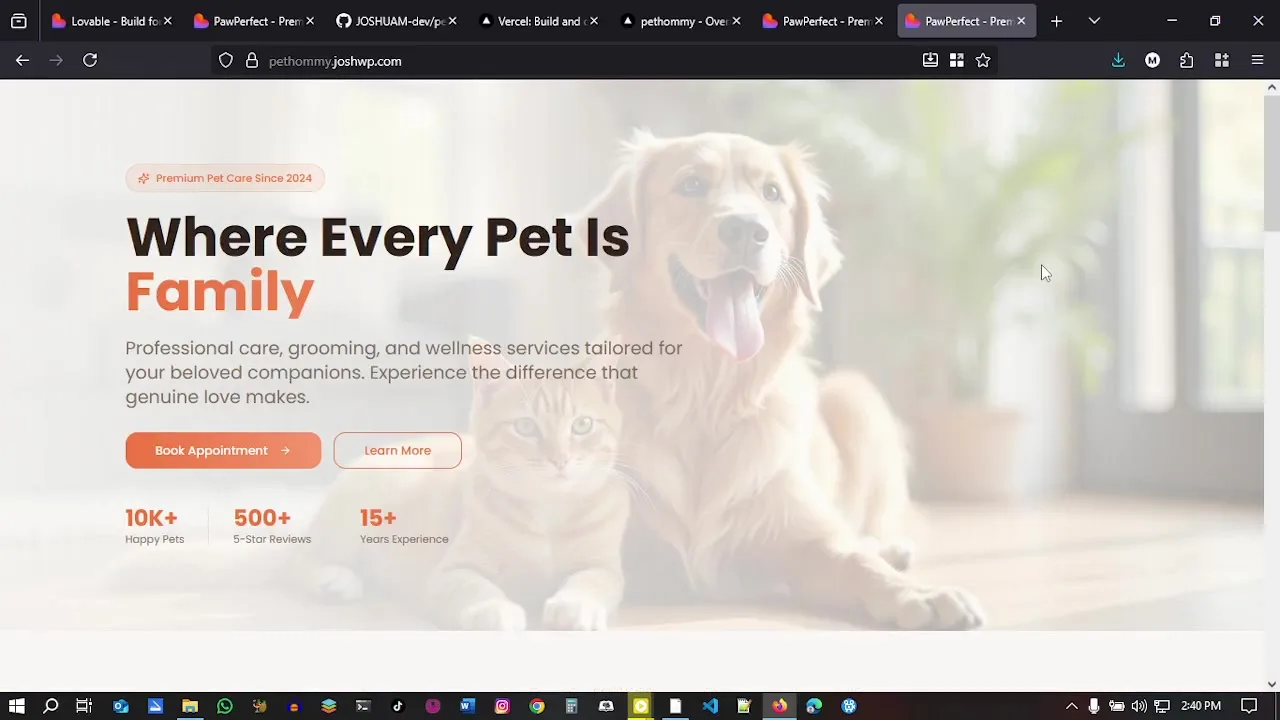
The reference video used for this article shows a practical website build from start to finish. The example site is a pet-care website called PawPerfect, with a soft hero image, service sections, testimonials, calls to action, publishing settings, GitHub connection, and domain setup.
What Is Lovable AI?
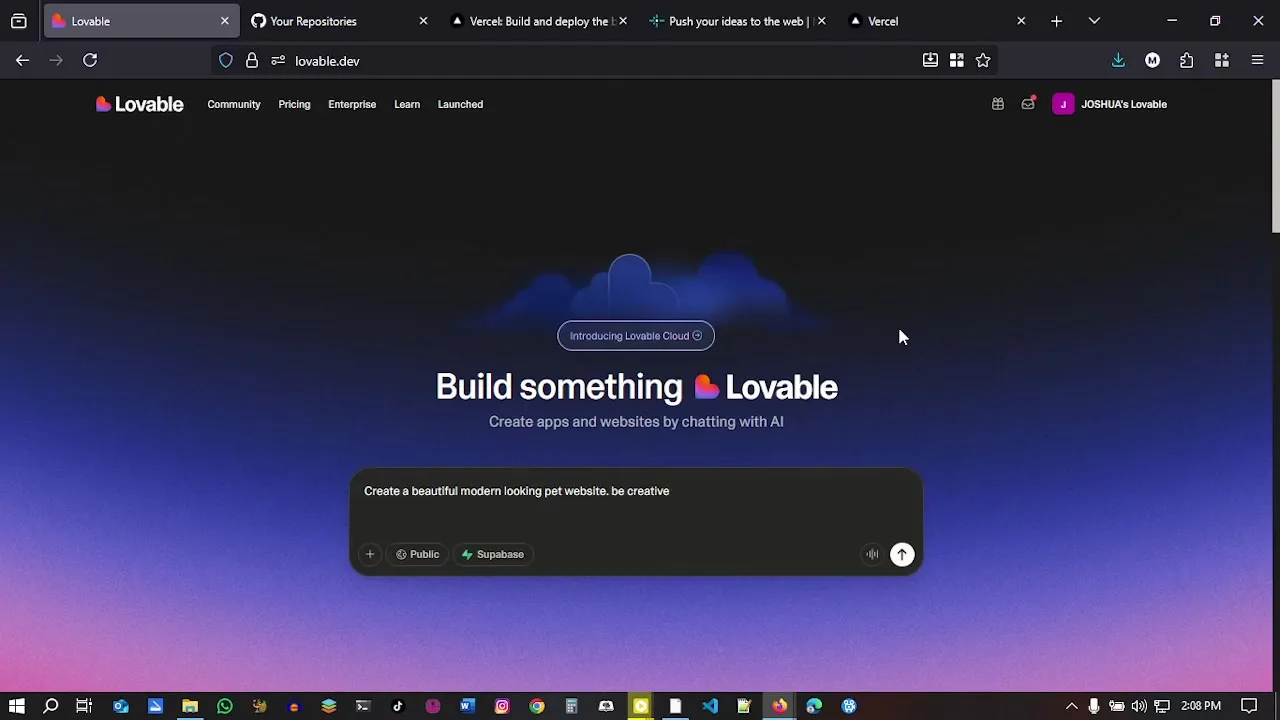
Lovable AI is an AI website and app builder that creates production-style web projects from natural language. Instead of choosing a template and manually adjusting every block, you explain what you want: the business type, pages, sections, audience, features, design style, and integrations. Lovable then generates a working project that you can preview, edit, publish, and sync with GitHub.
Unlike basic page builders that only rearrange predefined sections, Lovable generates real application code. That matters because you can move beyond brochure websites into dashboards, booking systems, membership areas, portals, SaaS tools, and apps that connect to databases or APIs. Lovable’s own documentation describes the platform as a way to build web applications with natural language, editable code, backend functionality, authentication, integrations, deployment, and collaboration workflows.
For a simple business website, this means you can generate a homepage, service pages, contact forms, images, buttons, testimonials, and a mobile-friendly layout in minutes. For a more advanced project, you can connect Supabase for authentication and persistent data, connect GitHub for version control, or add third-party tools through integrations.
Important: Lovable is fast, but it is not magic. The quality of the result depends heavily on your prompt, your feedback, and your review process. Treat it like a web design assistant that can move extremely quickly when you give it clear instructions.
Ready to Build Your Website?
Open Lovable, paste the prompt template from this guide, and start with a working first draft instead of a blank canvas.
Before You Start Building
The biggest mistake beginners make with Lovable AI is opening a new project and typing, “Build me a website.” That can produce something, but it usually produces a generic website. Before you prompt Lovable, spend ten minutes defining the site.
Gather these details first:
- Business type: Is this a pet-care business, restaurant, portfolio, agency, SaaS tool, coach, or ecommerce site?
- Audience: Who is the site for, and what problem are they trying to solve?
- Primary action: Should visitors book a call, schedule a visit, buy a product, join a waitlist, or fill out a form?
- Pages: Decide whether you need only one landing page or a full site with Home, About, Services, Pricing, Blog, and Contact.
- Brand style: List colors, fonts, image mood, tone of voice, and any reference websites you like.
- Trust elements: Testimonials, reviews, stats, certifications, case studies, guarantees, or founder credentials.
- SEO keywords: Choose one main keyword per page before generating content.
Lovable’s prompting guidance recommends planning before you prompt. Define what the product or website is, who it is for, why people will use it, and the main action users should take. That simple planning step gives Lovable a stronger foundation and reduces back-and-forth editing later.
Reference walkthrough
Watch: Building a Website with Lovable AI
The video shows a full Lovable AI workflow from idea to finished site. Watch it once for the overall sequence, then use the expanded instructions below to reproduce the process with stronger prompting, editing, SEO, and publishing habits.
Plan Where Your Finished Website Will Live
Lovable creates the website code; it is not the final public hosting layer. Use Hostinger to connect a domain and publish the production files after testing.
How to Build a Website with Lovable AI: Step by Step
Step 1: Create a New Lovable Project
Go to Lovable, sign in, and start a new project. You will see a prompt box where you can describe the website or app you want to create. This is where you should paste a detailed brief rather than a one-line command.
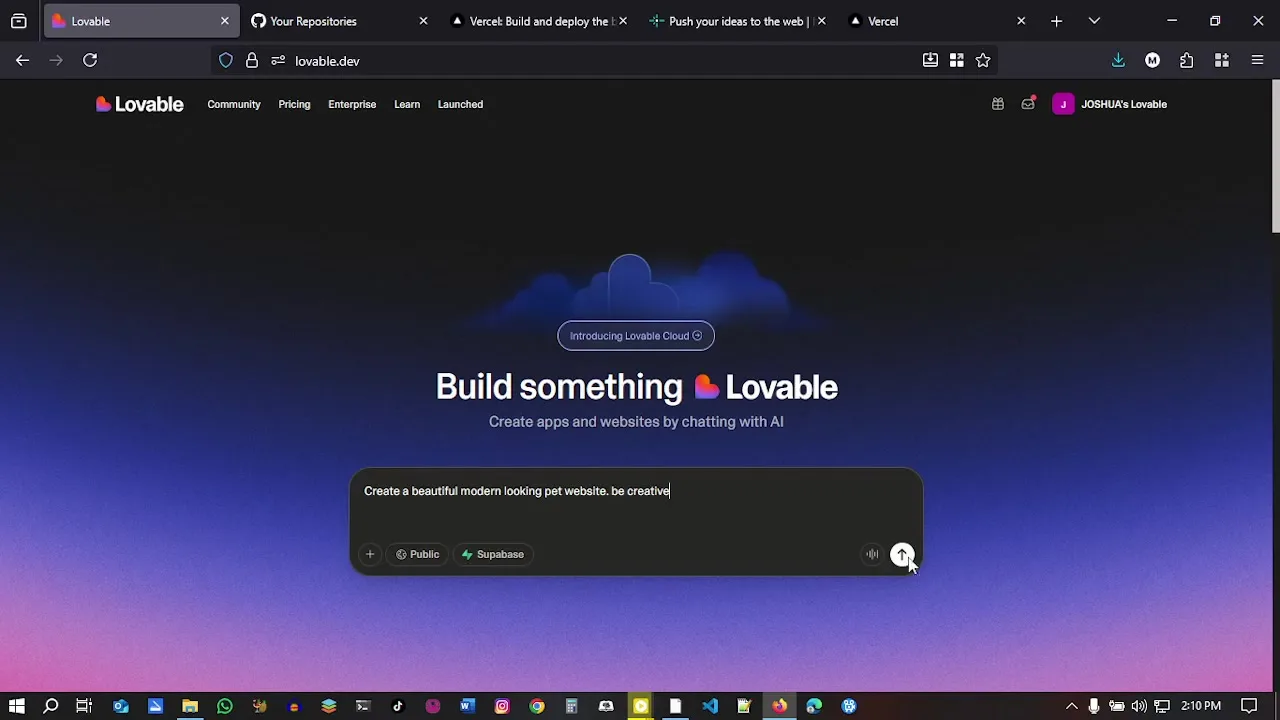
If you are building a business website like the tutorial, include the company name, industry, services, desired sections, color direction, CTA buttons, and the tone you want. For example, the reference build creates a warm pet-care website with booking-focused CTAs and a friendly design.
Step 2: Write a Detailed Website Prompt
A good Lovable prompt reads like a compact creative brief. It tells Lovable what to build, who it is for, what pages or sections to include, how the design should feel, and what the user should do next.
Use this structure:
- Project goal: “Build a professional website for…”
- Audience: “The site is for…”
- Pages or sections: Hero, services, process, testimonials, pricing, FAQ, contact.
- Visual style: Colors, typography, spacing, image style, mood.
- CTA: The main button text and destination.
- SEO: Main keyword, title direction, metadata, semantic headings.
- Constraints: Mobile-first, fast-loading, accessible, no placeholder copy.
Step 3: Let Lovable Generate the First Version
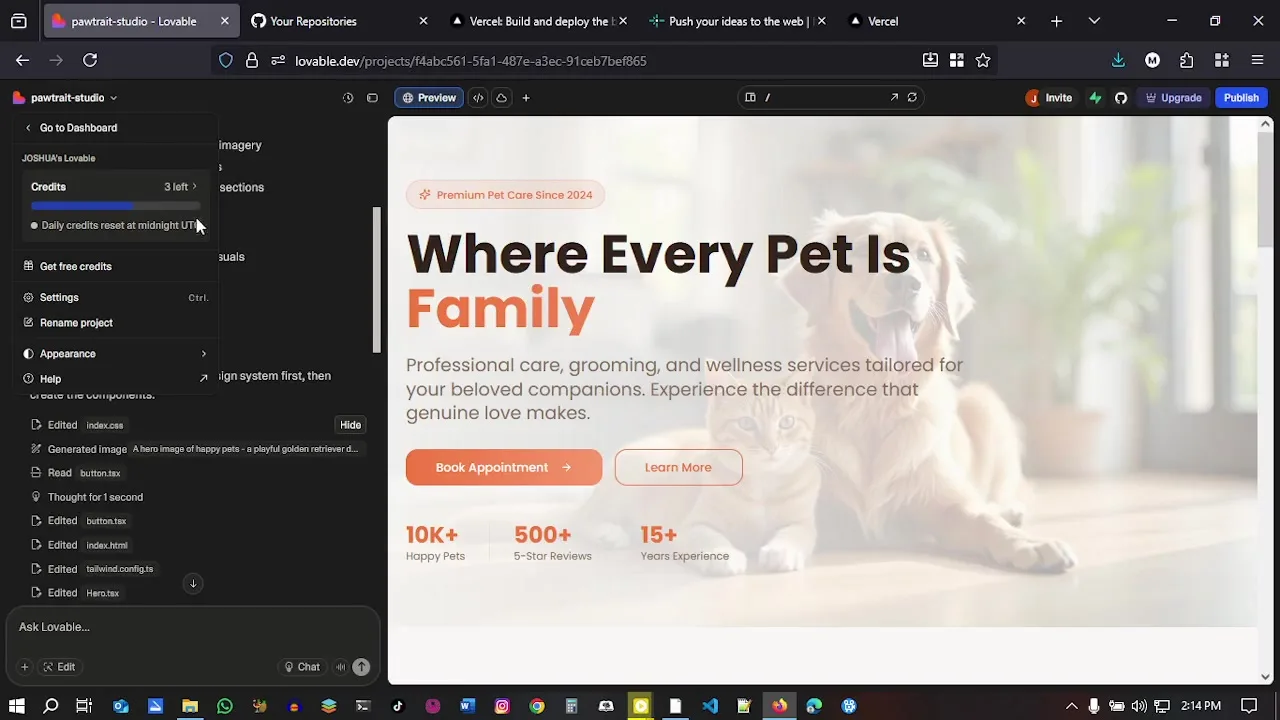
After you submit the prompt, Lovable will generate the project. Depending on the complexity, this can take a short while. When the preview is ready, review the website like a real visitor rather than focusing only on whether it “looks nice.”
Ask these questions during the first review:
- Does the hero immediately explain what the business does?
- Is the main CTA visible without scrolling?
- Are the sections in a logical order?
- Does the copy sound specific or generic?
- Does the mobile layout still feel professional?
- Are there obvious placeholder names, fake links, or repeated blocks?
Step 4: Edit with Follow-Up Prompts
Your first version is only the starting point. Lovable works best when you iterate in small, clear requests. Instead of asking for “make it better,” tell it exactly what to change and why.
Useful follow-up prompts include:
- “Make the hero headline more benefit-driven and less generic.”
- “Add a services comparison section with grooming, boarding, day care, and training.”
- “Make the design warmer and more premium, but keep the page easy to scan.”
- “Rewrite the testimonials so they sound natural and specific.”
- “Improve the mobile spacing in the services section.”
- “Add a sticky mobile call button for phone bookings.”
Lovable’s docs recommend being precise when editing. If a change is risky or broad, you can ask Lovable to clarify requirements before it writes code. That is especially useful when adding booking flows, forms, databases, payments, or user accounts.
Step 5: Use Visual Edits for Targeted Design Changes
Prompting is excellent for structural changes, but small design tweaks are often easier with Lovable’s visual edits. Visual edits let you select UI elements and adjust text, spacing, colors, images, sizing, and layout without manually editing code.
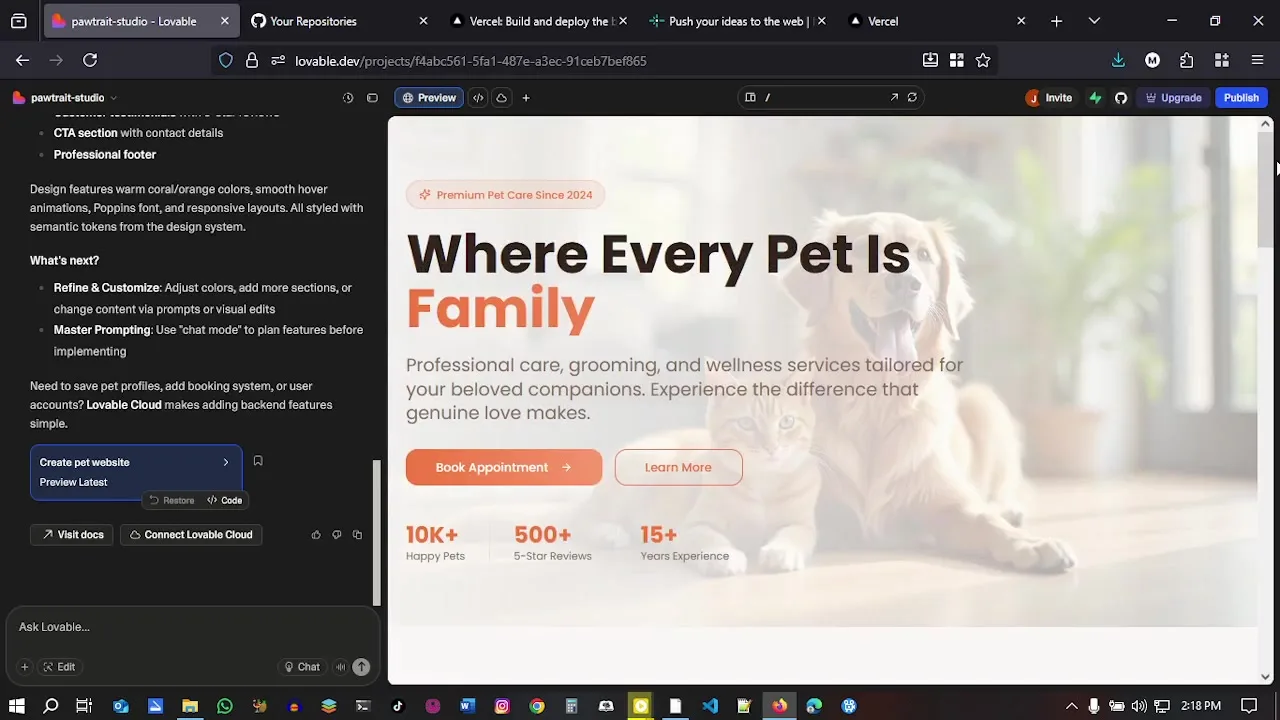
Use visual edits when the website is close but needs polish. For example, you might adjust the hero image placement, button color, section padding, or text hierarchy. Use chat prompts when you want a bigger change, such as adding a new section, rewriting a page, or integrating a backend service.
Step 6: Replace Generic Content with Real Business Copy
AI-generated copy often looks polished at first glance but can still be thin. Before publishing, replace vague claims with specific details. Mention your actual services, service areas, prices if relevant, policies, team experience, opening hours, and contact details.
For local service websites, add location-specific details naturally. A pet-care site should include the city or neighborhood, types of pets served, safety practices, grooming specialties, boarding rules, booking process, and emergency contact options. This helps both visitors and search engines understand the business.
Step 7: Add Forms, Booking, or Backend Features
A basic website can work with a contact form and phone number. But if you need accounts, saved data, dashboards, uploads, payments, or booking records, connect backend services. Lovable’s Supabase integration can add a database, authentication, storage, real-time features, and Edge Functions through a chat-driven workflow.
Example backend prompts:
- “Add a booking request form and save submissions to Supabase.”
- “Add an admin dashboard where staff can view new appointment requests.”
- “Add email notifications when someone submits the contact form.”
- “Add login for customers so they can see booking history.”
For a simple marketing site, keep the backend light. For an app or client portal, plan the database structure before asking Lovable to build too much at once.
Step 8: Connect GitHub if You Want Code Backup or Developer Collaboration
You do not need GitHub to build and publish with Lovable, but GitHub is useful if you want code backup, developer collaboration, pull requests, branch workflows, or deployment on platforms outside Lovable. Lovable’s GitHub integration supports syncing code between Lovable and a repository.
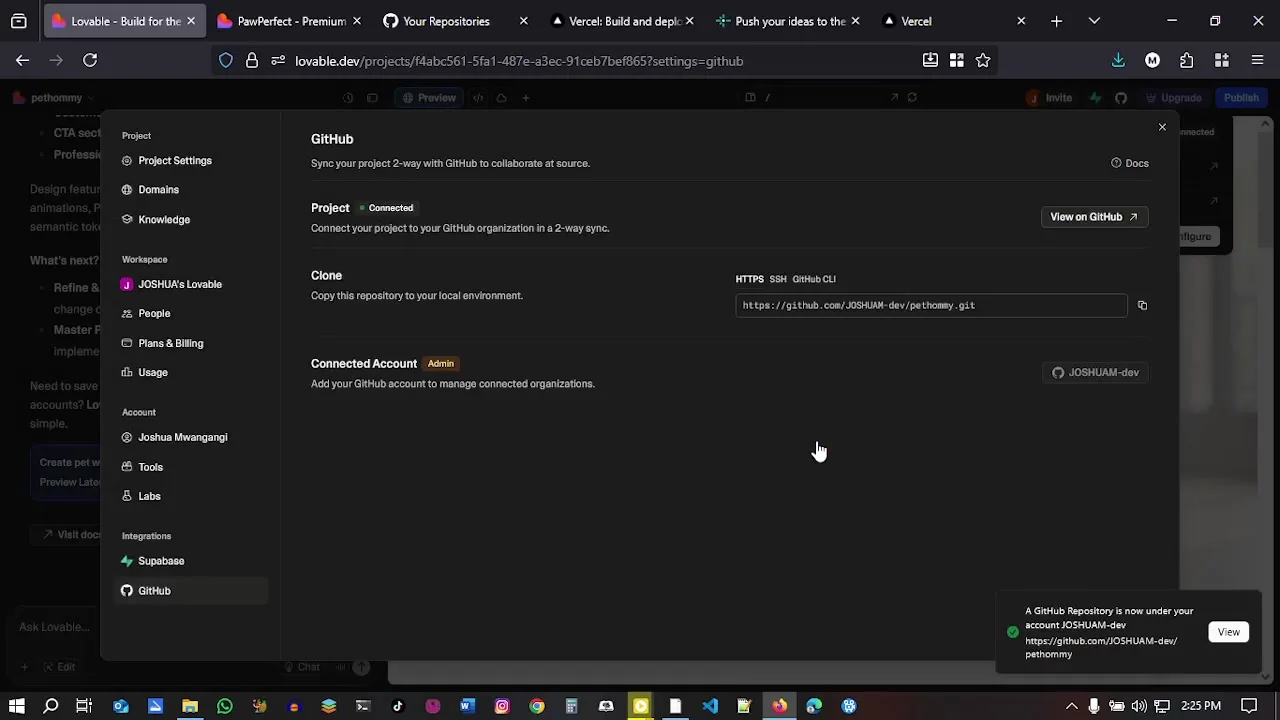
Once GitHub is connected, avoid renaming or moving the repository unless you know the consequences. Lovable’s docs note that the sync depends on the stable repository path.
How to Optimize a Lovable AI Website for SEO
Publishing a nice-looking AI-generated website is not enough. If you want the site to rank in Google, Bing, and AI search tools, optimize the page structure, metadata, crawlability, content depth, speed, accessibility, and trust signals.
Lovable now includes an SEO and AI search review under Services → SEO & AI search. According to Lovable’s documentation, this review can check items such as sitemap, robots.txt, metadata, semantic HTML, content structure, alt text, canonical tags, indexing, accessibility, mobile usability, performance, and Google Search Console setup. It can also surface recommendations and apply many fixes with the “Try to fix” workflow.
| SEO Element | What to Do in Lovable | Why It Matters |
|---|---|---|
| Meta title | Ask Lovable to write a unique title for each page using the target keyword. | Improves search result relevance and click-through rate. |
| Meta description | Add a concise page summary with the main benefit and keyword. | Helps users decide whether to click from search results. |
| Heading structure | Use one H1, then logical H2 and H3 sections. | Helps visitors and crawlers understand the page hierarchy. |
| Alt text | Describe important images clearly, especially service and product images. | Supports accessibility and image search. |
| Schema markup | Add LocalBusiness, FAQ, Product, Article, or Service schema where relevant. | Gives search engines structured context about the page. |
| Sitemap and robots.txt | Run the SEO review and ask Lovable to create or fix missing files. | Improves crawl discovery and prevents accidental indexing blocks. |
| Canonical tags | Confirm each page has the correct canonical URL. | Reduces duplicate content and URL confusion. |
| Internal links | Link related pages together using descriptive anchor text. | Distributes authority and helps users navigate. |
One important 2026 update: Lovable’s SEO documentation says new Lovable apps created from May 13, 2026 use TanStack Start with server-side rendering, except on Enterprise plans. Older React + Vite apps use on-request pre-rendering for verified search and AI crawlers on deployed public URLs. In practical terms, do not rely on assumptions from old Lovable SEO tutorials. Run the current SEO review after publishing, and test your live URL.
How to Publish Your Lovable AI Website
When the design, content, forms, and SEO basics are ready, click Publish in Lovable. Lovable deploys the current snapshot of your project to a live URL. Future edits are not automatically pushed live; after making changes, use Publish → Update to deploy the new version.
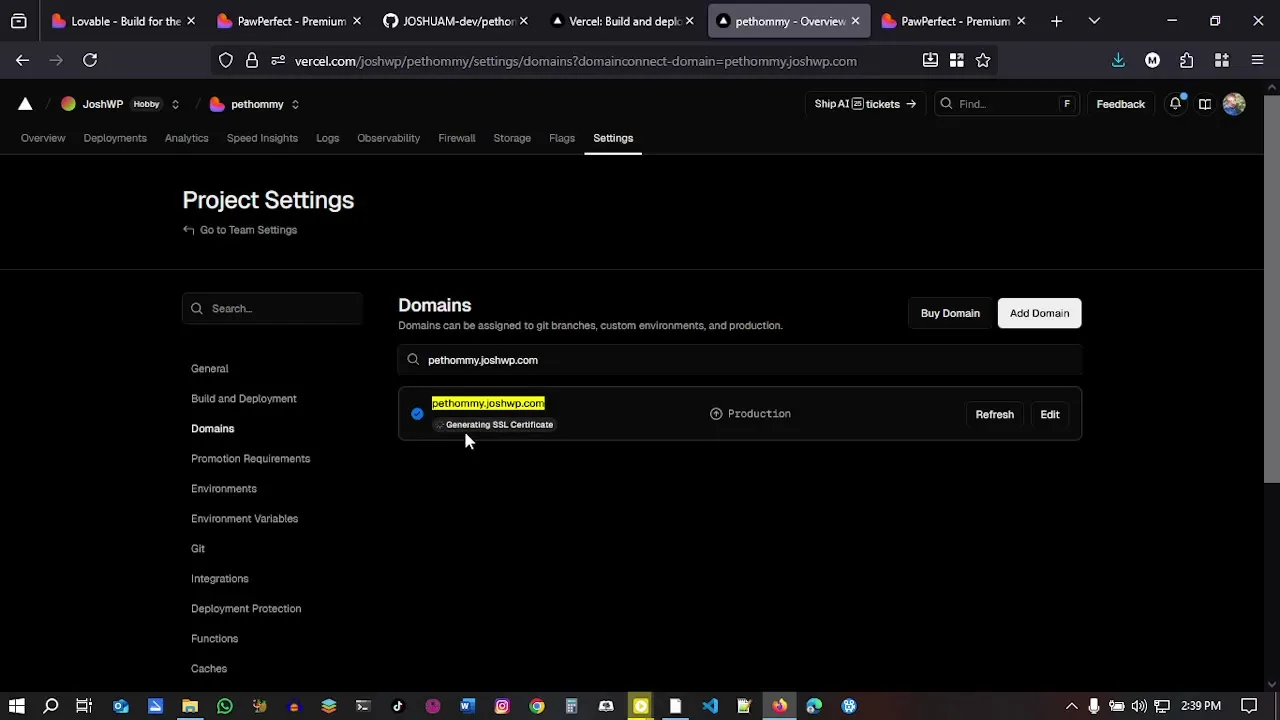
Lovable projects publish to a Lovable URL by default. For a serious business website, connect a custom domain so the site lives on your own brand, such as yourbusiness.com or www.yourbusiness.com. Lovable’s custom domain documentation explains that custom domains let you use your own domain or subdomain instead of the default xxx.lovable.app URL. Custom domains are available on supported paid plans.
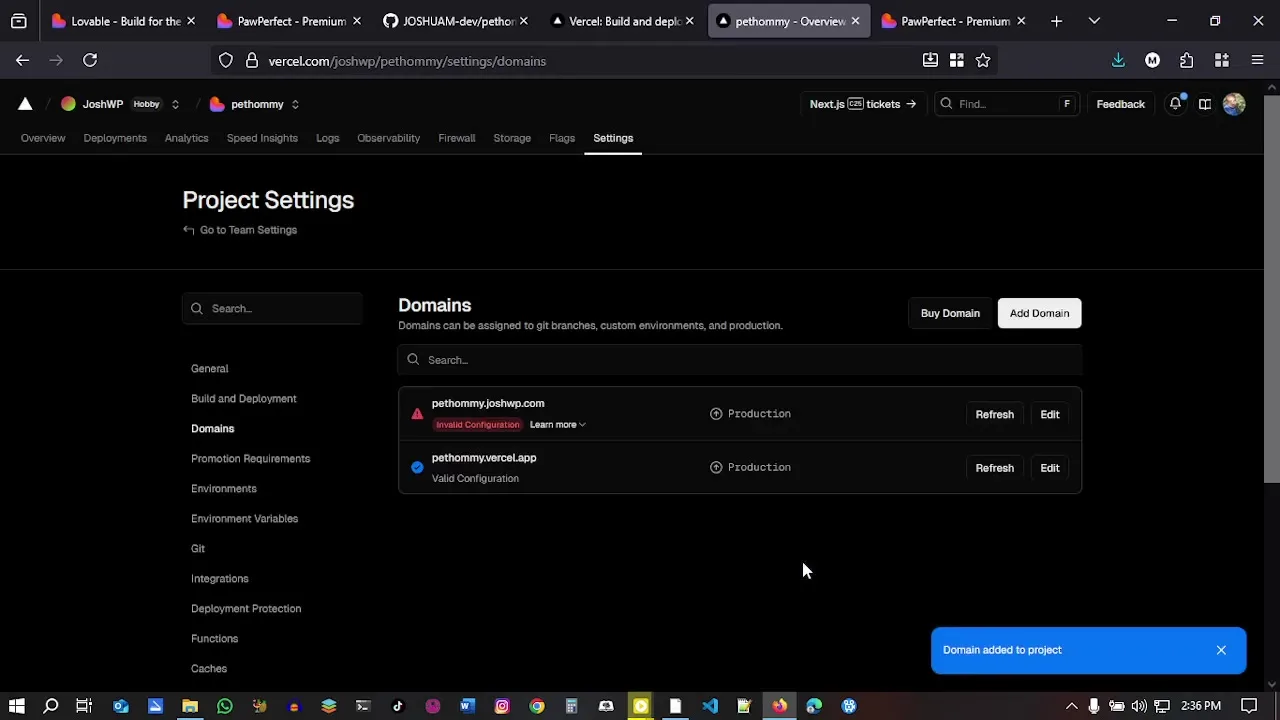
After publishing, rerun the SEO and AI search review. Lovable’s publish documentation notes that live checks such as indexing, performance, accessibility, AI-search readiness, and Google Search Console setup become available after the project is public. If you add a custom domain later, run the review again so Lovable can re-check the new host.
Build and Publish Your First Lovable Website
Use the tutorial above as your checklist, then publish the first version and improve it with follow-up prompts.
Common Lovable AI Mistakes to Avoid
1. Starting with a vague prompt
If your prompt is vague, the website will probably look like a generic template. Give Lovable the audience, offer, pages, style, CTA, and SEO goal from the beginning.
2. Publishing placeholder copy
AI placeholders can look convincing, but they weaken trust. Replace generic testimonials, fake addresses, filler service descriptions, and vague claims before launch.
3. Ignoring mobile
Most visitors will judge the site on a phone. Check hero spacing, buttons, navigation, forms, cards, and image cropping on mobile before publishing.
4. Editing too many things at once
Large prompts can create large side effects. Make focused changes, preview after each important edit, and duplicate or back up before risky redesigns.
5. Forgetting SEO after publishing
Run the SEO and AI search review after publishing and again after connecting a custom domain. Check metadata, indexing, sitemap, accessibility, performance, and Google Search Console setup.
Lovable AI Website Launch Checklist
- Clear H1 that explains the offer or business category.
- Primary CTA visible in the hero section.
- Real service descriptions, contact details, and business information.
- Mobile layout checked across hero, cards, forms, and footer.
- All links and buttons tested.
- Forms tested with a real submission.
- Images compressed and given descriptive alt text.
- SEO title and meta description added for every important page.
- Schema markup added where useful.
- Sitemap, robots.txt, and canonical tags checked.
- Published site reviewed on the live URL.
- Custom domain connected and set as primary if needed.
- SEO and AI search review rerun after domain setup.
Frequently Asked Questions
Can Lovable AI build a full website?
Yes. Lovable can build a full website from a prompt, including page layout, sections, styling, responsive design, forms, and publish settings. It can also help with app-like features when you connect services such as Supabase.
Do I need to know code to build with Lovable AI?
No. You can use prompts and visual edits for most website-building tasks. If you do know code, Lovable gives you more control through editable project code and GitHub sync.
Is Lovable AI better than WordPress?
It depends on the project. Lovable is excellent for quickly generating custom web apps, landing pages, prototypes, and modern interactive sites. WordPress is still strong for content-heavy publishing, plugin ecosystems, editorial workflows, and long-term site management. Many creators choose based on whether they need AI-generated app functionality or a traditional CMS.
Can I connect a custom domain to a Lovable website?
Yes. Lovable supports custom domains on supported paid plans. You can publish to a Lovable URL first, then connect your own domain and set it as the primary domain.
How do I make a Lovable website rank on Google?
Start with keyword-focused content, clear headings, strong metadata, descriptive alt text, schema markup, internal links, and fast mobile performance. Then run Lovable’s SEO and AI search review after publishing to check crawlability, indexing, sitemap, robots.txt, accessibility, and Google Search Console setup.
Can I export Lovable code?
You can connect Lovable to GitHub to sync your project code for backup, collaboration, local development, and alternative deployment workflows.
Final Thoughts
Lovable AI is one of the fastest ways to go from idea to working website, especially when you know how to prompt it. The winning workflow is simple: plan first, prompt clearly, review like a real visitor, refine with small edits, replace generic copy, run SEO checks, publish, and connect your domain.
The biggest advantage is speed. A site that might take days to wireframe and build manually can become a working draft in minutes. The biggest responsibility is quality control. You still need to check the strategy, copy, SEO, mobile experience, and trust signals before you send real visitors to the page.
If you follow the process above, Lovable AI can help you create more than a quick demo. It can help you build a professional website that looks credible, communicates clearly, and is ready to improve over time.
Start Your Lovable AI Website
Launch Lovable, describe the site you want, and use this guide to refine it into a polished, SEO-ready website.