Joiin Review: Is This the Best Financial Reporting and Consolidation Tool for Multi-Entity Businesses?
Joiin is a financial reporting, consolidation, report pack, dashboard, and AI intelligence platform built for finance teams that have outgrown spreadsheet-heavy reporting. In this Joiin review, I will break down what it does well, where it fits, how the AI features work, what the pricing looks like, and whether it is worth using for group reporting, board packs, and multi-entity analysis.
Quick Verdict
Joiin is best for businesses, finance teams, accountants, and portfolio operators that need consolidated reporting across several entities without living in Excel. Its strongest use cases are multi-company P&L reporting, board-ready Report Packs, KPI dashboards, multi-currency reporting, intercompany eliminations, and AI-assisted analysis through Joiin Intelligence.
My short review: Joiin is not trying to replace your accounting system. It is the reporting layer you put above Xero, QuickBooks, Sage, spreadsheets, and other connected sources when the native reports are no longer enough. If you run one simple company, it may be more than you need. If you report across entities, currencies, clients, or stakeholders, it can remove a lot of manual reporting friction.
Affiliate disclosure: This article contains affiliate links to Joiin. If you sign up through one of these links, we may earn a commission at no extra cost to you. The review opinion, workflow analysis, and feature notes remain independent.
Joiin Review Scorecard
Overall Rating
4.6 / 5
Excellent for multi-entity reporting, consolidation, and board packs. The AI layer is genuinely useful when paired with clean accounting data.
Best For
Finance teams, group CFOs, accountants, agencies managing clients, franchise groups, SaaS groups, and businesses with multiple entities.
Watch Out For
AI summaries still need human review, setup quality depends on clean source data, and very simple one-company businesses may not need the full platform.
What is Joiin?
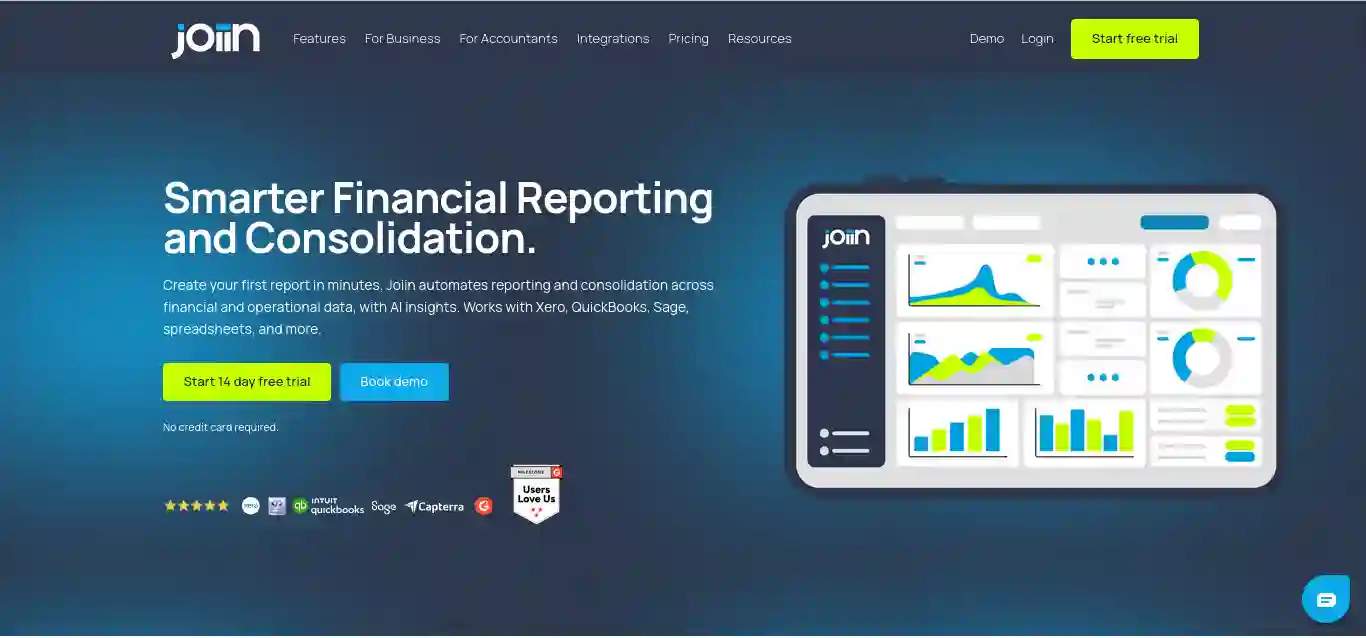
Joiin is a cloud-based financial reporting and consolidation platform for businesses and accountants that need better reporting than their accounting software provides by default. According to Joiin’s own product page, it automates reporting and consolidation across financial and operational data, supports AI insights, and works with Xero, QuickBooks, Sage, spreadsheets, and more.
The simplest way to understand Joiin is this: your accounting system remains the system of record, while Joiin becomes the reporting, consolidation, analysis, and presentation layer. Instead of exporting data from multiple ledgers, combining spreadsheets, adjusting currencies, manually eliminating intercompany balances, and rebuilding a board deck every month, Joiin pulls the data together and lets you produce reports directly inside the platform.
Those numbers matter because reporting software lives or dies by trust. You are connecting accounting data, preparing stakeholder reports, and in many cases presenting those numbers to directors, investors, lenders, or clients. A reporting tool does not only need nice charts. It needs credible source-data handling, useful drill-downs, repeatable packs, user controls, and a workflow that finance teams can actually use every month.
Watch the Joiin Demo Videos
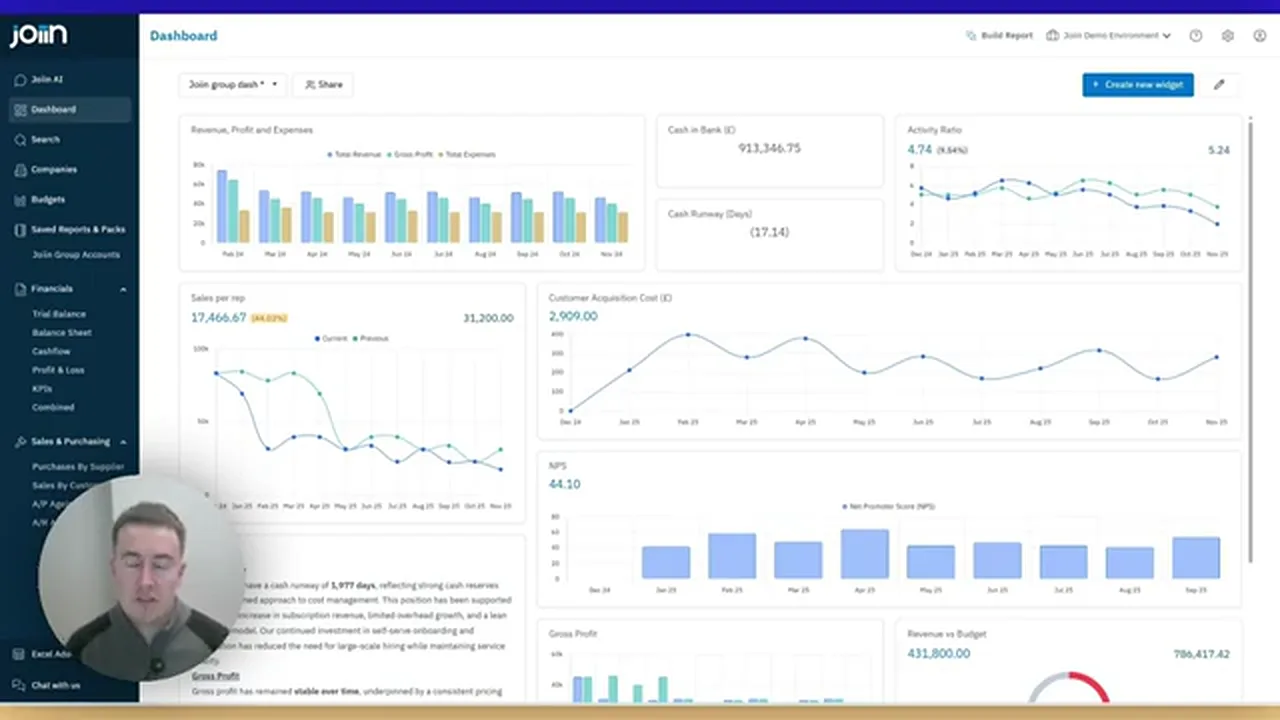
This review was informed by two Joiin video references supplied for the article: one short product workflow showing smarter reporting with consolidations, Report Packs, and AI; and one longer Joiin Intelligence webinar covering AskJoiin, the Report Builder Agent, security guardrails, and MCP. The article below is original analysis, expanded for SEO, decision-making, and practical buyer evaluation.
Joiin Screenshots from the Product Demos
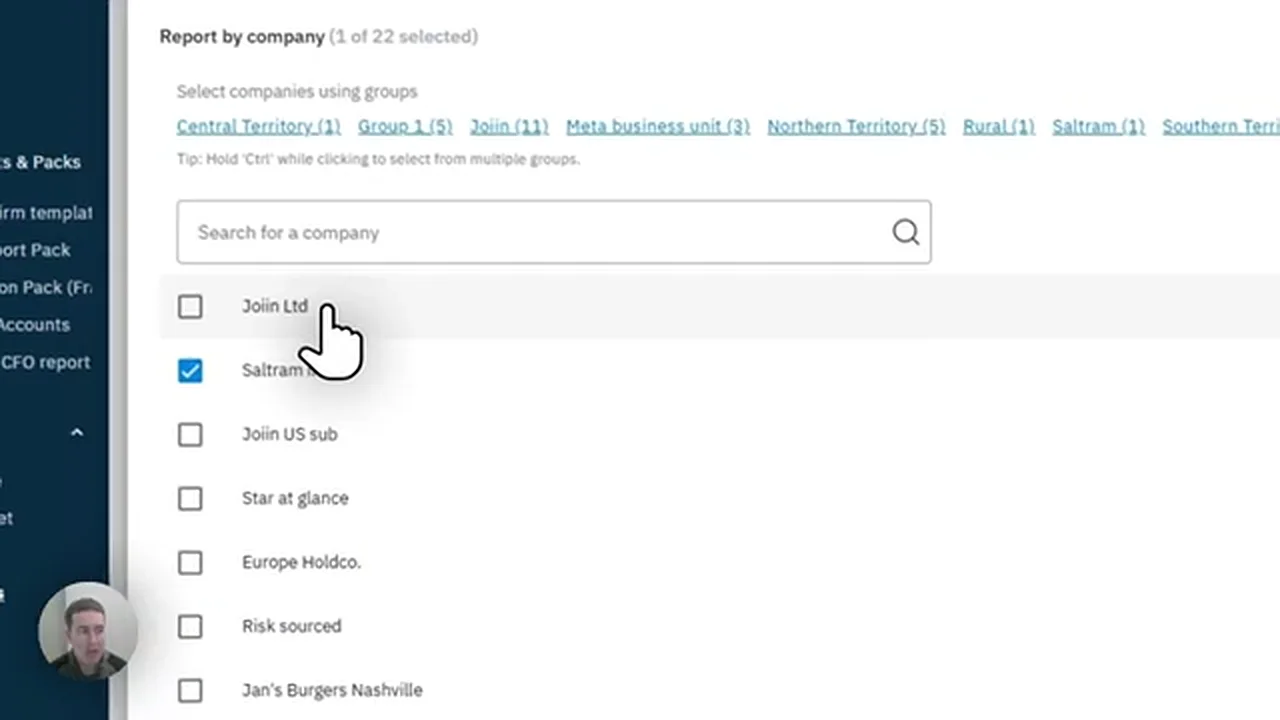
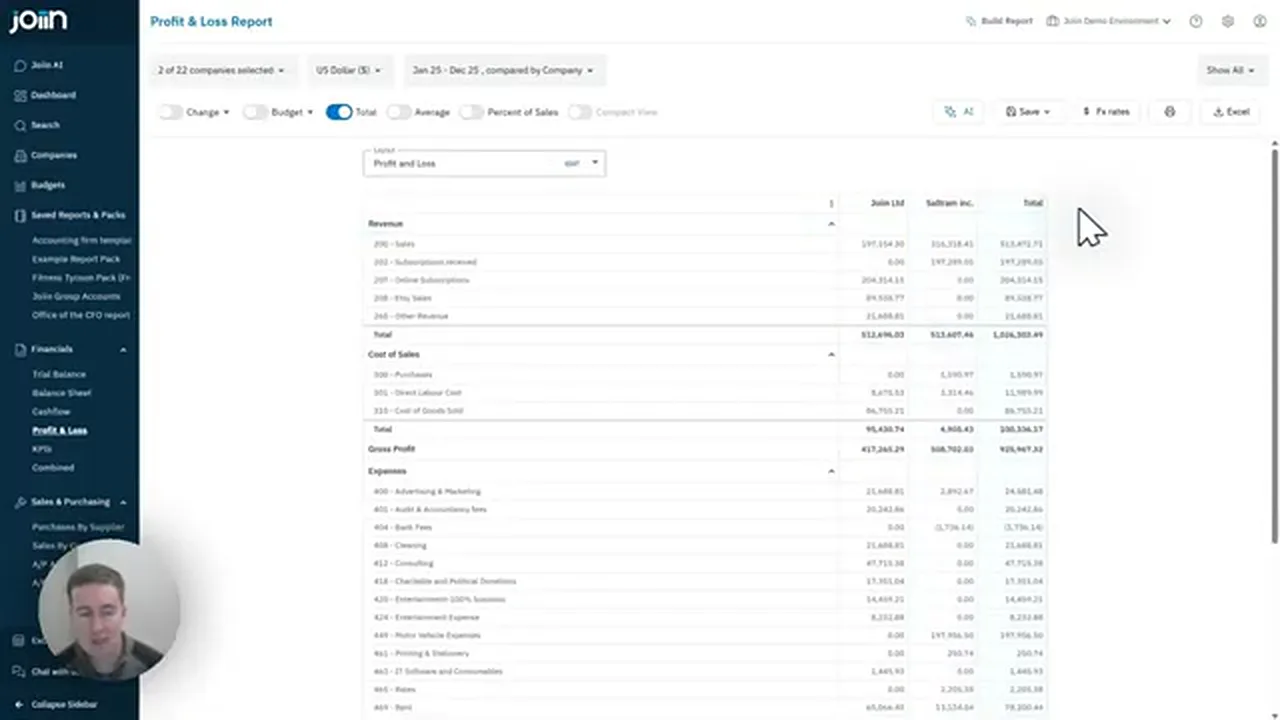
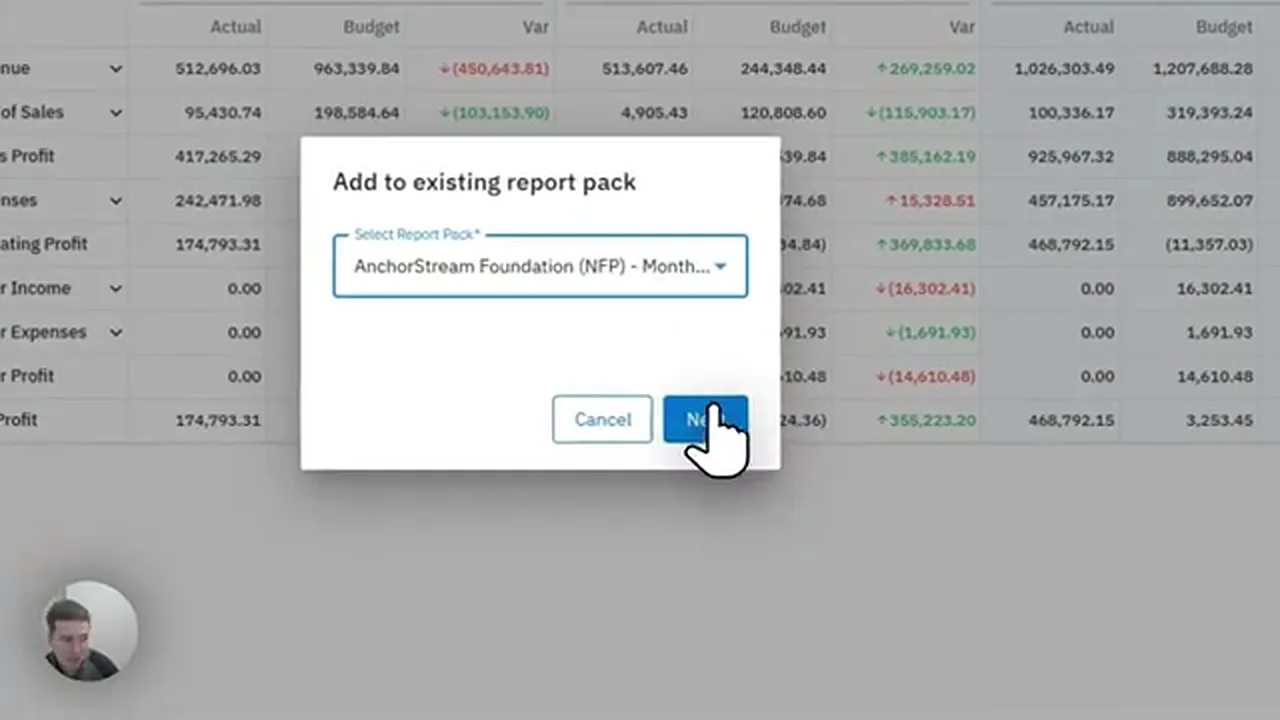
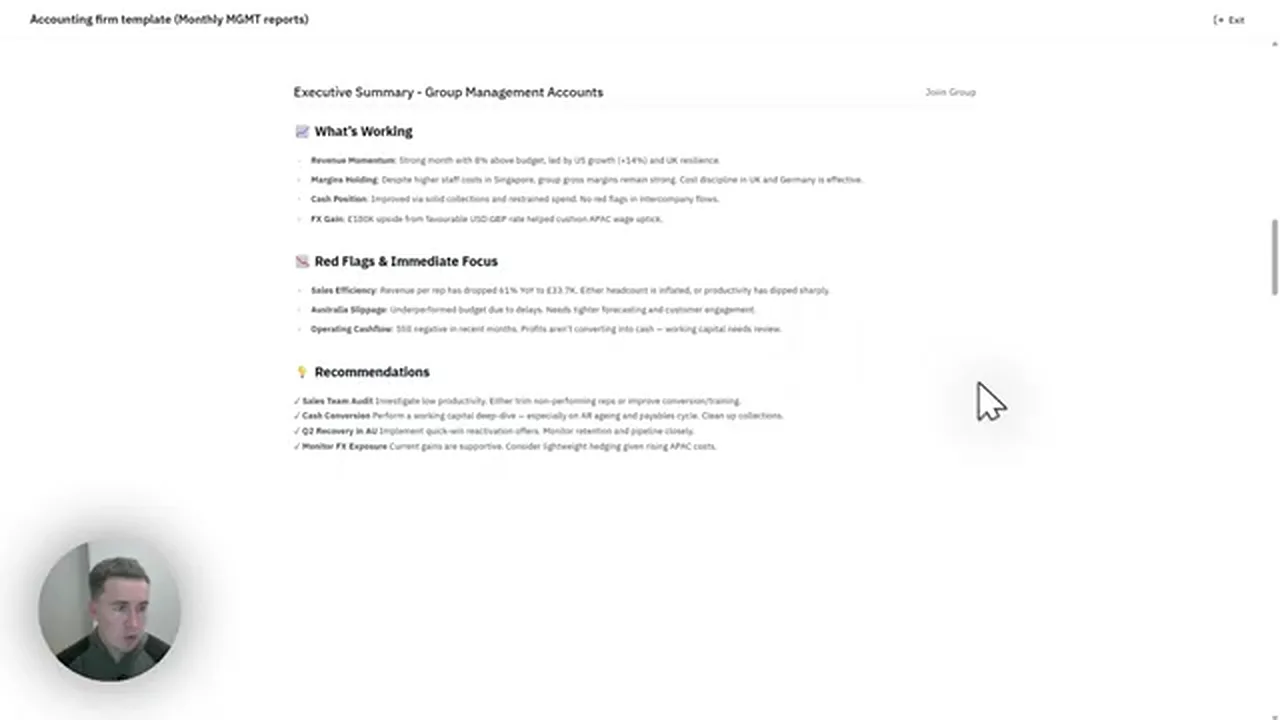
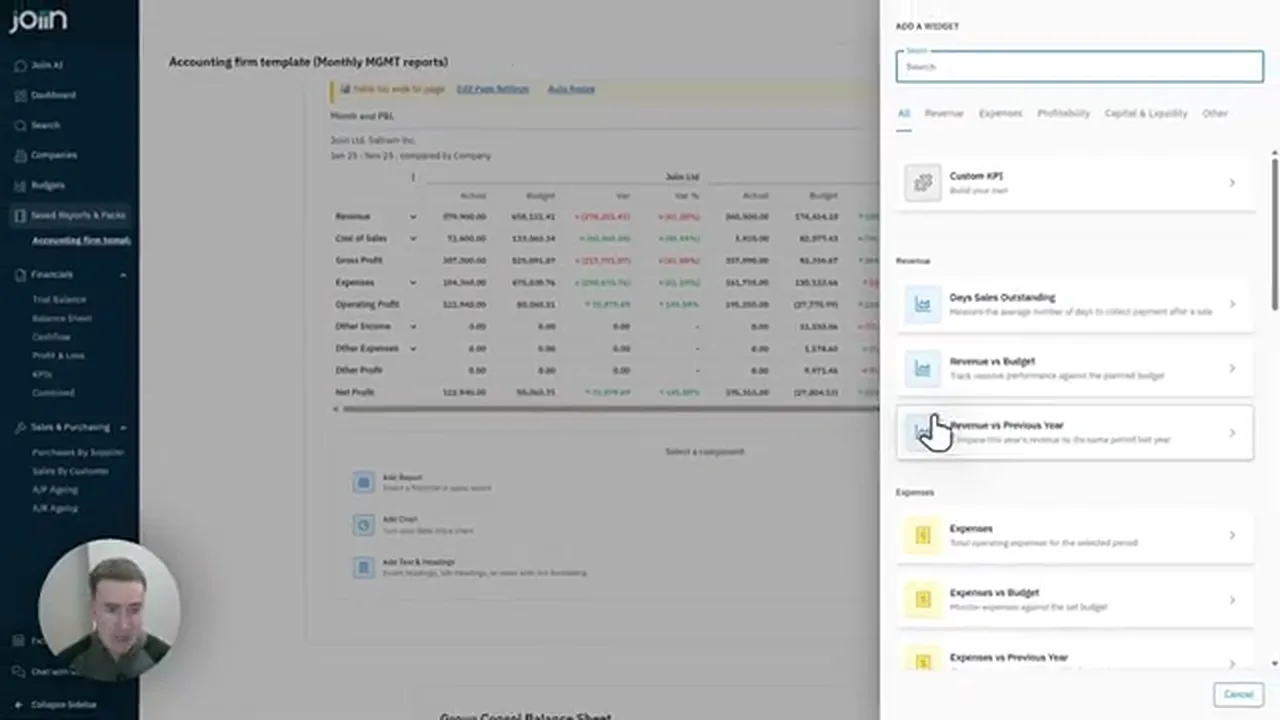
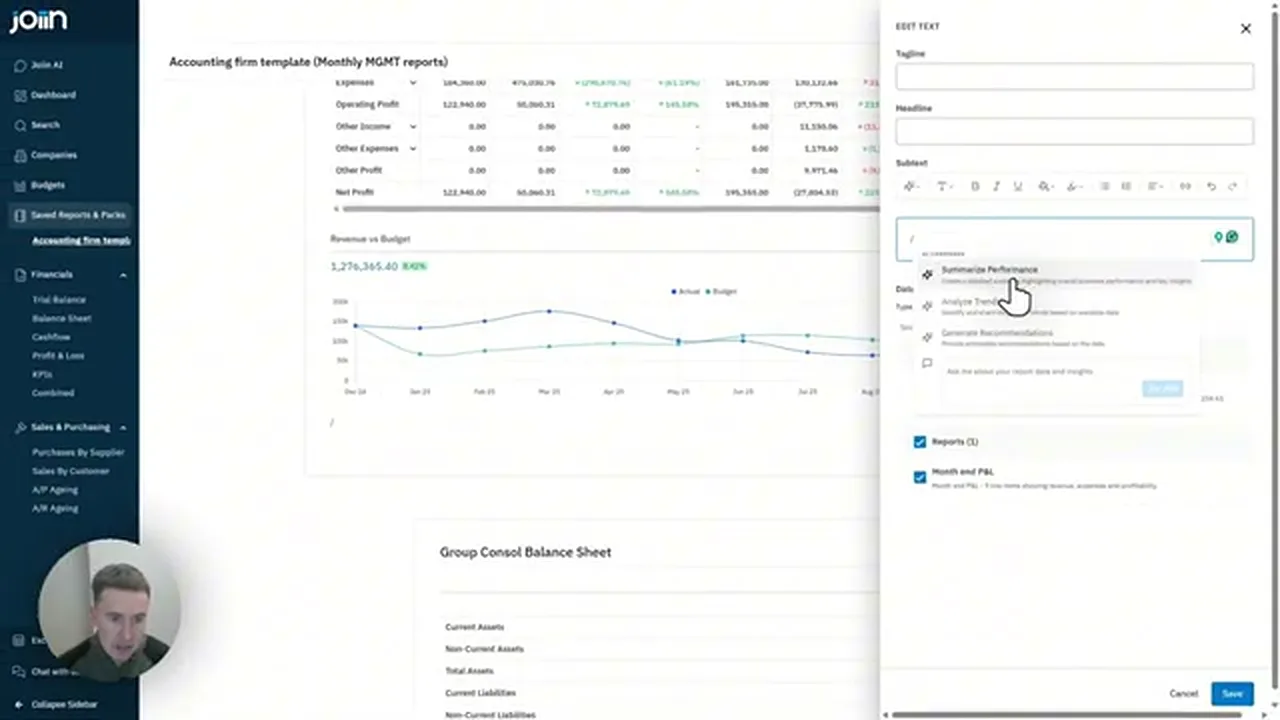
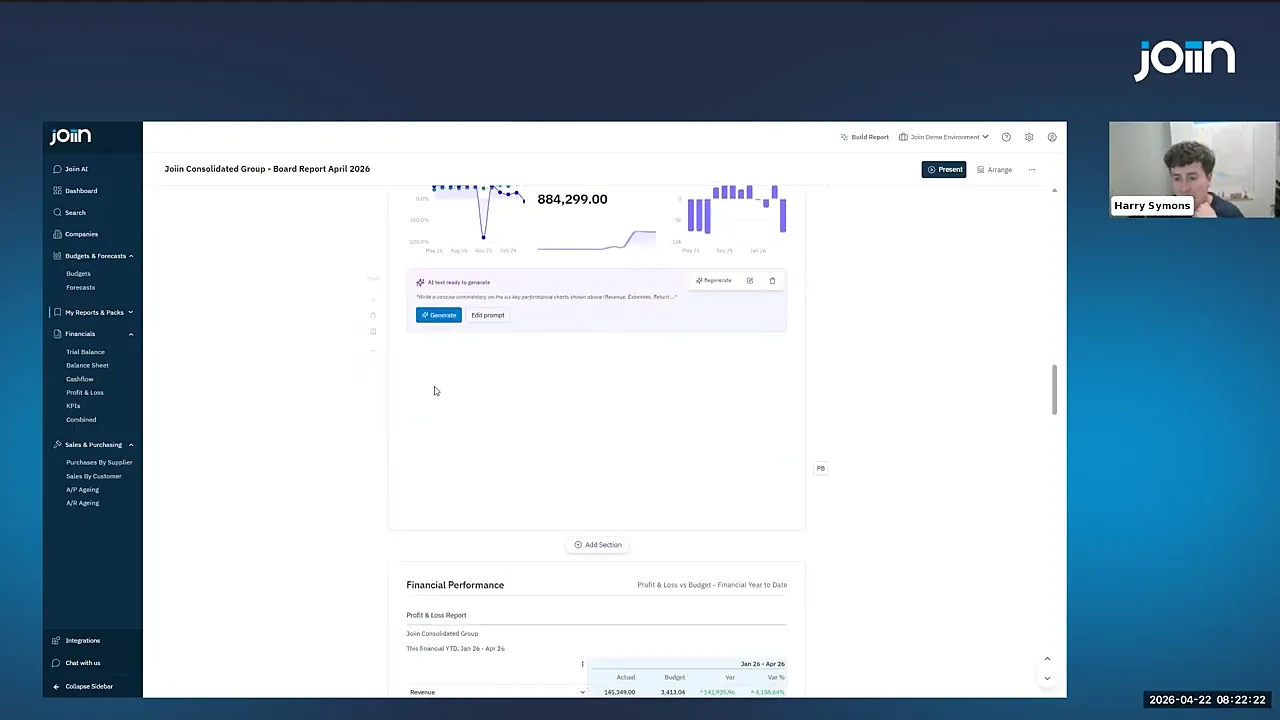
The screenshots below were extracted from the local demo videos provided with the brief. They show the practical reporting path: choose companies, set reporting currency, run a consolidated P&L, add it to a report pack, build charts, use AI commentary, ask questions, and connect the data layer into AI workflows.

Joiin Features: What You Actually Get
Joiin’s value is not one single feature. It is the combination of connected data, consolidation, custom layouts, report packs, dashboards, AI assistance, and collaboration in one reporting workflow. The platform is especially relevant when you have to answer questions like: What happened across the group? Which entity drove the variance? How does actual performance compare with budget? What should go into the board pack this month?
Multi-Entity Consolidation
Run reports across companies or groups, consolidate totals, compare entities, handle currencies, and manage group-level reporting without rebuilding spreadsheets each month.
Report Packs
Combine P&L, balance sheet, cash flow, KPI dashboards, charts, commentary, and stakeholder-specific views into polished packs.
Dashboards and KPIs
Use live dashboards for quick visibility into revenue, margins, costs, cash flow, budgets, and other performance indicators.
AI Insights
Use Joiin Intelligence to analyse reports, generate commentary, ask natural-language questions, and build report packs from prompts.
Integrations
Joiin connects with major accounting platforms and sources including Xero, QuickBooks, Sage, spreadsheets, Excel, Zapier, and more.
Human Review
The AI features are productivity tools, not a substitute for finance review. You should still verify numbers, commentary, and board-facing conclusions.
The official Xero App Store listing describes Joiin as single and multi-entity financial reporting with AI insights, group consolidation, multi-currency, intercompany eliminations, chart of accounts mapping, and customisable report packs. It also notes that reports can drill down to underlying transactions, which is a key control point for finance teams that need to trust the numbers before presenting them.
How Joiin Handles Consolidated Reporting
In the reporting demo, the workflow starts with a consolidated P&L. The user selects which companies to include, chooses a reporting currency, applies display options, breaks the report down by company, adds a total column, drills into figures, removes intercompany accounts, applies layouts, and adds budget comparisons.
That is exactly where tools like Joiin become useful. Native accounting reports are fine until you need to merge entities, compare subsidiaries, normalise account structures, present consolidated totals, and explain movement to people who do not want to inspect raw ledgers. Joiin is designed to take that work out of disconnected spreadsheets and put it into a repeatable reporting process.
Joiin’s own help documentation says companies can be connected from QuickBooks Online, Xero, Sage, Pennylane, Puzzle, FreeAgent, Zoho Books, or added manually, and that financial data refreshes automatically daily or manually on demand. It also explains that reporting can be run by company or group, which is exactly what multi-entity teams need.
Joiin Intelligence Review: Useful AI or Just a Buzzword?
Joiin Intelligence is the most interesting part of the product right now because it goes beyond generic chatbot output. It is built into the reporting workflow, so it can read context from reports, run actions through Joiin tools, and help build report packs. That matters because finance AI is only useful when it is grounded in the numbers and constrained by the system.
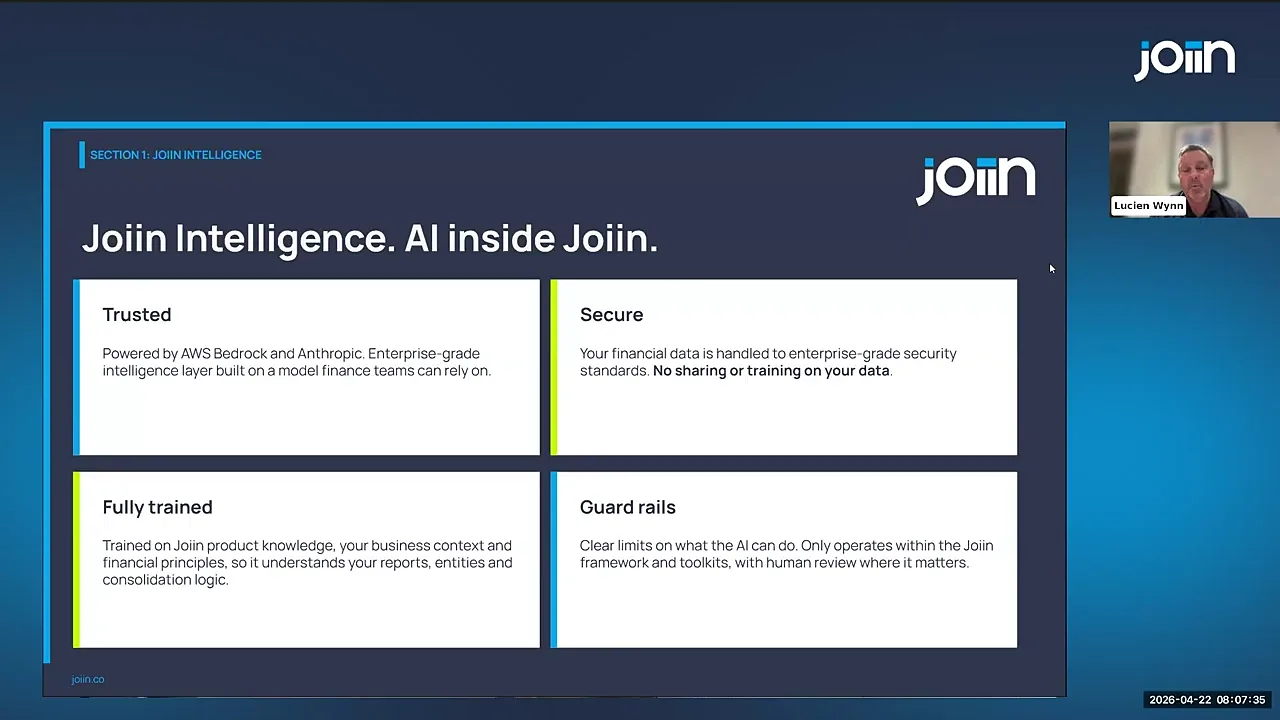
Joiin says its AI layer is powered by Claude via AWS Bedrock, with financial and operational data staying inside a secure cloud environment. The help documentation states that AI operations run within Joiin’s AWS environment, data does not leave the cloud infrastructure, and third-party services do not receive direct access to customer data. This is one of the more important points in the review because finance teams will not adopt AI if the security story is vague.
AskJoiin
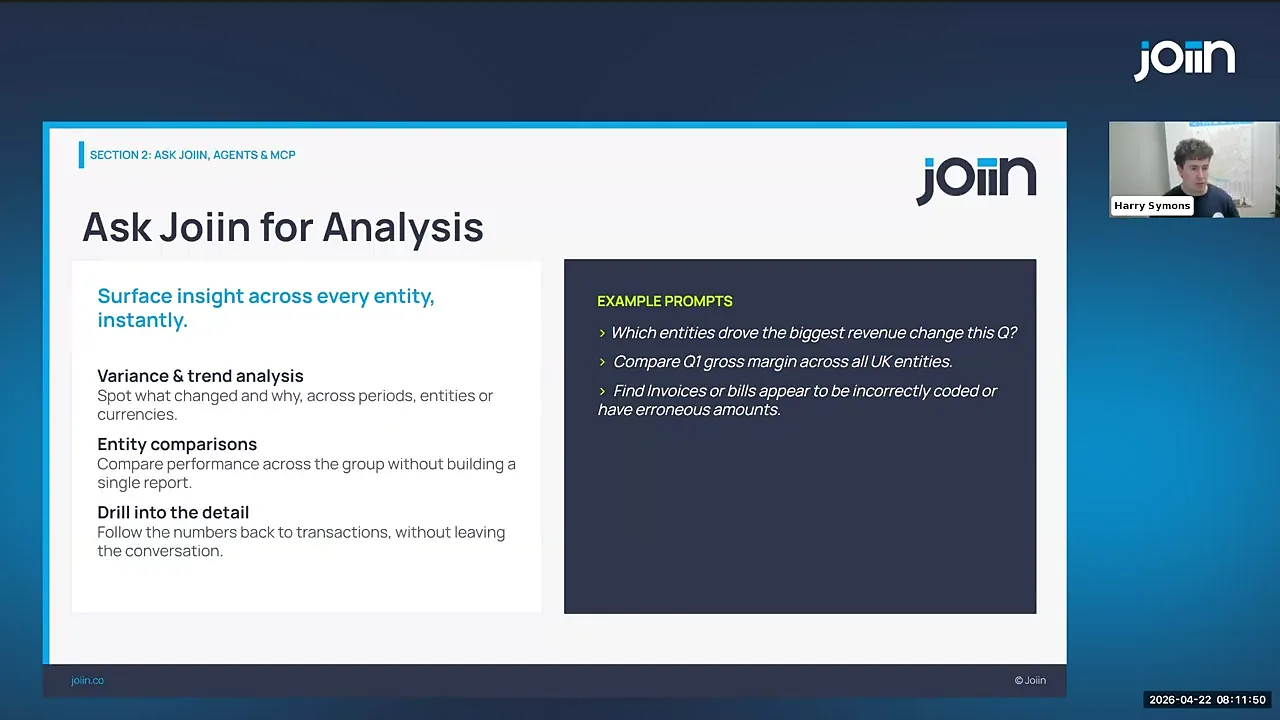
AskJoiin is the conversational AI layer. In the demos, it is presented as a way to ask questions about financial performance, variances, transaction-level details, support topics, and even multilingual use cases. In practical terms, that means a CFO or finance manager can ask questions like “Which customers drove revenue this quarter?” or “Why did marketing spend increase?” and have Joiin pull context from connected reporting data.
Report Builder Agent
The Report Builder Agent is where Joiin’s AI becomes more operational. Instead of manually assembling a report, the user describes the desired report or report pack in natural language. The agent then creates the structure, reports, charts, and summaries inside Joiin. The webinar example asked for a board-ready SaaS report pack with P&L, balance sheet, cash flow, KPI analysis, and contextual commentary. That is a more valuable workflow than asking a generic chatbot to draft text, because the output becomes an editable report inside the reporting platform.

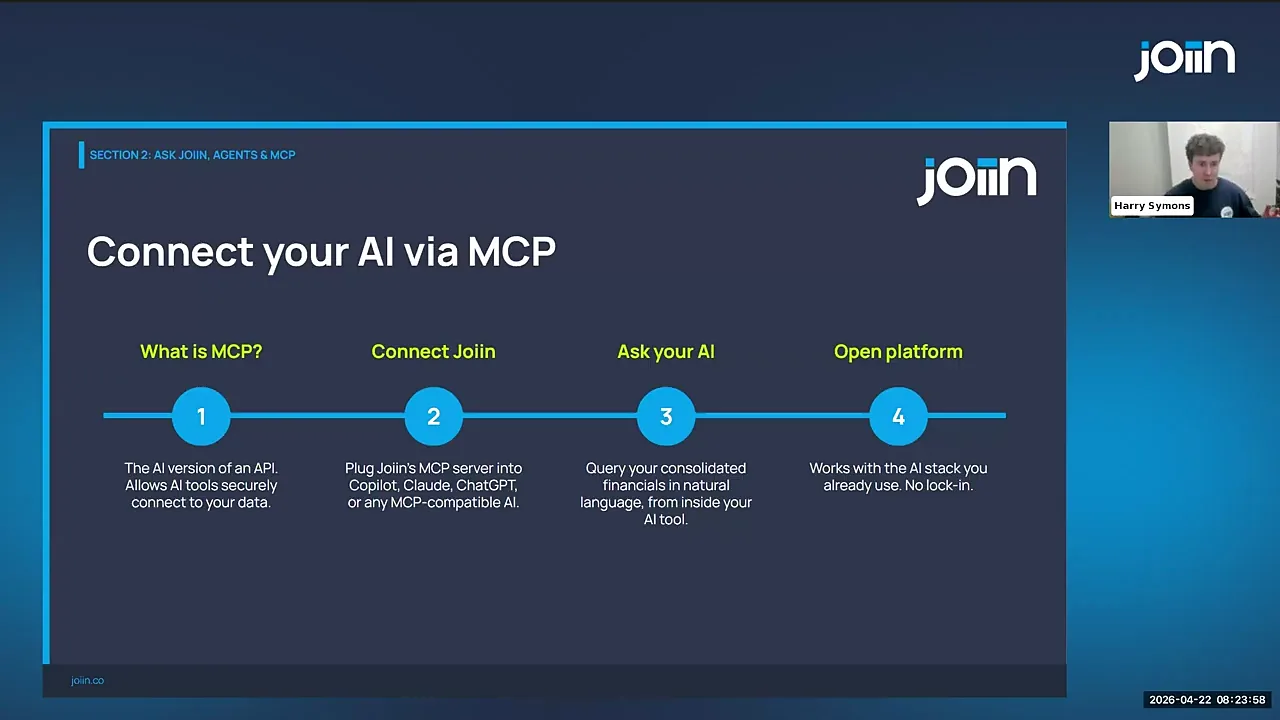
MCP: Connecting Joiin to AI Assistants
Joiin also provides an MCP server. MCP stands for Model Context Protocol, an open standard that lets AI assistants connect to external tools and data sources. Joiin’s help documentation says the MCP server can connect to tools including Claude, ChatGPT, and Cursor, allowing users to ask questions, run consolidated reports, search transactions, check sales by customer, and query Joiin help guides from an AI client.
Expert note: AI in finance should be treated as assisted analysis, not autonomous sign-off. Joiin’s “human in the loop” approach is the right posture. Let the software assemble, explain, and surface issues faster, but keep review responsibility with the finance team.
Joiin Report Packs Review
Report Packs are one of Joiin’s strongest features because they solve a real workflow problem: finance teams rarely deliver only a single P&L. They usually need a pack that tells a full story: executive summary, KPI movements, revenue charts, budget variance, profit and loss, balance sheet, cash flow, commentary, and supporting detail.
Joiin’s Report Packs page says packs can combine financial data, charts, and commentary in professional documents, with drag-and-drop sections, filters, date ranges, stakeholder-specific views, branding, scheduled delivery, and AI summaries. The same page lists report support for Trial Balance, Profit & Loss, Balance Sheet, Cashflow, KPI dashboards, sales reports, purchase reports, AR/AP reports, and multi-entity configurations.
That makes Report Packs particularly useful for:
- Monthly board packs.
- Investor updates.
- Management reporting.
- Client reporting for accounting firms.
- Franchise or portfolio group reporting.
- Budget versus actual reviews.
Want to test Joiin with your own reports?
The best way to evaluate Joiin is to connect a real company or demo company, run a consolidated P&L, build one Report Pack, then test the AI commentary against numbers you already understand.
Joiin Pricing Review
Joiin uses company-based pricing. That is a sensible model for consolidation software because the main cost driver is usually the number of connected entities, not the number of people viewing a report. The official pricing page states that all features are included, with unlimited users and reports, and no credit card required for the trial.
| Companies | Monthly price | Annual price, shown per month | Best fit |
|---|---|---|---|
| 1 | $28 | $23 | Single company needing better reporting. |
| 2 | $36 | $29 | Small group or founder with two entities. |
| 5 | $70 | $57 | Growing group or small accounting client portfolio. |
| 10 | $111 | $92 | Finance team managing a multi-entity structure. |
| 20 | $167 | $139 | Medium-size group, franchise network, or client set. |
| 50 | $217 | $174 | Large multi-entity reporting operation. |
| 100 | $336 | $252 | High-volume reporting environment. |
| 100+ | Starting from $336/mo + $2.80/company | Quote/usage dependent | Large enterprise, portfolio, or multi-client operation. |
From a value perspective, the important question is not “Is Joiin cheaper than a spreadsheet?” A spreadsheet is cheap until it costs hours every reporting cycle, introduces formula risk, delays board packs, and creates version-control problems. The better question is whether Joiin saves enough reporting time and reduces enough reporting risk to justify the subscription.
Joiin Pricing Charts
The charts below use Joiin’s public pricing table checked on August 15, 2026. They help show how the subscription scales as the number of companies increases.
Monthly vs Annual Pricing by Company Count
Effective Cost Per Company
Joiin Pros and Cons
Pros
- Strong fit for multi-entity reporting.
- Works with major accounting systems and spreadsheets.
- Report Packs reduce board pack assembly work.
- AI features are grounded in reports and connected data.
- Unlimited users and reports on public pricing.
- Good Xero App Store rating and review volume.
Cons
- Not necessary for very simple businesses with basic reporting needs.
- AI output still needs review before stakeholder use.
- The final experience depends on clean source data and account mapping.
- Some teams may need onboarding time to standardise layouts and packs.
Best Alternative Path
If you are still setting up the business foundation, read the guides on opening a Wise account, opening a Payoneer account, and Payoneer vs Wise before adding more advanced reporting workflows.
Who Should Use Joiin?
Joiin makes the most sense when reporting complexity has become a recurring operational cost. If your finance team spends hours every month collecting exports, mapping account names, converting currencies, checking intercompany balances, building reports, copying charts into slides, and writing summaries, Joiin is worth testing.
Use Joiin if you:
- Manage multiple Xero, QuickBooks, Sage, or spreadsheet-based entities.
- Need consolidated P&L, balance sheet, cash flow, KPI, sales, purchasing, AR, or AP reporting.
- Build monthly board packs or management packs.
- Need budget versus actual reporting across several companies.
- Want AI commentary that is tied to actual report context.
- Run an accounting firm with reporting clients.
- Need a scalable reporting layer before investing in heavier enterprise FP&A tools.
Joiin may not be the right fit if you:
- Only need basic one-company reporting from your accounting platform.
- Do not have clean enough accounting data to trust automated reporting yet.
- Want a full ERP rather than a reporting and consolidation layer.
- Expect AI to replace financial review instead of supporting it.
If you are forming a company before setting up your finance stack, you may also find these JoshWP guides useful: how to start an anonymous LLC and best LLC formation services for non-US residents.
How to Evaluate Joiin During the Free Trial
A good Joiin trial should not be random clicking. Test it against your real reporting workflow. Here is the practical evaluation path I would use:
- Connect one or more data sources. Start with Xero, QuickBooks, Sage, or a spreadsheet source you already trust.
- Run a basic P&L and Balance Sheet. Confirm the numbers line up with what you expect from the source system.
- Create a consolidated report. Add multiple entities, compare by company, and review the total column.
- Test currency settings. If you operate internationally, run the same report in your reporting currency.
- Check drill-down. Click into figures and verify that the underlying journals or transactions make sense.
- Add budget data. Compare actual performance against budget where relevant.
- Create a Report Pack. Build a small board pack with a summary, P&L, chart, KPI view, and commentary.
- Use Joiin Intelligence. Ask it for variance analysis, trend commentary, and potential risks.
- Review security and roles. Confirm user permissions, MFA expectations, and how your team will share reports.
- Time the workflow. Compare the Joiin workflow against your current Excel or manual reporting process.
Ready to test Joiin?
Use the trial to rebuild one real monthly report pack. That will tell you more than any feature checklist.
Joiin vs Spreadsheets
Spreadsheets are flexible, familiar, and still useful. I would not argue otherwise. The problem is that spreadsheets become fragile when they are used as the permanent consolidation system for multiple entities, currencies, reports, and stakeholders.
Joiin is stronger than spreadsheets when the reporting process needs to be repeatable, auditable, collaborative, and connected to live data. It lets you preserve the finance team’s control while reducing the repetitive work of rebuilding report structures. The Excel Add-in also matters because many finance teams will not stop using Excel entirely. The goal is not to eliminate spreadsheets from every workflow; it is to stop using them as the only consolidation engine.
| Requirement | Spreadsheet-only workflow | Joiin workflow |
|---|---|---|
| Multi-entity reporting | Manual export, mapping, formulas, and checks. | Connected data, company/group filters, consolidated reports. |
| Board packs | Often split across Excel, slides, and documents. | Reports, charts, commentary, branding, and schedule options in Report Packs. |
| AI analysis | Usually requires copy/paste into a separate AI tool. | AI works inside reports, packs, chat, and MCP workflows. |
| Drill-down | Depends on manually linked source files. | Report figures can link back to underlying transactions and source records. |
| Risk | Formula errors and version confusion are common. | Still needs review, but the reporting structure is more controlled. |
Final Verdict: Is Joiin Worth It?
Yes, Joiin is worth serious consideration if you run multi-entity reporting, client reporting, group consolidation, or recurring board packs. The platform is not just a dashboard tool. It is a reporting workflow tool: connect data, consolidate, compare, drill down, explain, package, and share.
The AI features make Joiin more compelling, especially when used responsibly. AskJoiin, AI summaries, Report Builder Agent, and MCP are not gimmicks if they reduce report assembly time while keeping the finance professional in control. The strongest version of the product is not “AI writes your board pack.” It is “AI helps assemble and analyse the pack, then finance reviews and signs off.”
If your reporting process is already painful, the fastest way to judge Joiin is to rebuild one real monthly report pack during the free trial. If it saves hours, reduces manual spreadsheet risk, and gives stakeholders a clearer report, the subscription is easy to justify.
Try Joiin for your next reporting cycle
Connect your data, build one consolidated report, create a small Report Pack, and test the AI analysis against numbers you already know.
Joiin Review FAQ
What is Joiin used for?
Joiin is used for financial reporting, multi-entity consolidation, dashboards, KPI reporting, Report Packs, budgeting and forecasting, intercompany management, and AI-assisted analysis across connected accounting data.
Does Joiin work with Xero and QuickBooks?
Yes. Joiin works with Xero and QuickBooks, and also supports Sage, spreadsheets, Excel, Zapier, and other data sources listed in Joiin’s product materials.
Does Joiin include AI features?
Yes. Joiin Intelligence includes AskJoiin, AI-generated summaries, in-report AI insights, an AI Report Builder Agent, and MCP support for connecting Joiin data to compatible AI tools.
Is Joiin good for accountants?
Yes, especially for accountants managing reporting across multiple clients or entities. It supports multi-client style workflows, report packs, user permissions, dashboards, and consolidated reports.
Is Joiin secure?
Joiin publishes security-focused documentation and says Joiin Intelligence runs in its AWS environment through Bedrock, with no direct third-party access to customer data. As with any finance platform, teams should review current security policies and permissions before connecting production data.
How much does Joiin cost?
Joiin pricing is based on the number of companies. At the time checked, the public pricing table starts at $28 monthly or $23 per month when billed annually for one company, with higher tiers for 2, 5, 10, 20, 50, 100, and 100+ companies.