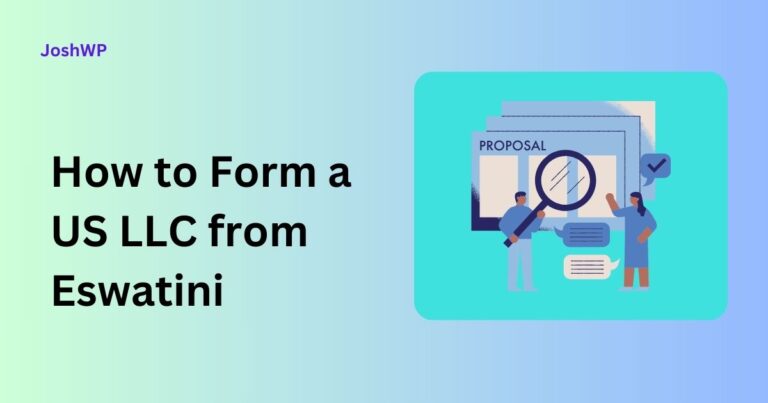
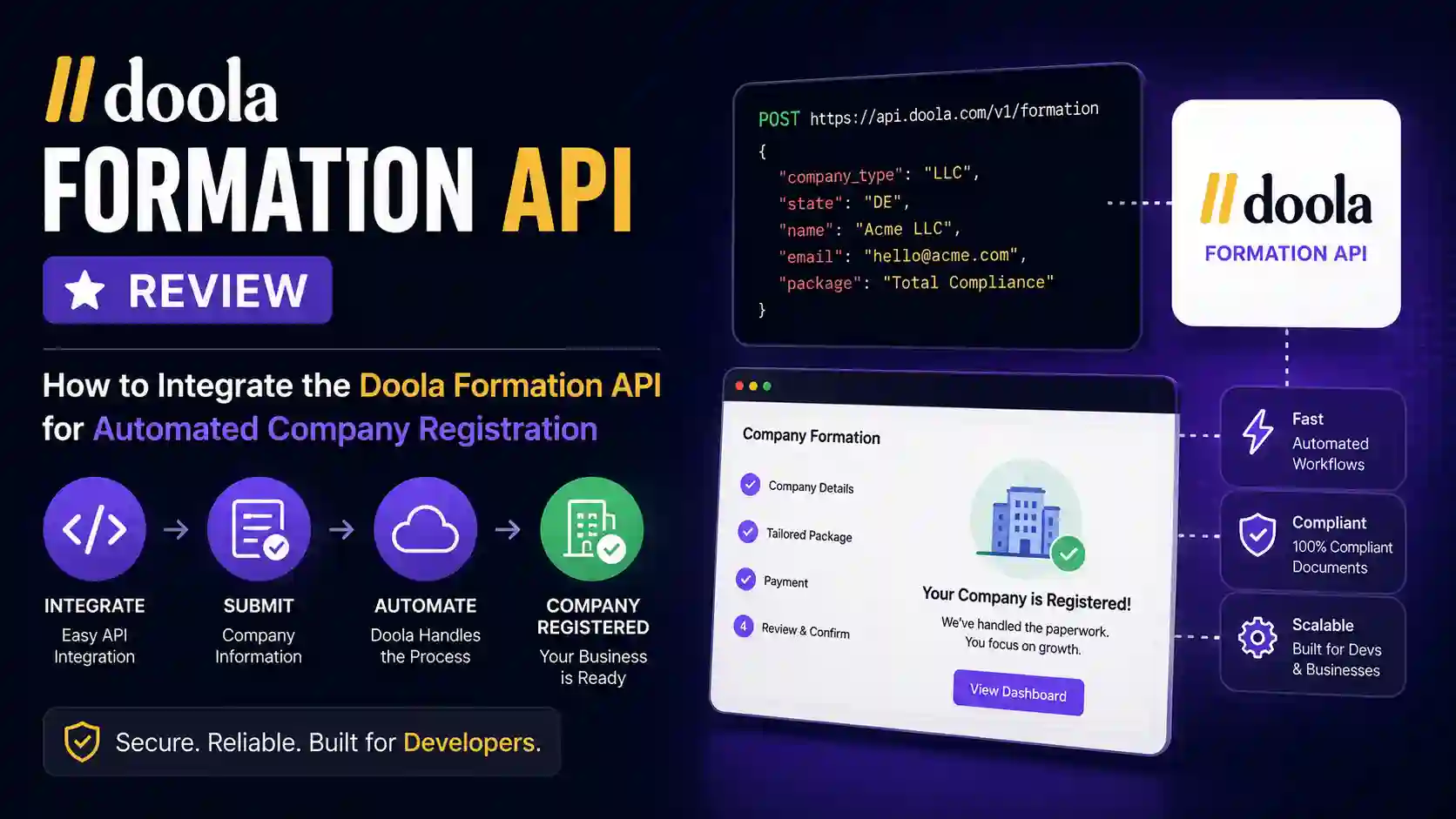
Doola Formation API Review
Partner API · White Label Formation · Webhooks · Documents
Embed US Company Formation With Doola’s API, Webhooks, And Documents
A developer-focused review of Doola’s Formation API for platforms that want to automate US LLC and C-Corp registration without sending users into a third-party checkout flow.
Quick Answer
Doola’s Formation API is built for platforms that want to embed US company registration into their own onboarding flow. It supports automated formation workflows for LLCs and C-Corps, idempotent create calls, webhook status updates, document retrieval, and a partner portal for operational visibility.
The fit is strongest for SaaS, fintech, marketplace, creator, and founder-service platforms that want company formation as a backend workflow. The tradeoff is that API access is partner-provisioned and you still own the customer-facing UX, validation, security controls, webhook handling, support flows, and production monitoring.
Table of Contents
Executive summary
Doola turns company formation into an embeddable backend workflow
If you run a startup platform, creator business tool, fintech app, marketplace, agency portal, or founder operating system, company formation is one of the most obvious onboarding moments to automate. Users want to choose a state, pick an entity type, provide owner details, sign any required forms, and receive their formation documents without leaving your product.
The Doola Formation API, officially documented as the Doola Partner API, is built for that exact embedded workflow. It lets partners create customers, submit US company formations, monitor progress asynchronously, and retrieve final documents programmatically. Doola’s Formation API page positions the product for platforms, fintechs, and developer tools that want to embed US formation and compliance directly into their own experience.
My review: Doola is not just a “send the user to an affiliate checkout” option. It can be that through the referral program, but the API and white-label model are much more interesting. In the API model, your product stays in front, your backend calls Doola, and Doola operates in the background as the formation, registered agent, EIN, and document fulfillment layer.
If you are building an AI-assisted startup platform around this kind of workflow, the API layer is only one part of the product. You also need reliable infrastructure, clear user-facing copy, and a sensible AI policy. For the broader technical context, see our case study on AI data centers and environmental impact; for improving generated onboarding copy, read how to make AI writing sound more natural.
Short answer
Use the Doola Formation API if you want a backend-first way to form US LLCs and C-Corps for your users, especially if you need all-50-state coverage, white-label delivery, webhooks, sandbox testing, formation documents, and the ability to set your own pricing above Doola’s wholesale partner rate.
API style
REST
Backend API key auth with JSON request and response envelopes.
Formation model
Async
Create calls return quickly; progress arrives through service states and webhooks.
Best use case
Embedded
Your product owns the UI while Doola handles fulfillment in the background.
Want Doola without building the API?
If you are a founder forming your own company, or you want to test Doola before talking to partnerships, start with Doola directly. The API path is best for platforms and high-volume embedded workflows.
Open DoolaProduct overview
What is the Doola Formation API?
The Doola Formation API is an API program for embedding US company formation into a partner product. The public Formation API page says API partners can white-label and embed US LLC and C-Corp formation across all 50 states, EIN obtainment, virtual business address, registered agent services, and Articles of Organization filings. It also says API partners can set their own pricing on top of Doola’s wholesale rate and earn revenue on completed formations.
The developer docs narrow the technical surface into a clean REST workflow: create a customer, submit a company formation, follow status with webhooks, list documents, and fetch short-lived download URLs. The API also includes reference endpoints for countries, US states, NAICS codes, and state filing fees, which matters because a good formation form should not hardcode values that may drift.
Doola describes three partner paths:
- Referral or affiliate: send your audience to Doola and earn commission on first subscription sales.
- iFrame: embed Doola’s company formation flow in your app or site with less engineering effort.
- API and white label: build your own branded flow and use Doola as the formation backend.
This article focuses on the API and white-label path, because that is the path that enables automated company registration inside your own product.
| Capability | Doola API relevance | Implementation note |
|---|---|---|
| US LLC formation | Supported by the company creation endpoint | Use `entityType: “LLC”` or omit `entityType`, since LLC is the default. |
| US C-Corp formation | Supported by the company creation endpoint | Use `entityType: “CCorp”` and provide executives plus C-Corp share structure. |
| All 50 US states | Stated on the Formation API page | Use `/v1/partner/references/states` to populate live options. |
| EIN creation | Tracked as its own company service | EIN is `null` until issued; EIN letters arrive through document events. |
| Registered agent | Attached automatically as a company service | Track `RegisteredAgent` status separately from Formation and EIN. |
| Documents | Available through document endpoints | List documents, then request a temporary signed download URL. |
| White-label experience | Core API partner model | Your users interact with your brand; Doola says it does not contact your clients directly in the white-label model. |
| Partner Portal | Operational dashboard | Use it for API keys, webhook setup, delivery logs, and internal company tracking. |
Review scorecard
Doola Formation API review: strengths, tradeoffs, and fit
The scores below are editorial ratings based on the official Doola Formation API page, the developer documentation, and the integration surface available in the docs. They are not official Doola benchmarks. The point is to show where the API looks strongest and where you should plan additional engineering or operational work.
API fit score
Editorial rating by integration dimension.
Webhook event mix
Doola documents eight event types across formation, documents, filing date, and endpoint health.
The review in plain English
Developer experience is solid. Doola uses conventional REST patterns, raw API-key authentication, JSON bodies, an envelope response shape, stable machine-readable error codes, idempotency keys on creates, and an OpenAPI specification. That is exactly the shape you want if you are building a backend integration that needs to be reliable.
The automation model is well thought out. Formation is not instant, because state filings, registered agent setup, and IRS EIN issuance are not instant. Doola handles that reality by making creation requests idempotent and pushing progress through webhooks. That is much better than forcing you into fragile polling loops.
The biggest product obligation is yours. Doola can be invisible in the background, but that means your team must build the onboarding form, customer-facing progress UI, document center, support messaging, and any KYC or industry-specific checks your own business requires.
That product obligation becomes more important if your platform uses AI to generate formation checklists, support replies, document summaries, or compliance explanations. AI-generated business text should be reviewed carefully, just as universities and publishers now scrutinize AI-assisted writing in high-stakes contexts. The same governance lesson appears in our research on AI detection policies at leading U.S. universities.
Best fit
Platforms that already own a founder onboarding workflow and want to add “form your company here” as a native product capability.
Weak fit
Small sites that only need to recommend formation once in a while. For that, the affiliate or direct Doola flow is simpler.
Use cases
Who should integrate the Doola Formation API?
Doola’s API is most useful when company formation is part of a larger onboarding journey. The more your product already knows about the user, business idea, state preference, industry, tax needs, bank account setup, accounting setup, or compliance workflow, the more valuable an embedded formation API becomes.
Startup platforms
Let founders form an LLC or C-Corp inside your venture studio, founder OS, accelerator portal, no-code startup builder, or business launch checklist.
Fintech and banking products
Bundle formation before business banking, payments, invoicing, lending, or spend management. Add your own KYC provider if your regulated flow requires it.
Creator and freelancer tools
Offer business registration as a step before contracts, tax setup, bookkeeping, invoicing, or digital product sales.
Agencies and service providers
Build a branded client portal where formation requests, status updates, and final documents live next to your own advisory services.
Not ready for a full API integration?
A full white-label formation API integration is powerful, but it takes engineering time. If you simply need a trusted formation provider for yourself or your audience, use Doola directly first.
Check Doola plansDeveloper guide
How to integrate the Doola Formation API for automated company registration
The safest integration pattern is backend-first. Your frontend collects onboarding details. Your backend validates the payload, stores your own internal record, calls Doola with an idempotency key, listens for webhook events, updates your database, and exposes your own status UI to the user.
Recommended integration flow
The chart shows relative implementation attention by workflow stage. Doola handles fulfillment, but your product owns data collection, persistence, webhook processing, and customer-facing status.
Step 1: Get API access and choose your partner model
API and white-label partners need to work with Doola’s partnerships team. Doola says API and white-label partners sign a dedicated agreement before receiving production keys, and the agreement covers commercial terms, data handling, and brand usage. That matters because production formation involves real users, real filings, and commercial terms.
Ask Doola for:
- Sandbox API key, which starts with `dk_test_`.
- Production API key, which starts with `dk_live_`, once you are approved for go-live.
- Webhook signing secret for each environment.
- Partner Portal access for your team.
- Commercial pricing, wholesale rate, and any service-level expectations.
Step 2: Use the correct environment base URL
Doola documents two environments. Build everything against sandbox first. The docs explicitly say sandbox keys never trigger real state filings or charges.
| Environment | Base URL | Key prefix | Use case |
|---|---|---|---|
| Sandbox | https://api.test.doola.com | dk_test_ | Development, QA, webhook testing, demo flows, and launch rehearsal. |
| Production | https://api.doola.com | dk_live_ | Real customers, real state filings, production document retrieval, and billing. |
Step 3: Authenticate from your backend only
Every Doola API request uses an API key sent as the raw value of the `Authorization` header. Do not add a `Bearer` prefix. Do not expose the key in frontend JavaScript, mobile app bundles, no-code widgets, or browser calls.
Authorization: dk_test_your_api_key_here
Content-Type: application/json
For write requests, include `Content-Type: application/json`. For create endpoints, include an `Idempotency-Key`. Doola also supports an optional `x-request-id`, which is useful for correlating your logs with API responses and support tickets.
Step 4: Build reference data into your onboarding form
Before you collect formation details, use Doola’s reference endpoints to power your UI. This avoids stale state lists, invalid NAICS codes, and incorrect filing fee assumptions.
| Endpoint | Purpose | How to use it |
|---|---|---|
GET /v1/partner/references/countries | Supported countries with ISO 3166-1 alpha-3 codes. | Populate country of residence and address country fields. |
GET /v1/partner/references/states | Supported US states with abbreviations. | Populate state of formation and US address state selectors. |
GET /v1/partner/references/naics-codes | Accepted NAICS industry codes. | Let users search or select the best industry classification. |
GET /v1/partner/references/state-fees?entityType=LLC | Formation filing fee per state in cents. Defaults to LLC if omitted. | Show state fee estimates and build pricing logic by entity type. |
Step 5: Create or reuse a Doola customer
The first write call is customer creation. You send the user’s email, legal first name, legal last name, country of residence, and optional phone number. Doola returns a `doolaCustomerId`, which you must store because it is required when you create the company.
curl https://api.test.doola.com/v1/partner/customers \
  -X POST \
  -H "Authorization: dk_test_your_api_key_here" \
  -H "Content-Type: application/json" \
  -H "Idempotency-Key: customer_01J8F7Y6RM9V0" \
  -d '{
    "email": "jane@example.com",
    "firstName": "Jane",
    "lastName": "Doe",
    "phoneNumber": "+12125550100",
    "countryOfResidence": "USA"
  }'
The customer endpoint is idempotent. The docs say it returns `201 Created` for a new customer, or `200 OK` with `created: false` if a customer with the same email already exists and is returned instead of duplicated. This is useful when a user refreshes the page, retries checkout, or resumes onboarding.
Step 6: Submit the company formation
Once you have `doolaCustomerId`, call `POST /v1/partner/companies`. This starts the formation. The request shape depends on whether the user is forming an LLC or a C-Corp.
- For an LLC, provide `members`; ownership percentages must total exactly 100.
- For a C-Corp, provide `executiveMembers` and `ccorpValuation`; the executive list must include at least one President, Secretary, Treasurer, and Director.
- Use up to three `nameOptions`, in preference order.
- Use entity endings that match the entity type, such as `LLC` for an LLC or `Inc.` for a corporation.
- Provide a valid `state`, `naicsCode`, business `description`, `responsibleParty`, and company addresses.
curl https://api.test.doola.com/v1/partner/companies \
  -X POST \
  -H "Authorization: dk_test_your_api_key_here" \
  -H "Content-Type: application/json" \
  -H "Idempotency-Key: company_01J8F81W6M4T7" \
  -d '{
    "doolaCustomerId": "31pLD0Tq2lm2FsgRBoHv4x3BpzZ",
    "entityType": "LLC",
    "state": "WY",
    "nameOptions": [
      { "name": "Example Studio", "entityTypeEnding": "LLC", "position": 1 },
      { "name": "Example Works", "entityTypeEnding": "LLC", "position": 2 }
    ],
    "naicsCode": "541511",
    "description": "Custom software development for small businesses.",
    "responsibleParty": {
      "legalFirstName": "Jane",
      "legalLastName": "Doe",
      "email": "jane@example.com",
      "address": {
        "line1": "251 W 30th St",
        "city": "New York",
        "state": "NY",
        "postalCode": "10001",
        "country": "USA",
        "phone": "+12125550100"
      }
    },
    "addresses": [
      {
        "provider": "customer",
        "type": "mailing",
        "address": {
          "line1": "251 W 30th St",
          "city": "New York",
          "state": "NY",
          "postalCode": "10001",
          "country": "USA"
        }
      },
      {
        "provider": "customer",
        "type": "business",
        "address": {
          "line1": "251 W 30th St",
          "city": "New York",
          "state": "NY",
          "postalCode": "10001",
          "country": "USA"
        }
      }
    ],
    "members": [
      {
        "legalFirstName": "Jane",
        "legalLastName": "Doe",
        "contactFullName": "Jane Doe",
        "isNaturalPerson": true,
        "ownershipPercent": 100,
        "address": {
          "line1": "251 W 30th St",
          "city": "New York",
          "state": "NY",
          "postalCode": "10001",
          "country": "USA",
          "phone": "+12125550100"
        }
      }
    ]
  }'
After create-company succeeds, store the returned `doolaCompanyId`, the entity type, state, name options, and initial `formationSubmissionStatus`. Do not assume the company is formed yet. The create-company response starts an asynchronous process.
Payload planning
Data model and validation rules you should enforce before calling Doola
A good Doola integration should validate as much as possible before the API call. That makes onboarding feel faster, reduces support tickets, and keeps your idempotency/retry logic clean. The Doola docs define the major domain objects and the business rules behind them.
| Object | Important fields | Validation you should enforce |
|---|---|---|
| Customer | `email`, `firstName`, `lastName`, `countryOfResidence`, optional `phoneNumber` | Valid email, non-blank legal names, ISO alpha-3 country code, E.164 phone when supplied. |
| Company | `doolaCustomerId`, `entityType`, `state`, `nameOptions`, `naicsCode`, `description` | Use reference data; keep description under the documented limit; provide 1 to 3 name options. |
| Name option | `name`, `entityTypeEnding`, `position` | Ending must match entity type. For example, LLC endings for LLCs and corporate endings for C-Corps. |
| LLC members | `legalFirstName`, `legalLastName`, `contactFullName`, `isNaturalPerson`, `ownershipPercent`, `address` | Required for LLC; ownership must total exactly 100; member address phone is required. |
| C-Corp executives | `type`, `legalFirstName`, `legalLastName`, `address`, optional `ssn` | Required for C-Corp; include President, Secretary, Treasurer, and Director. Director can repeat. |
| C-Corp valuation | `noOfShares`, `shareValue` | Both are required for C-Corp and must be greater than zero. |
| Responsible party | `legalFirstName`, `legalLastName`, `address`, optional `ssn`, optional `email` | Required for the EIN application. SSN is optional and should be handled as sensitive data. |
| Addresses | `provider`, `type`, `address` | The domain docs describe exactly two address roles: `mailing` and `business`. |
A note on non-US founders and signatures
The create-company response can include `signatureRequirements`. According to the create-company docs, a non-US founder flow, where no member, executive member, or responsible party has an SSN, gets a pending SS-4 signature requirement. A US-founder flow, where someone has an SSN, gets an empty list. An empty list means no signature is required; it does not mean the field is missing.
If `signatureRequirements` includes a pending `SS4`, create an embedded signing session with `POST /v1/partner/companies/{companyId}/signatures` and `documentType: “SS4″`. The endpoint returns an Anvil signing URL and expiration time. Doola says a fresh URL voids prior unsigned sessions on a best-effort basis, so generate sessions intentionally.
curl https://api.test.doola.com/v1/partner/companies/31pLD0Tq2lm2FsgRBoHv4x3BpzZ/signatures \
  -X POST \
  -H "Authorization: dk_test_your_api_key_here" \
  -H "Content-Type: application/json" \
  -d '{ "documentType": "SS4" }'
Implementation examples
Node.js integration pattern for Doola’s API
The exact framework does not matter. The pattern does: isolate Doola calls inside a server-side client, use environment variables for credentials, attach idempotency keys to create calls, parse the standard response envelope, and branch on stable error codes.
const crypto = require("crypto");

const DOOLA_BASE_URL =
  process.env.DOOLA_ENV === "production"
    ? "https://api.doola.com"
    : "https://api.test.doola.com";

async function doolaRequest(path, options = {}) {
  const headers = {
    Authorization: process.env.DOOLA_API_KEY,
    "Content-Type": "application/json"
  };

  if (options.idempotencyKey) {
    headers["Idempotency-Key"] = options.idempotencyKey;
  }

  if (options.requestId) {
    headers["x-request-id"] = options.requestId;
  }

  const response = await fetch(`${DOOLA_BASE_URL}${path}`, {
    method: options.method || "GET",
    headers,
    body: options.body ? JSON.stringify(options.body) : undefined
  });

  const data = await response.json();

  if (!response.ok || data.error) {
    const error = new Error(data.error?.message || "Doola API request failed");
    error.status = response.status;
    error.code = data.error?.code;
    error.fields = data.error?.fields;
    error.requestId = data.error?.requestId;
    throw error;
  }

  return data.payload;
}

function idempotencyKey(prefix, id) {
  return `${prefix}_${id}`;
}

async function createDoolaCustomer(user) {
  return doolaRequest("/v1/partner/customers", {
    method: "POST",
    idempotencyKey: idempotencyKey("customer", user.id),
    requestId: crypto.randomUUID(),
    body: {
      email: user.email,
      firstName: user.legalFirstName,
      lastName: user.legalLastName,
      phoneNumber: user.phoneNumber,
      countryOfResidence: user.countryOfResidence
    }
  });
}

async function createDoolaCompany(companyDraft) {
  return doolaRequest("/v1/partner/companies", {
    method: "POST",
    idempotencyKey: idempotencyKey("company", companyDraft.id),
    requestId: crypto.randomUUID(),
    body: companyDraft.doolaPayload
  });
}
Handle Doola errors by code
Doola’s error docs recommend branching on `error.code`, not `message`. That is the right design: messages are for humans, codes are for software. In your backend, treat the major categories differently.
async function submitFormation(companyDraft) {
  try {
    const company = await createDoolaCompany(companyDraft);
    await db.companyFormations.update(companyDraft.id, {
      doolaCompanyId: company.doolaCompanyId,
      formationSubmissionStatus: company.formationSubmissionStatus,
      signatureRequirements: company.signatureRequirements || []
    });
    return company;
  } catch (error) {
    switch (error.code) {
      case "E_VALIDATION_FAILED":
      case "E_REQUEST_BODY_INVALID":
        return { retryable: false, userFixRequired: true, fields: error.fields };

      case "E_IDEMPOTENCY_IN_PROGRESS":
      case "E_RATE_LIMITED":
      case "E_INTERNAL":
        return { retryable: true, retryAfterSeconds: 30 };

      case "E_AUTH_INVALID":
      case "E_AUTH_MISSING":
        await alertEngineering("Doola authentication problem", error);
        return { retryable: false, internalFixRequired: true };

      default:
        await alertEngineering("Unexpected Doola API error", error);
        return { retryable: false, internalFixRequired: true };
    }
  }
}
Production tip
Use your own durable record ID as the basis for each idempotency key. Do not generate a new UUID every time a user retries the same logical operation. The whole point is to make the same logical operation safe to replay.
Async tracking
Webhooks, formation status, and the biggest integration mistake to avoid
Doola’s formation docs emphasize an important distinction: `formationSubmissionStatus` is not the same thing as the company’s actual formation status. It only tells you whether Doola received and accepted the formation request. The company is actually formed when the Formation service reaches `Completed` or when you receive the `company_formation_completed` webhook.
| Question | Read this | Webhook to watch |
|---|---|---|
| Did Doola receive and accept the formation request? | `formationSubmissionStatus` on the company: `PENDING`, `SUBMITTED`, or `FAILED`. | `company_formation_submitted` or `company_formation_failed`. |
| Is the company actually formed with the state? | The `Formation` service in the company’s `services` array. | `company_formation_completed`. |
| Is the EIN ready? | The `ein` field and the `EinCreation` service status. | `document_einletter_uploaded` when the EIN letter is ready. |
Initial service states after company creation
Doola creates separate Formation, EIN creation, and Registered Agent services. They move independently as dependencies complete.
Webhook events you should support
Doola’s webhook docs list the following events. Store every `eventId` and process events idempotently. For document uploads, also deduplicate by `documentId`, because Doola notes that duplicate document events can happen when a document is re-issued.
| Event | Meaning | Your system should |
|---|---|---|
company_formation_submitted | Formation accepted and processing started. | Mark submission as accepted and update the user-facing timeline. |
company_formation_completed | Formation complete; company is active. | Mark Formation service complete and notify the user. |
company_formation_failed | Formation failed. | Check `adminNotes`, alert support, and avoid promising completion. |
company_filing_date_updated | Doola updated the filing date. | Refresh company details and show the new date. |
document_aoo_uploaded | Articles of Organization or Incorporation are ready. | List documents and fetch a download URL when the user requests the file. |
document_einletter_uploaded | EIN letter is ready. | Update the EIN/document area and notify the user if appropriate. |
document_mail_uploaded | Business mail document uploaded. | Add the document to the customer’s portal. |
partner_webhook_disabled | Your endpoint was disabled after repeated failures. | Page engineering immediately, fix the endpoint, then re-enable in Partner Portal. |
Verify webhook signatures
Doola signs webhook requests using the `X-Doola-Signature` header. The value is an HMAC SHA256 hex digest of the raw request body, keyed with your webhook secret. You must verify the raw body before trusting the event.
const express = require("express");
const crypto = require("crypto");
const app = express();

function verifyDoolaWebhook(rawBody, signature, secret) {
  const expected = crypto
    .createHmac("sha256", secret)
    .update(rawBody)
    .digest("hex");

  const expectedBuffer = Buffer.from(expected);
  const signatureBuffer = Buffer.from(signature || "");

  if (expectedBuffer.length !== signatureBuffer.length) {
    return false;
  }

  return crypto.timingSafeEqual(expectedBuffer, signatureBuffer);
}

app.post("/webhooks/doola", express.raw({ type: "application/json" }), async (req, res) => {
  const signature = req.header("x-doola-signature");
  const isValid = verifyDoolaWebhook(
    req.body,
    signature,
    process.env.DOOLA_WEBHOOK_SECRET
  );

  if (!isValid) {
    return res.status(401).send("invalid signature");
  }

  const event = JSON.parse(req.body.toString("utf8"));

  await enqueueDoolaEvent(event);
  return res.status(200).send("ok");
});
Doola retries failed webhook deliveries up to five times: after 1 minute, 15 minutes, 1 hour, 12 hours, and 24 hours. Treat delivery as at least once. Your handler should respond quickly, enqueue work, and let background jobs do heavier processing.
Documents
How to retrieve formation documents
Doola exposes two document endpoints. First, list documents for a company. Second, request a specific document download URL. The download URL is short-lived and pre-signed; the domain docs say it is valid for about one hour. Do not permanently store the URL as if it were the document itself.
| Endpoint | Returns | Use after |
|---|---|---|
GET /v1/partner/companies/{doolaCompanyId}/documents | Document metadata only: id, company id, file name, content type, document type, timestamps. | A document webhook fires or the user opens the documents area. |
GET /v1/partner/companies/{doolaCompanyId}/documents/{documentId} | Document metadata plus a temporary `downloadUrl`. | The user clicks download or your system needs to sync the file. |
async function getCompanyDocuments(doolaCompanyId) {
  return doolaRequest(`/v1/partner/companies/${doolaCompanyId}/documents`);
}

async function getDocumentDownloadUrl(doolaCompanyId, documentId) {
  return doolaRequest(
    `/v1/partner/companies/${doolaCompanyId}/documents/${documentId}`
  );
}
Document types documented by Doola include `ArticlesOfOrganization`, `EinLetter`, and `Mail`. For C-Corps, your UI can label the first category more generally as formation documents or Articles of Incorporation where appropriate, but preserve the API value in your database.
Security
Security, privacy, and compliance checklist
Automated company registration handles sensitive personal and business data. Doola’s Formation API page says it uses data encryption, layered firewalls, strict password protocols, secure server environments, and team security training. The integration still needs disciplined handling on your side.
Credential safety
- Store API keys in a secrets manager or encrypted environment variable store.
- Never call Doola from frontend code.
- Keep sandbox and production keys separate.
- Rotate keys through the Partner Portal when needed.
Webhook safety
- Require HTTPS.
- Verify `x-doola-signature` using raw request bodies.
- Use constant-time comparison.
- Deduplicate by `eventId` and document events by `documentId`.
Sensitive data
- Minimize SSN collection when optional.
- Encrypt sensitive fields at rest.
- Restrict internal admin access.
- Log request IDs, not full payloads containing personal data.
Product compliance
- Add your own KYC provider if your sector requires identity verification.
- Make consent and terms explicit before submitting formation data.
- Avoid giving legal or tax advice unless your business is qualified to do so.
- Show clear status messaging because state and IRS timing varies.
Important limitation: KYC
Doola’s Formation API page says Doola does not provide KYC services directly. If your platform operates in a regulated area, integrate your own identity verification provider alongside Doola.
Verdict
Doola Formation API pros and cons
Pros
- Lets partners embed US company formation directly into their product.
- Supports LLC and C-Corp formation workflows.
- Doola’s Formation API page says it supports formation across all 50 US states.
- White-label model keeps your brand in front and Doola in the background.
- Includes sandbox and production environments.
- Uses idempotency keys on create endpoints, which is essential for reliable retries.
- Webhook design fits real-world asynchronous state filing and EIN timelines.
- Reference data endpoints reduce hardcoded form values.
- Documents can be retrieved programmatically using short-lived signed URLs.
- Partner Portal supports API key management, webhook configuration, status review, and delivery logs.
Cons
- API access is not instant self-serve; Doola provisions partner accounts.
- API and white-label partners need a dedicated partnership agreement before production keys.
- You must build the customer-facing portal and status experience yourself.
- The Partner Portal currently shows Doola branding, according to the FAQ.
- KYC is not included directly.
- Actual formation timing varies by state and third-party processing.
- Your engineering team must handle PII, webhook security, idempotency, and support workflows correctly.
- Some compliance, bookkeeping, annual filing, and tax services may involve separate flows or OAuth-based offerings rather than the basic formation API alone.
Final review verdict
Doola’s Formation API is compelling if company formation is part of your product’s core workflow. The docs show a mature enough integration surface: environment separation, API-key auth, idempotency, reference data, status lifecycles, webhooks, signature sessions, documents, and machine-readable errors. That is the kind of foundation you want before letting users form companies through your software.
The API is less compelling if you do not want to own the user experience. If you only need to recommend formation to readers, clients, or a few founders, use the affiliate/referral route or direct Doola checkout. If you want company registration to feel native inside your platform, the API/white-label route is where Doola becomes interesting.
Try Doola for company formation
Whether you are evaluating the API or simply want a formation provider, Doola is worth shortlisting for US LLC and C-Corp setup.
Launch checklist
Production launch checklist for a Doola Formation API integration
- Confirm commercial terms: API/white-label agreement, wholesale pricing, markup strategy, refund policy, and support escalation paths.
- Design onboarding UX: entity type, state selection, name options, NAICS search, responsible party, member or executive fields, address capture, signature state, and review screen.
- Use Doola reference data: cache countries, states, NAICS codes, and filing fees with a refresh strategy.
- Build durable idempotency: use stable internal IDs for customer and company create operations.
- Validate before submit: enforce LLC ownership totals, C-Corp role rules, name ending rules, and required addresses.
- Implement webhooks: verify signatures, store event IDs, return 2xx quickly, enqueue processing, and monitor retries.
- Model service statuses: store `formationSubmissionStatus`, Formation service status, EIN status, Registered Agent status, filing date, EIN, documents, and admin notes.
- Protect secrets: use a secret manager, separate sandbox and production, rotate keys, and restrict Partner Portal access.
- Create support workflows: define what happens when formation fails, admin notes appear, a company sits in `PENDING`, or the webhook endpoint is disabled.
- Run sandbox rehearsals: test duplicate submissions, webhook delivery, failed validation, signature sessions, document display, and status timeline messaging.
FAQ
Doola Formation API FAQ
Is the Doola Formation API the same as the Doola Partner API?
The public page uses Formation API positioning, while the docs call it the Doola Partner API. In practical terms, the developer docs describe the REST API partners use to create customers, form companies, track status, and download documents.
Does Doola support LLCs and C-Corps?
Yes. The create-company endpoint supports `LLC` and `CCorp`. LLC is the default entity type. LLCs require members and ownership percentages; C-Corps require executive members and share structure.
Can my users stay inside my platform?
Yes, that is the point of the API and white-label model. Doola says that in the white-label model it operates in the background and does not communicate directly with your clients.
Does the API instantly form the company?
No. The API call starts the formation process. Doola validates the submission, handles filing, tracks registered agent and EIN services, and sends progress through webhooks. State and IRS timing can vary.
Should I poll Doola for formation completion?
Prefer webhooks. Doola specifically documents the formation flow as asynchronous and says to subscribe to webhook events for progress and document availability. You can still read the company to display current progress.
What is the most common Doola API integration mistake?
Treating `formationSubmissionStatus` as the final formation status. It only tracks request handoff. To know whether the company is actually formed, watch the Formation service status or the `company_formation_completed` webhook.
Does Doola provide KYC?
Doola’s Formation API page says it does not provide KYC directly. If your product requires identity verification, integrate a third-party KYC provider alongside Doola.
How do I get Doola API access?
Doola provisions API partners. You need to request API access, complete the partner agreement process, receive environment-specific keys, and configure webhook settings in the Partner Portal.
Sources
Sources used for this review
This article is based on Doola’s public Formation API page and official developer documentation. Always verify production requirements, pricing, service availability, and legal/compliance obligations directly with Doola before launch.