How Advertising Networks Track Browsers Across the Web
One Pageview. Dozens of Companies. A Single Profile of You.
Every time you load a page with ads, your browser quietly broadcasts identifying signals to a supply chain of ad networks, exchanges, and data brokers — most of which you have never heard of. Princeton’s landmark 1-million-site measurement found over 81,000 third-party tracking domains on the web, with Google, Facebook, and Twitter the only entities present on more than 10% of all sites [[15]]. This guide breaks down exactly how advertising networks track your browser across the web: the cookies, the pixels, the fingerprinting, the ID-syncing, and the DNS tricks — and what actually reduces your exposure.
Quick answer
How do advertising networks track browsers across the web?
Ad networks track you by placing a persistent ID in your browser (a third-party cookie or local-storage ID), then reading that ID on every site in their network. They stitch that ID together across companies using cookie syncing (found on ~68% of high-traffic domains), disguise trackers as first-party resources using CNAME cloaking, fall back to browser fingerprinting when cookies are blocked, and match everything to hashed-email / device ID graphs when you log in anywhere. The result is a cross-site profile that follows you from site to site in real time.
The scale is enormous: the HTTP Archive reports that 94.4% of websites load third-party content [[17]], and DuckDuckGo’s audit found Google tracking present on 86% of the top 50,000 sites [[14]]. For the full picture of non-ad tracking vectors, see how websites track you.

The Machine
The Ad-Tech Machine: Who’s Actually Watching
“Advertising networks” is a polite umbrella term for a multi-layered supply chain. When you load a single page, several of these players can receive your identifiers within milliseconds:
| Player | Role | What it learns about you |
|---|---|---|
| Publisher | The site you actually visit | First-party behavior, login identity, page content |
| Ad network / exchange | Auction house connecting publishers and buyers | Page URL, your IP, user agent, cookie IDs on every auction |
| DSP (demand-side platform) | Tool advertisers use to bid on you | Bid-request data: URL, device signals, segment IDs |
| SSP (supply-side platform) | Tool publishers use to sell inventory | Same bid-request data, plus publisher revenue data |
| Data broker / DMP | Aggregates and sells audience segments | Offline + online data merged into profiles (“auto buyer,” “new parent”) |
| Identity graph (e.g., hashed-email providers) | Translates cookies ↔ emails ↔ device IDs | Links every pseudonymous ID to a persistent identity |
| Measurement / pixel companies | Track conversions and audiences | Page views, actions, cross-site presence via pixels |
The critical insight: you are the product being described in the auction. A bid request is essentially a packet about you — “user ID X, on URL Y, device Z” — broadcast to dozens of companies, most of which never show you an ad but still log the data.
Data
Tracking by the Numbers
The research literature on web tracking is unusually consistent: tracking is near-universal, highly concentrated among a few giants, and increasingly covert.
Tracker reach across the web
Sources: DuckDuckGo top-50K audit; Princeton 1M-site study (via MIT Technology Review); Princeton Web Census.
How prevalent is each tracking technique?
Sources: HTTP Archive Web Almanac; CookieYes 8,744-domain study; INRIA invisible-pixel study; CNAME cloaking measurements (NDSS/APNIC); Olejnik large-scale CNAME analysis.
*Among studied CNAME-cloaked sites, 95% leaked first-party cookies to the cloaked tracker — which is exactly why browsers had to build dedicated CNAME defenses.
Who funds the tracking? Google’s share of digital ad revenue
Source: Statista / company filings (2025). Google generated ~$209B in ad revenue in 2025, roughly a quarter of global digital ad revenue.
Why concentration matters for tracking:
- A few giants present on most of the web can observe you directly, without needing cookie syncing.
- Smaller players must sync IDs aggressively to compete — driving the 68% cookie-syncing rate.
- Global digital ad spend reached ~$740B in 2026, keeping the incentive to track enormous.
Princeton’s census also found that of the 81,000+ third parties detected, only 123 appear on more than 1% of sites [[1]] — a long tail of trackers you’ve never heard of, all feeding data into the same few identity graphs.
The Arsenal
The Tracking Arsenal: 9 Techniques Ad Networks Use
Modern ad tracking is a layered system: when one technique is blocked (cookies), another fills the gap (fingerprinting, CNAME, ID graphs). Here’s the full arsenal, roughly in order of historical importance. For the underlying storage mechanics, see browser cookies explained.
Third-party cookies
The classic. A tracker domain (e.g., an ad network’s pixel) sets a cookie like id=8f3a… and reads it back on every other site that embeds the same domain. Being phased out in Chrome, blocked by default in Safari/Firefox — but still alive across large parts of the open web.
Cookie syncing (ID mapping)
No single company is everywhere, so trackers exchange IDs: Network A tells Network B “my user 123 = your user XYZ.” Research on real users found roughly 1 sync per 68 GET requests, with the median user ID leaked to 3.5 different entities on average [[47]]. One study of 8,744 high-traffic domains found ~68% perform cookie syncing [[48]].
Tracking pixels & invisible iframes
1×1 transparent images and hidden frames that fire on page load, carrying your cookie ID and the page URL back to the tracker. INRIA researchers found first-to-third-party cookie syncing via invisible pixels on 67.96% of websites [[9]].
Browser fingerprinting
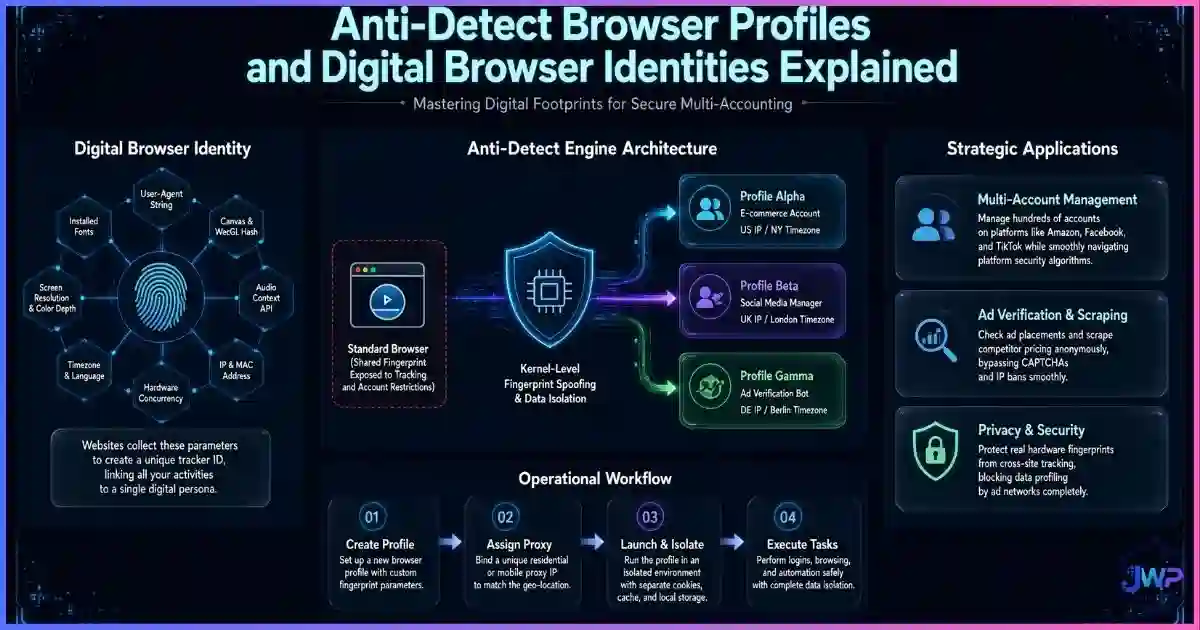
When cookies fail, the hardware speaks. Canvas, WebGL, AudioContext, fonts, screen, timezone, and CPU signals combine into a near-unique ID that survives cookie clearing. See what browser fingerprinting is and the types of browser fingerprinting ad tech relies on.
CNAME cloaking (first-party disguise)
The site’s DNS maps track.example.com to tracker.adnetwork.com, so the tracker looks first-party — defeating third-party cookie blocks and many ad blockers. Measurements found 1,762 sites using 56 cloaking providers, including banks and healthcare sites, and cookie leakage on ~95% of studied cloaked deployments.
Bounce / redirect tracking
You click an ad or a “continue with” link and get bounced through tracker domains that set first-party cookies on each hop before you land. Browsers like Safari now ship dedicated “bounce tracking defenses” because the technique was so effective.
First-party storage tricks (localStorage, ETags, cache)
Trackers stash IDs in localStorage, IndexedDB, or abuse HTTP caching (ETags) so the ID survives “clear cookies.” The trade-offs between these storage layers are covered in cookies vs local storage vs browser fingerprinting.
Hashed-email & device ID graphs
When you log in or subscribe anywhere, your email is hashed (SHA-256) and shared with identity providers (LiveRamp-style graphs), which link it to every cookie ID, mobile ad ID, and household record they hold. This is how “anonymous” web browsing gets attached to your real name.
Privacy-sandbox & cohort APIs (Topics, etc.)
The “cookieless” replacement layer: browsers assign you interest topics or measure conversions on-device. Less invasive than raw third-party cookies, but still a form of ad-side observation — and it coexists with all the techniques above, not replaces them.
Your ad profile follows your fingerprint, not just your cookies.
Clearing cookies doesn’t reset a fingerprint-based ad profile. Incogniton gives every profile its own consistent fingerprint, cookies, and proxy — so ad networks see separate, believable users instead of one trackable device.
Try Incogniton Free → Affiliate link — we may earn a commission at no extra cost to you.Anatomy of a Pageview
How One Pageview Leaks Your ID to Dozens of Companies
Here’s the real-time bidding (RTB) flow that runs in the ~100–300 milliseconds while a page loads:
You open a page
The publisher’ ad tag fires and calls the ad exchange with the page URL, your IP address, user agent, and any cookie IDs it can read.
The exchange broadcasts a bid request
Dozens to hundreds of DSPs receive a packet describing you and the page. Every recipient logs it — winners and losers alike.
DSPs resolve your identity
Each DSP uses cookie syncing or ID graphs to translate the exchange’s cookie into its own ID for you, then looks up your segments (“in-market: cars”).
Bids return; the winner’s ad loads
The winning ad renders — and its pixel fires, writing/reading yet another cookie and reporting the view to the measurement stack.
The profile updates
Every company that saw the bid request appends “visited [URL] at [time] from [device]” to your cross-site profile. Multiply by every page you load, every day.
This is why “I only visited one news site” can result in your interests updating across the entire ad ecosystem within minutes. It’s also why network-level defenses alone fail: a VPN changes the IP in step 1, but your cookie IDs and fingerprint still identify you in steps 2–3. (See does a VPN change your browser fingerprint?)
Defense Matrix
What Survives Your Defenses
Not all defenses stop all techniques. This matrix shows what each common countermeasure actually blocks:
| Tracking technique | Ad blocker | Clear cookies | Incognito | VPN | Strict privacy browser | Isolated anti-detect profile |
|---|---|---|---|---|---|---|
| Third-party cookies | ✓ | ✓ (resets) | ✓ (session) | ✕ | ✓ | ✓ |
| Tracking pixels | ✓ | ~ | ~ | ✕ | ✓ | ✓ |
| Cookie syncing | ~ | ✓ (resets) | ~ | ✕ | ✓ | ✓ |
| CNAME cloaking | ~ | ✕ | ✕ | ✕ | ~ | ~ |
| Fingerprinting | ~ | ✕ | ✕ | ✕ | ~ | ✓ (spoofed) |
| localStorage / ETags | ~ | ~ | ✓ (session) | ✕ | ~ | ✓ |
| Hashed-email ID graphs | ✕ | ✕ | ✕ | ✕ | ✕ | ~ (separate identity) |
✓ = blocks / isolates ~ = partial ✕ = no effect. The pattern: no single consumer defense blocks everything. Layered defenses — tracker blocking + storage isolation + fingerprint control + separate identities — are the only complete answer, and the last row explains why professionals running multiple accounts rely on anti-detect browsers rather than browser settings alone.
Myth Busting
6 Ad-Tracking Myths, Busted
Myth 1
“Third-party cookie deprecation ended ad tracking.”
Reality
Tracking shifted, not stopped: CNAME cloaking, fingerprinting, first-party data clean rooms, and hashed-email graphs all grew as cookies declined.
Myth 2
“Clicking ‘reject all’ stops tracking.”
Reality
Consent banners govern cookies in regulated regions only. Fingerprinting, pixels behind CNAME, and fingerprint-adjacent signals need no consent.
Myth 3
“Incognito stops ad networks.”
Reality
Incognito only isolates local storage for one session. During the session, every tracker sees you normally. See what incognito actually does.
Myth 4
“A VPN makes ad profiles disappear.”
Reality
A VPN swaps your IP but your cookies and fingerprint persist — trackers simply attach the new IP to the same profile.
Myth 5
“Ad blockers block everything.”
Reality
CNAME-cloaked and first-party trackers slip past many blocklists. WebKit built dedicated CNAME defenses precisely because blockers couldn’t see them.
Myth 6
“Tracking is only for showing ads.”
Reality
The same infrastructure powers price optimization, fraud scoring, credit-adjacent inferences, and data brokerage. Your ad profile has second lives you never see.
Action Plan
How to Reduce Cross-Site Ad Tracking
Use a browser with real tracking protection
Safari (ITP), Firefox (Strict ETP), and Brave (Shields) block third-party cookies, partition storage, and ship CNAME/bounce defenses. This is the single biggest free win.
Add a serious tracker blocker
uBlock Origin (with tracker lists) cuts pixel, iframe, and RTB request volume dramatically — and speeds up pages as a bonus.
Partition or purge storage regularly
Enable total cookie protection / storage partitioning, and clear site data (not just cookies) periodically to kill localStorage and ETag residua.
Starve the ID graphs
Use email aliases for signups, avoid “Continue with Google/Facebook” on unimportant sites, and log out of ad-platform accounts when researching. Hashed-email graphs can only match what you hand them.
Check and shrink your fingerprint
Run how to check your browser fingerprint and learn what’s exposed. If your threat model includes ad-tech-grade identification, review can browser fingerprinting be prevented.
Isolate high-value identities
If you run ad accounts, e-commerce stores, or client work, keep those identities in isolated browser profiles with dedicated proxies — otherwise the ad ecosystem will happily merge your “business you” and “personal you” into one dossier.
Skip these assumptions
- “Reject-all banners stop tracking”
- “Incognito hides me from ad networks”
- “A VPN resets my ad profile”
- “One ad blocker blocks everything”
- “Cookie clearing fixes fingerprinting”
- “My work and personal browsing stay separate automatically”
Do this instead
- Use Safari/Firefox-strict/Brave as your daily driver
- Layer uBlock Origin on top
- Enable storage partitioning; purge site data monthly
- Use email aliases; limit social logins
- Test your fingerprint quarterly
- Isolate business identities in dedicated profiles
Ad-tracking defense checklist
- My daily browser blocks third-party cookies and partitions storage by default.
- A tracker blocker (uBlock Origin or equivalent) is active.
- I clear site data (cookies + localStorage + cache), not just history.
- I use email aliases for newsletters and low-trust signups.
- I avoid social logins on sites that don’t need them.
- I’ve checked my fingerprint and know my uniqueness score.
- Business / ad-account work happens in isolated profiles with dedicated proxies.
- I re-run my privacy setup quarterly — trackers evolve, so should defenses.
Be many believable users, not one trackable one.
Incogniton isolates cookies, fingerprints, and proxies per profile — the only defense layer that fully defeats cross-site ID merging for multi-account operators. Free plan includes 10 profiles.
Get Incogniton Anti-Detect Browser → Affiliate link — we may earn a commission at no extra cost to you.FAQs
Frequently Asked Questions
How do ad networks track me across different websites?
What is cookie syncing and why does it matter?
Does clicking “reject all” on cookie banners stop tracking?
Can ad networks track me in incognito mode?
What is CNAME cloaking?
Do ad blockers stop all ad tracking?
Is ad tracking the same as browser fingerprinting?
Why do news sites feel more heavily tracked?
📚 Sources & Research Notes (click to expand)
This guide draws on large-scale academic web measurements, browser vendor engineering blogs, and industry audits. Tracking techniques and prevalence rates evolve quickly as browsers ship new defenses.
- Englehardt, S. & Narayanan, A. (2016). “Online Tracking: A 1-million-site Measurement and Analysis.” Princeton CITP — 81,000+ third parties; only 123 on >1% of sites; Google/Facebook/Twitter the only parties on >10% of sites. webtransparency.cs.princeton.edu
- MIT Technology Review (2016). Coverage of the Princeton study — Google’s trackers on ~70% of top sites. technologyreview.com
- DuckDuckGo (2020). Tracker audit — Google tracking present on 86% of the top 50,000 websites. forbes.com
- HTTP Archive (2021). Web Almanac: Third Parties — 94.4% of sites load third-party content. almanac.httparchive.org
- Papadopoulos, P., et al. (2019). “Cookie Synchronization: Everything You Always Wanted to Know But Were Afraid to Ask.” WWW ’19 — ~1 sync per 68 GET requests; median userID leaked to 3.5 entities. dl.acm.org
- CookieYes (2024). Cookie syncing study — ~68% of 8,744 high-traffic domains perform cookie syncing. cookieyes.com
- INRIA (2018). “Detecting Unknown Third-Party Trackers with Invisible Pixels.” — first-to-third-party cookie syncing via invisible pixels on 67.96% of websites. inria.hal.science
- NDSS / APNIC (2020). “Characterizing CNAME Cloaking-Based Tracking on the Web.” — 1,762 sites, 56 cloaking providers (0.59% of crawled set). blog.apnic.net
- WebKit Blog (2020). “CNAME Cloaking and Bounce Tracking Defense.” — cloaking on banks/healthcare sites; browser-side defenses. webkit.org
- Olejnik, Ł. (2020). Large-scale Analysis of DNS-based Tracking Evasion — cookie leakage on ~95% of studied CNAME-cloaked sites. blog.lukaszolejnik.com
- Statista / company filings (2025). Google ad revenue ~$209B (≈24% of global digital ad revenue); global digital ad spend ~$740B in 2026. statista.com
Ad-tech practices, browser defenses, and privacy regulation evolve quickly. Prevalence figures reflect the cited studies’ measurement windows; verify current browser documentation before making privacy decisions.