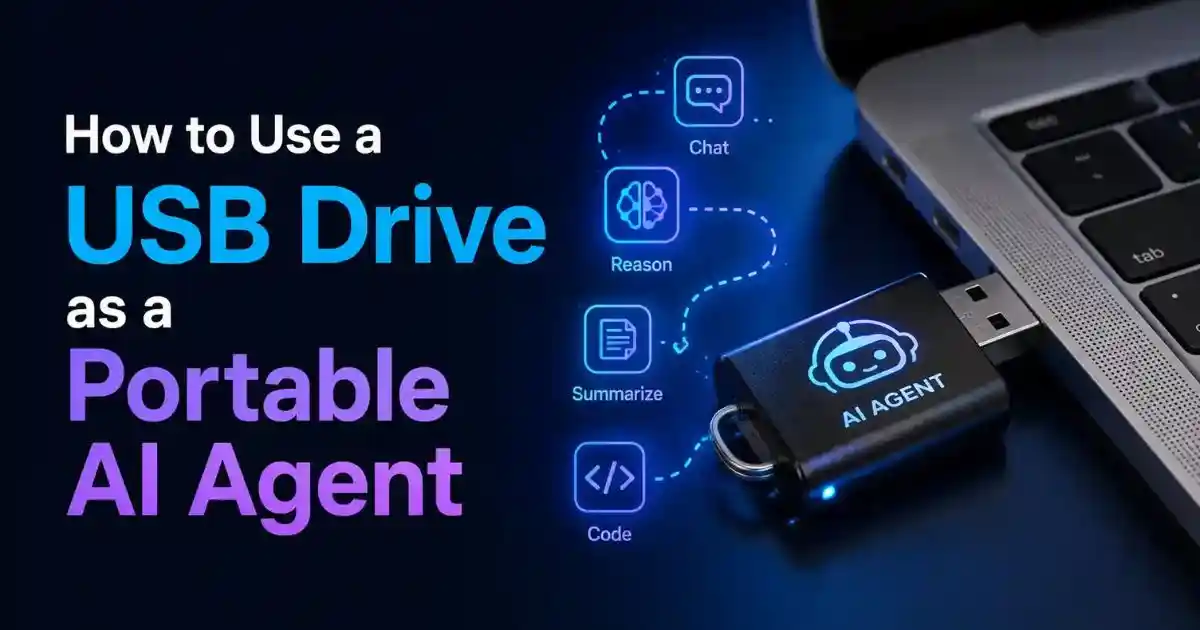
How to Use a USB Drive as a Portable AI Agent
Carry the configuration, memory, skills, sessions, and launch tools for a Hermes AI agent on one removable drive, then use that same agent state on compatible Windows, Linux, and macOS computers.
Quick Answer
To use a USB drive as a portable AI agent, prepare a fast removable drive, place a dedicated Hermes data folder on it, and launch Hermes with the official HERMES_HOME environment variable pointing to that folder. Configure your model provider, memory, skills, and optional Telegram bot inside this portable directory. Create a Windows PowerShell launcher and a Linux/macOS shell launcher that calculate the drive path automatically, then test the setup on each trusted computer.
The USB does not become a self-contained AI computer. It carries the agent’s state and supporting files; the host computer still supplies processing power and an operating system. If you use a cloud AI provider, the agent also needs an internet connection.
Understand the Concept
What Does It Mean to Put an AI Agent on a USB Drive?
A portable AI agent is an agent whose important state follows you from one computer to another. Instead of leaving its configuration and history in the default home directory of one laptop, you deliberately place the agent’s data directory on a removable drive. When Hermes starts, it reads that directory and finds the same provider settings, memories, sessions, skills, personality files, logs, and messaging configuration.
Hermes Agent makes this possible through HERMES_HOME. The official Hermes environment-variable reference describes it as an override for the normal ~/.hermes configuration directory. It also scopes the gateway PID and service identity. In practical terms, setting HERMES_HOME to a folder on the USB tells Hermes to treat that folder as its home.
This distinction matters because a USB drive is storage, not a replacement for the host computer. The following components are still provided elsewhere:
- Compute: The connected computer provides its CPU, RAM, and possibly GPU.
- Runtime: Hermes, Python, Git Bash, Node.js, and optional browser or audio dependencies must be installed or supplied in an OS-compatible form.
- Model inference: A cloud provider such as OpenRouter, Nous Portal, OpenAI, Anthropic, or Gemini processes requests unless you connect Hermes to a local model server.
- Network: Cloud models, Telegram, web search, browser tools, and updates require internet access.
- Power: The agent stops when the computer shuts down, sleeps, or the USB is disconnected.
The result is best described as a portable agent workspace. Your agent identity and working state travel with the drive, while the computer you plug it into becomes the temporary execution environment.
Choose the Right Deployment
Portable USB AI Agent vs. Hermes on a Hostinger VPS
A USB drive and a VPS solve different problems. A removable drive gives you physical possession of the agent’s state and makes it convenient to move a workspace between trusted machines. A VPS gives the agent a permanent online computer, which is much better when you want Telegram access, scheduled jobs, automations, or long-running tasks at any hour.
| Feature | Portable USB Hermes Agent | Hermes on Hostinger VPS |
|---|---|---|
| Availability | Only while the USB is connected and the host computer is awake | Designed to stay online continuously |
| Portability | Physically move the same data between trusted computers | Reach the same remote server from almost any device |
| Telegram reliability | Messages stop when the local gateway is not running | Gateway can remain active around the clock |
| Security model | Physical control, but easy to lose and risky on untrusted PCs | Remote server security, SSH credentials, firewall, and provider controls |
| Cross-platform use | Requires compatible launchers and dependencies for each OS | One consistent Linux environment |
| Long-running tasks | Vulnerable to sleep, unplugging, drive errors, and local restarts | Better suited to cron jobs, monitoring, and automations |
| Best use | Travel, workshops, demos, isolated profiles, and portable personal state | Production assistants, remote control, and always-on agents |
You can use both. Keep a portable profile on your USB for travel or local work, and run a separate always-on profile on a VPS for Telegram and automations. Do not run both gateways with the same Telegram bot token simultaneously; Telegram bot credentials should belong to one active gateway at a time.
Want Hermes Available Even When Your Laptop Is Off?
Hostinger’s one-click Hermes Agent option removes much of the server setup and gives the agent an always-on environment. See the detailed Hermes Agent on Hostinger VPS tutorial, or open the Hostinger offer below.
Prepare First
What You Need for a Portable Hermes AI Agent
A reliable setup starts with better storage and a clear security plan. You do not need an enormous drive, but a cheap, slow promotional USB stick is a poor place for an application that regularly updates databases, sessions, logs, caches, and configuration files.
- A reputable USB 3.1 or USB 3.2 drive, or preferably a small external SSD.
- At least 32 GB of capacity for a modest setup; 64 GB or more gives useful headroom for tools, caches, backups, and media.
- A backup location before formatting the drive.
- A trusted Windows, Linux, or macOS computer with administrator access when dependencies must be installed.
- A Hermes-compatible model provider account or a local OpenAI-compatible model server.
- An API key or provider login with a sensible usage limit.
- A Telegram account if you want to control the agent through a bot.
- Drive encryption or an encrypted container for credentials and private memory.
- A second backup of the finished portable data directory.
Which USB File System Should You Use?
Choose the file system based on the operating systems you actually intend to use. For a tutorial that moves data among Windows, Linux, and macOS, exFAT is the practical compatibility choice. All three systems can read and write it without the same friction associated with Linux-native or Windows-native formats.
| File system | Best for | Important limitation |
|---|---|---|
| exFAT | Moving the data partition among Windows, macOS, and Linux | No journaling and weak Unix permission semantics; eject it safely |
| NTFS | Windows-first portable use | macOS normally reads NTFS but does not provide native full write support |
| ext4 | Linux-only use, stronger permissions, and better resilience | Windows and macOS do not natively treat it as a normal writable drive |
| APFS | macOS-only use | Not a convenient cross-platform format |
D: or E:, because letters can change and the wrong selection can destroy another disk.Video Walkthrough
Watch: Turning a USB Drive Into a Portable Hermes AI Agent
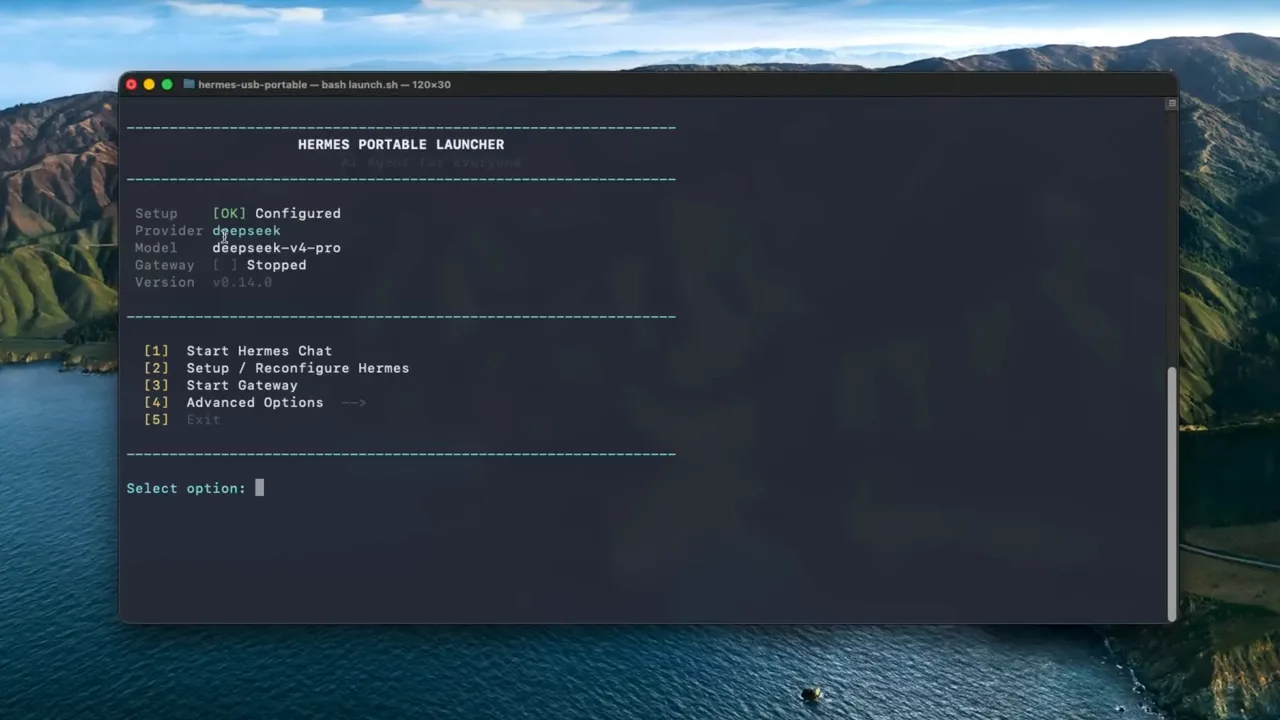
The embedded video demonstrates the portable launcher workflow, provider and Telegram setup, and tests on multiple operating systems. The written steps below add more explanation around HERMES_HOME, file-system tradeoffs, credential safety, and dependable launcher design.
Prefer the Always-On Version?
A portable drive is excellent for mobility, but a Hostinger VPS is the more dependable choice for a Hermes Telegram bot that must answer while your personal computer is off.
Complete Tutorial
How to Use a USB Drive as a Portable AI Agent: Step by Step
Step 1: Back Up and Identify the Correct USB Drive
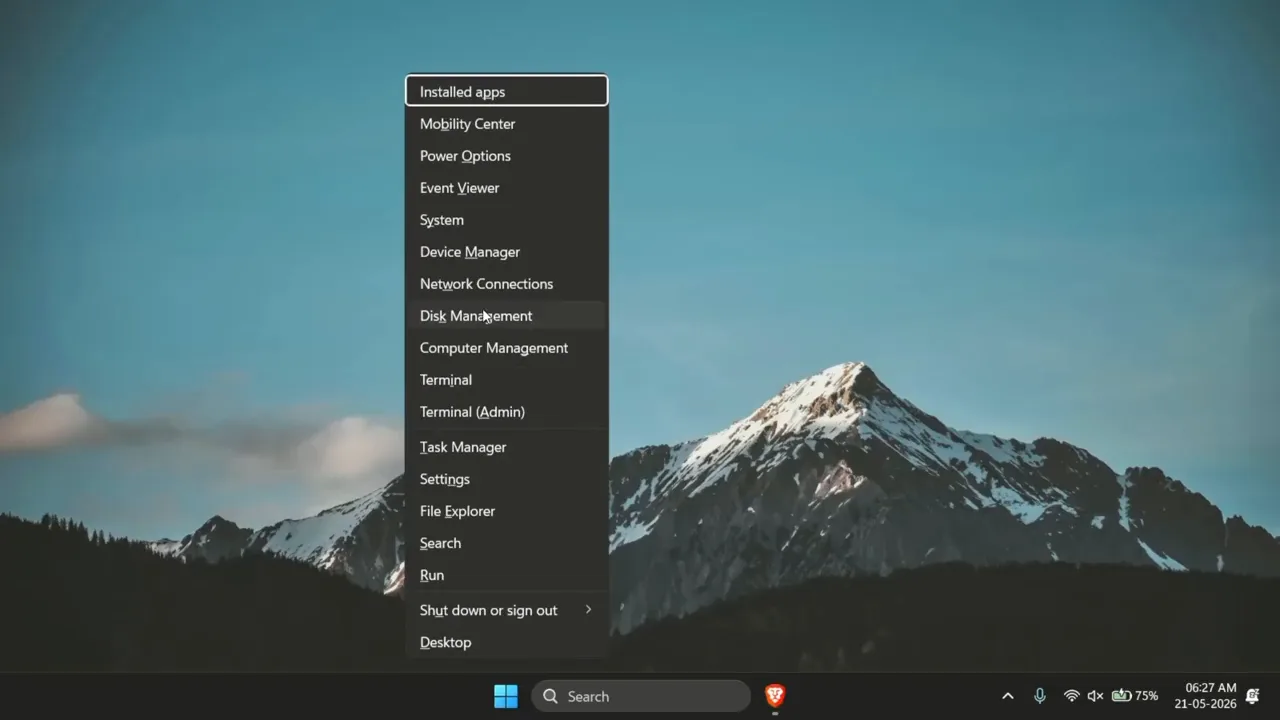
Connect the drive directly to the computer when possible. Open Disk Management on Windows, Disk Utility on macOS, or Disks/GParted on Linux. Match the manufacturer’s name and total capacity with the physical drive. Back up any files you want to keep because the formatting step erases the selected volume.
Give the volume a recognizable name such as HERMES_USB. A stable label makes the drive easier to identify in File Explorer, Finder, Linux file managers, and launcher scripts. The label is more useful than assuming it will always be assigned the same Windows drive letter.
Step 2: Format the Data Partition
For a cross-platform data drive, create an exFAT volume. Leave the allocation unit size at the operating system’s default unless you have a specific storage reason to change it. A quick format is normally sufficient for a healthy new drive; use a full scan when you suspect media problems.
If maximum security matters more than convenience, consider two partitions or an encrypted container. A small unencrypted partition can hold nonsecret launch instructions, while an encrypted area contains hermes-data, API keys, sessions, and memory. Cross-platform encryption requires planning because BitLocker To Go, FileVault/APFS, and LUKS do not offer identical support on every operating system. VeraCrypt is one cross-platform option, but it must be installed on each host.
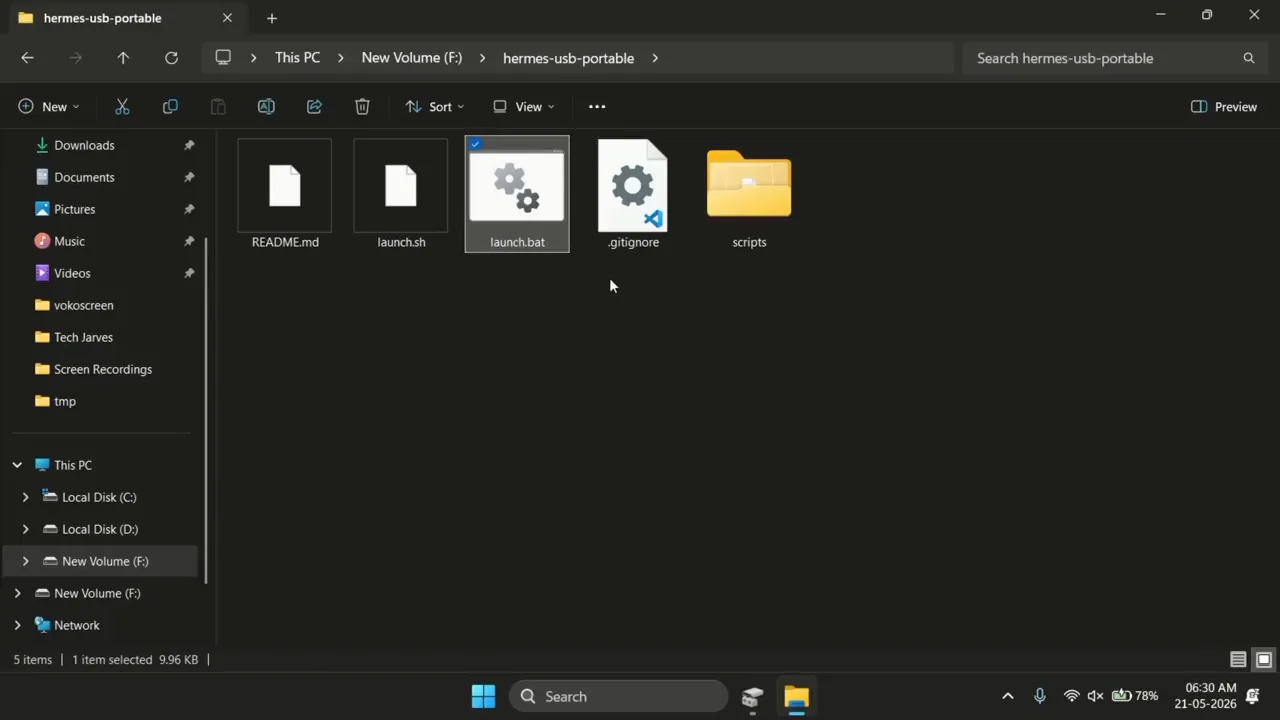
Step 3: Create a Clear Portable Folder Structure
At the root of the drive, create a structure that separates agent state from operating-system launchers and backups. For example:
The hermes-data directory is the important portable state. The launchers directory contains small scripts that point Hermes at that state. The optional installers directory can contain trusted, verified installation resources, but you should still check the official Hermes repository for current releases rather than relying forever on an old copy.
Step 4: Install or Make Hermes Available on Each Host
There are two practical strategies. The safer and easier strategy is to install Hermes normally on each trusted computer, then keep only HERMES_HOME on the USB. The more ambitious strategy is to bundle OS-specific runtimes and code on the drive. That second method consumes more space, needs separate Windows, Linux, macOS, and CPU-architecture builds, and is more likely to break after updates.
For most readers, install Hermes from the official project on each host:
Windows PowerShell:
Linux, macOS, or WSL:
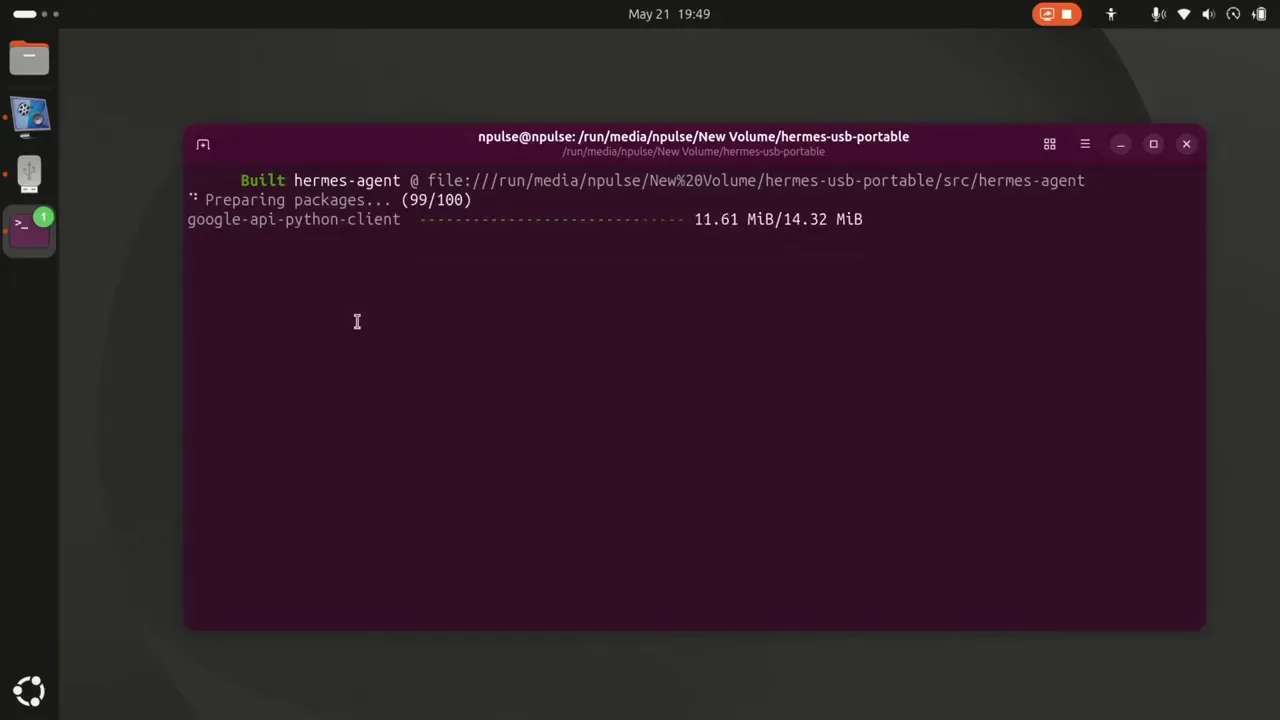
The current native Windows installer can provision Python, Node.js, and PortableGit without requiring WSL. On Linux and macOS, the installer handles the normal command-line installation path. After installation, open a new terminal and verify:
Do not automatically execute an unknown portable launcher simply because it arrived in a video description, forum post, or ZIP archive. Inspect scripts before running them, verify their source, and compare install commands with the official Nous Research repository.
Step 5: Point Hermes at the USB with HERMES_HOME
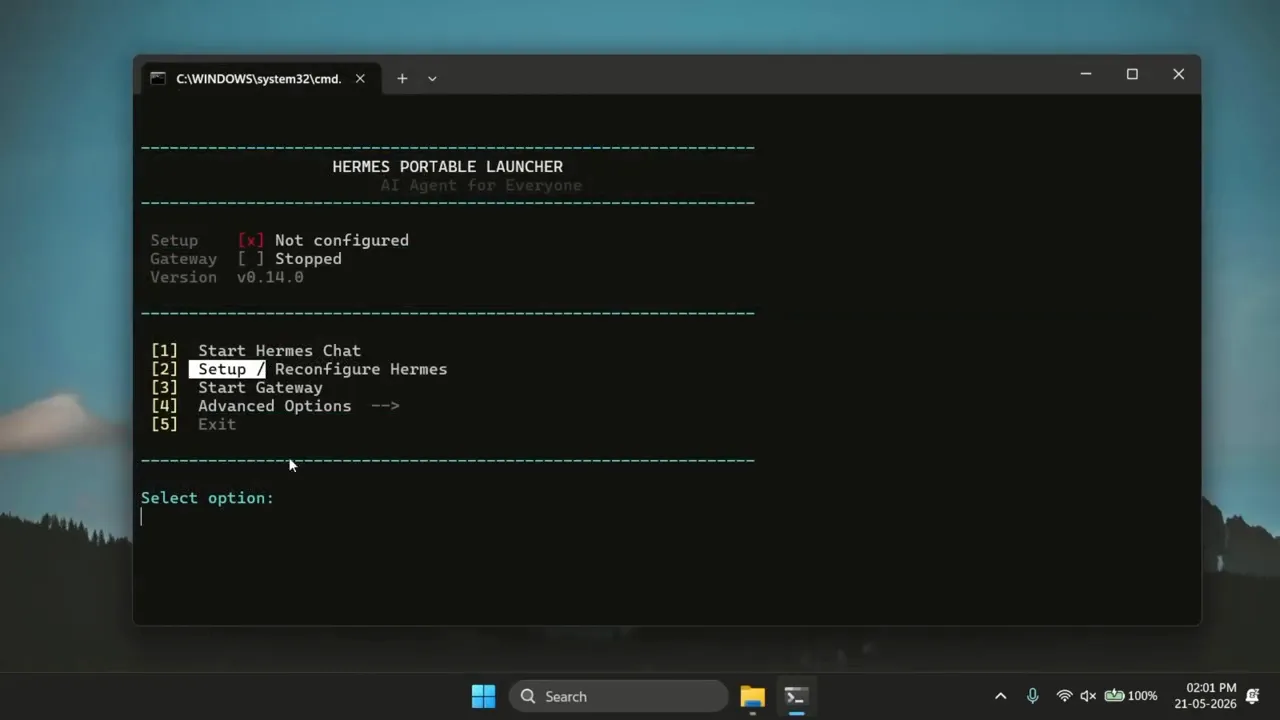
Set HERMES_HOME to the absolute path of the USB’s hermes-data folder before starting Hermes. The launcher should calculate that path from its own location. This is what makes it resilient when Windows assigns a new drive letter or a Linux desktop mounts the drive under a different username.
Run hermes setup only after HERMES_HOME is set. Otherwise, the setup wizard may save configuration to the computer’s normal home directory instead of the USB.
Step 6: Configure an AI Model Provider
Launch the setup wizard and choose a provider. Hermes supports many providers and any suitable OpenAI-compatible endpoint. Common options include OpenRouter, Nous Portal, OpenAI, Anthropic, Google Gemini, and a local server such as Ollama, LM Studio, llama.cpp, vLLM, or SGLang.
When you enter an API key through the Hermes configuration flow, verify that it is being written under the USB’s hermes-data folder. The normal secret file is .env. The official documentation recommends using hermes config set because Hermes then stores secrets and nonsecret settings in their appropriate files.
Use a dedicated key for the portable agent. Set a provider-side budget or rate limit where available. This makes it easier to revoke one credential without interrupting your other applications if the drive is misplaced.
Step 7: Start a Local Hermes Chat and Confirm Persistence
Start Hermes from the portable launcher and ask it a harmless test question. Add a memorable, nonsecret preference, end the session, close the terminal, and relaunch the agent from the drive. Confirm that the session and memory remain available.
Next, inspect the USB’s hermes-data folder. You should see the files and directories being updated there, not in the computer’s default ~/.hermes or Windows local application-data location. If both locations change, stop and correct the launcher before continuing.
Step 8: Safely Eject and Test on a Second Operating System
Stop the Hermes gateway and close every terminal that is using the drive. Wait for writes to finish, then use the operating system’s eject function. Removing an exFAT drive while a session database or log is being updated can corrupt files.
Connect the drive to a second trusted computer. Install a compatible Hermes runtime if necessary, run the correct launcher for that operating system, and verify that it opens the same portable profile. You may need to grant execution permission to shell launchers on Linux or macOS:
Step 9: Repeat the Test on macOS if Needed
macOS can read and write exFAT, so the same data directory can be mounted there. However, macOS security may quarantine downloaded scripts, and Apple Silicon requires ARM-compatible binaries when you bundle runtimes. A normal Hermes installation plus a small launcher is generally more reliable than trying to carry one executable for every machine.
Reliable Startup
Portable Hermes Launcher Examples
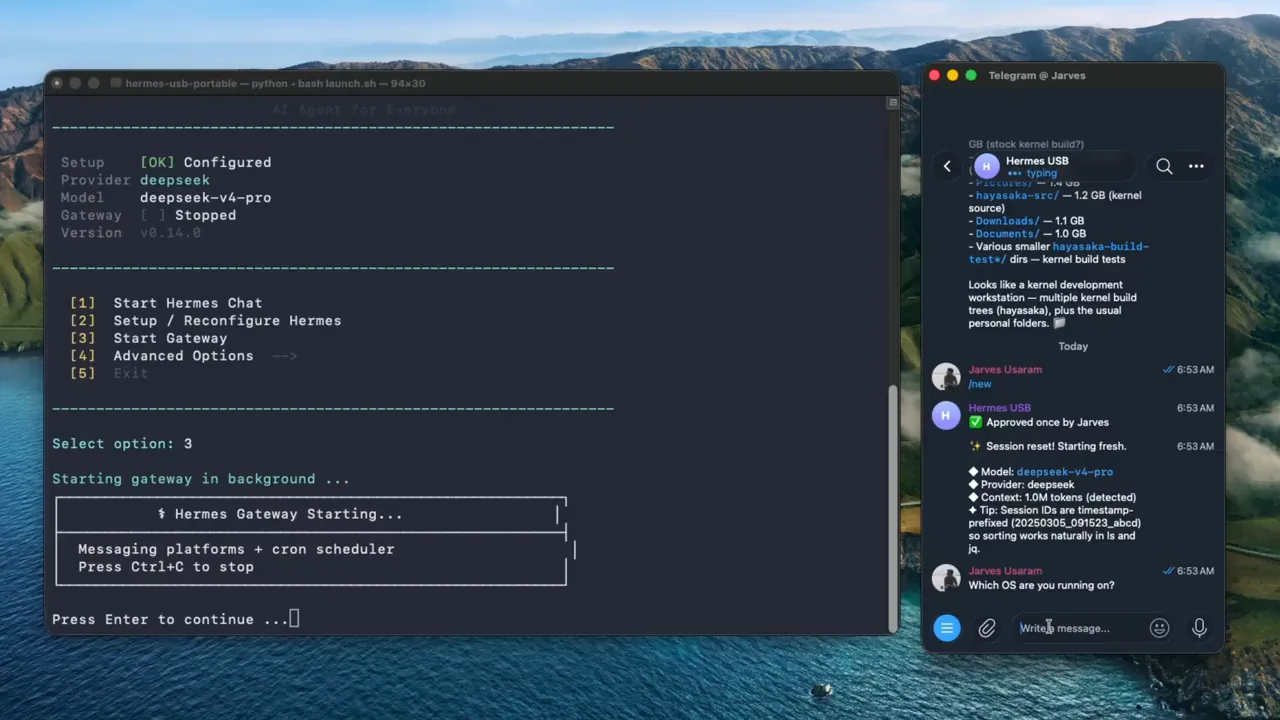
The following examples assume the scripts live inside HERMES_USB/launchers/ and the agent data lives in the sibling directory HERMES_USB/hermes-data/. They calculate the data path relative to the script. Adjust the folder layout if yours is different.
Windows PowerShell Launcher
Save it as Start-Hermes-Windows.ps1. If PowerShell’s execution policy blocks it, do not permanently weaken system security without understanding the consequence. You can open PowerShell, inspect the file, and run it for the current process with an appropriate temporary policy approved by the computer owner.
Linux or macOS Shell Launcher
You can change the final command to hermes, hermes --tui, or a gateway command depending on the interface you want. Keep the first version simple and prove that persistence works before adding menus, automatic updates, background services, or dependency installation.
Remote Chat
How to Connect the Portable AI Agent to Telegram
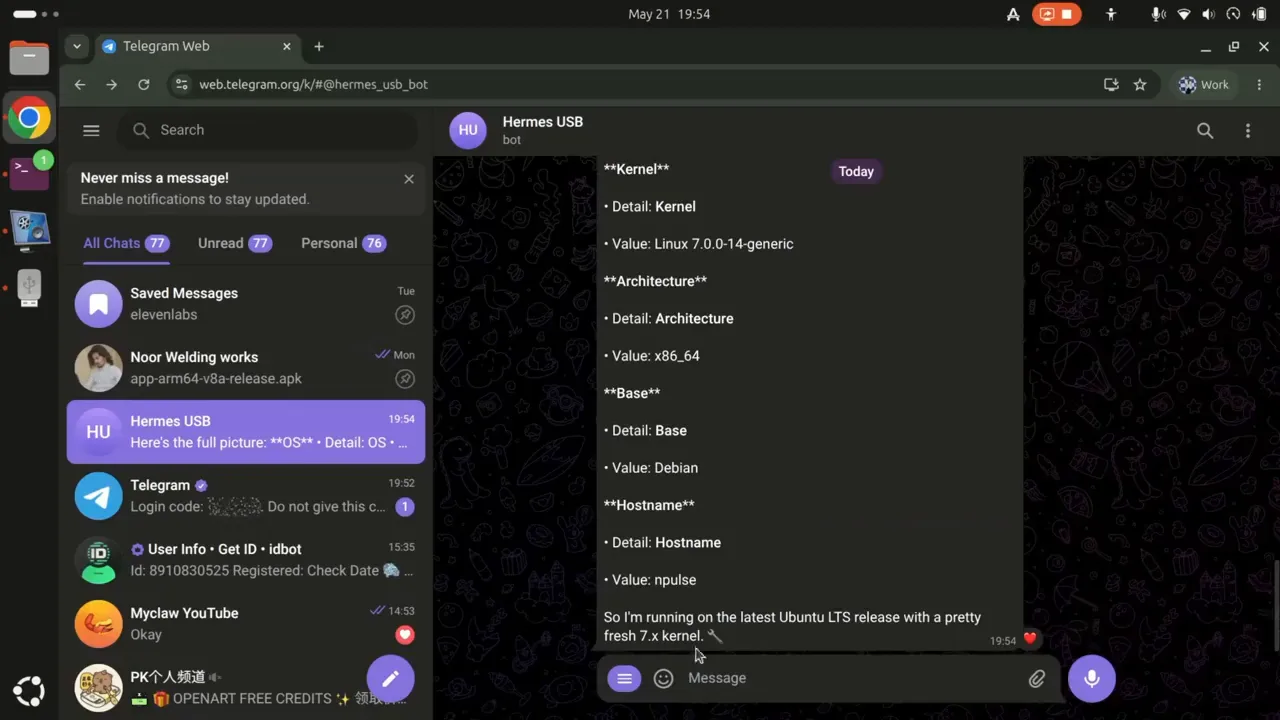
Telegram gives you a convenient chat interface while the USB agent is running. It does not make the agent permanently online. If the computer sleeps, the launcher closes, the gateway stops, or the drive is removed, the bot cannot process new requests.
1. Create a Bot with BotFather
Open Telegram and start a chat with the verified @BotFather account. Send /newbot, choose a display name and an available username, then securely record the bot token. Treat this token like a password because anyone who obtains it may be able to control the bot connection.
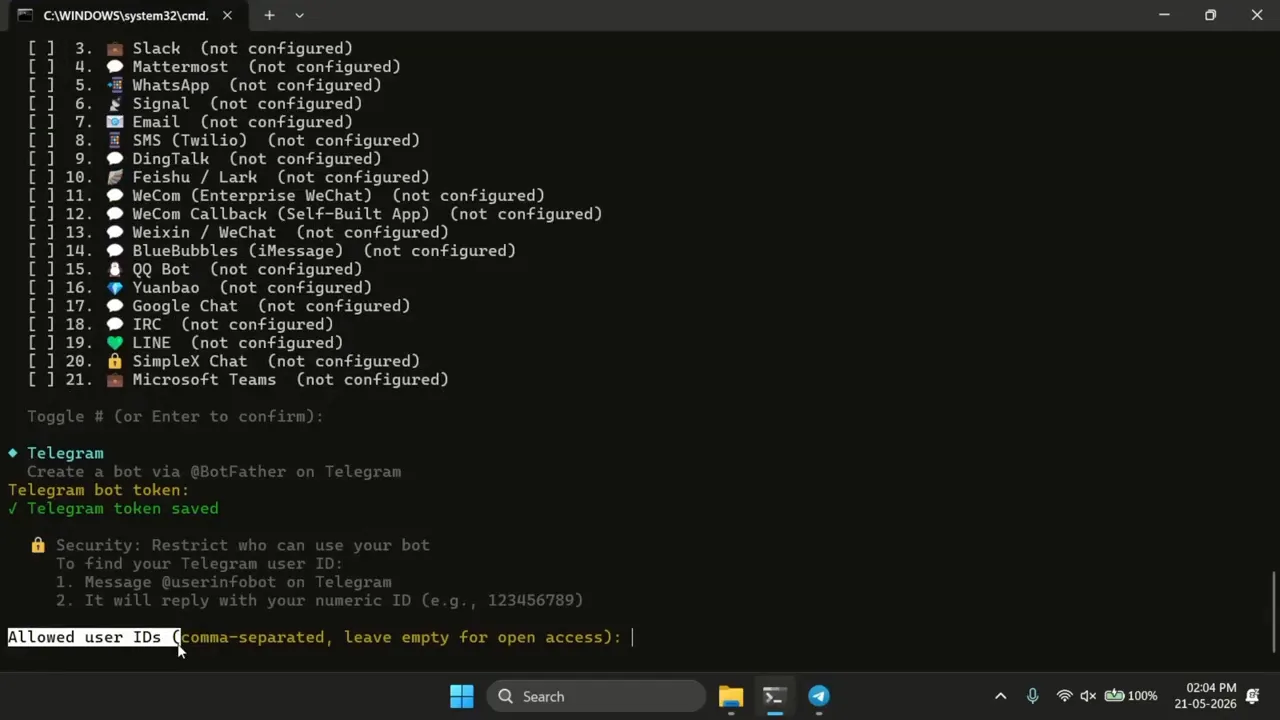
2. Find Your Numeric Telegram User ID
Hermes supports an explicit user allowlist. Obtain your numeric Telegram user ID using a reputable ID bot or Telegram API method. Do not confuse a username such as @example with the numeric ID required by the allowlist.
3. Run the Hermes Gateway Setup
Start the portable launcher, then run:
Enter the Telegram bot token and your allowed numeric user ID. The relevant official variables are TELEGRAM_BOT_TOKEN and TELEGRAM_ALLOWED_USERS. Confirm that they are saved in the active portable Hermes home.
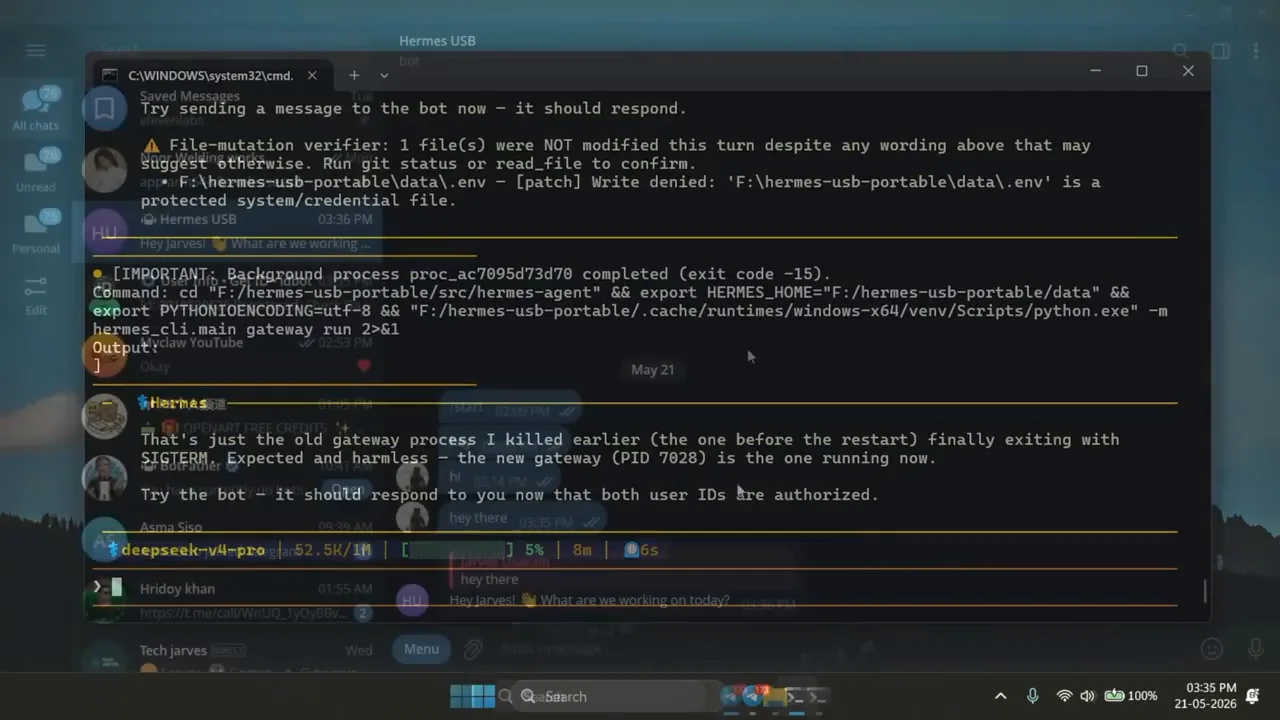
4. Start the Gateway and Send a Test Message
Foreground mode is useful for a portable setup because you can see errors and stop the gateway before ejecting the drive. Open the bot in Telegram, press Start, and send a simple prompt. If the agent does not respond, verify the token, allowlist, provider key, internet connection, and gateway logs.
Need a Telegram Agent That Stays Online?
A VPS avoids the biggest limitation of the USB approach: your bot no longer depends on a personal computer, removable drive, or open terminal.
Protect Your Agent
Security Rules for a USB-Based AI Agent
A portable agent can contain much more than software. Its data may reveal private conversations, client details, project paths, personal preferences, web activity, Telegram credentials, API keys, OAuth tokens, and tool permissions. Losing an unencrypted drive can therefore be similar to losing an unlocked account vault.
Encrypt Sensitive Data
Use full-drive encryption or an encrypted container. BitLocker To Go is convenient for Windows-centered workflows. LUKS is strong for Linux-only setups. An encrypted APFS volume is appropriate for macOS-only use. A carefully configured VeraCrypt container can be useful across systems where its software is available. Choose the method based on the hosts you control, and test recovery before trusting it with the only copy of your agent.
Never Plug the Drive Into an Untrusted Computer
Encryption protects a drive while it is locked. After you unlock it on a compromised computer, malware can read files, capture credentials, alter launcher scripts, or steal API keys. Public computers, borrowed devices, hotel business centers, and unknown repair-shop systems are not safe execution environments for an agent that has tool access.
Use Dedicated, Limited Credentials
- Create a separate model-provider key for the USB profile.
- Set provider spending alerts, hard limits, and rate limits where available.
- Restrict Telegram access with
TELEGRAM_ALLOWED_USERS. - Do not reuse the same bot token across simultaneously running profiles.
- Avoid placing unrelated SSH keys, cloud-admin credentials, or master passwords on the drive.
- Rotate every credential immediately if the USB is lost or copied.
Keep Command Approvals Enabled
Hermes can use terminal and automation tools. Review dangerous commands instead of enabling an unrestricted approval-bypass mode. A portable agent encounters different computers and directory layouts, so a command that was harmless on one system may target the wrong location on another.
Back Up the Portable Home
Hermes supports backup and profile export workflows, and you can also copy the portable directory while all Hermes processes are stopped. Maintain at least one encrypted backup away from the USB. A backup protects you from flash wear, accidental formatting, corruption, theft, and launcher mistakes.
- Finish active agent tasks and file writes.
- Stop the messaging gateway.
- Close Hermes, terminals, editors, and file-manager windows using the drive.
- Wait a few seconds for operating-system write caching.
- Use Eject or Safely Remove Hardware.
- Update your encrypted backup after important changes.
Make It Dependable
Performance and Reliability Tips
Prefer an External SSD for Heavy Use
A quality flash drive is adequate for light sessions and configuration portability. An external SSD offers much faster random reads and writes, better sustained performance, and usually better endurance. This matters when the agent accumulates many sessions, browser artifacts, tool caches, logs, package files, or local model data.
Keep the Runtime Local and the State Portable
The most maintainable design installs Hermes and dependencies on each trusted host but stores the profile on the USB. It avoids carrying multiple Python environments, Node installations, browser binaries, and OS-specific executables. It also allows each host to use the correct architecture, such as x86-64 or ARM64.
Avoid Running Large Local Models From a Basic USB Stick
Local model files can be tens or hundreds of gigabytes, and inference repeatedly reads substantial data. A slow drive can make model loading painful, while the host still needs sufficient RAM or GPU memory. If offline inference is your goal, use a fast external NVMe SSD and a computer designed to run the chosen model. The portable Hermes state can remain separate from the much larger model files.
Control Logs and Caches
Review the logs, browser screenshots, media caches, checkpoints, and temporary files periodically. Do not delete active databases or unknown files while Hermes is running. Create a backup first, then use Hermes commands or documented cleanup methods where possible.
Keep a Simple Recovery File
Add a nonsecret README-FIRST.txt that records the expected folder layout, official installation links, commands to set HERMES_HOME, and the date of the last successful backup. Do not put API keys, encryption recovery keys, or Telegram tokens in that file.
Fix Common Problems
Troubleshooting a Portable Hermes USB Agent
The Launcher Works on One PC but Not Another
The second computer may not have Hermes on its PATH, or it may be missing Python, Git Bash, Node.js, ffmpeg, ripgrep, Chromium, or another optional dependency. Run hermes --version and hermes doctor outside the launcher. Install Hermes using the official instructions for that operating system.
Windows Assigned a Different Drive Letter
Replace hard-coded paths such as E:\hermes-data with a launcher that calculates the USB root from $PSScriptRoot. Relative path discovery is one of the most important parts of a genuinely portable Windows setup.
Hermes Starts With a Blank Configuration
Print the value of HERMES_HOME before launching Hermes. Confirm that it points to the correct mounted folder and that config.yaml and .env are present there. You may have run the setup wizard before setting the variable, causing files to be written to the host’s default Hermes directory.
The API Key Appears to Be Missing
Check the active portable .env, not the computer’s normal Hermes directory. Re-run hermes model or use hermes config set while the correct HERMES_HOME is active. Never paste the full key into screenshots, support tickets, or public logs.
The Shell Script Says Permission Denied
On Linux or macOS, grant execution permission with chmod +x. On exFAT, Unix execution permissions may not persist in the same way they do on ext4 or APFS. You can always invoke the script explicitly with bash path/to/start-hermes-linux.sh after inspecting it.
Paths With Spaces Break a Command
Quote every calculated path. Both example launchers above preserve spaces in the USB label and folder names. Avoid manually concatenating commands without quotes.
Telegram Does Not Respond
Confirm that the portable gateway is running, the bot token is valid, your numeric ID is in the allowlist, and the provider key has credits. Review gateway logs inside the portable Hermes home. Another running instance may also be using the same bot token.
Antivirus Blocks the Launcher
Do not immediately disable security software. Inspect the script, verify its source, scan the drive, and compare every network download with the official project. A custom menu script may trigger heuristic detection, but that is not proof that it is safe.
Files Become Corrupted After Moving the Drive
Stop Hermes and the gateway before unplugging. Use the operating system’s safe-eject function. Check the drive for file-system errors, restore from a known-good backup, and consider moving heavy use to an external SSD or a journaled native file system.
It Works on Intel but Not Apple Silicon or ARM Linux
A bundled binary or virtual environment was probably built for a different CPU architecture. Install Hermes natively on that host and reuse only the portable data directory, or maintain separate runtime directories for each operating system and architecture.
The Agent Is Too Slow
Test drive speed, reduce unnecessary caches, use a faster model, and keep large runtimes or local models on faster storage. Cloud-model response speed also depends on internet latency and provider capacity, which a faster USB cannot improve.
Questions Answered
Frequently Asked Questions
Can a USB drive really run an AI agent?
It can carry the agent’s state, configuration, skills, memories, sessions, launchers, and possibly OS-specific runtimes. The connected computer still runs the software. Cloud AI models and Telegram also need internet access.
Does Hermes officially support storing its data on another drive?
Yes. The official HERMES_HOME variable overrides the default Hermes configuration directory. This is the supported foundation of the portable data approach.
Can I use the same USB on Windows, Linux, and macOS?
You can share a compatible data partition and portable Hermes home, but the host still needs a compatible installation and launcher. Operating-system binaries and virtual environments are not universally interchangeable.
Will the USB agent work without internet?
It can work offline if the host runs a compatible local model server and all required tools are available locally. Cloud models, Telegram, web search, remote APIs, and updates will not work without a network.
What size USB drive should I buy?
A 32 GB drive can hold a basic portable profile, while 64 GB or more gives additional room for backups, tools, logs, and media. Storage needs rise sharply if you carry browser binaries, multiple runtimes, or local model files.
Is exFAT secure?
exFAT is a file system chosen for compatibility, not encryption. Anyone who obtains an unencrypted exFAT drive can normally read its files. Use an appropriate encryption layer and strong credential controls.
Can I leave the Telegram gateway running from the USB?
Yes, while the drive remains connected and the computer stays awake. Stop the gateway before ejecting. For continuous Telegram availability, a VPS is the more reliable design.
Should I put the full Hermes installation on the drive?
Usually not. Keeping the runtime installed on each trusted host and making only HERMES_HOME portable is simpler, smaller, easier to update, and less vulnerable to OS and architecture differences.
Final Recommendation
Is a Portable USB AI Agent Worth Building?
Yes, when your goal is to carry one consistent Hermes workspace between trusted computers. It is useful for demonstrations, travel, workshops, private local profiles, and situations where you want physical custody of the agent’s files. Hermes’ supported HERMES_HOME override makes the data-directory portion straightforward.
The design is not a replacement for a server. A removable drive can be lost, damaged, or unplugged; it cannot answer Telegram while every host is off; and cross-platform portability still requires operating-system-specific runtime support. Treat the USB as a secure portable workspace, maintain encrypted backups, use limited credentials, and keep the launchers simple.
When continuous availability matters, deploy a separate Hermes instance on a VPS. That gives scheduled jobs, messaging gateways, and long-running tools a stable home while your USB profile remains available for portable local work.
Run Hermes Agent 24/7 with Hostinger
Use Hostinger’s one-click Hermes Agent option for an always-on deployment, then connect it to your preferred AI provider and Telegram. It is the practical next step when a portable USB setup no longer provides enough uptime.
Related Guides
Continue from portable AI agents into always-on hosting, web infrastructure, analytics, and business finance:
- Set up Hermes Agent on a Hostinger VPS for a persistent cloud deployment.
- Install OpenClaw on a Hostinger VPS and compare another self-hosted agent platform.
- Build microfrontends on Cloudflare when your agent project needs multiple frontend applications on one domain.
- Add Google Analytics to an Astro site to measure traffic and user behavior.
- Learn how to become your own bank with a careful explanation of asset-backed strategies and business foundations.