How to Create a US PayPal Account as a Non-US Resident
By JoshWP Team | Updated: | ~31 min read | US LLC PayPal Business
Yes, a non-US resident can often create a U.S. PayPal Business account through a legitimate U.S. business structure, but the clean route is not “pretend to be American.” The safer approach is to form a real U.S. LLC, obtain an EIN, keep accurate business records, open a compatible business banking account, and submit truthful PayPal Business information when asked. PayPal’s U.S. User Agreement says a U.S. business account is for a business organized in, operating in, or resident of the United States, and PayPal can request identity, beneficial owner, address, bank, and business documents.
This guide walks through the full setup: creating a U.S. LLC with Northwest, preparing your EIN and documents, choosing between Payoneer, Wise, and Mercury for banking details, opening a PayPal Business account, verifying email and phone, uploading documents, linking a bank account, avoiding account limitations, and using a private SMS option only where it makes sense. It is written for founders, freelancers, SaaS builders, ecommerce sellers, agencies, and creators who need a U.S.-based business payment setup while living outside the United States.
Important: Do not use fake names, fake ownership information, random public SMS inboxes, borrowed addresses, or VPN-only “location tricks” to bypass PayPal checks. This article is about building a real business setup that can survive verification, not creating a disposable account.
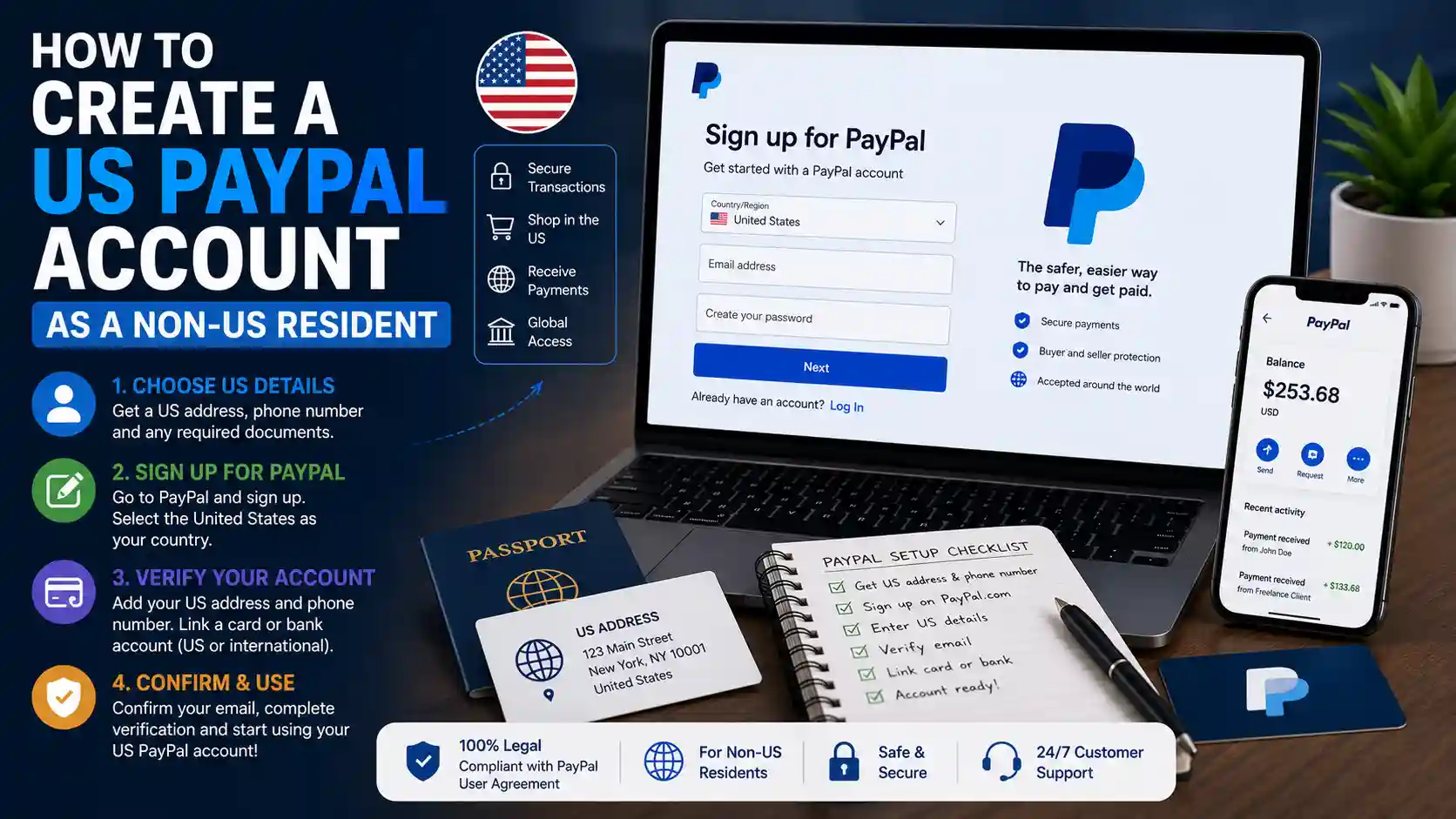
Table of Contents
- The legal reality for non-US residents
- What you need before applying
- Setup roadmap
- Step 1: form a U.S. LLC
- Northwest formation screenshots
- Step 2: get an EIN
- Step 3: choose banking details
- Step 4: phone and SMS verification
- Optional VPN and secure connection choices
- Step 5: PayPal Business setup
- PayPal setup screenshots
- Documents PayPal may request
- Link and confirm a bank account
- What to do after approval
- Tax and compliance notes
- PayPal fees and cost examples
- Charts and statistics
- Mistakes that cause limitations
- FAQs
- Sources
The Legal Reality: Can a Non-US Resident Create a U.S. PayPal Account?
The honest answer is nuanced. A non-US resident generally should not open a U.S. personal PayPal account unless they are actually a U.S. resident. PayPal’s current U.S. User Agreement says an individual must be a resident of the United States or one of its territories to open a U.S. PayPal account. That is why the personal-account shortcut is risky.
The business-account route is different. PayPal’s U.S. agreement says a business must be organized in, operating in, or resident of the United States or one of its territories to open a U.S. PayPal account. A properly formed U.S. LLC can satisfy the “organized in the United States” part, but that does not mean PayPal will approve every foreign-owned LLC automatically. PayPal can still ask who owns the company, who controls it, what it sells, where it operates, which bank account it uses, and whether the activity matches the account profile.
This is why the setup has to be boring in the best possible way. Your LLC name, EIN letter, registered agent or business address, bank details, website, product category, phone number, passport, and PayPal profile should tell one consistent story. If one document says you run a digital agency, another says ecommerce, your bank says a different business name, and your phone number is a public one-time inbox, you are inviting a review.
Best-practice position: Treat PayPal as a regulated payment processor, not a signup form. If you build the company properly first, the PayPal account becomes the last step in the business stack rather than the fragile center of it.
What You Need Before You Apply for PayPal Business
Before opening PayPal, prepare the business foundation. The most common mistake is starting with the PayPal signup form and then scrambling for documents after the account gets limited. Reverse the order. Build the paperwork first, then apply.
| Requirement | Why PayPal May Need It | Best Practice |
|---|---|---|
| U.S. LLC | Creates a U.S.-organized business entity for the PayPal Business application. | Use a reputable formation provider and keep your Articles/Certificate of Organization. |
| EIN | PayPal’s Business signup asks for tax ID information, and business verification may require proof of EIN. | Keep the IRS EIN assignment letter or CP 575 confirmation. |
| Business address | PayPal may ask for business address documents, and banks often require an operating address. | Use a real business mailing strategy; do not use random addresses you cannot document. |
| Owner identity | PayPal’s beneficial ownership checks require real individuals behind a legal entity. | Have a passport or government ID ready, plus proof of address if requested. |
| Business bank details | You need a bank or receiving account to withdraw and confirm the PayPal account. | Use Payoneer, Wise, or Mercury depending on eligibility and whether PayPal accepts the details. |
| Business website or profile | Payment processors often review what you sell and whether the business is allowed. | Prepare a simple website, landing page, marketplace profile, or professional portfolio. |
| Phone number | PayPal uses phone verification and security checks. | Use a private, stable number you control long term; avoid public shared inboxes for PayPal. |
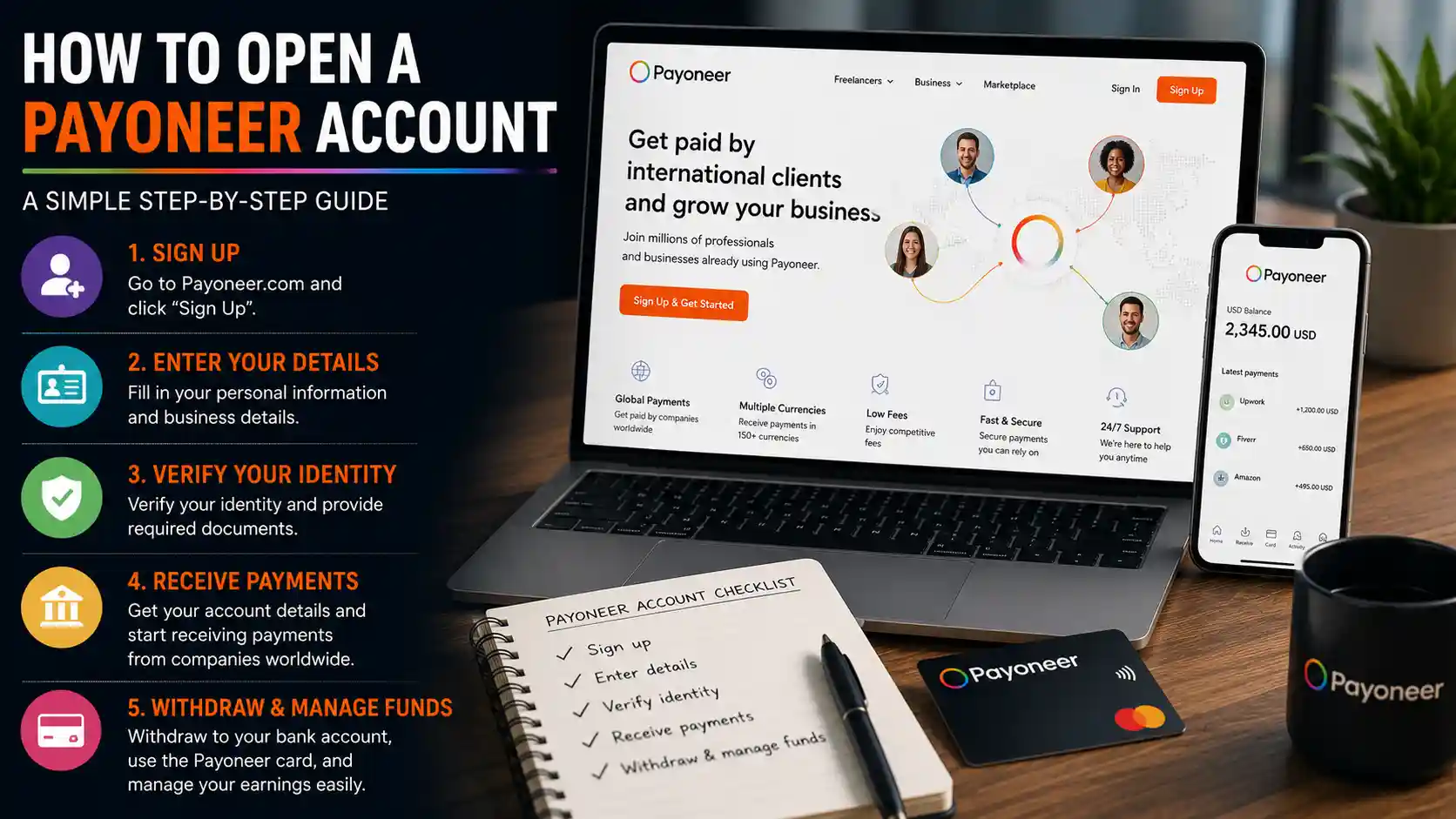
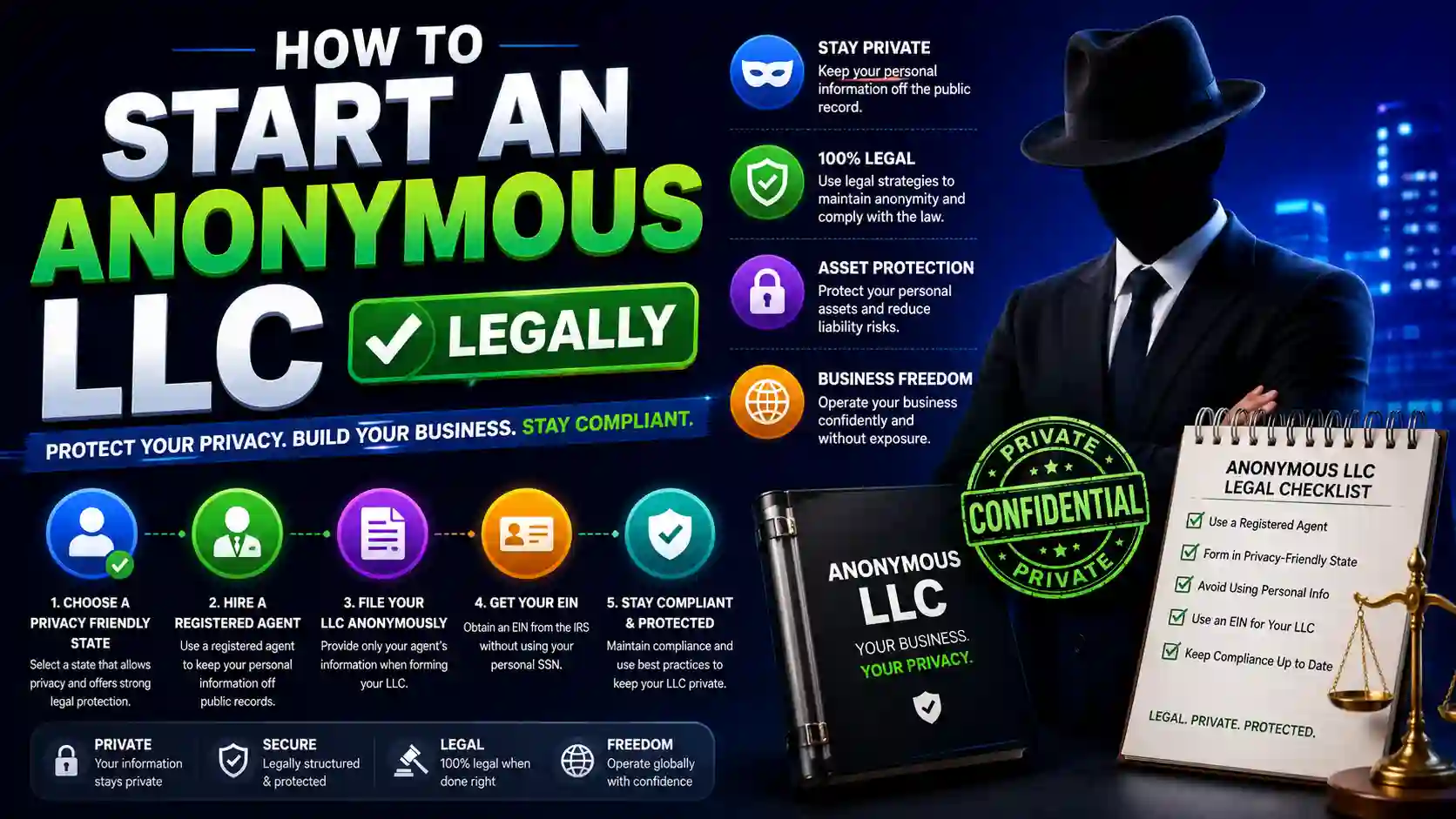
The Clean 5-Step Setup Roadmap
Form a U.S. LLC
Use Northwest or another reputable provider to register your company, appoint a registered agent, and get formation documents.
Get an EIN
Your EIN is the business tax identifier PayPal and banks may ask for. Non-US residents can obtain one even without an SSN or ITIN.
Set up banking
Choose Payoneer, Wise, or Mercury. The goal is to get business-compatible U.S. banking or receiving details for PayPal withdrawals.
Prepare phone verification
Use a stable phone number. If you use a virtual number provider, choose a private dedicated number, not a public one-time inbox.
Open PayPal Business
Apply with accurate business information, confirm email, complete onboarding, upload documents if requested, and link your bank.
Start slowly
Do not process large payments on day one. Let the account warm up with normal business activity, clear invoices, and low dispute risk.
Watch: Video Guide
Recommended watch: This video provides a helpful walkthrough of How to Create a US PayPal Account as a Non-US Resident and complements the information covered in this guide. It’s a useful resource if you prefer a visual explanation before or after reading the article.
Create a U.S. LLC as a Non-US Resident
The U.S. LLC is the foundation of this setup. It gives you a legal U.S. business entity, formation documents, a registered agent, a company name, and a path to an EIN. For many international founders, Wyoming, Delaware, and New Mexico are popular because they are familiar to online businesses, relatively simple to maintain, and commonly supported by formation services. The “best” state depends on your business model, compliance needs, privacy preferences, and annual fees.
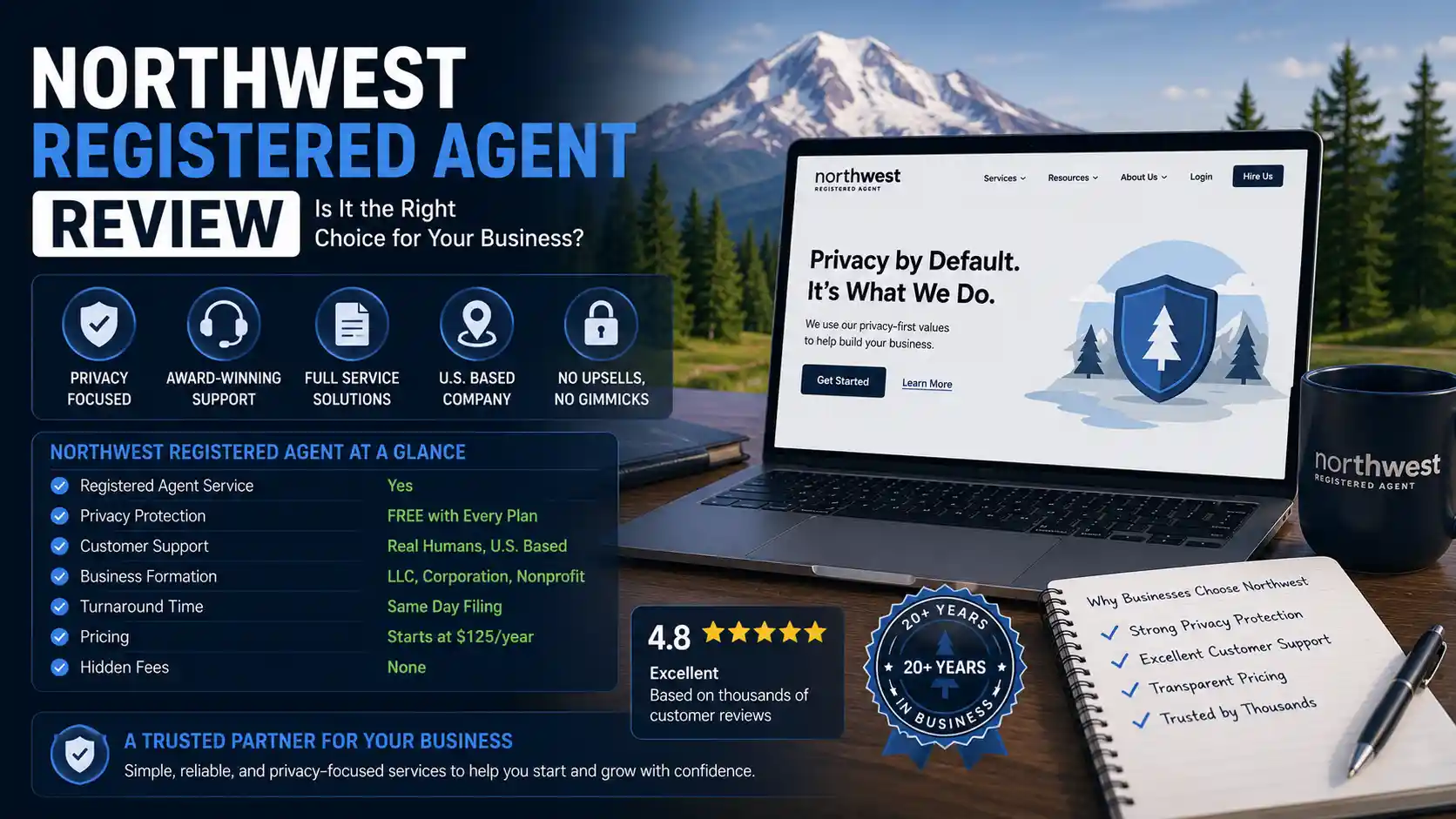
For this workflow, Northwest Registered Agent is a practical choice because the checkout is simple, the company is registered-agent focused, and it avoids some of the most aggressive upsell patterns in the formation industry. You can also read the full Northwest Registered Agent review or compare options in our guide to the best LLC formation services for non-US residents.
Start With the Business Entity First
If your goal is a U.S. PayPal Business account, form the LLC before opening PayPal. That way your company name, EIN, bank details, and documents are ready when PayPal asks.
Form Your LLC with Northwest Read the Non-US LLC GuideWhat to keep after formation
- Articles of Organization or Certificate of Formation.
- Operating Agreement.
- Registered agent details.
- Business mailing address details.
- EIN assignment letter once received.
- State filing receipt or confirmation.
- Any annual report or franchise tax deadlines for your state.
Northwest LLC Formation Flow: What Each Screen Means
These screenshots show the core formation flow. The goal is not just to click through quickly; it is to understand what each screen contributes to your PayPal-ready business profile.
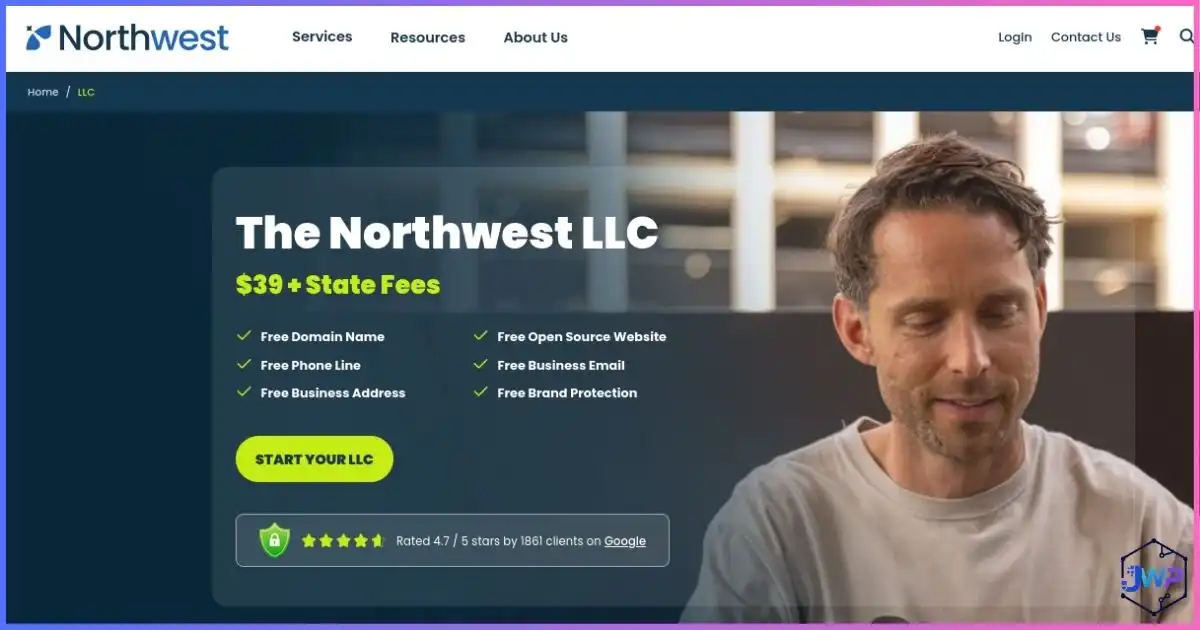
Northwest Services Homepage
This is the entry point for choosing formation rather than only registered agent service. For PayPal preparation, you want the company formation path.
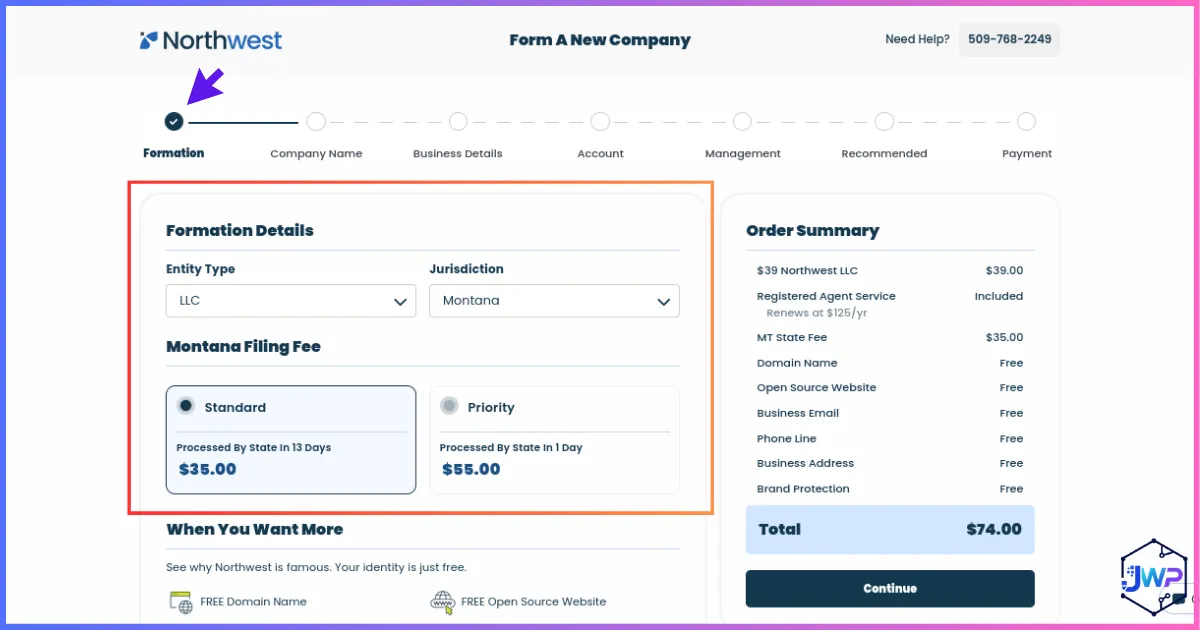
Formation Details
Select your entity type and formation state. Your state choice affects fees, annual obligations, privacy, and maintenance.
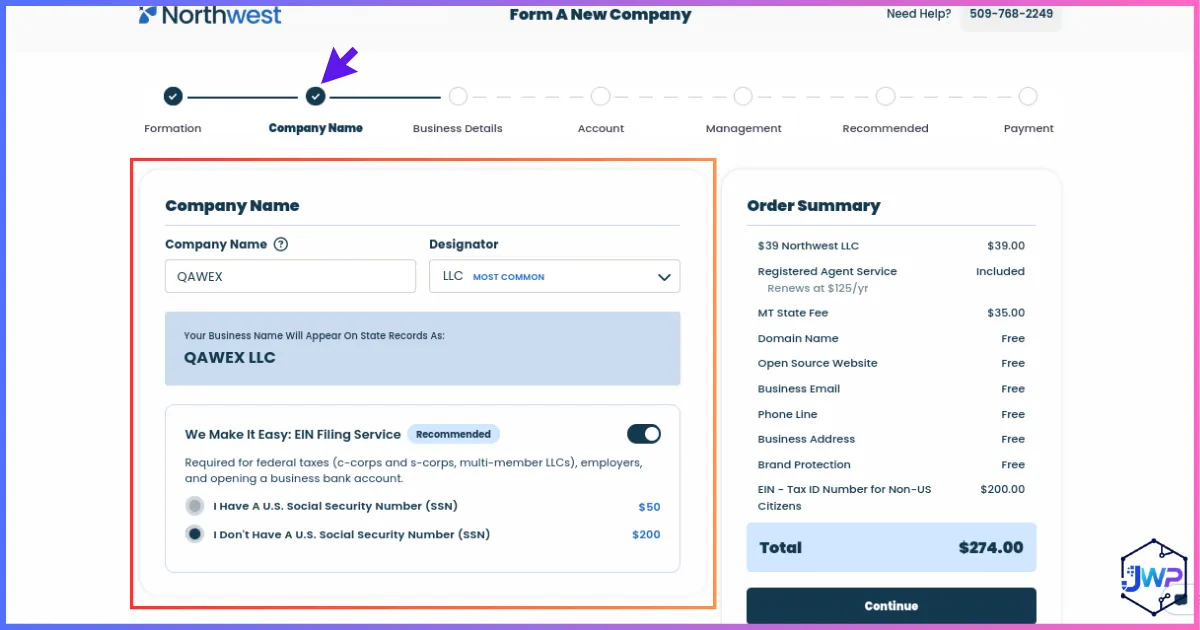
Company Name and EIN Option
Choose a company name that is brand-safe, easy to verify, and consistent with your website and bank applications. EIN help can be useful for non-US founders.
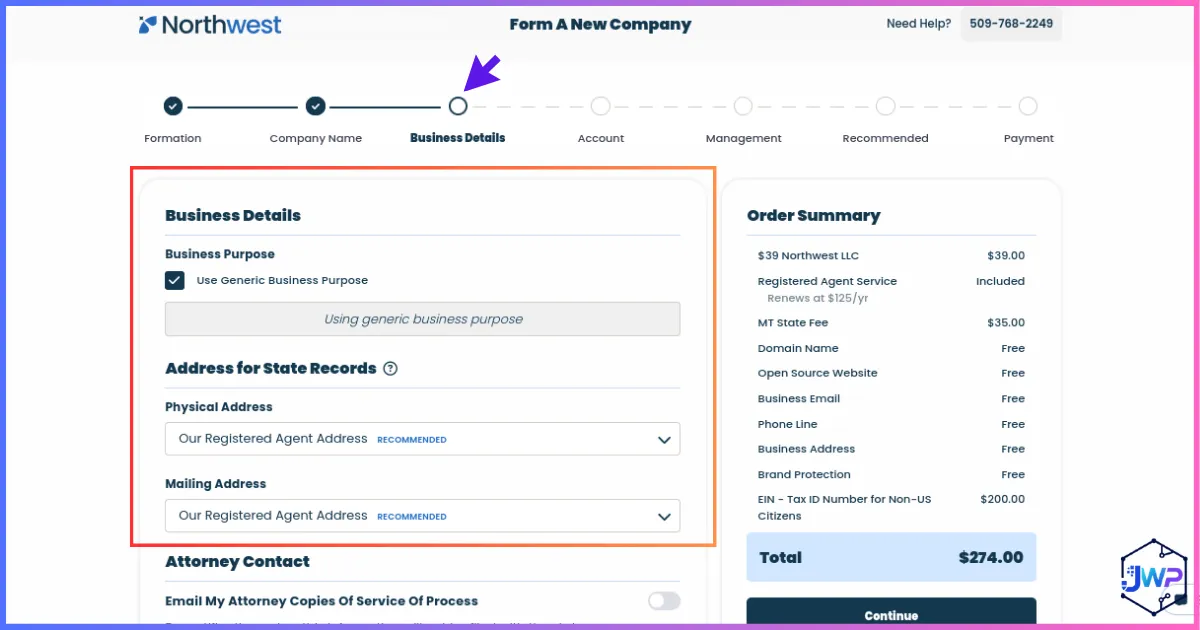
Business Details
Your business description should match what you later enter in PayPal. Avoid vague or conflicting categories.
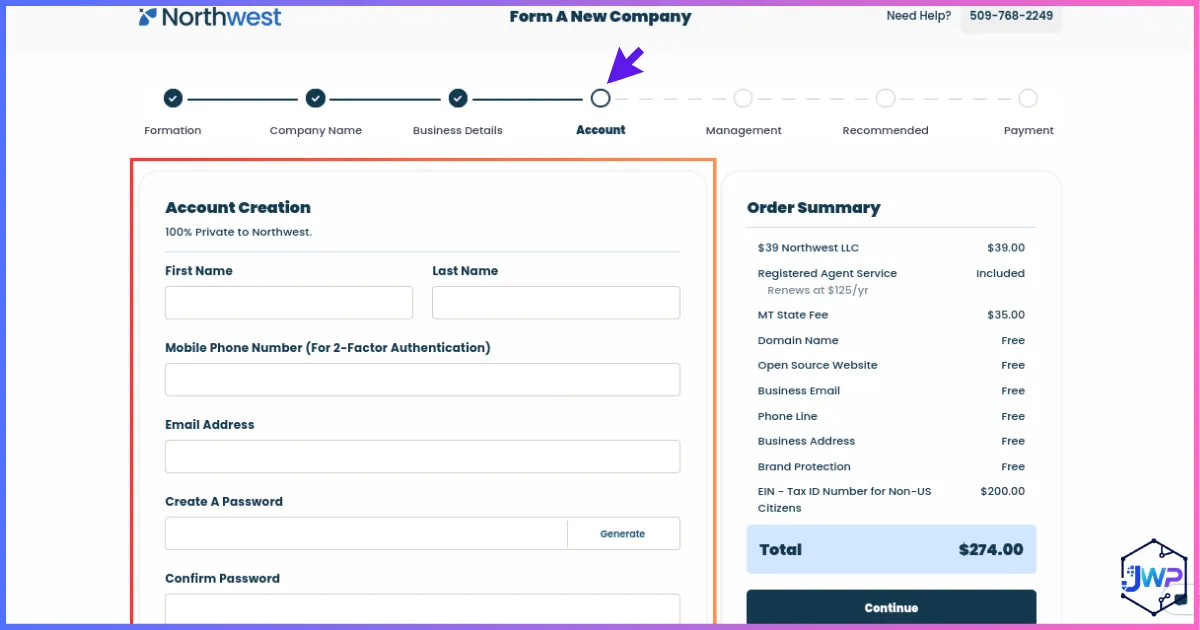
Account Creation
Create your provider login with an email you will keep. Formation documents and notices may be delivered through this account.
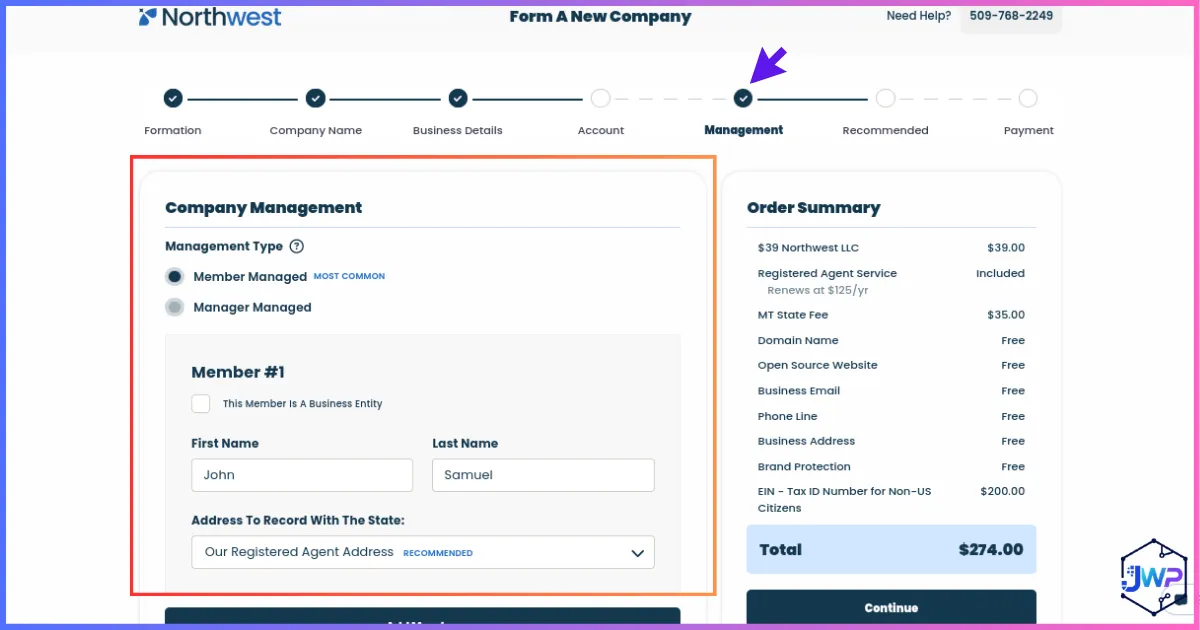
Company Management
Ownership and management details should match PayPal beneficial owner information later. Consistency matters.
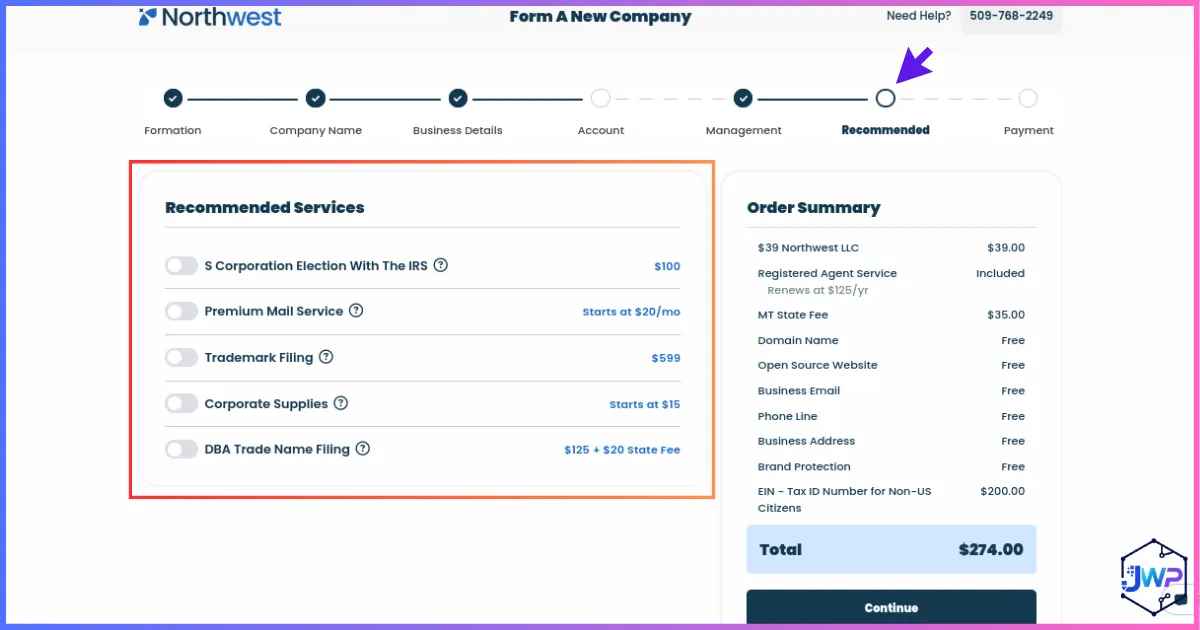
Optional Services
Review add-ons carefully. You may need EIN help, but not every optional service is required for a PayPal setup.
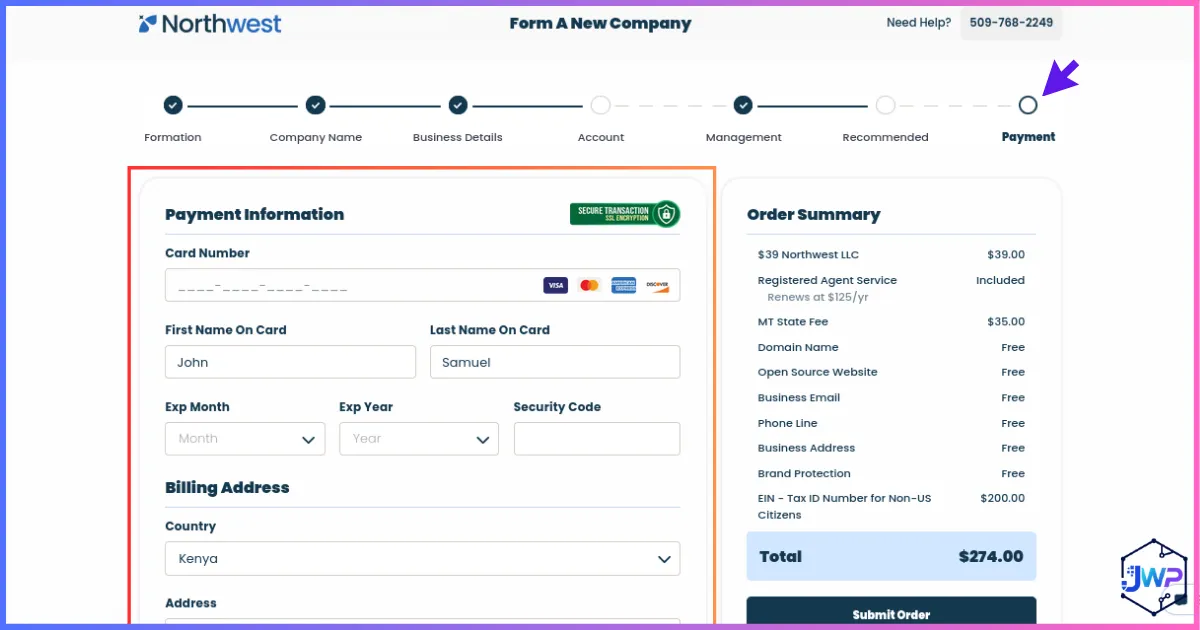
Payment Review
Before paying, check state fees, service fees, registered agent terms, and EIN options. Save the receipt for your records.
Get an EIN for Your U.S. LLC
An EIN, or Employer Identification Number, is the U.S. federal tax identifier for your business. For this setup, it is one of the most important pieces because PayPal Business, business banks, payment processors, and compliance forms may request it.
Non-US residents can obtain an EIN even if they do not have an SSN or ITIN. The IRS instructions for Form SS-4 state that applicants with no legal residence, principal place of business, or principal office in the U.S. cannot use the online EIN application and should use phone, fax, or mail. The instructions also explain that a responsible party without and ineligible for an SSN or ITIN can enter “foreign” or “N/A” where appropriate.
| Method | Typical Fit | Notes |
|---|---|---|
| Formation provider EIN service | Best for beginners who want less paperwork. | Costs extra, but can reduce confusion if you are outside the U.S. |
| IRS phone for international applicants | Useful if you can call during IRS hours. | IRS instructions list an international applicant phone option. |
| Fax Form SS-4 | Useful if you can complete forms carefully. | IRS says fax can generally return an EIN within several business days if properly completed. |
| Mail Form SS-4 | Fallback method. | Slower; use when phone/fax is impractical. |
Do not misuse your EIN. The IRS says an EIN is for business activities and should not be used as a replacement for an SSN or ITIN. For PayPal, the EIN identifies the business; your personal identity may still be verified separately.
Bank Setup: Payoneer, Wise, or Mercury?
After the LLC and EIN, you need a banking or receiving-account setup that can work with PayPal withdrawals and verification. This is where many non-US residents get stuck, because a PayPal account without a usable withdrawal method is not a complete payment system.
There is no single perfect banking option for everyone. Payoneer is strong for receiving accounts and marketplace payments. Wise is excellent for international transfers and multi-currency business operations, although USD account details may not be available in every region. Mercury is closer to a U.S. business bank account experience and supports many international founders with U.S.-registered companies, but it has eligibility rules, country restrictions, business-type restrictions, and address requirements.
For deeper setup help, use the full internal guides: how to open a Payoneer account and how to open a Wise account.
| Option | Best For | Strengths | Watch Outs | CTA |
|---|---|---|---|---|
| Payoneer | Freelancers, agencies, marketplaces, global sellers. | Local receiving accounts, USD/EUR/GBP style payment details, strong global payout ecosystem. | Receiving-account guidelines matter; some payment providers may reject some account details. | Open Payoneer |
| Wise | International founders who need multi-currency transfers and transparent FX. | Business account details in supported regions, strong international transfer experience. | USD details are not available in all regions; verify eligibility before relying on it. | Open Wise |
| Mercury | U.S. LLCs with planned U.S. operations and founders in supported countries. | U.S.-company-focused banking experience for startups and online businesses. | Requires U.S.-registered company, business review, supported country, and an acceptable principal address. | Apply directly with Mercury if eligible. |
Recommended Banking Stack for Beginners
Start with one reliable receiving/banking option first. Payoneer is usually beginner-friendly for international online business payments, while Wise is excellent for multi-currency operations when account details are available in your region.
Open Payoneer Open WisePhone Number and SMS Verification: What to Use and What to Avoid
PayPal may use phone numbers for account security, two-factor authentication, risk checks, and verification prompts. The important principle is control: use a number or communication method that belongs to your business setup, stays available long term, and can receive future security messages if PayPal asks you to confirm activity.
A temporary or virtual number is only one possible option. Some founders prefer a registered agent communication add-on, some use a personal phone number, and others choose a private virtual number service. None of these choices is automatically right or wrong. The best option depends on your budget, privacy preferences, branding needs, and how much separation you want between personal and business communications.
| Option | Advantages | Disadvantages | Best Practice |
|---|---|---|---|
| Registered agent phone or communication service | Can provide a stable, business-oriented contact channel and keep business communications inside a professional service workflow. | Usually costs extra, may not be available from every registered agent, and may have limits on call forwarding, SMS, support hours, or verification use. | Confirm exactly what the add-on includes before relying on it for PayPal or banking security messages. |
| Personal phone number | Often the simplest and most cost-effective option because you already control it and can receive security prompts quickly. | Some owners prefer not to expose a personal number for privacy, branding, or business organization reasons. | There is nothing inherently wrong with using a personal number if it is accurate, active, and under your control. |
| Private temporary or virtual phone number service | Can create separation between personal and business communications and may be convenient for remote founders. | Requires ongoing subscription costs, and you can lose access to account recovery codes if the subscription expires or the provider recycles the number. | Choose a reputable provider with long-term number retention. If you use this route, keep the subscription active, ideally yearly, so the number remains under your control. |
The Receive-SMS option can be useful for low-stakes online verification, testing, or privacy workflows. Use discount code JOSHWP where applicable. For financial accounts, avoid public shared SMS inboxes. If you use any virtual number provider, choose a private dedicated number you control and can keep for the long term.
PayPal safety rule: Do not use someone else’s number, a public inbox, or a number you cannot access long term. If PayPal sends a security challenge later and you cannot receive it, your account can become difficult to recover.
Considering a Private Verification Number?
Use virtual numbers carefully. They are best for privacy, organization, and business separation, not for hiding ownership or bypassing financial-platform checks. Keep the number active for as long as it is connected to important business accounts.
Try Receive-SMS Discount code: JOSHWPVPN Usage: Optional Privacy Tool, Not a Legal Requirement
Using a VPN is entirely optional. It is not a legal requirement for forming, managing, or operating a U.S. LLC or LLP, and it is not a substitute for accurate business records, truthful owner information, or compliance with PayPal, banking, tax, and state requirements.
A reputable VPN can provide a more consistent browsing experience when you access business services from different locations. It can also add privacy by encrypting your internet traffic, especially on hotel, airport, cafe, or other public Wi-Fi networks. Many legitimate businesses use VPNs for security and operational consistency.
That said, a VPN should not be used to disguise identity, evade laws, bypass platform rules, or make a business appear different from what it really is. Many business owners successfully operate U.S. LLCs and LLPs without using a VPN at all. The priority is to keep the company lawful, documentable, and consistent.
| Choice | Pros | Cons | Compliance Reminder |
|---|---|---|---|
| Use a reputable VPN | Can improve privacy on public networks, encrypt traffic, and create a more consistent connection pattern when you travel or work remotely. | Adds subscription cost, can trigger extra security checks if locations change suddenly, and may cause problems if used in a way that conflicts with platform policies. | Use it for security and consistency only. Do not use it to misrepresent your identity, business location, ownership, or activity. |
| Do not use a VPN | Simpler setup, no monthly cost, fewer VPN-related login flags, and often perfectly adequate when using secure private internet. | Less protection on public Wi-Fi and less consistency if you regularly access accounts from many networks or countries. | Still use strong passwords, two-factor authentication, secure devices, and accurate account information. |
Compliance-first mindset: The goal is not to hide anything. The goal is to conduct business lawfully, maintain accurate LLC or LLP records, comply with applicable regulations, and avoid practices that could create account reviews or jeopardize the company’s standing.
Want an Optional VPN for Secure Connections?
If you choose to use one, pick a reputable provider and use it as a normal privacy and security tool, not as a way to avoid legal, tax, banking, or platform obligations.
Get NordVPNHow to Create the PayPal Business Account
Once your LLC, EIN, banking details, phone number, and documents are ready, you can start the PayPal Business signup. The exact screens may change, but the logic is usually similar: create login, confirm email, describe what you sell, choose where and how you sell, enter business/tax details, verify identity, then link a bank account.
1. Go to PayPal Business signup
Choose a Business account, not a Personal account. A non-US resident using a U.S. LLC should keep the profile business-focused.
2. Use the business email
Use a professional email connected to your domain where possible. Confirm the email immediately.
3. Enter accurate business details
Use your LLC legal name, EIN, business category, website, and contact details consistently.
4. Choose what you sell
Be specific and honest. Digital services, ecommerce products, subscriptions, consulting, and software have different risk profiles.
5. Enter owner information
PayPal can request beneficial owner details for anyone owning 25% or more and an individual with control.
6. Upload documents if requested
Use full, unexpired, readable documents. Names and business information should match your PayPal profile.
7. Link bank details
Use a compatible business bank or receiving account. PayPal may verify manually with small deposits.
8. Start with clean transactions
Invoice clearly, ship or deliver promptly, avoid sudden large spikes, and keep refund/dispute rates low.
PayPal Business Account Setup Screens Explained
The screenshots below show the PayPal setup sequence and what each screen is really asking for. The goal is to keep every answer consistent with your LLC documents, bank account, product/service, and identity documents.
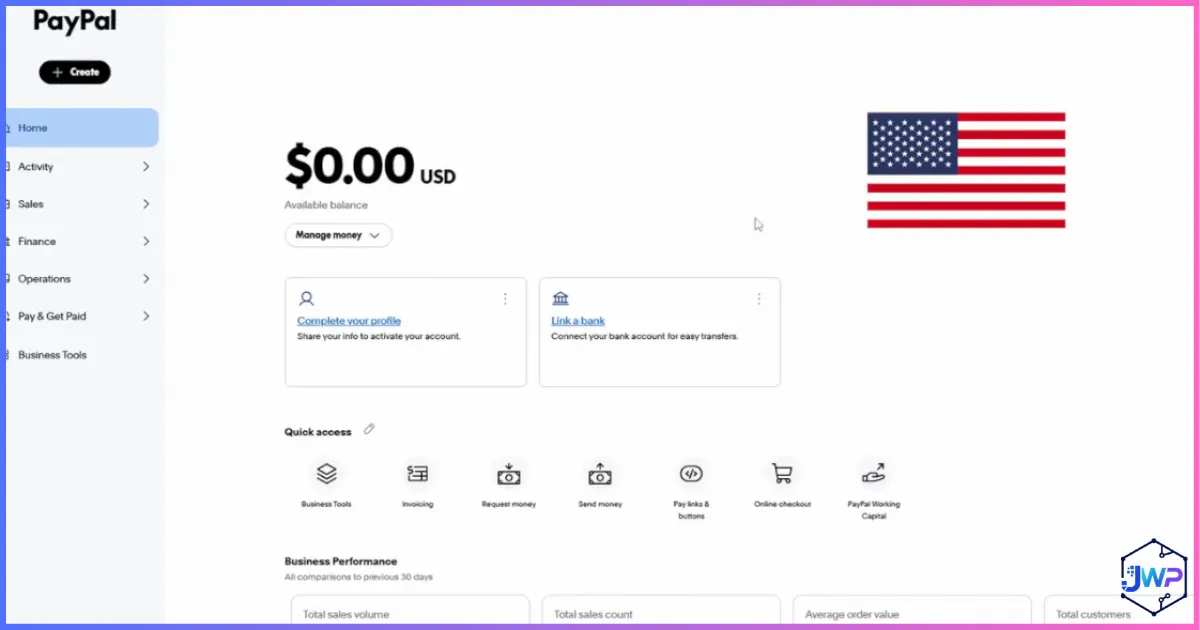
Business Dashboard
Once approved, this is where your account activity, setup tasks, tools, and alerts appear. Check notifications often during the first few weeks.
Connection and Location Consistency
Use secure internet and avoid suspicious login patterns. A VPN is optional and should be used for privacy or connection consistency, not to misrepresent your identity or business activity.
Want an Optional VPN?
Use a reputable VPN as a normal security tool if it fits your workflow. Many business owners skip it and operate successfully with secure private internet.
Get NordVPN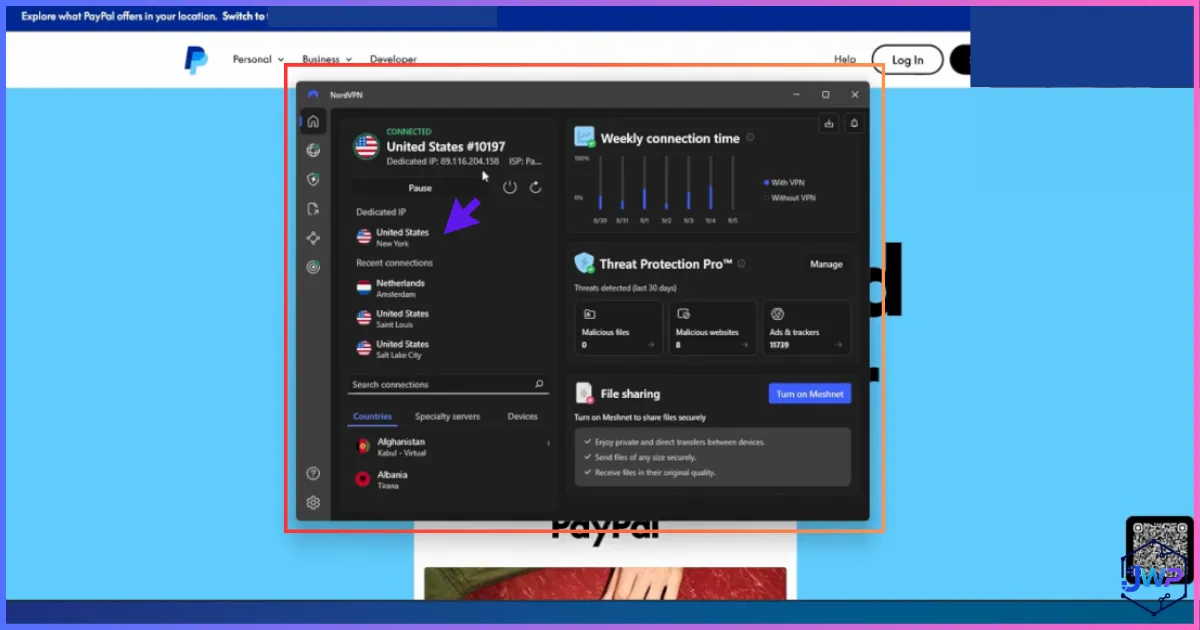
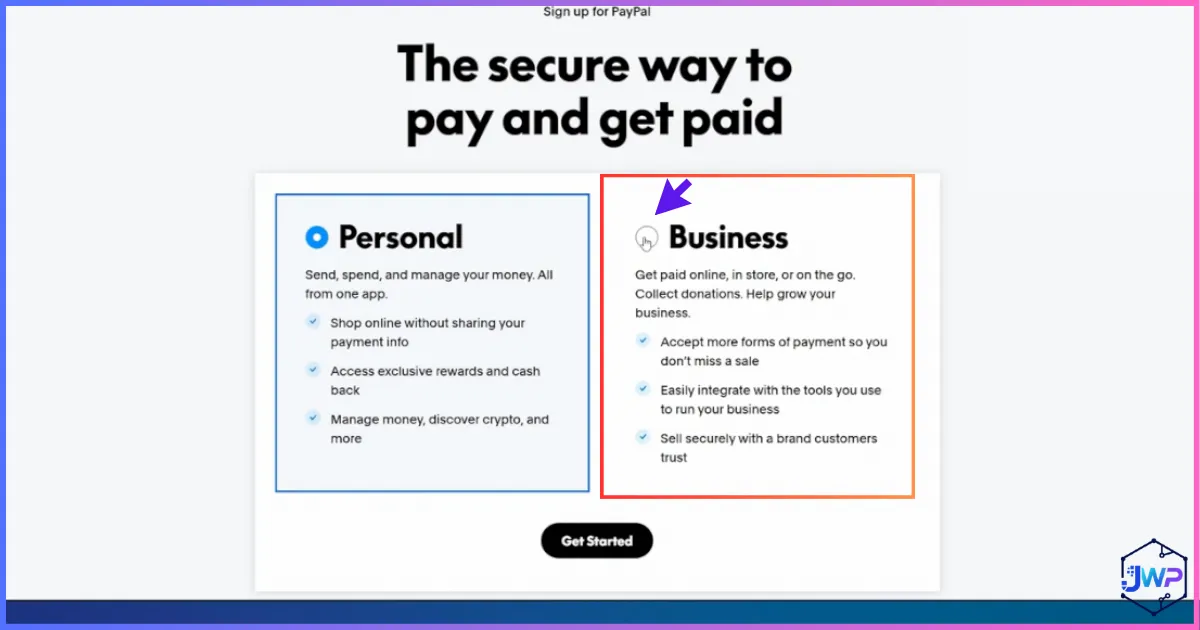
Signup Start
Begin with the Business signup flow. Do not create a personal account and then use it heavily for commercial activity.
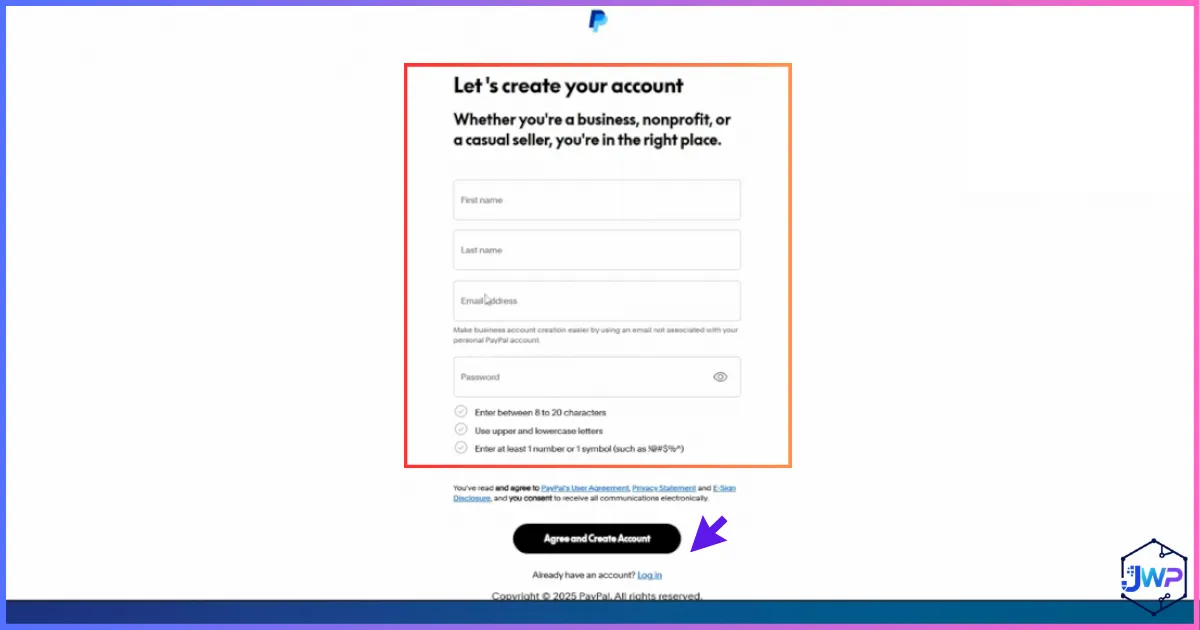
Account Login Details
Use a permanent email, strong password, and consistent business contact information.
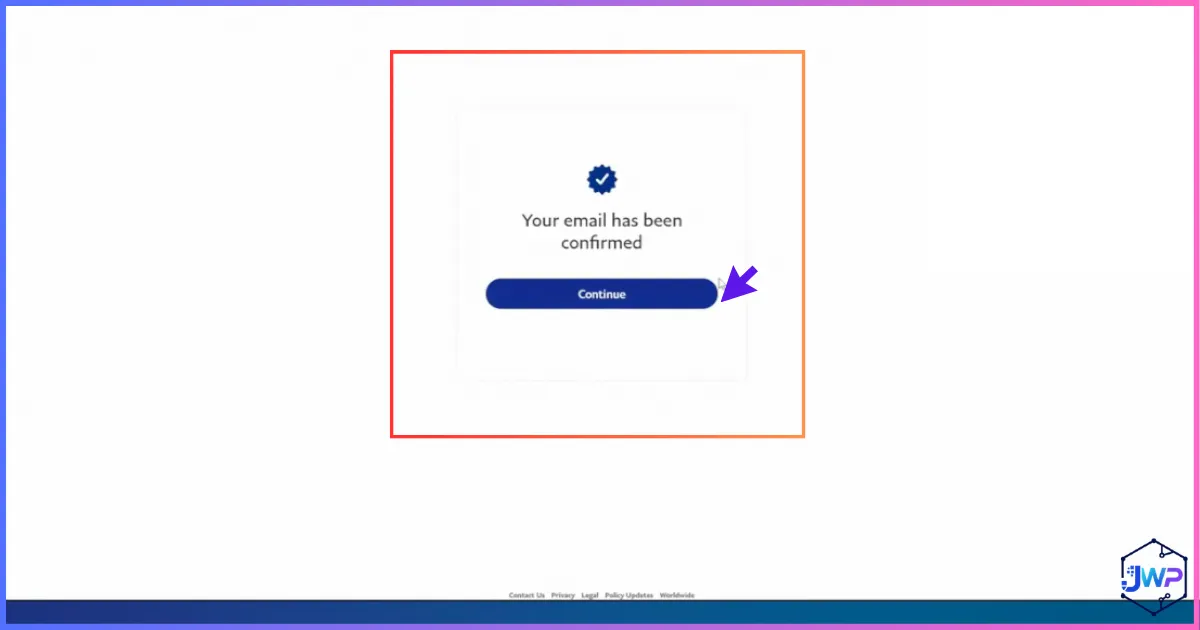
Email Confirmation
Confirm the email immediately. PayPal lists email confirmation as one of the basic activation steps for business accounts.
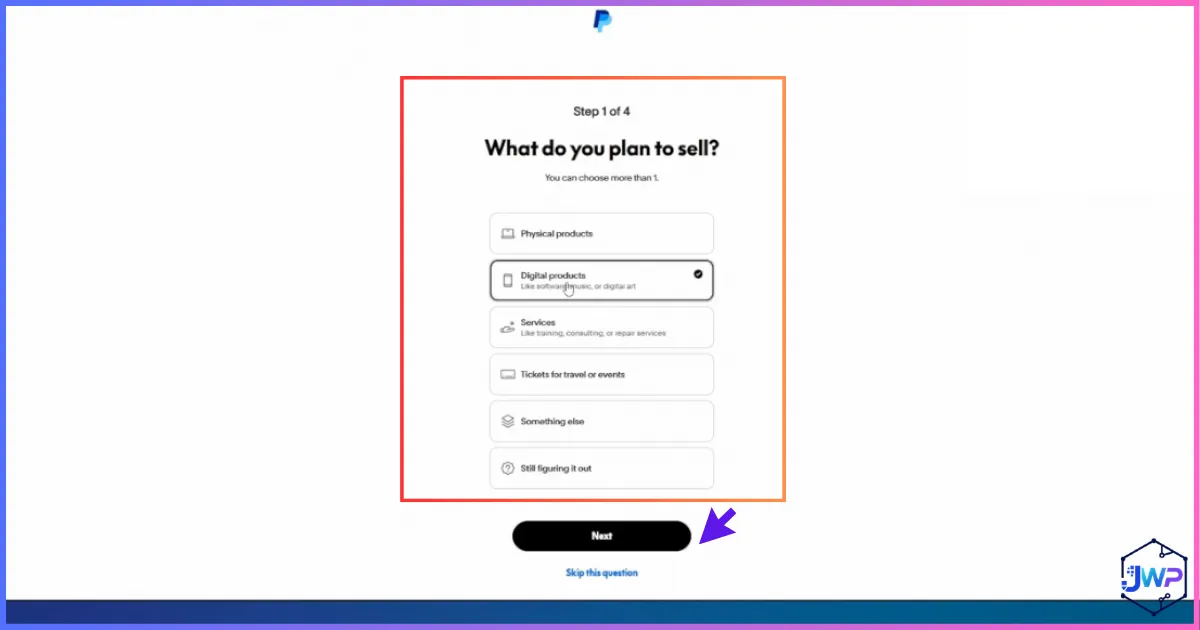
What You Sell
Choose the category that matches your actual business. Payment processors use this for risk and compliance review.
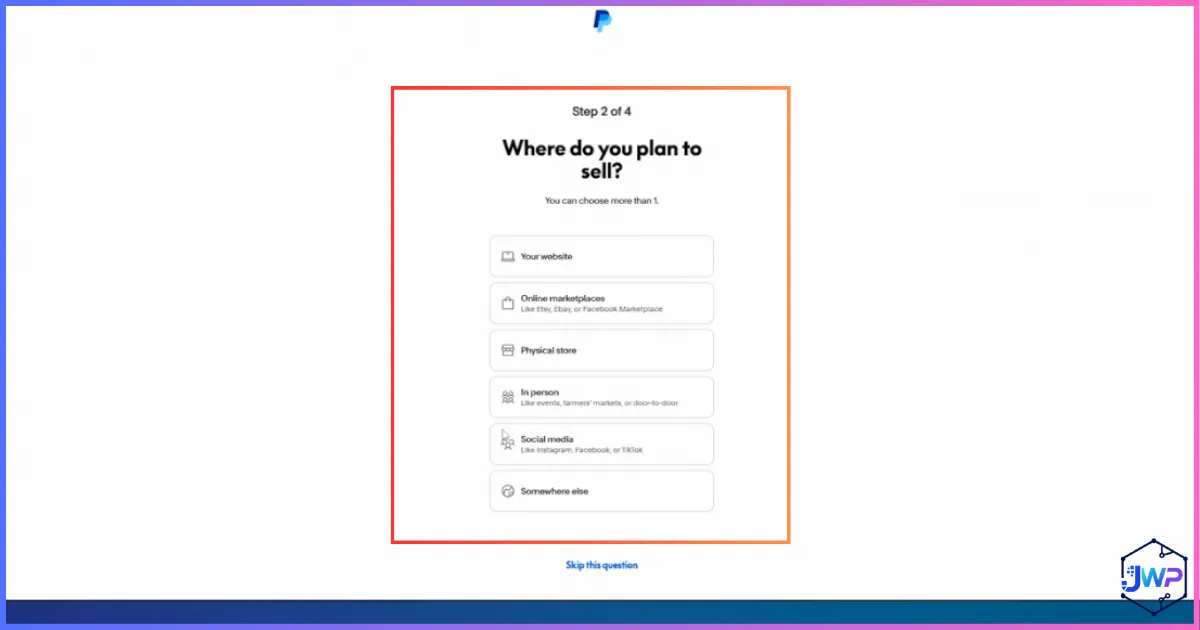
Where You Sell
Tell PayPal whether you sell through a website, marketplace, social channels, invoices, or in person. Match your real sales model.
How You Accept Payments
Select the payment methods you genuinely plan to use. Do not enable tools you do not understand yet.
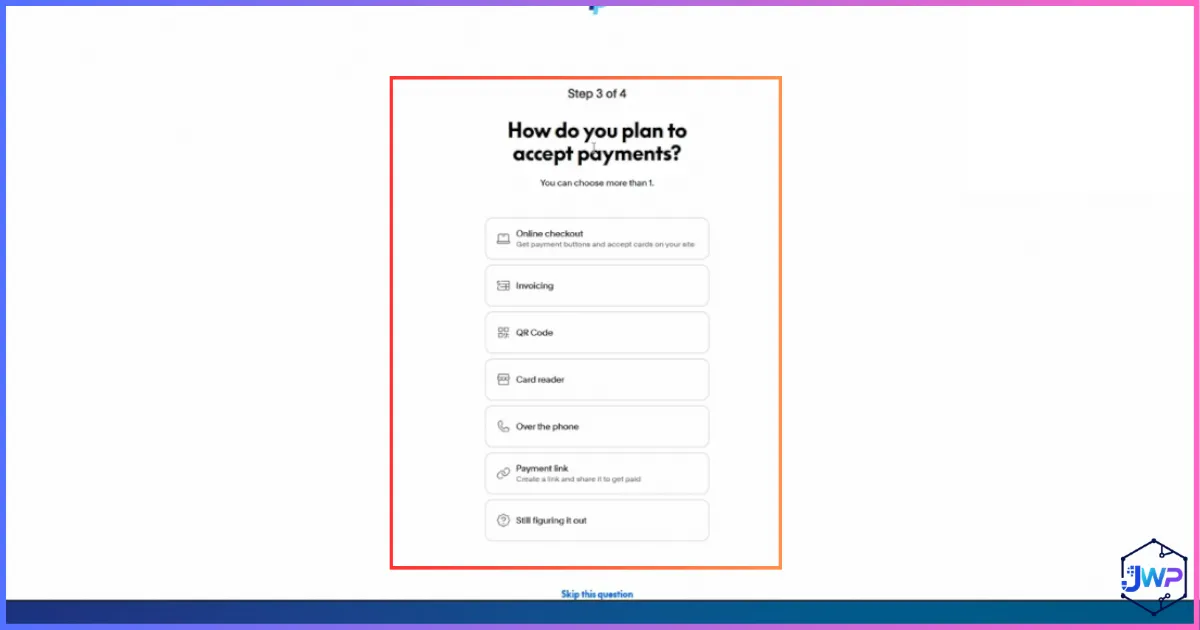
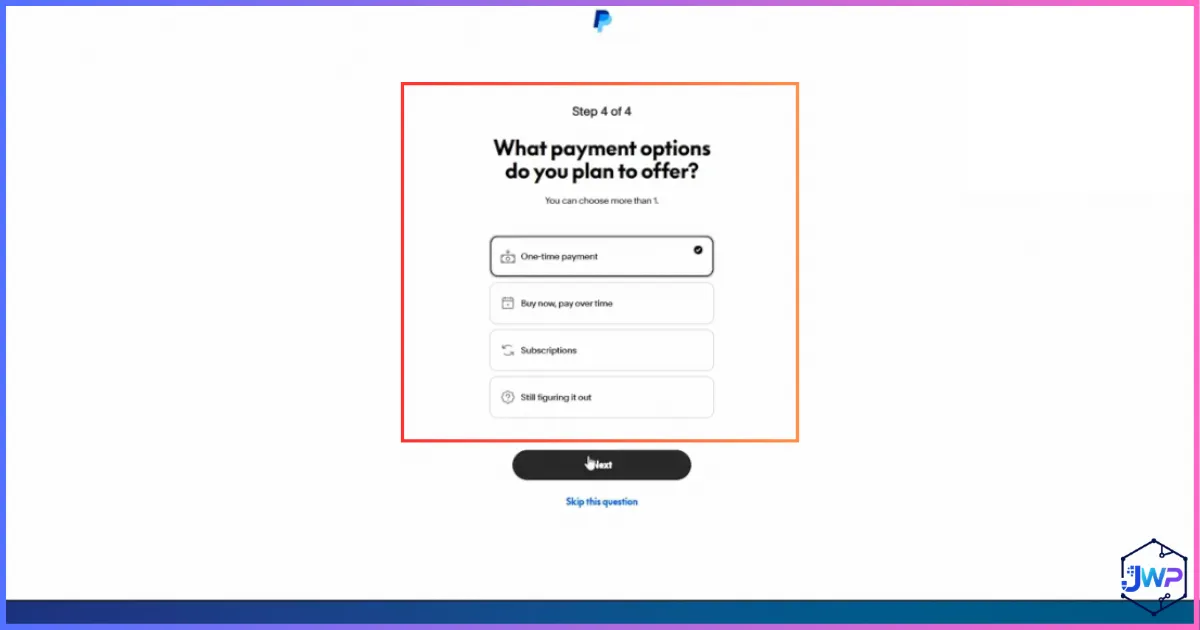
Payment Options
Choose PayPal checkout, invoices, card payments, or links based on your customer flow.
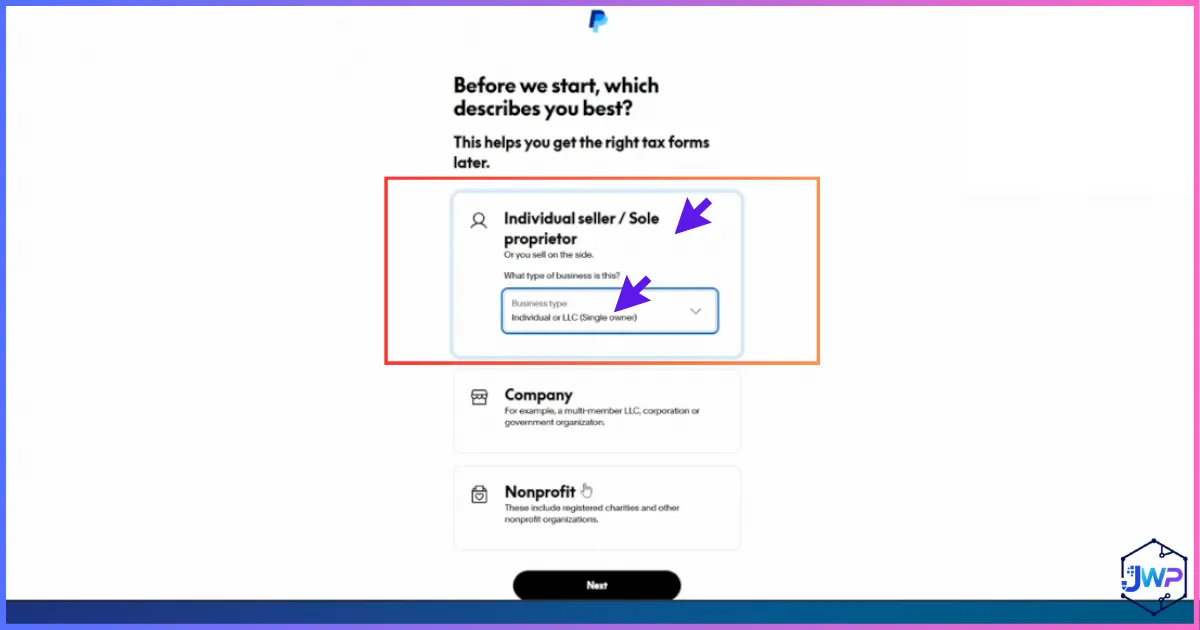
Tax and Business Type
Use the correct legal structure. If you formed an LLC, make sure the tax/business type aligns with your documents and accountant’s advice.
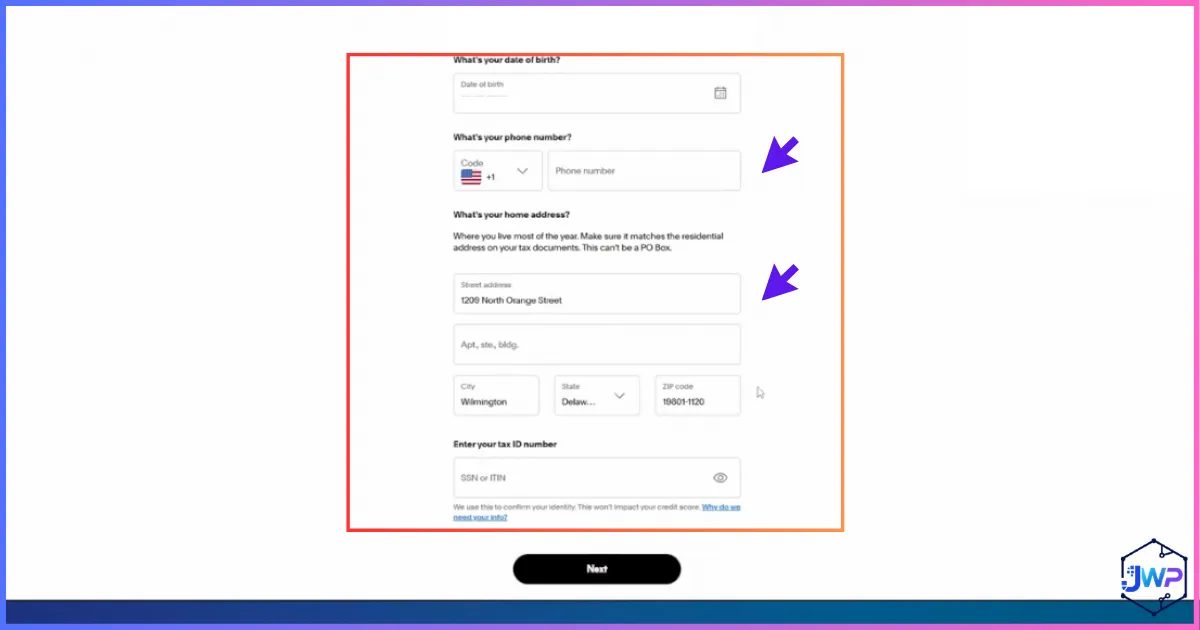
Phone and Address
Enter a phone number you control and an address strategy you can document. Do not use a random address.
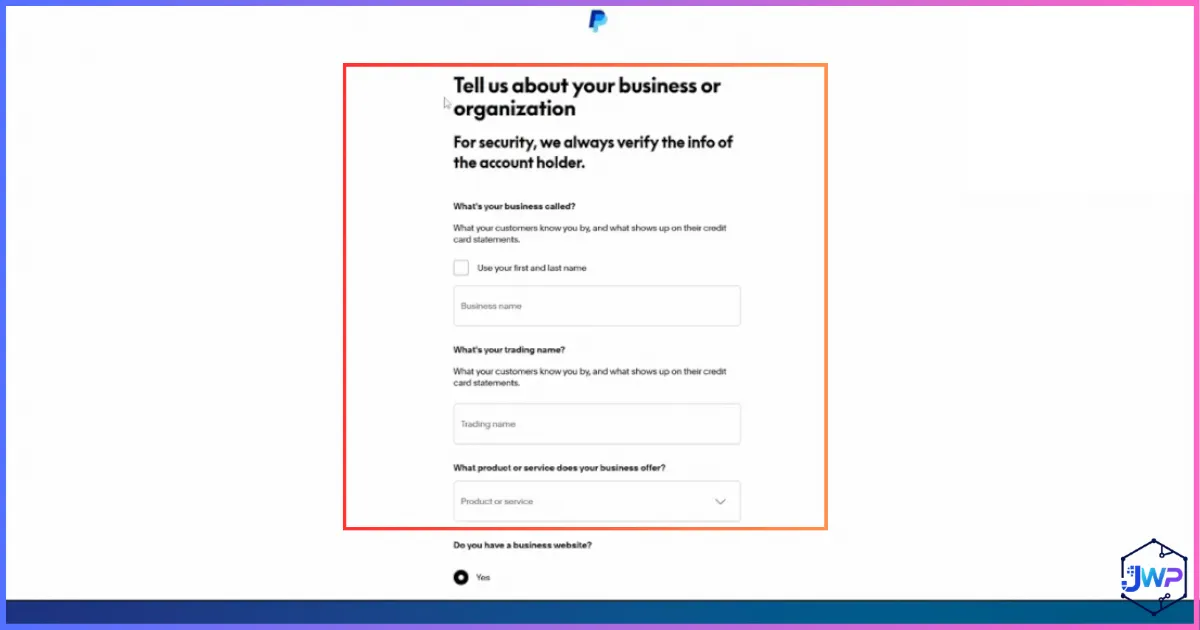
Business Information
Enter legal name, EIN, business description, and website consistently. This is where weak setups often break.
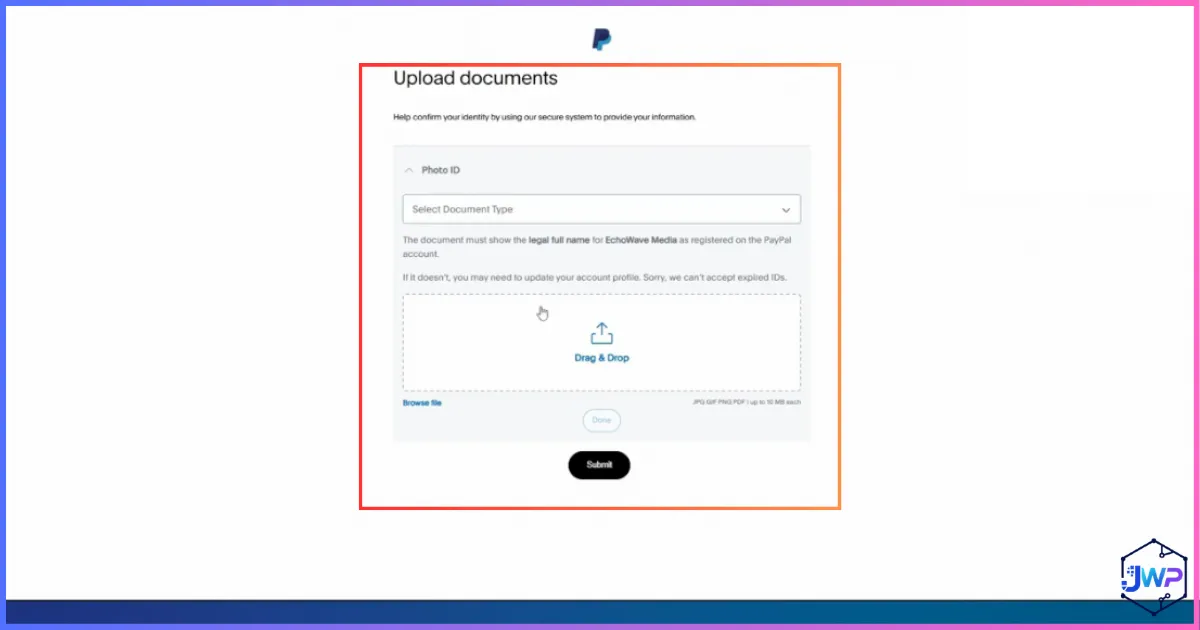
Document Upload
If PayPal requests documents, upload clear files. Partial, expired, obscured, or mismatched documents are more likely to fail.
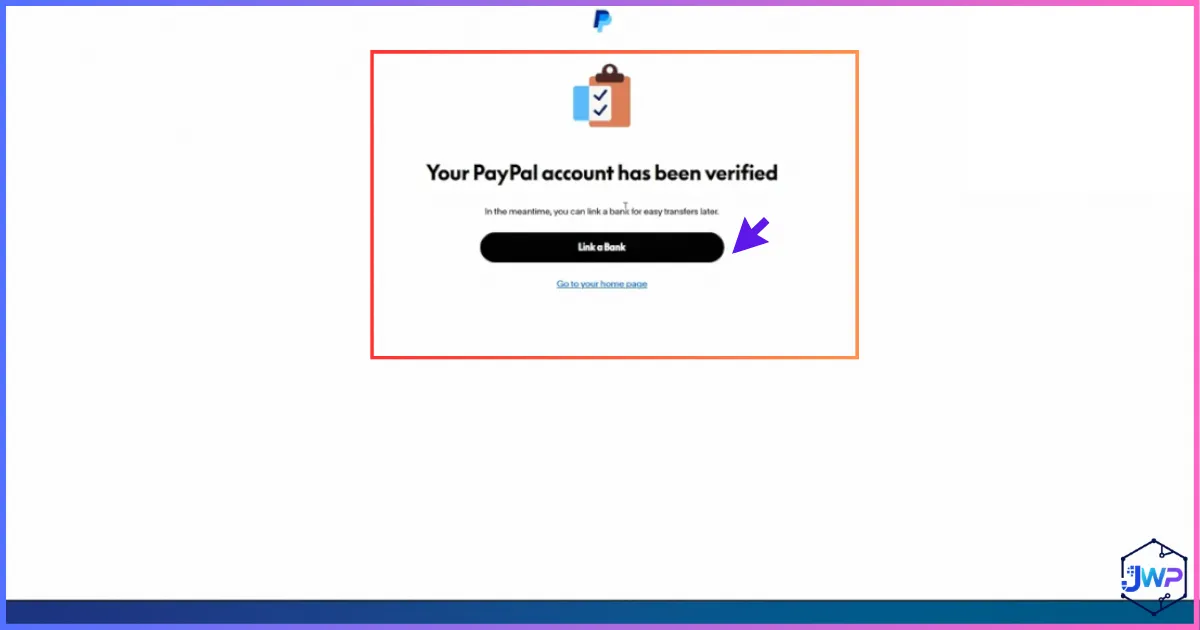
Verified Notification
Verification approval is not the end of risk management. Keep the account activity consistent and maintain clean records.
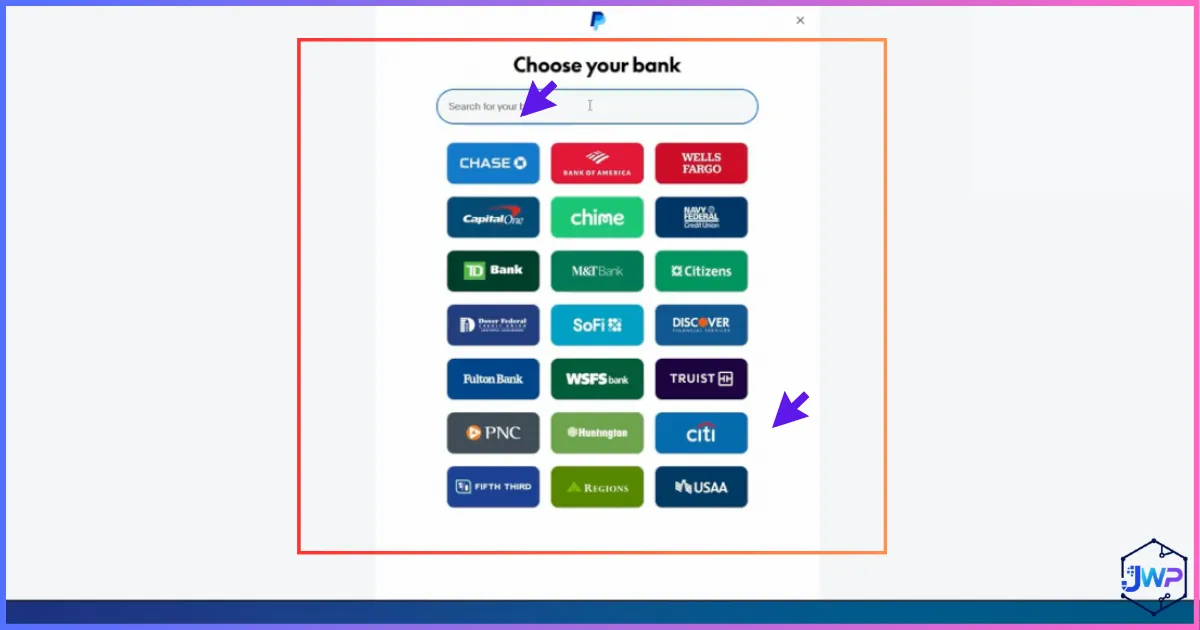
Link a Bank Account
Linking a bank account is essential for withdrawals and account confirmation. Use a business-compatible account if possible.
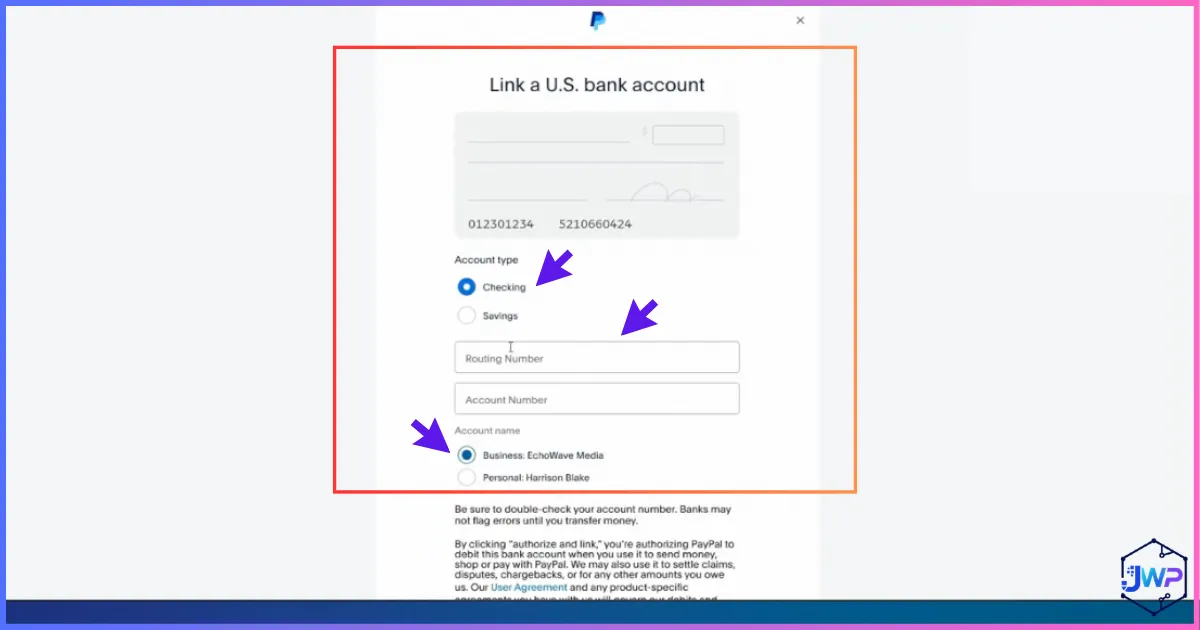
Manual Bank Details
If instant linking is not available, PayPal may allow manual routing/account details and confirm with small deposits.
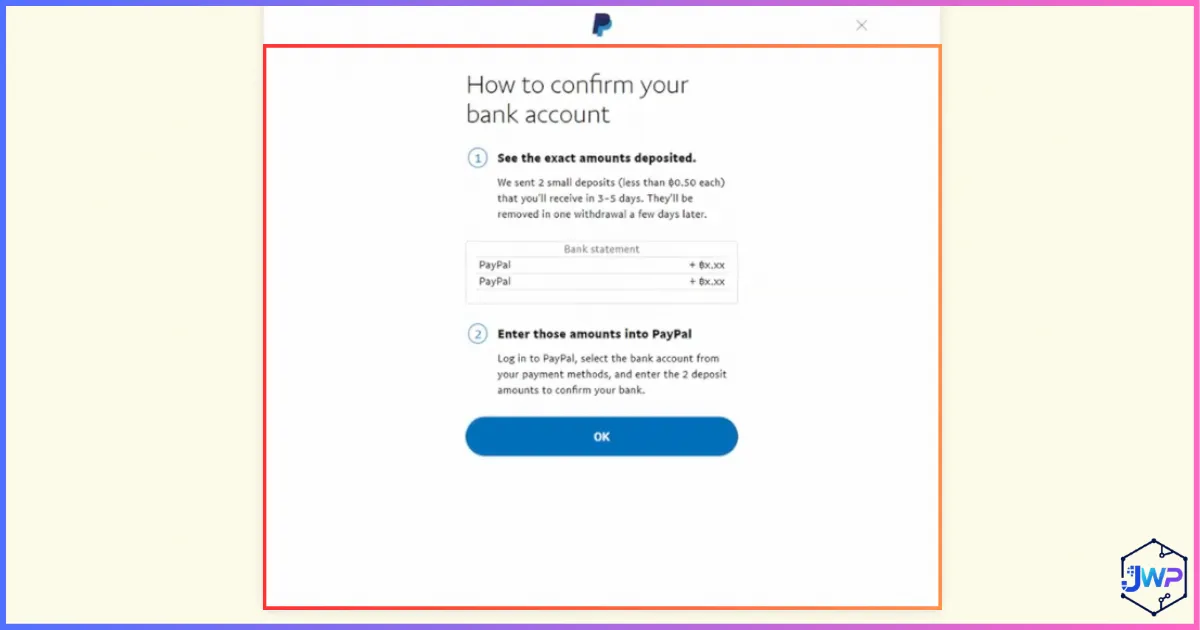
Small Deposit Verification
PayPal says manual bank confirmation can involve two small deposits within three business days. Enter the exact amounts when they arrive.
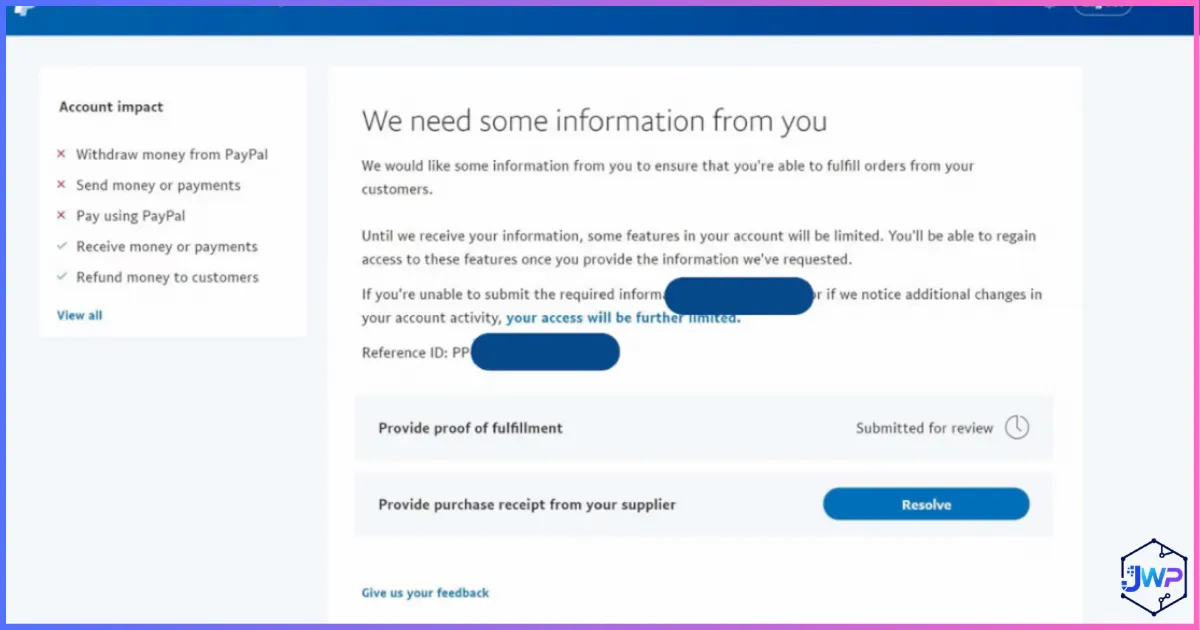
Additional Information Requests
PayPal may request more information after signup. Respond through the Resolution Center or notifications, not through suspicious email links.
Documents PayPal May Request
PayPal may approve the account quickly, or it may ask for additional documents. This is normal for payment processors, especially when a business is new, foreign-owned, or starts receiving commercial payments.
| Document Type | Examples | Matching Rule |
|---|---|---|
| Proof of identity | Passport, national ID, driver’s license, other government-issued photo ID. | Name and date of birth should match the beneficial owner/controller details. |
| Proof of address | Utility bill, bank statement, government document, or accepted proof issued within the required period. | Use your real residence if asked for owner address; do not invent one. |
| Business entity proof | Articles of Organization, Certificate of Formation, state filing confirmation. | Business name must match PayPal exactly. |
| Proof of EIN/TIN | IRS EIN letter, CP 575, government-issued EIN/TIN document, qualifying bank/credit statement with truncated EIN. | Business name and EIN should match the LLC. |
| Beneficial owner information | Name, address, date of birth, passport or similar information for foreign persons. | Required for natural persons who own/control the entity. |
| Business activity proof | Website, invoices, supplier records, marketplace profile, product page. | Should match the category and transaction behavior in PayPal. |
Verification tip: Upload complete documents. PayPal’s document guidance warns against expired, partial, obscured, self-prepared, or mismatched documents for certain checks.
How to Link and Confirm a Bank Account in PayPal
PayPal’s help materials explain two common ways to link a bank account: instant bank login through a third-party provider, or manual bank linking with account details. If you use the manual route, PayPal may send two small deposits to the bank account, usually within three business days, and ask you to enter the exact amounts back in PayPal.
- Go to Wallet inside PayPal.
- Choose Link a card or bank.
- Select Link a bank account.
- Search for your bank or choose the manual option if available.
- Enter routing and account details carefully.
- Wait for micro-deposits if manual verification is used.
- Return to PayPal and enter the two exact amounts.
Bank-name consistency matters. If your PayPal account is for an LLC, the cleanest setup is a business bank account or business receiving account connected to the same business. Personal accounts, mismatched names, or unsupported receiving details can cause failures.
What to Do After PayPal Approves the Account
Getting into the dashboard is not the finish line. The first 30 to 90 days are when your PayPal Business account is easiest to disturb, because there is little payment history, little dispute history, and limited evidence that your business activity is normal. Treat the account like a new merchant account, not like an old bank account with years of trust built in.
Start by completing every setup task PayPal shows in the dashboard. Confirm your email, add your bank, complete identity prompts, enable two-factor authentication, add a customer service email, and review your business profile. Then connect PayPal to your store, invoice workflow, checkout page, or payment link only after the profile is complete. A half-finished account that suddenly receives customer payments is more likely to trigger manual review.
The 30-day account warmup plan
| Timeframe | What to Do | Why It Matters |
|---|---|---|
| Day 1 | Confirm email, add phone security, link bank, review business profile, save backup codes. | Completes basic account trust signals before payments start. |
| Days 2-7 | Upload requested documents quickly, connect your website or invoice system, test small internal workflows. | Reduces the chance of unresolved verification prompts blocking withdrawals later. |
| Week 2 | Send clear invoices or checkout links for normal-sized transactions only. | New accounts with immediate high-value activity can look risky. |
| Week 3 | Withdraw modest amounts to the linked bank once available and confirm settlement behavior. | Checks whether the bank link works before you depend on it for larger balances. |
| Week 4 | Review disputes, refund policy, customer support email, shipping/delivery proof, and recurring billing settings. | Good seller operations reduce limitations, holds, claims, and chargebacks. |
If you sell services, use invoices with specific descriptions. “Website redesign milestone 1” is better than “payment.” If you sell digital products, keep logs that show delivery. If you sell physical products, keep tracking numbers and supplier records. PayPal may not ask for these immediately, but if a dispute or limitation happens, organized records make the review much easier.
Operational habit: Keep a folder with your LLC documents, EIN letter, PayPal screenshots, invoices, customer contracts, refund policy, website pages, and bank statements. A payment account is much easier to defend when your records are already organized.
Tax, Country, and Compliance Notes for Non-US Residents
A U.S. PayPal Business account is only one part of the bigger setup. You also need to understand tax reporting, country availability, business activity rules, and your own local obligations. This article is not tax advice, but it is important to know the pressure points before you start receiving payments.
For many single-member LLCs owned by non-US persons, the U.S. tax treatment can be more complex than beginners expect. A foreign-owned disregarded entity may have information-reporting obligations, including Form 5472 with a pro forma Form 1120 in certain cases. The IRS instructions for Form SS-4 specifically mention foreign-owned disregarded entities in the context of information returns. If you are forming the LLC mainly for payment access, do not ignore tax filings just because the LLC has no U.S. employees or physical office.
You also need to keep PayPal’s country logic in mind. PayPal says account rules differ by country and that you cannot simply change an account address to another country after opening. If you move, operate from several countries, or maintain residences in more than one place, do not casually update information without understanding how PayPal treats account country, business address, and residency. The cleanest setup is to use the U.S. LLC for the U.S. business account and keep owner information truthful.
| Area | Why It Matters | Who Can Help |
|---|---|---|
| U.S. federal tax reporting | Foreign-owned LLCs may have information filing requirements even when tax owed is low or zero. | CPA or tax professional familiar with foreign-owned U.S. LLCs. |
| State annual obligations | Wyoming, Delaware, New Mexico, and other states have different annual reports, fees, and franchise taxes. | Formation provider, registered agent, or state filing specialist. |
| Local country tax | Your home country may tax worldwide income or require reporting of foreign companies/accounts. | Local accountant or tax attorney. |
| Beneficial ownership | Payment processors and banks collect ownership/control information under financial crime rules. | Bank compliance team, attorney, or accountant. |
| Restricted products | PayPal prohibits or restricts many categories, including regulated goods and high-risk services. | PayPal policy pages, legal counsel, or payment-risk consultant. |
Do not skip compliance because the company is remote. A U.S. LLC owned from abroad can still create U.S. filing obligations, state obligations, banking reviews, and local-country reporting duties. Build the payment system and the compliance system together.
PayPal Business Fees: What to Expect
PayPal says there is no fee to open a Business account and no monthly maintenance fee for the basic account. You usually pay when you receive commercial payments, process cards, use certain optional tools, convert currency, or face disputes/chargebacks.
| Payment Type | Published U.S. Fee Snapshot | Practical Meaning |
|---|---|---|
| PayPal Checkout | 3.49% + fixed fee | Common for online checkout where customers pay with PayPal. |
| Standard credit/debit cards | 2.99% + fixed fee | Typical card processing rate snapshot on PayPal fee pages. |
| International commercial transactions | Domestic commercial fee + 1.50% | Important if many customers are outside the U.S. |
| Currency conversion | Spread/FX fees may apply | Use Wise or Payoneer comparisons if FX is a major cost center. |
| Optional tools | Some advanced services have monthly or per-transaction fees | Do not enable paid tools until you know you need them. |
Charts: Setup Timeline, Fee Impact, and Account Readiness
These charts are rendered with Chart.js, so they resize cleanly inside WordPress and remain editable as code.
Estimated Setup Timeline by Stage
Timing varies by state, provider, IRS processing, bank review, and PayPal verification. This is a practical planning estimate, not a guarantee.
Cost Impact on a $1,000 Domestic PayPal Checkout Payment
Example uses 3.49% + $0.49 for PayPal/Venmo style checkout pricing shown on PayPal Business pricing pages. International and FX fees can increase cost.
Readiness Score Before Opening PayPal
A strong setup is balanced: legal entity, tax ID, banking, identity documents, address, phone control, and clear business activity.
Common Mistakes That Get PayPal Accounts Limited
PayPal account limitations are not always permanent, but they are painful. A limited account may lose the ability to send, withdraw, or receive normally until PayPal reviews the requested information. The safest strategy is to avoid predictable red flags.
Using false personal details
Payment processors verify real people. Fake names, borrowed identities, and mismatched passports are account-ending risks.
Using unstable phone access
Public inboxes, borrowed numbers, and cancelled virtual-number subscriptions can make account recovery difficult. Use a stable number or communication service you control long term.
Starting with large payments
A new account that instantly receives big payments can trigger review. Build history gradually.
Selling restricted products
PayPal’s Acceptable Use Policy prohibits many categories. Check before selling anything regulated or high risk.
Mismatched business names
Your LLC, EIN letter, bank account, website, invoices, and PayPal profile should align.
Ignoring beneficial owner requests
PayPal says failure to provide beneficial owner information for U.S. legal entities can result in limitations.
The Practical Stack I’d Use
For most non-US residents who want a durable U.S. PayPal Business setup, the clean stack is simple: form the LLC with Northwest, get the EIN, prepare a business website or profile, open Payoneer or Wise for payment infrastructure, use Mercury if eligible and suitable, then open PayPal Business with truthful information. Keep the documents organized in one folder because PayPal, banks, marketplaces, or tax professionals may ask for them later.
Build the Stack in the Right Order
Do the boring foundation first. It makes the PayPal application stronger and gives you a better chance of surviving verification checks later.
1. Form the LLC 2. Open Payoneer 3. Open WiseFrequently Asked Questions
Can a non-US resident legally form a U.S. LLC?
Yes. Non-US residents can generally form U.S. LLCs. The bigger questions are state choice, registered agent, EIN, banking, tax filings, and whether the business has a real purpose beyond opening accounts.
Do I need an LLC to open a PayPal Business account?
PayPal says an LLC is not required for every Business account because sole proprietors can also use Business accounts. But for a non-US resident seeking a U.S. PayPal Business account, a properly formed U.S. LLC is usually the cleaner route.
Can I use my EIN instead of an SSN?
An EIN identifies the business. It is not a personal SSN replacement. PayPal may still ask for beneficial owner information, passport details, or other identity documents.
Can I use Payoneer or Wise with PayPal?
Many users try to link Payoneer or Wise receiving details, but acceptance can depend on the exact account details, region, PayPal review, and provider guidelines. Use business-compatible details and keep a backup banking plan.
Is Mercury better than Payoneer or Wise?
Mercury can be stronger if you qualify because it is closer to a U.S. business banking experience. But Mercury has eligibility rules, prohibited countries, unsupported business types, and address requirements.
Should I use a VPN for PayPal?
A VPN is optional and not a legal requirement for forming or managing an LLC or LLP. It can help with privacy on public Wi-Fi and connection consistency, but it should never be used to misrepresent identity, evade laws, or bypass platform policies. Many business owners operate without one.
Can I use Receive-SMS for PayPal verification?
For PayPal, avoid public shared SMS numbers. If using a virtual number provider, choose a private dedicated number you control long term and keep the subscription active so you do not lose access to security codes. A registered agent communication add-on or a personal phone number may also be suitable depending on your needs.
How long does the whole setup take?
Plan for days to weeks. LLC formation can be quick depending on state/provider, EIN timing varies, banking review can take time, and PayPal may ask for additional documents after signup.
What should I do if PayPal asks for more information?
Respond through PayPal’s dashboard, Resolution Center, or notifications. Upload clear documents that match your account. Be careful with emails claiming to be PayPal; PayPal warns that fake limitation emails are common.
Sources and Further Reading
Source links are placed in accordions so the article remains readable while keeping research references available.
Related guides
Official PayPal sources
- PayPal U.S. User Agreement
- PayPal: Open a Business Account Online
- PayPal Merchant and Business Fees
- PayPal Business Pricing
- PayPal: How to Link a Bank Account
- PayPal: How to Confirm Your Bank Account
- PayPal: Beneficial Owner Information
- PayPal: Confirm Your Identity
- PayPal: Documents to Confirm a Business Entity
- PayPal Acceptable Use Policy
- PayPal: Account Country and Address Changes