How Accurate Is Browser Fingerprinting? The Real Uniqueness Rates
More Accurate Than Cookies — And Much Harder to Reset
Browser fingerprinting is not a theoretical threat — it is one of the most accurate tracking methods ever built for the open web. The original EFF Panopticlick study found that 83.6% of browsers have a completely unique fingerprint, and modern commercial systems like FingerprintJS Pro report identification accuracy as high as 99.5% when smart signals are combined. That accuracy is why fingerprinting has quietly become the default way platforms identify devices after cookies started dying. This guide breaks down exactly how accurate fingerprinting is, what drives that accuracy, where it fails, and what you can actually do about it.
Quick answer
How accurate is browser fingerprinting?
Browser fingerprinting is extremely accurate for identifying individual devices. Across large-scale studies:
- 83.6% of standard browsers are uniquely identifiable from their fingerprint alone (EFF Panopticlick).
- ~70–85% uniqueness is the typical range reported by AmIUnique and Cover Your Tracks in recent years.
- 99.5% identification accuracy is reachable when combining basic fingerprints with smart signals (FingerprintJS Pro).
- <1% uniqueness is what the Tor Browser achieves — the only major tool that forces all users to look identical.
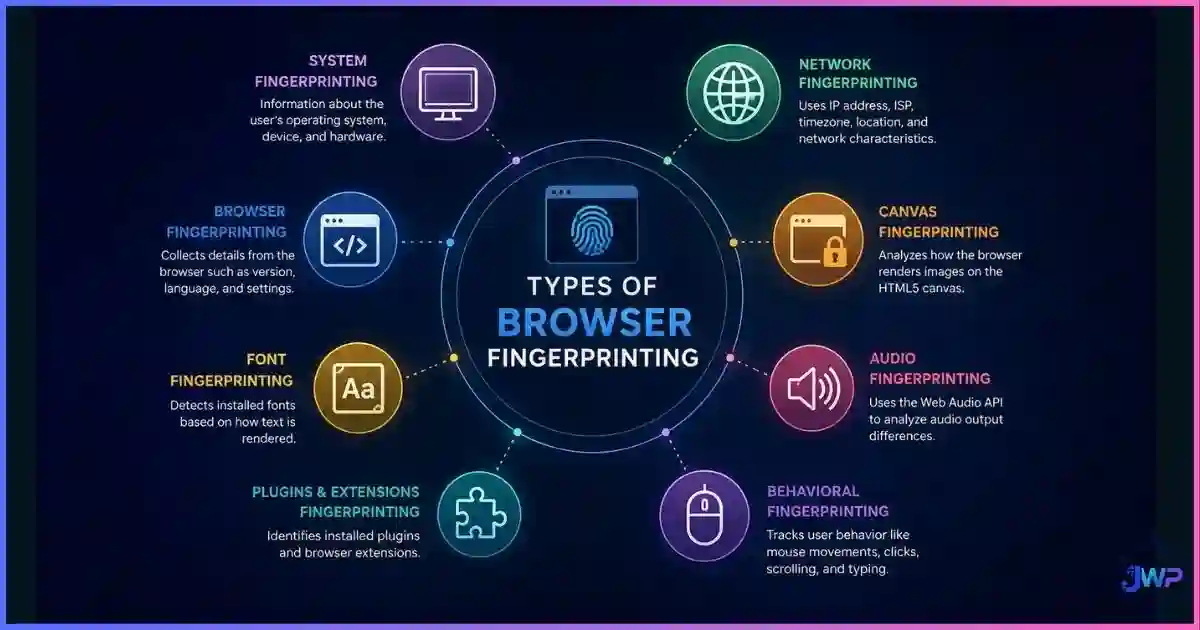
In plain English: if you visit a site on a normal browser, even without cookies, there is a very high chance the site can recognize your specific device the next time you visit. For the full mechanism, read what browser fingerprinting is and the breakdown of the different types of fingerprinting that combine into this accuracy.

Definition
What “Accuracy” Really Means in Fingerprinting
When researchers talk about fingerprinting accuracy, they’re usually measuring two distinct things:
Uniqueness
The share of browsers whose fingerprint is different from every other browser in the dataset. A uniqueness rate of 83.6% means 83.6 out of 100 visitors can be told apart from all the others purely by their fingerprint.
Stability
The share of times the same device produces the same fingerprint across visits. A tool with high stability lets a site say “this is the same device that visited us last week.” High uniqueness without stability is useless to a tracker.
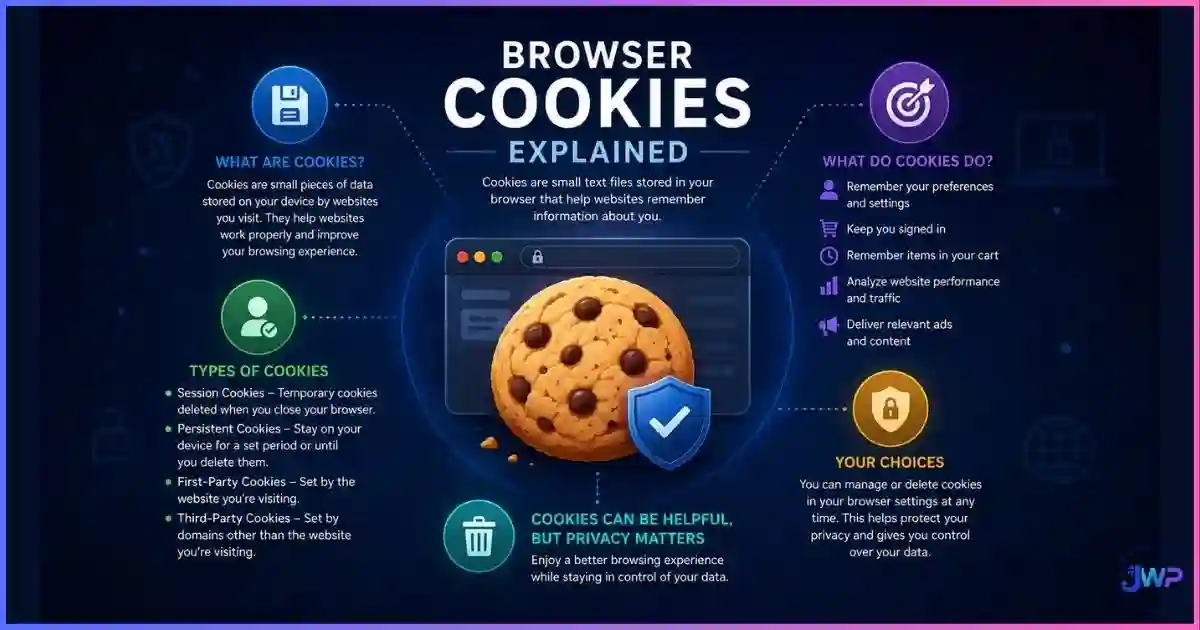
A truly dangerous fingerprint is one that is both unique and stable. That is why a single number like “83.6%” is only half the picture. Modern commercial fingerprinting services also layer in smart signals — behavioral patterns, TLS handshakes, and machine-learning models — to push accuracy well above raw uniqueness rates. For a deeper look at how cookies, local storage, and fingerprinting differ as identifiers, read cookies vs local storage vs browser fingerprinting.
Data
The Data: How Unique You Really Are
The fingerprinting accuracy story has been measured by researchers for more than a decade. The numbers consistently show the same pattern: most users are uniquely identifiable, a small minority blend into the crowd, and only tools that actively force uniformity escape detection.
Fingerprint uniqueness rate by browser type
Sources: EFF Panopticlick, AmIUnique, Cover Your Tracks, FingerprintJS documentation. Lower is better for privacy.
Identification accuracy with smart signals
Source: FingerprintJS Pro documentation (2024).
Smart signals are what push fingerprinting past the 83% ceiling:
- TLS/JA3 fingerprints from the handshake.
- Behavioral patterns (mouse, scroll, timing).
- Server-side signals (IP reputation, geo consistency).
- Cross-session ML models trained on millions of visits.
Accuracy over time: cookies vs fingerprinting
Editorial model based on cookie-deprecation timelines and fingerprinting research. Fingerprinting remains stable where cookies decay.
The takeaway: fingerprinting is dramatically more durable than cookies. Third-party cookies rot within weeks as users clear data, switch browsers, or browsers themselves block them. A fingerprint degrades slowly — mostly only when hardware or the browser version changes. That durability is why fraud teams and ad networks keep investing in it.
Tired of being uniquely identifiable on every site?
Incogniton generates consistent, believable fingerprints per profile — so each account looks like a different normal user, not a uniquely trackable one. Start with 10 free profiles to test the difference.
Try Incogniton Free → Affiliate link — we may earn a commission at no extra cost to you.Signals
Which Signals Drive the Most Accuracy
Not every fingerprint signal contributes equally. A few high-entropy signals (Canvas, WebGL, AudioContext) do most of the work, while many low-entropy signals (User-Agent, language) add only marginal uniqueness. This is the entropy heatmap that explains why changing your IP doesn’t change your fingerprint:
Approximate entropy (uniqueness power) per signal
Editorial scoring based on AmIUnique measurements and published research. Darker = more identifying power.
| Signal | Entropy contribution | Stability over time | Notes |
|---|---|---|---|
| Canvas 2D | Very high | High (GPU/driver tied) | Renders invisible shapes; the result is unique to your GPU and driver version. |
| WebGL renderer | Very high | Very high | Reveals exact GPU model (e.g., “ANGLE (NVIDIA RTX 4070)”). |
| AudioContext | High | High | Unique audio processing signature, similar in power to Canvas. |
| Installed fonts | High | Very high | The exact set of fonts on your OS is surprisingly distinctive. |
| Screen resolution | Medium | Very high | Combined with color depth, it slices the population substantially. |
| Timezone | Medium | High | Rarely changes unless you travel or move. |
| CPU cores / concurrency | Medium | Very high | Typical values (4, 8, 12, 16) segment the population. |
| User-Agent | Low–Medium | Low (changes on updates) | Millions share the same Chrome UA string after each release. |
| Language | Low | Very high | Not very discriminating alone, but powerful in combinations. |
| TLS/JA3 | High | Medium | TLS handshake signature; identifies browser+version without JS. |
This distribution explains why the types of browser fingerprinting matter so much: a site that uses only User-Agent and screen size gets a weak identifier; a site that combines Canvas, WebGL, Audio, and Fonts gets something close to unique for nearly every visitor.
Entropy
The Math Behind the Accuracy
Researchers measure fingerprint accuracy using a concept called entropy, borrowed from information theory. In plain English: entropy measures how much each signal narrows down the pool of possible users.
- High entropy signal (e.g., Canvas hash): cuts the pool from millions down to a handful of users.
- Low entropy signal (e.g., “cookies enabled = true”): barely narrows the pool at all.
- Combined entropy: adds up across signals. Ten medium-entropy signals can produce more uniqueness than one high-entropy signal.
The EFF’s original Panopticlick study measured an average of about 18.1 bits of entropy from a standard browser fingerprint — enough to uniquely identify most users in a large dataset. Modern systems collect more signals and often reach 20+ bits per visitor, which is why uniqueness rates have remained high even as some older signals (Flash, Java plugins) disappeared.
What this means in practice: removing one low-entropy signal does almost nothing to your uniqueness. Turning off “Do Not Track” or clearing cookies doesn’t meaningfully reduce accuracy. What reduces accuracy is addressing the high-entropy signals (Canvas, WebGL, Audio, Fonts) and the consistency of the combination. For a step-by-step way to measure your own score, read how to check your browser fingerprint.
Limits
Where Fingerprinting Is Less Accurate
Fingerprinting is not magic. There are specific scenarios where it loses accuracy, sometimes dramatically:
Limit 1
Large identical populations
Accuracy drops
Tor Browser is the classic example. When every user reports the same fonts, screen size, Canvas behavior, and User-Agent, individual identification becomes impossible. That’s the point of Tor.
Limit 2
Shared corporate devices
Accuracy drops
A locked-down company laptop fleet with identical images produces thousands of nearly identical fingerprints, reducing per-user accuracy.
Limit 3
Frequent OS/browser updates
Stability drops
Every major browser or OS update changes some signals (User-Agent, TLS signature, GPU driver), creating a new fingerprint. Long-term tracking becomes harder.
Limit 4
Mobile Safari / iOS
Accuracy is lower
Apple has aggressively limited fingerprinting signals on iOS. Uniqueness rates are lower than desktop Chrome, though still meaningful.
Limit 5
Heavily shielded browsers
Accuracy drops
Brave, Firefox with strict ETP, and hardened Firefox forks reduce the signal surface. Accuracy stays high enough for fraud detection but drops for cross-site ad tracking.
Limit 6
Well-configured anti-detect profiles
Accuracy collapses
A profile that blends into a believable population (common screen, common GPU, consistent timezone) becomes hard to distinguish from a real device. See what an anti-detect browser is.
The pattern is clear: fingerprinting is accurate against default browsers. It becomes less accurate when a user deliberately makes their device look like many other devices. For a full discussion of whether these methods can be prevented, see can browser fingerprinting be prevented.
Stability
Stability vs Uniqueness — The Real Trap
Most people focus on uniqueness and forget stability, but stability is what actually lets platforms track you over time. A fingerprint can be 100% unique and still useless for long-term tracking if it changes on every page load. The combination is what matters:
| Scenario | Uniqueness | Stability | Tracking outcome |
|---|---|---|---|
| Default Chrome | High | High | Trackable long-term |
| Default Firefox | High | High | Trackable long-term |
| Brave (Shields up) | Medium | High | Trackable across sessions, harder across sites |
| Tor Browser | Very low | High | Looks like every other Tor user — untrackable |
| Poorly-configured spoofing | Medium | Low | Flagged as bot or suspicious |
| Well-configured anti-detect profile | Low | High | Looks like a normal user — untrackable as you |
The trap most users fall into: they install a randomization script that changes the fingerprint every refresh. That creates a fingerprint with low stability, which platforms immediately flag as a bot or scraper. Good defense is not about randomness — it’s about consistent believability. A stable fingerprint that looks like one of a million Windows 11 users with Intel graphics is much safer than a random one that matches no real device. This is also why a VPN doesn’t change your fingerprint — it changes your IP but leaves the stable fingerprint untouched.
Comparison
Fingerprinting Accuracy vs Other Tracking Methods
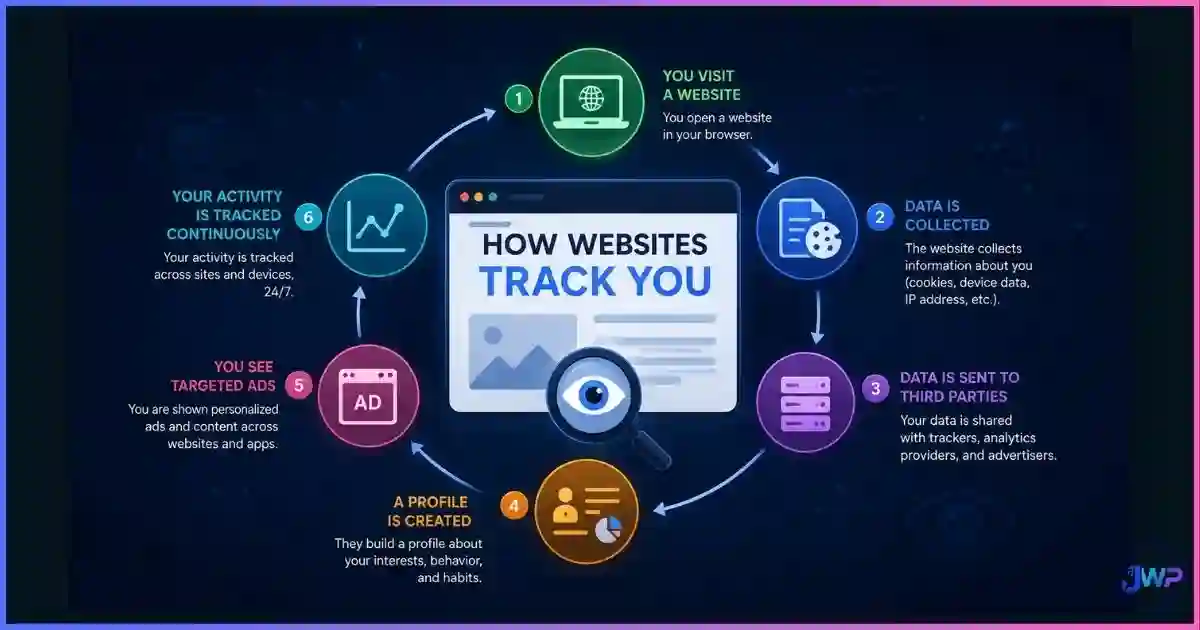
How does fingerprinting stack up against other ways websites track you? For the full picture, read how websites track you.
| Method | Accuracy (day 0) | Accuracy (day 90) | Reset by clearing cookies? | Reset by VPN? |
|---|---|---|---|---|
| Third-party cookies | ~95% | ~15% | ✓ Yes | ✕ No |
| First-party cookies | ~98% | ~80% (if site revisited) | ✓ Yes | ✕ No |
| LocalStorage / IndexedDB | ~95% | ~70% | ✓ Yes (manual) | ✕ No |
| Browser fingerprint | ~85% | ~60% | ✕ No | ✕ No |
| IP address | Variable (geo-level) | Variable | ✕ No | ✓ Yes |
| Account login | 100% | 100% (when signed in) | ✕ No | ✕ No |
| Behavioral (ML on events) | ~80%+ | ~60%+ | ✕ No | ✕ No |
✓ = resets the identifier ✕ = does not reset it.
The pattern: fingerprinting is the most durable cookie-free identifier available. It survives cookie clearing, survives VPNs, and only meaningfully degrades when hardware or the browser itself changes. That is why platforms lean on it so heavily after cookie restrictions tightened.
Myth Busting
6 Fingerprinting Accuracy Myths, Busted
Myth 1
“Clearing cookies resets my fingerprint.”
Reality
Cookies and fingerprints are completely separate systems. Clearing cookies has zero effect on Canvas, WebGL, or any hardware signal.
Myth 2
“Incognito mode hides my fingerprint.”
Reality
Incognito only stops local storage of history and cookies. Your fingerprint is identical in incognito and normal mode. See what incognito mode actually does.
Myth 3
“VPNs make fingerprinting less accurate.”
Reality
VPNs change your IP address but leave every other fingerprint signal unchanged. A site still recognizes your device.
Myth 4
“Randomizing my fingerprint every visit makes me untrackable.”
Reality
Unstable fingerprints are flagged as bots. Stable, believable fingerprints that blend in with many users are the real defense.
Myth 5
“Blocking JavaScript kills fingerprinting.”
Reality
It kills most of it, but TLS/JA3 fingerprints, HTTP headers, and timing analysis still identify a meaningful slice of users.
Myth 6
“Fingerprinting is only used by shady sites.”
Reality
Major banks, e-commerce platforms, ad networks, and fraud-prevention vendors all use fingerprinting for security and identification.
Action Plan
How to Reduce Your Fingerprint’s Accuracy
There is no single switch. Reducing accuracy means combining tools and habits. Start with the highest-leverage steps:
Measure your current uniqueness
Run how to check your browser fingerprint on a public checker (AmIUnique, CoverYourTracks, BrowserLeaks). Note your uniqueness score before you change anything.
Use a browser with built-in fingerprint defenses
Brave, Firefox with strict Enhanced Tracking Protection, and Safari’s Intelligent Tracking Prevention all reduce the signal surface meaningfully. Switching browsers is the single highest-leverage free change.
Install a tracker blocker
uBlock Origin blocks many of the third-party scripts that perform cross-site fingerprinting. This is a privacy win that also improves security against malvertising.
Keep your browser updated
Ironically, updates help privacy here: each major release moves you into a larger population of users sharing the same User-Agent, TLS signature, and engine version — which reduces your uniqueness.
For multi-account work, use isolated profiles
If your goal is to stop platforms from linking your accounts, mainstream browsers won’t cut it. Use an anti-detect browser with stable, believable fingerprints per profile. The free tier of most tools is enough to test.
Re-test after each change
Run the fingerprint checker again and confirm your uniqueness score dropped. If it didn’t, the signal you targeted was low-entropy — focus on Canvas, WebGL, Audio, and Fonts next.
Skip these assumptions
- “Clearing cookies resets my device identity”
- “A VPN hides my fingerprint”
- “Incognito makes me untrackable”
- “Randomizing every refresh is safe”
- “Blocking JS alone kills fingerprinting”
- “All anti-detect browsers are equally good”
Do this instead
- Measure your uniqueness before & after changes
- Prefer stable, believable fingerprints over random ones
- Use profile isolation for multi-account work
- Pair each profile with a matching residential proxy
- Keep browser + OS updated for population blending
- Test each profile on public fingerprint checkers
Fingerprint accuracy reduction checklist
- I know my current uniqueness score on a public fingerprint checker.
- I’m using a browser with built-in fingerprint defenses (Brave, Firefox strict, Safari ITP).
- A tracker blocker is installed and active.
- My browser and OS are on the latest stable versions.
- I’m not relying on cookies clearing or incognito as my only defense.
- For multi-account work, each account runs in its own isolated profile with a consistent fingerprint.
- Each isolated profile is paired with a dedicated proxy matching its claimed geolocation.
- I re-test my fingerprint quarterly or after major updates.
Blend in, don’t hide.
Incogniton builds stable, believable fingerprints that look like real devices in large populations — not randomized noise that triggers fraud engines. Pair each profile with a residential proxy and manage dozens of unlinked accounts from one machine.
Start Free with Incogniton → Affiliate link — we may earn a commission at no extra cost to you.FAQs
Frequently Asked Questions
How accurate is browser fingerprinting in 2026?
Can clearing cookies reset my fingerprint?
Does a VPN make fingerprinting less accurate?
Is Tor Browser really untrackable by fingerprinting?
What makes my fingerprint change over time?
Which fingerprint signals are most identifying?
Can websites detect when I’m spoofing my fingerprint?
Is fingerprinting used only for advertising?
How can I reduce my fingerprint’s accuracy?
📚 Sources & Research Notes (click to expand)
This guide draws on foundational browser fingerprinting research, public measurement datasets, and vendor documentation. Fingerprinting accuracy varies by population, browser, and platform; verify current measurements for your specific threat model.
- Eckersley, P. (2010). “How Unique Is Your Web Browser?” EFF Panopticlick — foundational study measuring 83.6% browser uniqueness and 18.1 bits of entropy. coveryourtracks.eff.org
- Laperdrix, P., et al. (2016–2024). AmIUnique project — ongoing measurement of browser fingerprint uniqueness across ~70–85% of visitors. amiunique.org
- FingerprintJS (2024). Smart Signal Identification Accuracy — 99.5% accuracy claim combining visitor ID with smart signals and ML models. fingerprint.com
- Sardine / Visitor Fingerprint (2025). Device Fingerprinting for Fraud and ATO Prevention — 97% reduction in collision rates and 95% reduction in division rates vs legacy methods. sardine.ai
- Englehardt, S., & Narayanan, A. (2016). “Online Tracking: A 1-million-site Measurement and Analysis.” Princeton CITP — large-scale measurement of fingerprinting prevalence. citp.princeton.edu
- Tor Project (2024). Tor Browser design documents — forced uniformity approach that reduces uniqueness to below 1%. torproject.org
- Mowla, B., et al. (2021). “Cross-Browser Fingerprinting via OS and Hardware Level Features.” USENIX NDSS — research on hardware-level fingerprinting accuracy. ndss-symposium.org
- Google Chrome Privacy Whitepaper (2024). Privacy Sandbox and fingerprinting mitigations. privacysandbox.com
- Apple WebKit Blog (2023–2024). Intelligent Tracking Prevention documentation. webkit.org
- Brave Research (2024). Fingerprinting randomization and farbling. brave.com
Fingerprinting techniques, browser defenses, and platform policies evolve quickly. Accuracy numbers reported above reflect the research consensus as of 2026 and may shift as browsers ship new mitigations or trackers add new signals.