Cookies vs Local Storage vs Browser Fingerprinting
Three ways websites remember who you are — one you can delete with a click, one that hides in your browser’s memory, and one that requires no storage at all. Here is how the modern tracking stack actually works.
Cookies vs Local Storage vs Fingerprinting, in One Paragraph
Cookies are small text files (~4KB) sent to the server with every HTTP request to maintain state (logins, shopping carts). Local Storage is a larger client-side database (~5MB) that stays in your browser and is only read by JavaScript, often used for “supercookies” that survive standard cookie clearing. Browser Fingerprinting uses zero storage; it reconstructs your identity on every visit by reading your hardware and software attributes (canvas hash, fonts, WebGL, screen). While you can delete cookies and Local Storage with one click in your browser settings, fingerprinting survives “Clear Browsing Data” entirely — which is why it has become the tracking industry’s primary fallback as third-party cookies die.
maximum size of a single HTTP cookie — tiny, but sent to the server with every single page request.
typical capacity of HTML5 Local Storage per domain — over 1,000x larger than a cookie, and never sent to the server automatically.
of browsers have a completely unique fingerprint, meaning they can be tracked without storing a single file on the device (EFF).
of fingerprints remain uniquely identifiable after 90 days, proving that stateless tracking is highly durable (AmIUnique).
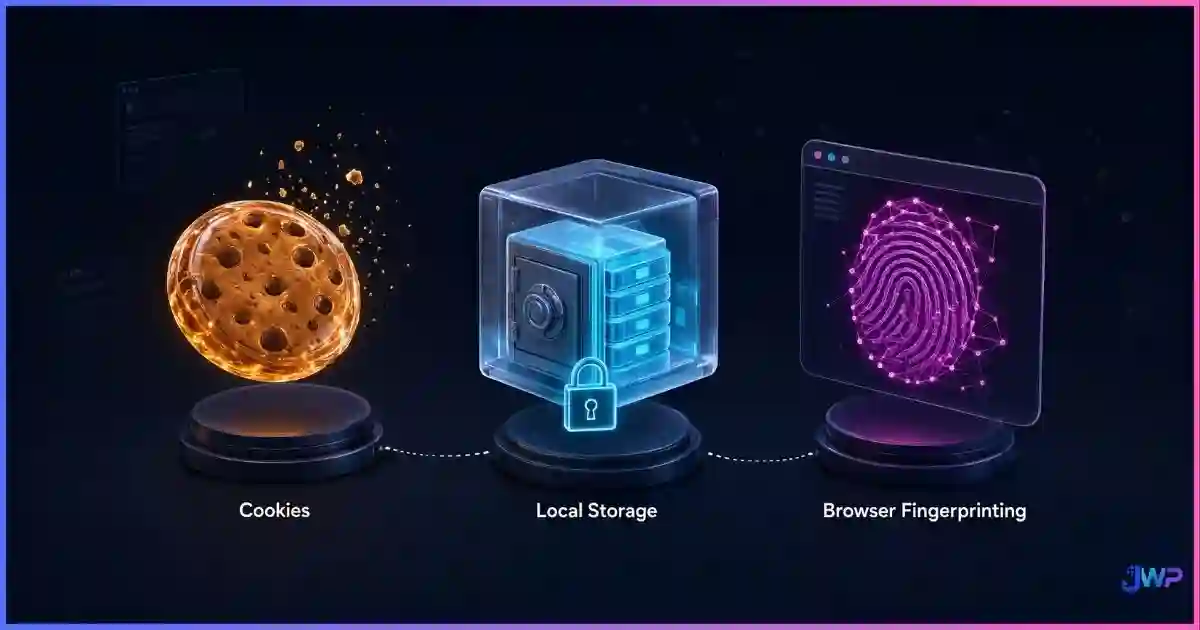
Table of Contents
What Each Technology Actually Is
To understand how websites track you, you have to look past the “Accept Cookies” banner and understand the three distinct layers of browser memory and identification.
1. HTTP Cookies (The Original State Manager)
Invented in 1994, cookies are small key-value pairs stored by the browser and automatically attached to every HTTP request matching the cookie’s domain and path. They are essential for the modern web: without them, you would be logged out of every site on every page load, and shopping carts would empty instantly. For a deep dive, see our guide on browser cookies explained.
2. Local Storage (The HTML5 Database)
Introduced with HTML5, the Web Storage API (localStorage and sessionStorage) provides a much larger key-value store that lives entirely on the client. Unlike cookies, Local Storage data is never sent to the server automatically; it must be explicitly read and transmitted by JavaScript. This makes it faster for web apps, but also a favorite hiding spot for trackers building “supercookies.”
3. Browser Fingerprinting (The Stateless Tracker)
Fingerprinting is not a storage mechanism at all. It is a technique that reads the configuration of your device — screen resolution, installed fonts, timezone, canvas rendering hash, WebGL vendor — and combines them into a unique ID. As detailed in our guide on what browser fingerprinting is, this ID is computed on the fly, meaning there is literally nothing on your hard drive to delete.
Head-to-Head Comparison Table
| Feature | Cookies | Local Storage | Browser Fingerprinting |
|---|---|---|---|
| Storage Type | Text file (disk/memory) | Client-side SQLite/DB | None (stateless) |
| Capacity | ~4 KB per cookie | ~5–10 MB per origin | N/A |
| Sent to Server | Yes (automatic on every request) | No (requires JavaScript) | No (attributes sent via JS) |
| Expiration | Set by server (session or date) | Never (until cleared) | N/A (stable for months) |
| Accessible via JS | Yes (unless HttpOnly) | Yes (always) | Yes (via APIs) |
| Cross-Site Tracking | 3rd-party cookies (dying) | Limited (requires workarounds) | Highly effective |
| Cleared by “Clear Data” | Yes | Yes | No |
Tracking Prevalence & Survival Charts
The charts below illustrate why the advertising industry is migrating from cookies to fingerprinting, and how different storage methods survive user cleanup attempts.
Storage Capacity Comparison (Logarithmic Scale)
Source: MDN Web Docs & W3C Specifications. The massive capacity gap between cookies and modern Web Storage APIs is why trackers use LocalStorage and IndexedDB to store complex user profiles and “respawn” deleted cookies.
Tracking Method Prevalence on Top 10k Websites
Cookies
Tracking
Fingerprinting
Sources: Princeton CITP “Online Tracking: A 1-million-site Measurement” and Web Privacy Census. While cookies remain the most common, Local Storage is heavily used for persistent identifiers, and canvas fingerprinting is the dominant stateless technique.
Survival Rate After “Clear Browsing History & Cookies”
Source: INRIA AmIUnique longitudinal study (89% stability over 90 days). Clearing your browser data successfully wipes cookies and LocalStorage, but it does absolutely nothing to change your screen resolution, GPU, or font list — leaving your fingerprint intact.
How Trackers Combine All Three
Modern advertising networks do not rely on just one method. They build a “tracking stack” that uses each technology for its specific strength:
- Cookies are used for immediate, low-friction state management (keeping you logged in, basic session tracking).
- Local Storage is used as a backup. If a user clears their cookies, a script reads the tracking ID from Local Storage and silently “respawns” the cookie. This is the mechanism behind “supercookies” and “evercookies.”
- Fingerprinting is the ultimate fallback. If a user clears all storage (cookies + LocalStorage + cache), the tracker simply runs a canvas and WebGL test, generates a hash, and checks it against their database. If the hash matches a known user, the tracker immediately re-issues new cookies and LocalStorage entries, re-linking the “clean” browser to the old profile.
Why “Clear Browsing Data” Fails
When you click “Clear History and Cookies” in Chrome or Safari, the browser deletes the files on your disk. It does not change your hardware. This creates a paradox: by clearing your cookies, you are actually making yourself easier to track via fingerprinting, because you have removed the “noise” of old cookies and presented a clean slate that the tracker can immediately re-tag using your stable canvas hash.
If you want to actually reduce your tracking surface, you must address the stateless layer. Our guide on whether browser fingerprinting can be prevented covers the realistic options: uniform browsers (Tor), randomized fingerprints (Brave), or spoofed profiles (anti-detect tools).
Professional Identity Isolation
For digital marketers, affiliate managers, and e-commerce sellers, the goal is not necessarily “privacy” in the activist sense — it is identity isolation. You need to run 10, 50, or 100 accounts without the platform linking them together via shared LocalStorage or matching fingerprints.
This is why professionals use anti-detect browsers. These tools provide strict browser profile isolation, ensuring that:
- Profile A and Profile B have completely separate cookie jars.
- Local Storage and IndexedDB are siloed per profile.
- Each profile presents a unique, consistent hardware fingerprint (Canvas, WebGL, Fonts) so the platform sees them as entirely different physical computers.
Stop letting LocalStorage and fingerprints link your accounts.
Incogniton isolates every layer of browser storage and spoofs your hardware fingerprint per profile. Your accounts stay separated, and “Clear Data” is never necessary because the profiles are already walled off from each other.
Try Incogniton Free →Affiliate link — we may earn a commission at no extra cost to you.
Privacy & Isolation Checklist
- Audit your browser’s Local Storage via DevTools (Application > Local Storage) to see which sites are storing persistent IDs.
- Understand that clearing cookies will not stop fingerprint-based re-identification.
- Use browser extensions like “StorageAce” or “LocalStorage Manager” to selectively wipe tracker databases without logging out of every site.
- For multi-accounting, never rely on standard Chrome profiles; use dedicated anti-detect software to isolate storage and fingerprints.
- Regularly rotate your proxy IPs if using LocalStorage-based tracking workarounds.
Enterprise-grade storage and fingerprint isolation.
Manage hundreds of isolated digital identities without the manual cleanup. Incogniton handles the cookies, the LocalStorage, and the fingerprints automatically.
Get Incogniton →Affiliate link — we may earn a commission at no extra cost to you.
Frequently Asked Questions
Is Local Storage safer than cookies?
Does clearing browser history delete LocalStorage?
Can websites track me without cookies or LocalStorage?
What is a ‘Supercookie’ or ‘Evercookie’?
How do anti-detect browsers handle LocalStorage and cookies?
Sources and Research Notes
Sources & Research Notes (click to expand)
The technical specifications and tracking prevalence data in this guide are drawn from W3C standards, browser vendor documentation, and large-scale academic measurements of the web tracking ecosystem.
- MDN Web Docs (Mozilla). “HTTP Cookies” & “Web Storage API” — Official documentation on capacity limits, security flags (HttpOnly, Secure), and client-side storage behavior. developer.mozilla.org
- Eckersley, P. (2010). “How Unique Is Your Web Browser?” EFF Panopticlick — Foundational research showing 83.6% of browsers have unique fingerprints, proving stateless tracking viability. panopticlick.org
- Laperdrix, P., et al. (2016). “Beauty and the Beast: Diverting modern web browsers to build unique browser fingerprints.” IEEE S&P — 89% fingerprint stability over 90 days (AmIUnique dataset). amiunique.org
- Englehardt, S., & Narayanan, A. (2016). “Online Tracking: A 1-million-site Measurement and Analysis.” Princeton CITP — Large-scale measurement of cookie syncing, LocalStorage tracking, and canvas fingerprinting prevalence. citp.princeton.edu
- W3C (2016). “Web Storage Specification.” — Official standard defining the 5MB+ capacity and synchronous nature of the LocalStorage API. w3.org
- Acar, G., et al. (2014). “The Web Never Forgets: Persistent Tracking Mechanisms in the Wild.” ACM CCS — Research on “evercookies” and canvas fingerprinting respawning deleted cookies via LocalStorage and ETags.