What Is Browser Fingerprinting?
The cookie-less tracking technique that can identify your device with startling accuracy — how it works, what the research actually says, and what you can (and can’t) do about it.
What Is Browser Fingerprinting, in One Paragraph?
Browser fingerprinting is a tracking technique that identifies your device by collecting the small, mostly harmless-looking details your browser shares with every site — user agent, screen resolution, installed fonts, timezone, canvas and WebGL rendering, audio processing quirks, and more. Individually each attribute is trivial; combined, they form a composite “fingerprint” that can be unique to your device and stable for months. Unlike cookies, it is stateless: nothing is stored on your machine, there is nothing to delete, and it survives incognito mode, cookie clearing, and even VPNs. That is why researchers, regulators, and the ad industry all treat it as one of the most persistent identification methods on the modern web.
of browsers had a completely unique fingerprint in EFF’s Panopticlick study (470,161 samples).
odds of another browser matching your fingerprint at ~18.1 bits of average entropy (EFF, 2010).
of fingerprints remained uniquely identifiable after 90 days in INRIA’s AmIUnique longitudinal study.
of the top 20,000 websites engage in canvas fingerprinting, per a 2025 IMC measurement study.
Table of Contents
What Browser Fingerprinting Actually Is
Every time your browser requests a page, it voluntarily shares a stream of configuration details so websites can render correctly: your browser and OS version, language, timezone, screen size, and supported features. Browser fingerprinting is the practice of collecting those signals — passively from HTTP headers, and actively via JavaScript APIs — and combining them into a stable identifier for your device.
The trick is combinatorial. Your screen resolution alone might be shared by millions of people. Your font list narrows the crowd. Your canvas rendering hash narrows it further. With roughly 18 bits of identifying entropy, a fingerprint can single out one browser in hundreds of thousands — which is exactly what Peter Eckersley demonstrated for the EFF in the landmark 2010 Panopticlick study. It is the same logic as describing “the tall, left-handed, red-haired accountant who drives a green van”: each fact is common, the combination is not.
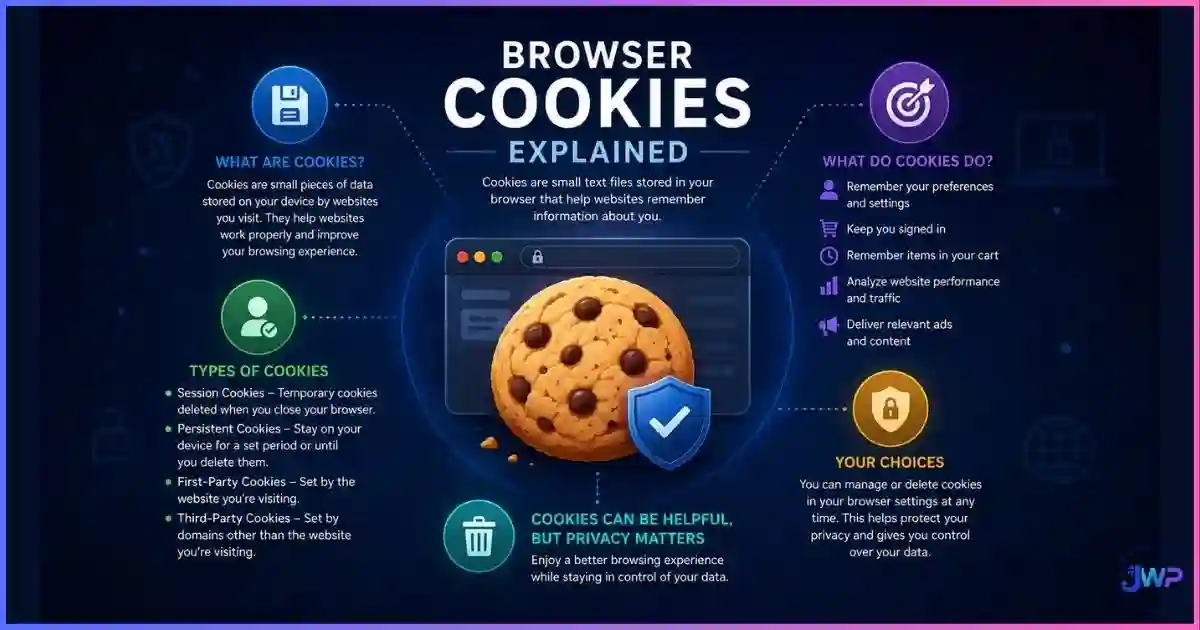
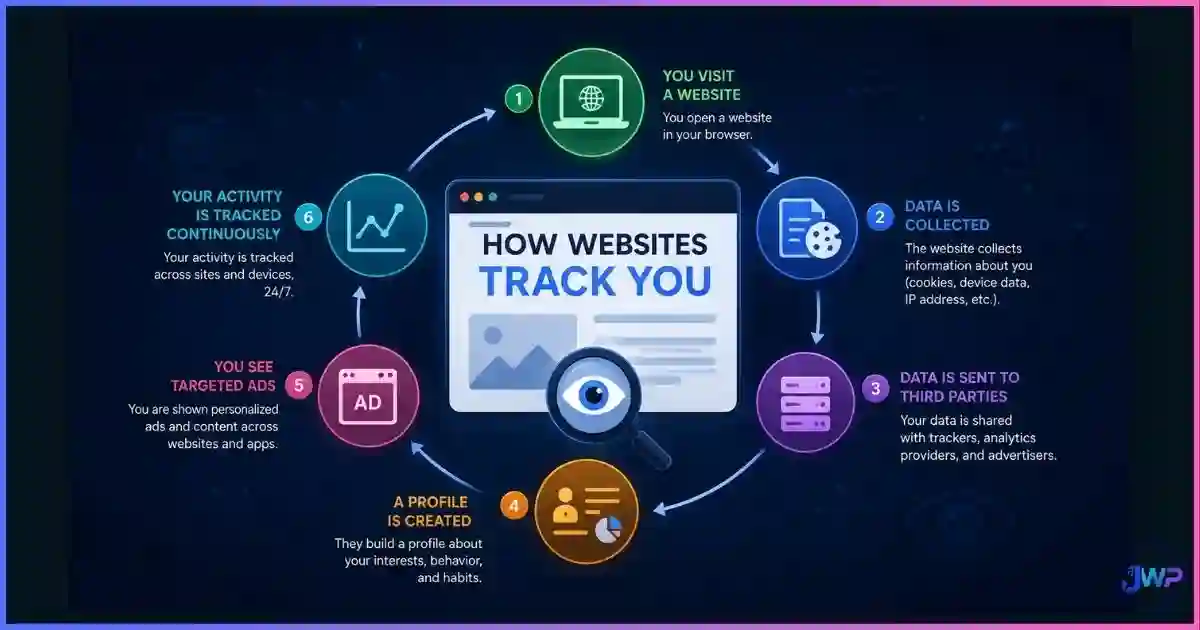
Because fingerprinting is part of a broader tracking ecosystem, it helps to understand how websites track you overall — cookies, pixels, CNAME-cloaked first-party trackers, and fingerprints usually work together, with the fingerprint acting as the glue that re-links identities after cookies die.
Browser Fingerprinting Statistics & Charts
Fingerprinting research has produced some of the most cited numbers in privacy science. Three datasets matter most: the EFF’s Panopticlick (2010, 470k fingerprints), INRIA’s AmIUnique (2016, ~119k fingerprints), and a WWW 2018 study that collected 2,067,942 fingerprints from a mainstream top-15 French website — the first look at fingerprinting on a non-privacy-aware audience.
Identifying power of fingerprint attributes (bits of entropy)
Source: Gómez-Boix, Laperdrix & Baudry, “Hiding in the Crowd” (WWW 2018), Table 3 — reproducing entropy values from EFF Panopticlick and INRIA AmIUnique.
Share of unique fingerprints by study
2010 (privacy-aware users)
2016 (privacy-aware users)
2018 (general public)
Sources: Eckersley, “How Unique Is Your Web Browser?” (PETS 2010); Laperdrix et al., “Beauty and the Beast” (IEEE S&P 2016); Gómez-Boix et al. (WWW 2018). The drop on a mainstream audience shows uniqueness depends on who is measured — but even 33.6% unique is far above random chance, and “non-unique” fingerprints often become unique the moment one attribute changes.
Fingerprint stability: still identifiable over time (AmIUnique)
Source: AmIUnique longitudinal study, INRIA (2016). Fingerprints are not only unique — they are durable, which is what makes them useful for long-term tracking.
Why trackers migrate from cookies to fingerprinting
Editorial scoring based on published research (Princeton CITP, EFF, INRIA): higher = more favorable to the tracker. “Needs consent UI” scores how strongly the technique is tied to visible consent flows. This asymmetry explains the industry shift as third-party cookies disappear.
Other numbers worth knowing: a typical fingerprinting script collects 50–200 data points (FP-Scanner, INRIA), canvas fingerprinting appeared on ~5% of the top 100,000 sites in Princeton’s 2014 measurement and on 12.7% of the top 20,000 in a 2025 follow-up, and 94% of users incorrectly believe private browsing mode prevents fingerprinting. If you want the wider context, our guide on how websites track you covers how these systems combine.
The Main Types of Browser Fingerprinting
Fingerprinting is not one technique but a family of them. A full breakdown lives in our guide to the types of browser fingerprinting, but here are the ones that matter most:
| Technique | What it reads | Why it identifies you |
|---|---|---|
| Canvas | Hash of an image drawn off-screen | Rendering differs by GPU, drivers, OS fonts, and anti-aliasing — ~8+ bits of entropy. |
| WebGL | GPU vendor, renderer, 3D rendering output | Exposes exact graphics hardware; among the most identifying signals on desktops. |
| Font enumeration | Which installed fonts render at measurable sizes | Font collections are highly personal; historically 8–14 bits of entropy. |
| AudioContext | Output of audio processing APIs | Hardware-level differences in audio stacks produce stable signatures. |
| Screen / hardware | Resolution, color depth, CPU cores, memory | Individually weak, but sharpens every other signal. |
| TLS / JA3 (server-side) | Handshake parameters, cipher order | Identifies client software without running any JavaScript at all. |
| Behavioral | Mouse movement, typing cadence, touch patterns | Mostly used for bot detection and fraud scoring rather than ad tracking. |
Who Uses Browser Fingerprinting — and Why
- Fraud prevention & security: banks, payment processors, and marketplaces use device fingerprints to spot account takeovers, card testing, and bots. This is the most legitimate and widespread use.
- Advertising & analytics: as cookies decay, fingerprint-based “identity solutions” re-link users across sites for attribution and retargeting.
- Bot & abuse detection: multi-account fraud, credential stuffing, and scraping defense rely on stable device identity.
- Multi-account management (you): affiliate marketers, ad buyers, e-commerce sellers, and QA teams need separate, consistent fingerprints per account — the exact opposite use case, and the reason anti-detect browsers exist.
Whether you see fingerprinting as a threat or a tool depends on which side of the fingerprint you are on. Privacy users want to blend in; multi-account professionals want to stay separated. Both goals require understanding the same technology.
How to Check Your Browser Fingerprint
You cannot manage what you cannot see. Two research tools let you audit your own exposure: the EFF’s Cover Your Tracks (successor to Panopticlick) and INRIA’s AmIUnique. Both render your attributes and tell you how rare they are. Step-by-step instructions are in our guide on how to check your browser fingerprint.
- Run the test in your normal daily browser and note the uniqueness verdict.
- Change one variable (block third-party scripts, resize the window, switch DNS) and re-run.
- Compare results — attributes that changed your verdict are your highest-entropy leaks.
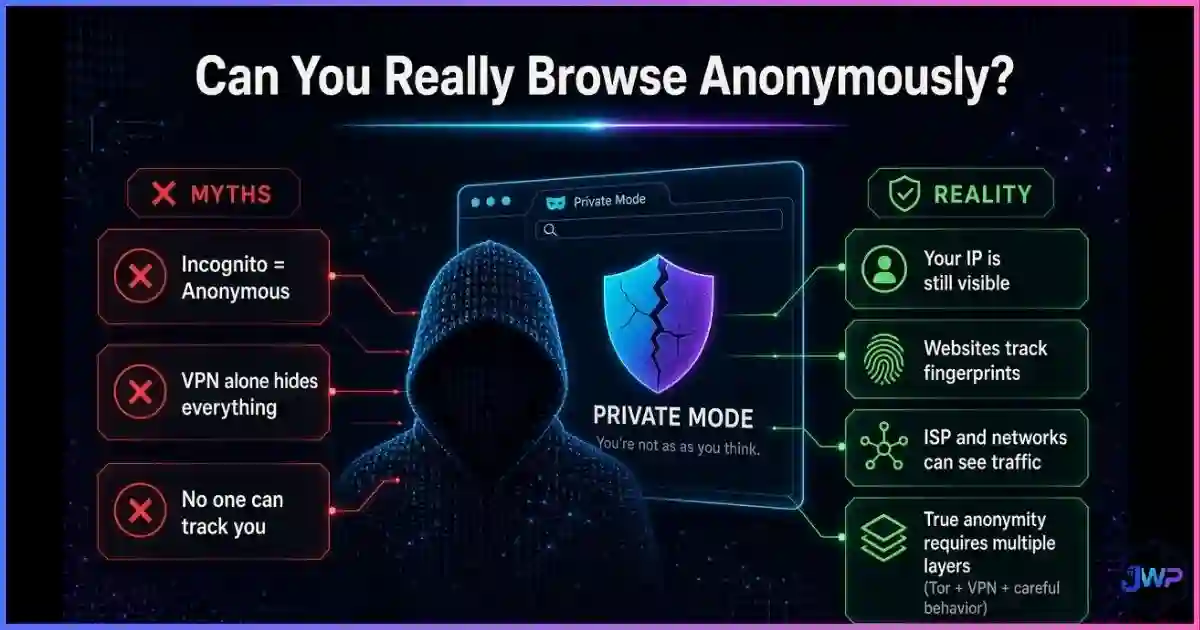
- Repeat in a private window to see how much incognito really changes (usually: less than you think — here is what incognito mode actually does).
Running multiple accounts? One fingerprint is a liability.
Platforms ban linked accounts by matching fingerprints. Incogniton gives every profile its own consistent canvas, WebGL, font, and WebRTC signature — so your accounts stay separate instead of secretly identical.
Get Incogniton →Affiliate link — we may earn a commission at no extra cost to you.
Can Browser Fingerprinting Be Prevented?
Short answer: fully preventing it is hard; reducing it is very achievable. The honest playbook — expanded in can browser fingerprinting be prevented? — looks like this:
- Use a mainstream, uniform configuration. Tor Browser is the gold standard (<5% unique in EFF testing) because everyone using it looks identical.
- Block third-party scripts. Most fingerprinting runs in third-party JavaScript; strict tracking protection removes a large share of it.
- Enable anti-fingerprinting modes. Firefox’s
resistFingerprintingand Brave’s fingerprint randomization measurably cut entropy. - Keep software current and boring. Exotic extension stacks, custom fonts, and odd resolutions are exactly what make you unique.
- Don’t rely on VPNs or incognito. A VPN changes your IP, not your canvas hash; incognito changes almost nothing fingerprint-relevant.
Anti-Detect Browsers: The Professional Answer
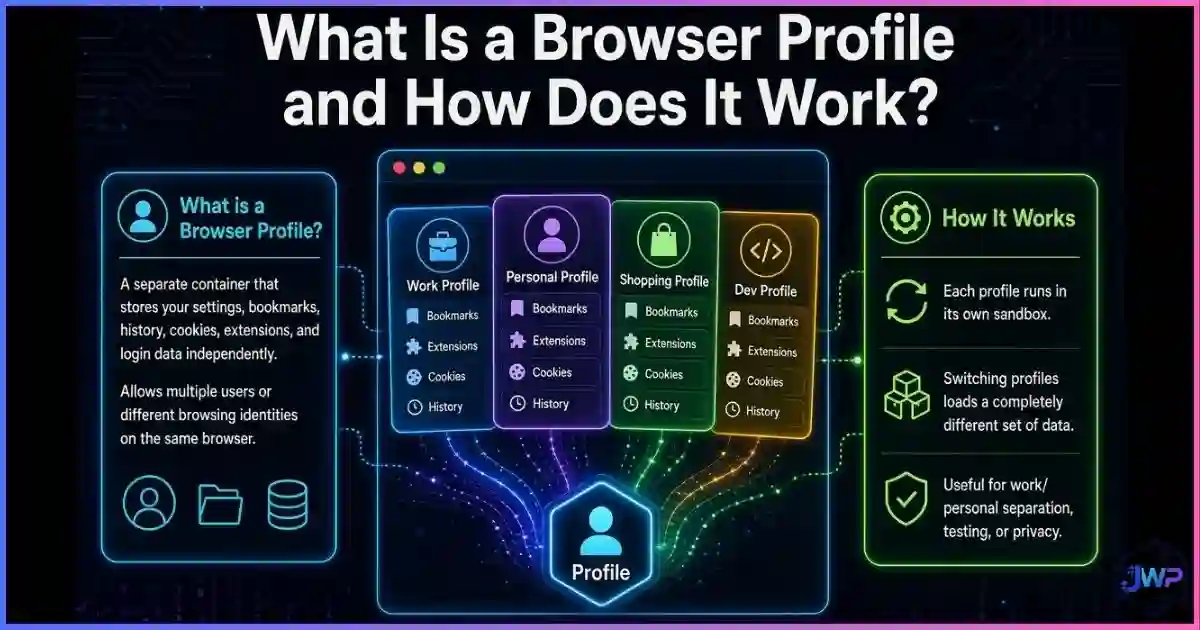
If your work involves managing multiple ad accounts, storefronts, affiliate campaigns, or testing environments, “blending in” is not the goal — consistent separation is. That is what an anti-detect browser does: it creates isolated browser profiles, each with its own coherent fingerprint (canvas, WebGL, fonts, WebRTC, timezone, user agent) paired with its own proxy, so accounts never cross-contaminate.
Incogniton is one of the most popular options in this space, with a generous free tier, profile sync, and bulk profile creation — we cover setup and real-world performance in our Incogniton review, and compare it against alternatives in our roundup of the best anti-detect browsers.
Separate fingerprints. Separate accounts. No surprise bans.
Incogniton lets you spin up dozens of isolated browser profiles, each with a believable, persistent digital identity — free to start.
Try Incogniton Free →Affiliate link — we may earn a commission at no extra cost to you.
Browser Fingerprinting Privacy Checklist
- Test yourself with Cover Your Tracks and AmIUnique; record your baseline uniqueness.
- Switch on strict tracking protection (Firefox ETP Strict / Brave Shields / Safari ITP).
- Remove rarely-used extensions and custom fonts — uniformity is camouflage.
- Keep browser, OS, and drivers updated so your signals match the crowd.
- Assume incognito and VPNs do not stop fingerprinting; plan accordingly.
- For multi-account work, use an anti-detect browser (e.g., Incogniton) with one proxy per profile.
- Re-test quarterly — browser updates change your fingerprint and your risk surface.
Frequently Asked Questions
Is browser fingerprinting illegal?
Does incognito mode stop browser fingerprinting?
Does a VPN protect me from fingerprinting?
Can I see my own browser fingerprint?
Is browser fingerprinting more accurate than cookies?
Do anti-detect browsers guarantee anonymity?
Sources and Research Notes
Methodologies differ across studies (audience bias, attribute sets, observation windows), so figures above are presented as published and should be read as directional. Open sources used:
- Eckersley, P. (2010). “How Unique Is Your Web Browser?” — PETS 2010 / EFF Panopticlick. 470,161 fingerprints; 83.6% unique; ~18.1 bits entropy (1 in 286,782). panopticlick.org
- Laperdrix, Rudametkin & Baudry (2016). “Beauty and the Beast: Diverting modern web browsers to build unique browser fingerprints.” IEEE S&P. 89.4% unique; 89% identifiable after 90 days. amiunique.org
- Gómez-Boix, Laperdrix & Baudry (2018). “Hiding in the Crowd: an Analysis of the Effectiveness of Browser Fingerprinting at Large Scale.” WWW 2018. 2,067,942 fingerprints; 33.6% unique; per-attribute entropy table. inria.hal.science
- Acar, Eubank, Englehardt et al. (2014). “The Web Never Forgets.” ACM CCS 2014 — canvas fingerprinting on ~5% of top sites (Princeton CITP).
- Englehardt & Narayanan (2016). “Online Tracking: A 1-million-site Measurement and Analysis.” ACM CCS 2016.
- Vastel, Laperdrix, Rudametkin & Rouvoy (2018). “FP-Scanner: The Privacy Implications of Browser Fingerprint Inconsistencies.” USENIX Security — 50–200 attributes per script; user-misperception findings.
- Luo et al. (2025). “Characterizing Canvas Fingerprinting Use Across the Web.” IMC 2025 — 12.7% of top 20K sites. ucsd.edu
- Mowery & Shacham (2012). “Pixel Perfect: Fingerprinting Canvas in HTML5.” W2SP 2012.