What Does Incognito Mode Actually Do? What It Doesn’t Hide
Incognito Hides Your History — Not Your Identity
Few browser features are as popular — or as misunderstood — as incognito mode. Millions of people open a private window every day believing it makes them anonymous online, hides their IP address, or blocks trackers. The research says otherwise: in a 460-participant study presented at ACM CHI 2018, large shares of users wrongly believed private browsing hides their location, IP address, and activity from ISPs and employers. This guide explains exactly what incognito mode does, what it doesn’t hide, and the tools that actually cover the gaps — from VPNs to anti-detect browsers like Incogniton.
Quick answer
What Does Incognito Mode Actually Do?
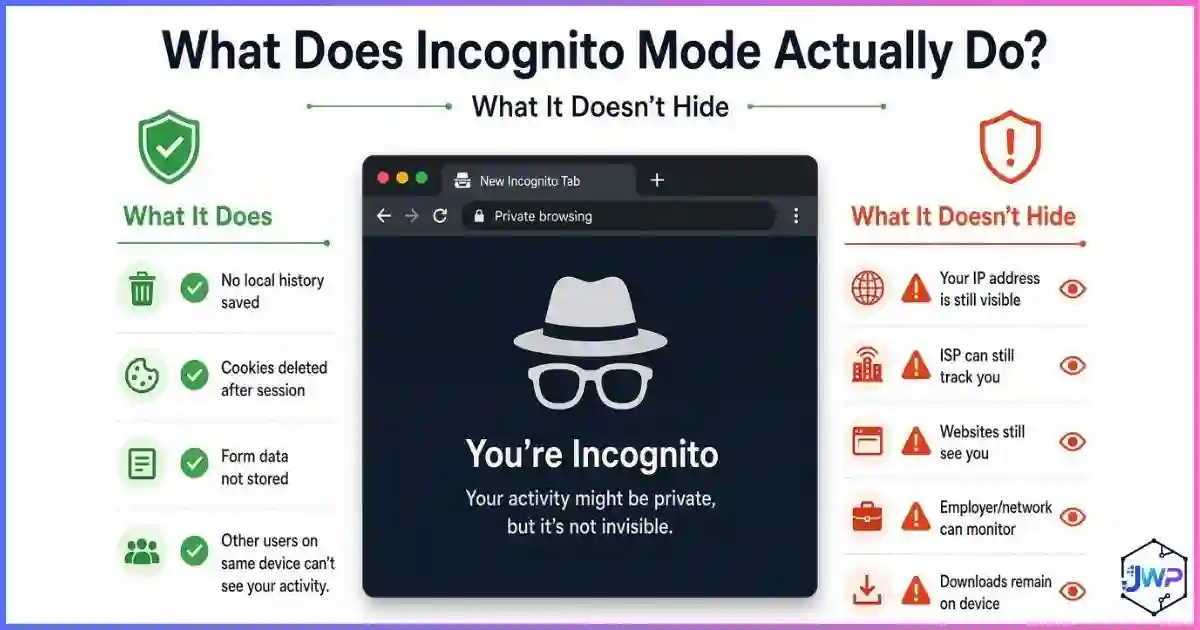
Incognito mode is a local-privacy feature, not an anonymity tool. It stops your browser from saving your history, cookies, and form data on your device after the session ends. It does not hide your IP address, and it does not stop websites, advertisers, your internet provider, your employer, or your school network from seeing what you do. Think of it as cleaning your own desk — the building’s security cameras (networks and websites) still see everything.
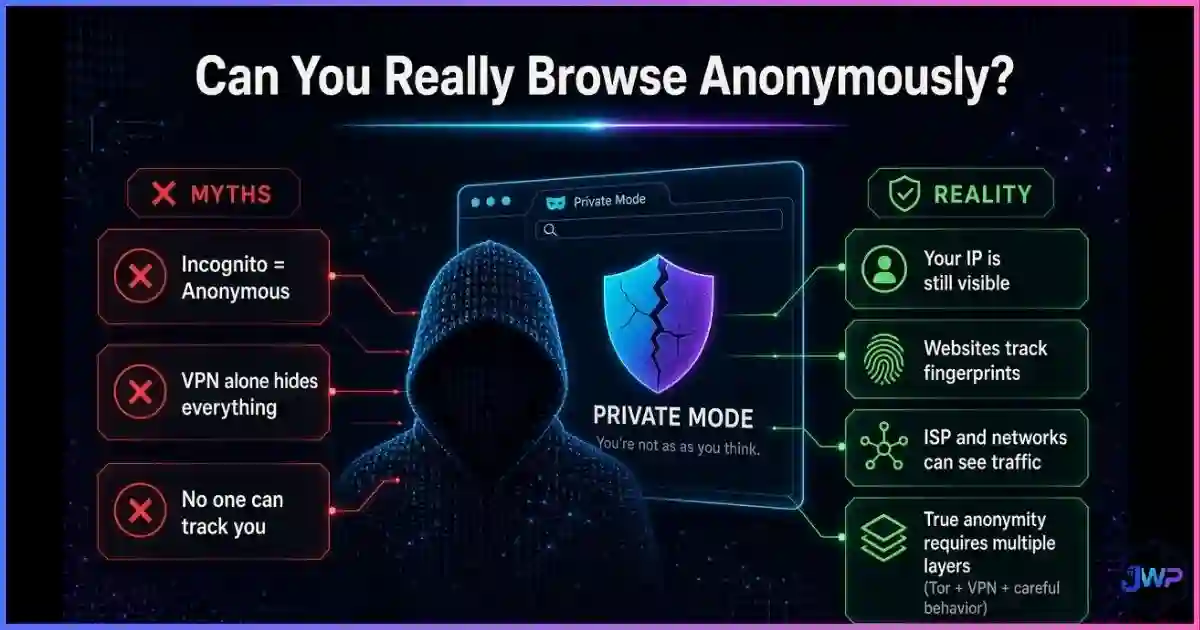
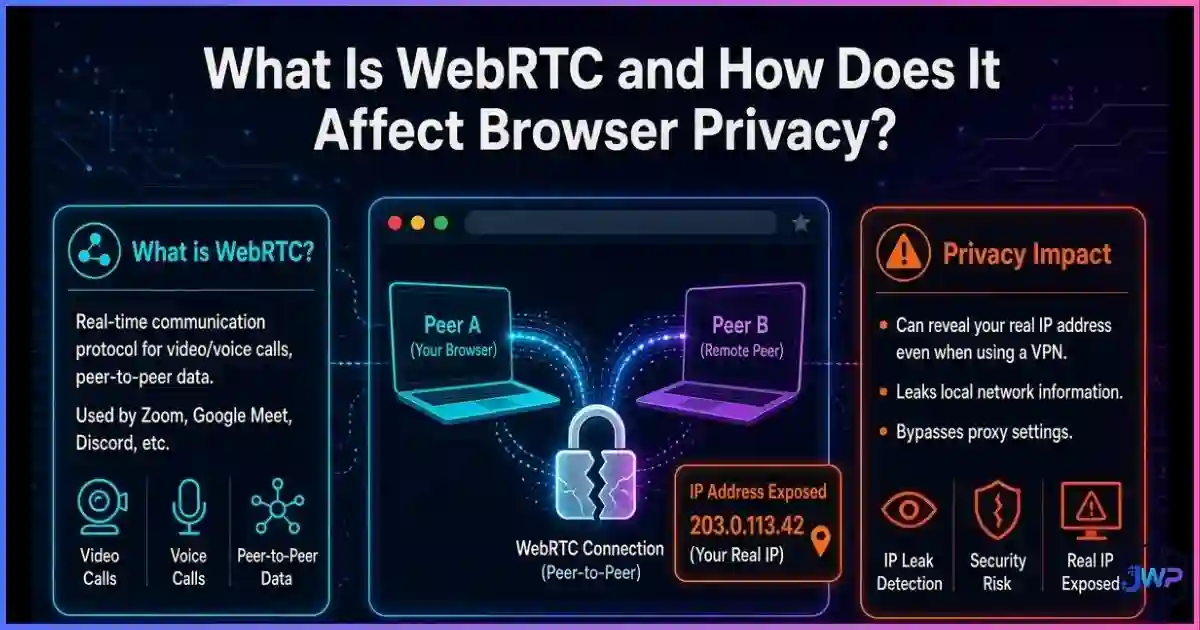
The biggest misconception is that tools like incognito mode make you anonymous. They hide your local history, but they do not stop websites from identifying your device via browser fingerprinting, WebRTC leaks, or behavioral tracking. For a full breakdown of what true anonymity requires, read can you really browse anonymously?
Definitions
What Incognito Mode Actually Does
When you open an incognito (or “private”) window, your browser starts a temporary session that is separate from your normal profile. Everything stored in that session is isolated while it runs and deleted from the browser when you close it. That’s the whole feature — and it’s genuinely useful, just narrower than most people think.
| Data type | Saved after closing incognito? | Notes |
|---|---|---|
| Browsing history | No | Pages you visited won’t appear in your browser’s history or address-bar suggestions. |
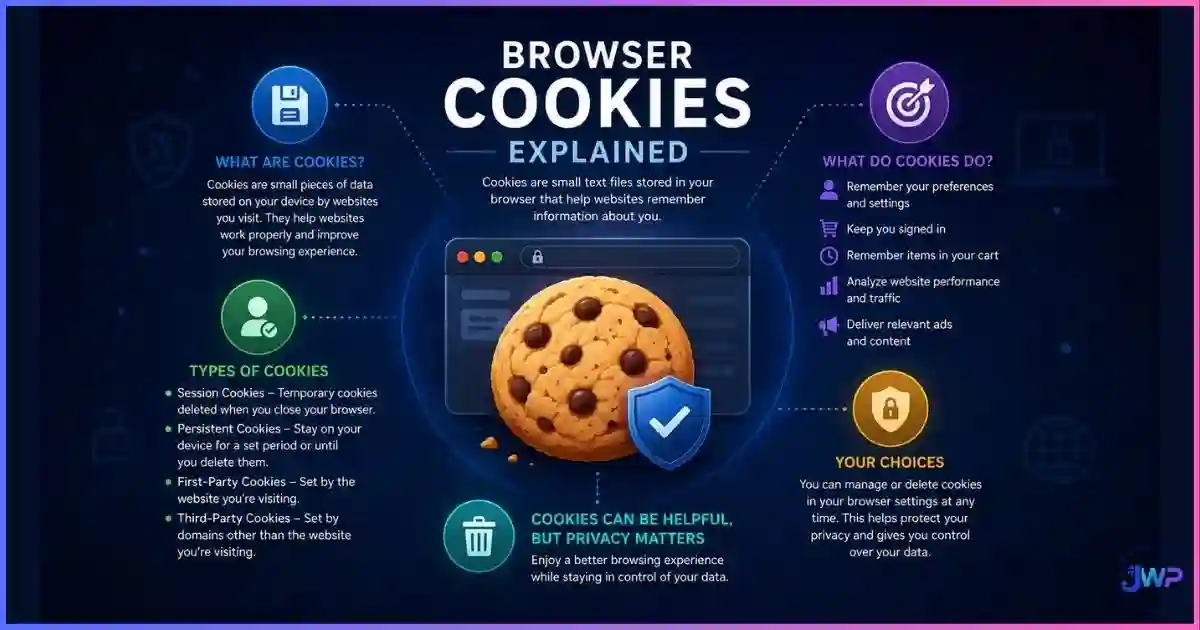
| Cookies & site data | No | Cookies work during the session, then are discarded when it ends. See how browser cookies actually work. |
| Form & search entries | No | Autocomplete won’t remember names, addresses, or searches typed in incognito. |
| Downloaded files | Yes | Files stay in your Downloads folder after the session closes. |
| Bookmarks created | Yes | Bookmarks you add in incognito persist in your main profile. |
| Extensions | Mostly disabled | Chrome keeps extensions off in incognito by default unless you explicitly enable them. |
In short: incognito protects you from the next person who uses your browser — a partner, a colleague, a friend borrowing your phone. That is its entire job. As Mozilla’s own myth-busting page puts it, private browsing “does not mask your identity or activity online.”
Data
Incognito Statistics & Charts: The Perception Gap
The disconnect between what incognito does and what people believe it does is one of the best-documented findings in privacy research. In the CHI 2018 study “Your Secrets Are Safe” (Wu et al., 460 participants), large minorities of users overestimated private mode’s protections in almost every direction:
Share of users who wrongly believed private mode…
Source: Wu et al., “Your Secrets Are Safe: How Browsers’ Explanations Impact Misconceptions About Private Browsing,” ACM CHI 2018 (n=460).
The awareness problem
Source: DuckDuckGo private browsing survey, 2017.
- 76% of participants couldn’t accurately describe what private browsing actually protects.
- 53% of private-mode users say they use it to hide from websites — precisely the thing it was never designed to do.
- Only 42% use it for its real purpose: not leaving a trace on the local computer.
Usage is high, understanding is low. The same CHI study found 80.4% of participants use private browsing at least some of the time on desktop (a median 15% of their browsing), and a 2023 Statista survey in the UK found roughly 12% of respondents use it daily. That’s a lot of people relying on a shield that doesn’t cover what they think it covers.
The Gap
What Incognito Doesn’t Hide
Chrome’s own incognito screen says it plainly: “Your activity might still be visible to websites, your internet service provider, and your employer or school.” Here is who can still see you, and how:
- Websites & advertisers. Every site you visit still receives your IP address, device details, and behavior in real time — and can link your actions within a session using cookies or browser fingerprinting.
- Your internet service provider. All traffic flows through your ISP, which can log domains and timestamps regardless of browser mode.
- Your employer or school network. On managed networks and devices, administrators see the same traffic your ISP does — often with more detail.
- Search engines, if you’re signed in. Log into Google in incognito and your searches are saved to your Google account, not just the browser.
- Anyone with access to your device’s network or malware on it. Keyloggers, spyware, and router logs don’t care which window you typed into.
- Your approximate location. Your IP address still reveals your city-level location to every server you contact.
Tracking
How Websites Still Recognize You in Incognito
Incognito deletes cookies after the session — but during the session you’re fully visible. Sites and ad networks can track you in a private window through several channels, which is why understanding how websites track you matters more than the window type:
- Session cookies & first-party storage. Within one incognito session, cookies work normally, so a site can follow you across its own pages until you close the window.
- Browser fingerprinting. Your combination of screen size, fonts, GPU, timezone, user agent, and more creates a near-unique identifier that persists across sessions and browsers — incognito changes almost nothing about it. (Wondering whether a VPN helps here? Read does a VPN change your browser fingerprint? — short answer: no.)
- Logged-in identity. The moment you sign into Google, Facebook, or X in incognito, everything you do on those platforms is attached to your real account.
- Network-level observation. Your IP address ties the session to your connection, letting ISPs and network admins see destinations and timing.
This is also why “just use incognito” fails for multi-accounting: platforms like Facebook, Amazon, or ad networks can still correlate accounts through fingerprints, IP, and behavior. People who legitimately manage multiple business accounts therefore reach for isolated browser profiles — the core feature of anti-detect browsers such as Incogniton — rather than a private window.
Comparison
Incognito vs VPN vs Anti-Detect Browser
These three tools protect you at completely different layers: local storage (incognito), the network (VPN), and identity & fingerprint (anti-detect browser). They complement each other — and no single one does everything. For a deeper breakdown, see our guides on anti-detect browsers vs incognito mode and anti-detect browser vs VPN vs proxy.
| Protection | Incognito mode | VPN | Anti-detect browser |
|---|---|---|---|
| Hides history on your device | ✓ | ✕ | ✓ (isolated profiles) |
| Hides your IP address | ✕ | ✓ | ~ (via attached proxies) |
| Hides activity from ISP | ✕ | ✓ | ~ (via attached proxies) |
| Defeats browser fingerprinting | ✕ | ✕ | ✓ |
| Isolates multiple accounts | ✕ | ✕ | ✓ |
| Deletes local cookies after session | ✓ | ✕ | ✓ (per profile) |
| Best for | Shared devices, quick clean sessions | Network-level privacy, public Wi-Fi | Multi-accounting, ad ops, scraping-safe research |
✓ = yes ~ = with add-ons/proxies ✕ = no. The practical takeaway: incognito + VPN + fingerprint control is a stack, not a choice — and anti-detect browsers bundle the first and third layers with proxy support for the second.
Stop relying on a feature that only hides local history.
Incogniton gives every profile its own fingerprint, cookies, and proxy — the layers incognito mode was never built to provide. Ideal for multi-account management, ad verification, and e-commerce operations.
Get Incogniton Anti-Detect Browser → Affiliate link — we may earn a commission at no extra cost to you.Reality Check
7 Incognito Myths, Busted
Myth 1
“Incognito makes me anonymous.”
Reality
Your IP address, device fingerprint, and network traffic are unchanged. Anonymity requires separate tools.
Myth 2
“It blocks trackers and ads.”
Reality
Trackers operate normally during the session; only the local cookie jar is wiped afterwards.
Myth 3
“My ISP / employer can’t see it.”
Reality
22–37% of users believe this; network observers see all of it. Incognito is device-local only.
Myth 4
“It protects against viruses.”
Reality
27.1% of study participants believed this. Malware doesn’t check which window it’s downloaded in.
Myth 5
“It hides my location.”
Reality
Your IP still reveals city-level location to every server you contact (40.2% believed otherwise).
Myth 6
“Nothing is saved anywhere.”
Reality
Downloads and bookmarks persist, signed-in accounts keep records, and routers/ISPs keep logs.
Myth 7
“Incognito is basically a VPN.”
Reality
A VPN encrypts traffic and swaps your IP at the network layer; incognito only manages local storage.
Use Cases
When Incognito Is (and Isn’t) the Right Tool
| Scenario | Right tool? | Why |
|---|---|---|
| Using a shared or public computer | ✓ | Keeps logins, history, and cookies off the machine after you close the window. |
| Shopping for a surprise gift at home | ✓ | Prevents local history and personalized-ad cookies from spoiling the surprise. |
| Testing a clean logged-out view of your site | ✓ | No cached cookies or sessions — perfect for QA and search-result checks. |
| Hiding browsing from your ISP or employer | ✕ | Network-level visibility is untouched — you need a VPN at minimum. |
| Running multiple business accounts | ✕ | Same fingerprint and IP every time; platforms will link the accounts. Use isolated profiles. |
| Stopping personalized ads long-term | ✕ | Cookies return the moment you browse normally; fingerprinting never stops. |
Action Plan
How to Actually Increase Your Online Privacy
Incognito is a fine first layer — pair it with the right tools and habits and your privacy posture changes completely:
Match the tool to the threat
Shared device → incognito. Nosy network → VPN. Account isolation → anti-detect browser. Ask can you really browse anonymously? before choosing.
Log out before sensitive searches
Signed-in sessions defeat incognito instantly. Search engines attach private-window activity to your account the moment you authenticate.
Control cookies and trackers
Use a tracker blocker and understand what you’re blocking — our guide to browser cookies explained covers first- vs third-party tracking.
Check your fingerprint
Fingerprinting survives incognito, VPNs, and cookie clearing. Learn what browser fingerprinting is and whether your setup is unique enough to be a tracking ID.
Harden the browser itself
Permissions, extensions, and updates matter as much as mode selection — see how to secure your web browser.
Use isolated profiles for multi-account work
If you manage several ad, marketplace, or social accounts, use an anti-detect browser from our best anti-detect browsers list — or start with Incogniton, which pairs per-profile fingerprints with proxy support.
Skip these assumptions
- “Incognito = anonymous”
- “Clearing cookies resets my identity”
- “A VPN hides my fingerprint”
- “Private mode blocks all trackers”
- “Nothing is saved anywhere”
Do this instead
- Use incognito for shared-device privacy only
- Add a VPN for network-level privacy
- Check your fingerprint with a testing tool
- Use isolated profiles for multi-account work
- Keep downloads and bookmarks in mind
Quick privacy checklist
- I know incognito only protects local history — not IP, ISP, or employer visibility.
- I log out of accounts before doing sensitive research in a private window.
- I use a VPN when the network is the threat (public Wi-Fi, ISP monitoring).
- I use isolated browser profiles when managing multiple accounts.
- I keep downloads and bookmarks in mind — they survive incognito sessions.
Manage multiple accounts without the bans.
Incogniton provides strict profile isolation, ensuring your cookies, cache, and fingerprints never cross-contaminate between accounts. Start with up to 10 profiles for free.
Try Incogniton Free → Affiliate link — we may earn a commission at no extra cost to you.FAQs
Frequently Asked Questions
Does incognito mode hide my IP address?
Can my ISP or employer see what I do in incognito?
Does incognito block trackers and personalized ads?
Are downloads and bookmarks saved after I close incognito?
Is incognito enough on public Wi-Fi?
What should I use instead of incognito for real privacy?
Does clearing cookies reset my device identity?
References
Sources and Research Notes
- Wu, Y., et al. (2018). “Your Secrets Are Safe: How Browsers’ Explanations Impact Misconceptions About Private Browsing.” Proceedings of the 2018 CHI Conference, ACM. dl.acm.org
- DuckDuckGo (2017). Private browsing survey — 76% of participants couldn’t accurately identify what private browsing protects.
- Mozilla Support. Common Myths about Private Browsing. support.mozilla.org
- Google Chrome Help — incognito mode disclosure: activity may remain visible to websites, ISPs, and employers or schools.
- Statista (2023). Frequency of private browsing / incognito mode usage in the UK.
- elie.net research blog — Understanding how people use private browsing (usage motivations: 53% vs 42%).
Browser behaviors and platform policies change; verify current Chrome, Firefox, Safari, and Edge documentation before making security decisions based on this article.