What Is WebRTC and How Does It Affect Browser Privacy?
The real-time technology behind video calls and P2P connections — and the silent STUN handshake that can expose your true IP address even when you are on a VPN.
What Is WebRTC, in One Paragraph?
WebRTC (Web Real-Time Communication) is an open-source, W3C-standardized framework that lets browsers exchange audio, video, and data directly, peer-to-peer, without plugins — it powers Google Meet, Discord, WhatsApp Web calls, and browser-based screen sharing. The privacy problem is how it connects: to punch through routers and NATs, WebRTC sends STUN requests that reveal your device’s private LAN IP and, in many configurations, your true public IP — from plain JavaScript, with no permission prompt. That means a website can discover the IP address your VPN is supposed to be hiding, which is why WebRTC has been one of the most persistent de-anonymization leaks since the flaw was publicly demonstrated in January 2015.
of users’ browsers globally support the WebRTC RTCPeerConnection API (Can I Use, 2026).
the year researchers publicly demonstrated WebRTC exposing the real IPs of VPN users.
of top VPN solutions were reported still leaking customer IPs via the WebRTC bug known since Jan 2015.
of 283 free Android VPN apps leaked IPv6 traffic in the CSIRO/IMC 2016 study.
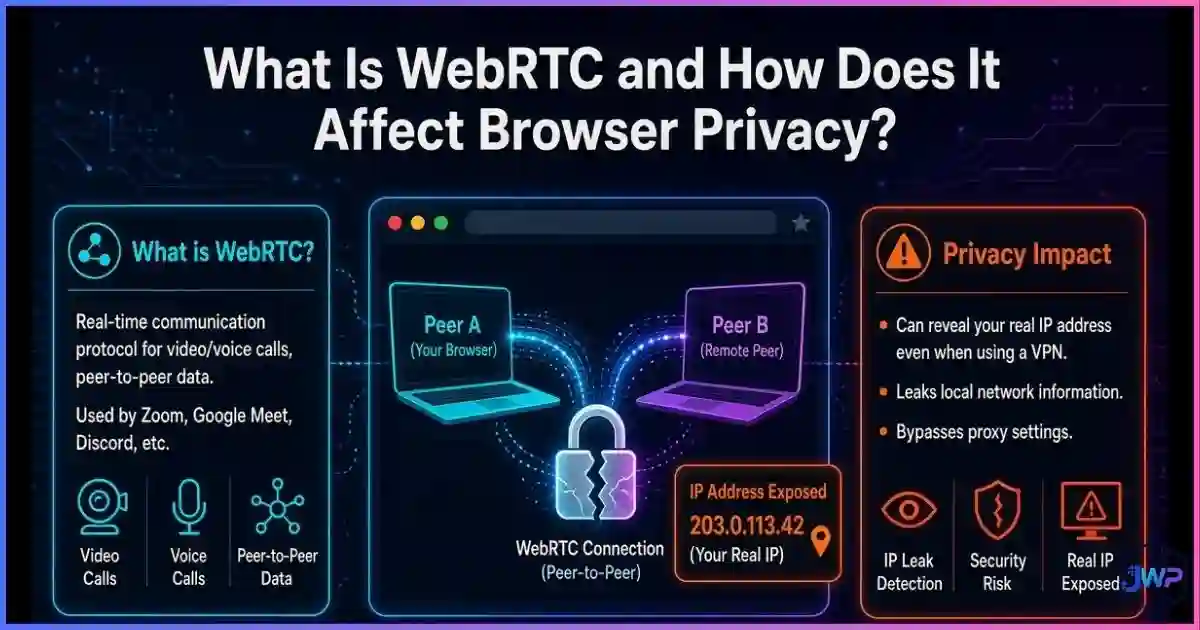
Table of Contents
What WebRTC Actually Is
WebRTC stands for Web Real-Time Communication. Google open-sourced the project in 2011 after acquiring the VoIP engine company Global IP Solutions (GIPS), and it matured into a joint IETF/W3C standard — WebRTC 1.0 became an official W3C Recommendation in January 2021. Today it is built into every major browser engine: Chrome, Edge, Firefox, Safari, and Opera all ship full support.
Before WebRTC, real-time voice and video in a browser required plugins like Flash. WebRTC replaced that with three core JavaScript APIs:
- getUserMedia — accesses the camera and microphone (requires an explicit permission prompt).
- RTCPeerConnection — creates and manages the peer-to-peer connection (requires no permission prompt).
- RTCDataChannel — sends arbitrary low-latency data between peers.
That second bullet is the privacy crux. Camera access asks for consent; connection setup does not. Any script on any page can instantiate an RTCPeerConnection and start reading the network candidates your device generates — which is exactly how websites track you beyond cookies and fingerprints.
How WebRTC Discovers Your IP Address
Most devices sit behind a router using NAT (Network Address Translation), so they don’t know their own public address. To connect two peers, WebRTC uses the ICE framework (Interactive Connectivity Establishment), which gathers a list of “candidates” — possible addresses for the connection — using two helper protocols:
- STUN (Session Traversal Utilities for NAT): the browser asks an external STUN server, “what address do you see me coming from?” The answer — the server-reflexive candidate — is your true public IP and port.
- TURN (Traversal Using Relays around NAT): a fallback relay when direct connection fails.
| ICE candidate type | What it contains | Privacy impact |
|---|---|---|
| host | Your private LAN IPs (192.168.x.x, 10.x.x.x) | Reveals internal network topology; historically always exposed |
| srflx (STUN) | Your public IP as seen from the internet | Can expose the real IP a VPN is supposed to hide |
| relay (TURN) | The relay server’s IP | Low risk — it is the relay’s address, not yours |
The browser collects all of these candidates and hands them to JavaScript via the onicecandidate event. A tracking script only has to read that event to learn addresses your HTTP traffic never reveals. This is the technical heart of what a WebRTC leak is.
WebRTC Privacy Statistics & Charts
WebRTC is nearly universal in browsers, which is exactly why its leak surface matters. The figures below come from browser compatibility data, security reporting, and peer-reviewed VPN research.
Global browser support for WebRTC peer connections
Source: Can I Use — RTCPeerConnection support table. Chrome, Edge, Firefox, Safari, and Opera all ship full, unprefixed support, so the leak surface exists on essentially the entire modern web.
Free Android VPN apps failing privacy tests (CSIRO / IMC 2016)
traffic
queries
encryption
Source: Ikram et al., “An Analysis of the Privacy and Security Risks of Android VPN Permission-enabled Apps” (CSIRO / ACM IMC 2016). When the tunnel itself leaks, WebRTC STUN requests make the exposure even easier to exploit from a browser.
Real-IP exposure by browsing setup (editorial scoring)
Editorial scoring based on published leak mechanics: a VPN alone masks HTTP traffic but leaves the STUN path open; disabling WebRTC or using per-profile WebRTC policies (proxy-only UDP) closes the leak while keeping calls available where needed.
Other numbers worth knowing: reporting in the years after the 2015 disclosure found roughly 20% of top VPN solutions still leaked customer IPs via the WebRTC bug, and modern Chromium only neutralized the local-IP half of the problem when it made mDNS obfuscation default (the old “Anonymize local IPs exposed by WebRTC” flag disappeared around Chrome 86). The public-IP half still depends on your VPN or browser configuration.
The WebRTC Leak, Explained
In January 2015, researchers published a simple proof-of-concept showing that a webpage could use RTCPeerConnection to read the real IP addresses of users sitting behind VPNs. The fallout was immediate because the leak worked in the most privacy-conscious setups and required nothing from the victim — no click, no permission, no download.
The leak has two halves:
- Local IP disclosure: host candidates expose private addresses like
192.168.1.24, revealing your LAN topology and giving trackers a stable internal identifier that survives IP changes. - Public IP disclosure: STUN binding requests can return your true public address — the one assigned by your ISP — even while your normal HTTP traffic shows the VPN’s IP.
Browser vendors eventually mitigated the first half: Chrome and Safari now hide local IPs behind mDNS .local hostnames by default, and Firefox offers equivalent protections. But mDNS obfuscation does not, by itself, stop a misconfigured VPN tunnel from answering STUN requests with your real public IP. And it does nothing about the fact that a site can still observe your ICE behavior as a signal.
WebRTC vs. VPNs and Proxies
A VPN encrypts and reroutes your traffic, but WebRTC leaks survive in three common configurations:
- Split-tunnel or leaked UDP: the VPN tunnels TCP but drops or bypasses UDP, so STUN requests go out over your real connection.
- IPv6 leaks: the VPN tunnels IPv4 only; WebRTC happily uses the IPv6 path and hands over your real address.
- Reconnect gaps: during VPN drops without a kill switch, a persistent WebRTC session re-announces your real candidates.
This is why comparing an anti-detect browser vs. VPN vs. proxy matters: each tool covers a different layer. A VPN changes your route, a proxy changes one app’s route, and an anti-detect browser lets you set a policy for WebRTC per identity — for example, “block non-proxied UDP” so STUN can only ever see the proxy’s address. And remember that none of these tools touch your device fingerprint: a VPN does not change your browser fingerprint, so WebRTC control is only one layer of a complete identity.
One leak can link every account you run.
If a STUN request exposes your real IP on any profile, platforms can correlate all of your accounts in one step. Incogniton applies per-profile WebRTC policies so each identity only ever sees its own proxy’s network.
Get Incogniton →Affiliate link — we may earn a commission at no extra cost to you.
How to Block or Control WebRTC in Every Browser
| Browser | WebRTC control available | How to configure |
|---|---|---|
| Firefox | Full disable possible | about:config → set media.peerconnection.enabled to false |
| Chrome / Edge | No native off switch; mDNS on by default; extensions or enterprise policy | Extensions such as uBlock Origin (“prevent WebRTC from leaking local IPs”) or WebRTC Leak Prevent; policy WebRtcLocalIpsAllowedUrls for managed fleets |
| Brave | IP-handling policy | Settings → Shields/Privacy → WebRTC IP handling: choose “Disable non-proxied UDP” when using a proxy/VPN |
| Safari | mDNS obfuscation built in; no user off switch | Rely on mDNS for local IPs; pair with a VPN that handles UDP/IPv6 for public IPs |
| Tor Browser | Disabled by default | Nothing to do — WebRTC is off as part of the anti-fingerprinting design |
After changing anything, verify with a leak test that shows host, mDNS, and public candidates separately. If you also want to audit the rest of your exposure surface, our guide on what browser fingerprinting is covers the other half of the identity equation.
WebRTC in Anti-Detect Browsers and Isolated Profiles
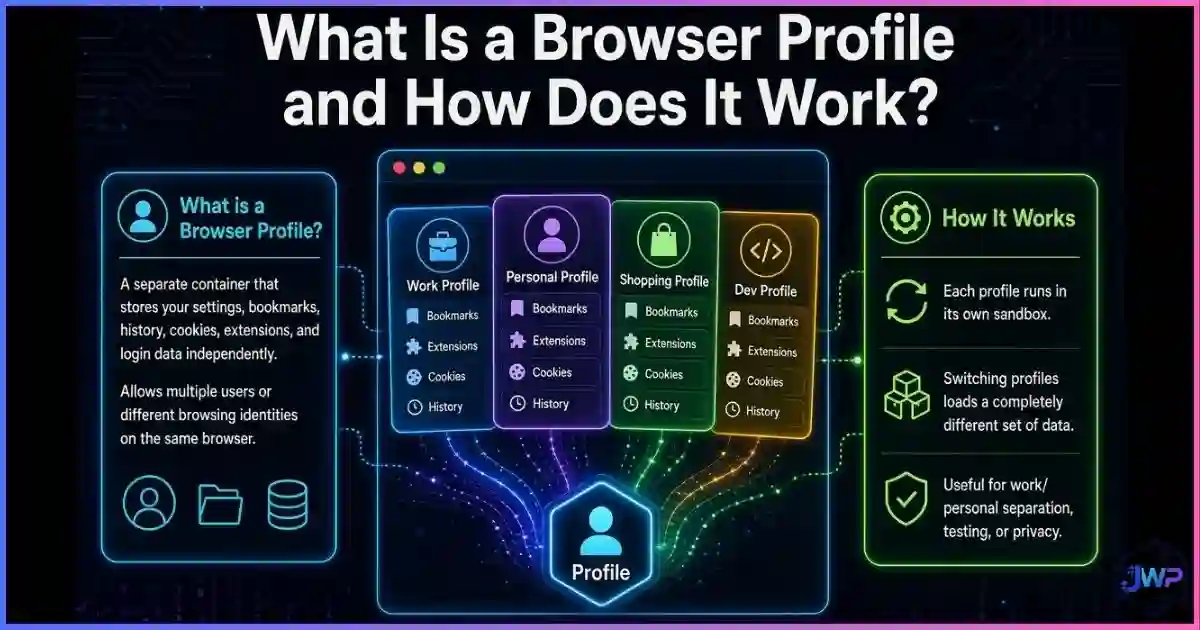
For professionals managing multiple accounts, the question is not “should WebRTC be on or off?” but “what should WebRTC see for this identity?” That is the philosophy behind browser profile isolation: every profile gets its own cookies, storage, fingerprint, proxy — and its own WebRTC policy.
Typical per-profile policies in serious anti-detect tools include:
- Disabled: no peer connections at all; safest for pure browsing identities.
- Proxy-only UDP: STUN may run, but only through the profile’s proxy, so candidates match the identity’s geolocation.
- Local IP substitution: host candidates are replaced with values consistent with the profile’s story instead of your real LAN.
Consistency is the point. A profile that claims to be a Berlin user on a German residential proxy but answers STUN with a Texas ISP address is instantly flaggable. Per-profile WebRTC control keeps the network layer and the fingerprint layer telling the same story.
Give every profile a network that matches its fingerprint.
Incogniton pairs each isolated profile with its own proxy and WebRTC policy, so STUN candidates, timezone, and fingerprint stay coherent — account by account.
Try Incogniton Free →Affiliate link — we may earn a commission at no extra cost to you.
Is WebRTC “Bad”? A Balanced View
No. WebRTC is one of the most useful web standards of the last decade — it removed plugins, enabled end-to-end encrypted calls, and powers telehealth, remote education, and low-latency gaming. The privacy issue is not the technology; it is silent disclosure: a connection-setup protocol revealing network identity without user awareness or consent.
The healthy posture is control, not panic:
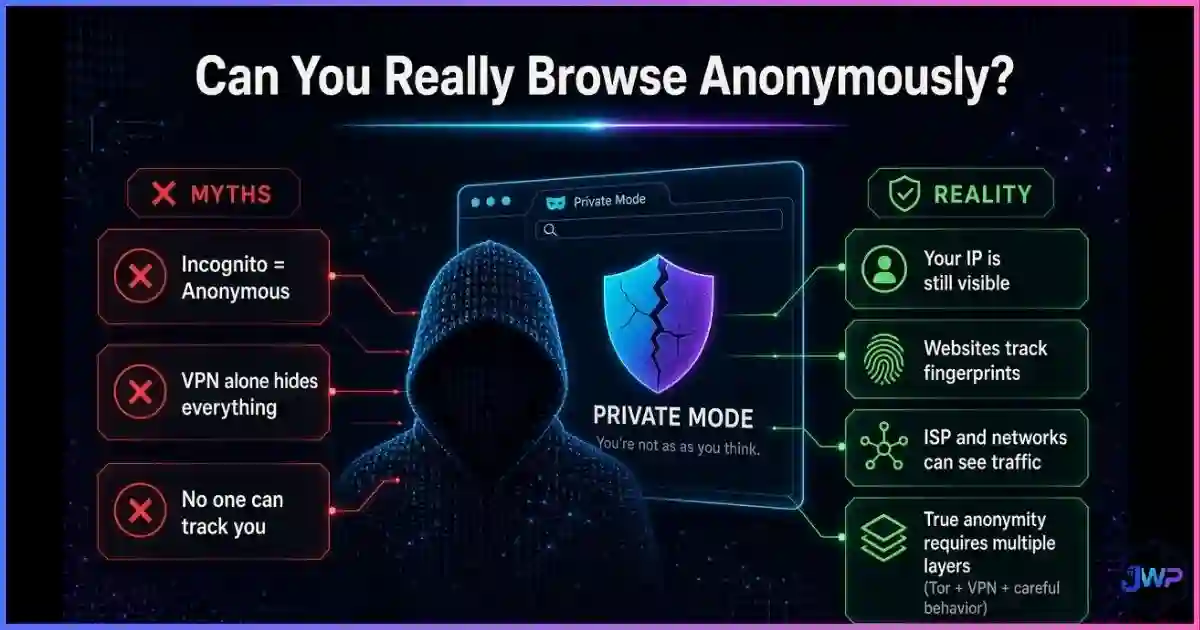
- Understand that WebRTC is one vector among many — cookies, pixels, CNAME cloaking, and fingerprinting complete the picture of whether you can really browse anonymously.
- Use mDNS-protected, updated browsers so local IPs are never broadcast in the clear.
- Use VPNs that explicitly handle UDP and IPv6, with a kill switch.
- Use per-profile WebRTC policies for any multi-account or high-privacy work.
WebRTC Privacy Checklist
- Run a WebRTC leak test and note which candidates (host / mDNS / public) your browser exposes.
- Confirm your browser is mDNS-protected (modern Chrome, Edge, Safari, Firefox).
- If on a VPN, verify it tunnels UDP and IPv6 and offers a kill switch; re-test with WebRTC enabled.
- Disable WebRTC in Firefox via
media.peerconnection.enabledif you never use in-browser calls. - In Brave, set WebRTC IP handling to “Disable non-proxied UDP” when proxying.
- For multi-account work, use an anti-detect browser with per-profile WebRTC policies (e.g., Incogniton).
- Re-test after every browser or VPN update — defaults change.
Frequently Asked Questions
Is WebRTC a security risk?
Does disabling WebRTC break websites?
Can WebRTC leaks happen on mobile?
Does Tor Browser leak WebRTC?
Should I disable WebRTC if I use a VPN?
Does WebRTC affect browser fingerprinting?
Sources and Research Notes
Sources & Research Notes (click to expand)
Methodologies differ across sources (lab tests, field measurements, compatibility tracking), so figures above are presented as published and should be read as directional. Open sources used:
- W3C (2021). “WebRTC 1.0: Real-Time Communication Between Browsers” — W3C Recommendation, 26 January 2021; project origins in Google’s 2011 open-sourcing of GIPS code. w3.org
- The Hacker News (2015). “WebRTC Vulnerability Leaks Real IP Addresses of VPN Users” — public disclosure of the STUN-based IP leak, January 2015. thehackernews.com
- BleepingComputer. “Many VPN Providers Leak Customer’s IP Address via WebRTC Bug” — ~20% of top VPN solutions leaking via the bug known since Jan 2015. bleepingcomputer.com
- Can I Use (2026). “WebRTC Peer-to-Peer Connections / RTCPeerConnection” — global support ≈96.4%. caniuse.com
- Ikram et al. (2016). “An Analysis of the Privacy and Security Risks of Android VPN Permission-enabled Apps.” CSIRO / ACM IMC — 84% IPv6 leaks, 66% DNS leaks, 18% no encryption across 283 apps. research.csiro.au
- MDN Web Docs. “RTCPeerConnection — Browser Compatibility” — full support in Chrome, Edge, Firefox, Opera, Safari. developer.mozilla.org
- Google Support / Chromium issue tracker. “Anonymize local IPs exposed by WebRTC” — mDNS obfuscation defaulting and flag removal around Chrome 86; Edge policy
WebRtcLocalIpsAllowedUrls. support.google.com - uBlock Origin Wiki. “Prevent WebRTC from leaking local IP address” — scope and limits of local-IP leak prevention in Chromium/Firefox extensions. github.com