Anti-Detect Browser Profiles and Digital Browser Identities Explained
Every Profile Is a Digital Persona. Here’s How to Build Them.
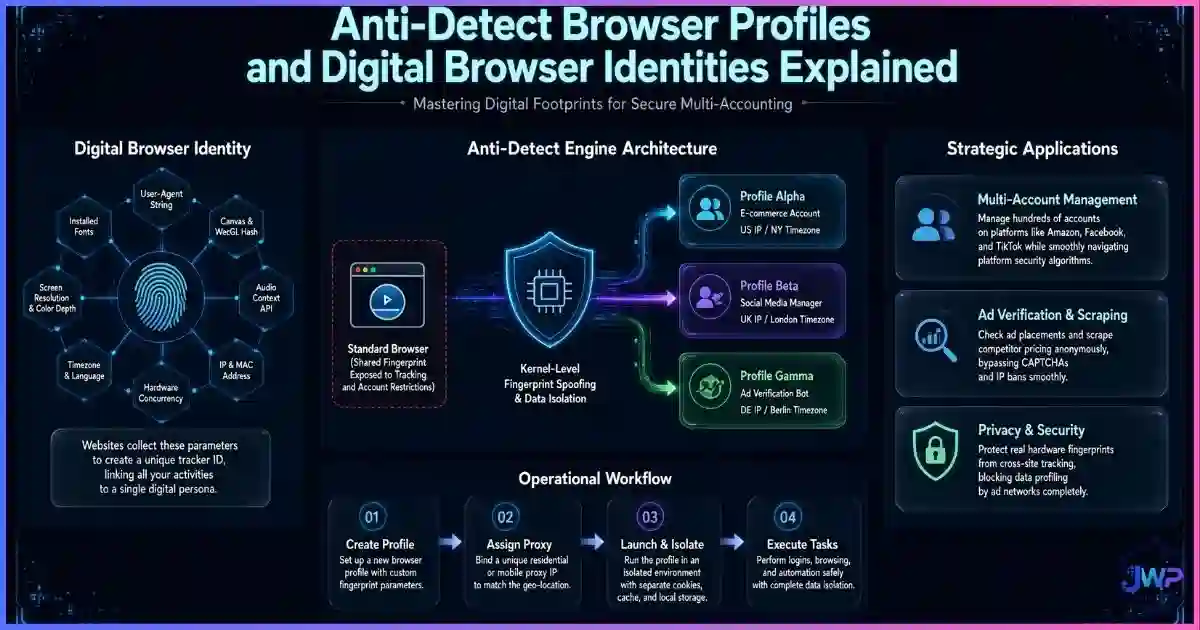
To a platform like Facebook, Amazon, or Google Ads, you are not a human being. You are a cluster of data points: an IP address, a canvas hash, a timezone, a set of cookies, and a behavioral pattern. That cluster is your digital browser identity. When professionals manage multiple accounts, using the same default browser means presenting the exact same digital identity to every platform — which is exactly how accounts get linked, flagged, and banned together. Anti-detect browsers solve this by allowing you to create dozens of isolated profiles, each with its own spoofed fingerprint, dedicated proxy, and separate cookie jar. This guide explains the anatomy of a digital identity, how anti-detect profiles spoof the browser layer, and the golden rules for managing them without getting caught.
Quick answer
What is a digital browser identity?
A digital browser identity is the complete set of data points a website uses to recognize you. It includes your IP address, browser fingerprint (hardware, fonts, screen size, rendering behavior), cookies, local storage, and behavioral patterns (typing speed, navigation flow).
An anti-detect browser profile is a digitally isolated environment that spoofs these data points to create a completely separate, believable digital identity. Instead of forcing all users to look identical (like Tor), an anti-detect browser lets Profile A look like a Windows user in New York, while Profile B looks like a Mac user in London — allowing professionals to manage multiple accounts without triggering fraud systems.
Definitions
The Anatomy of a Digital Browser Identity
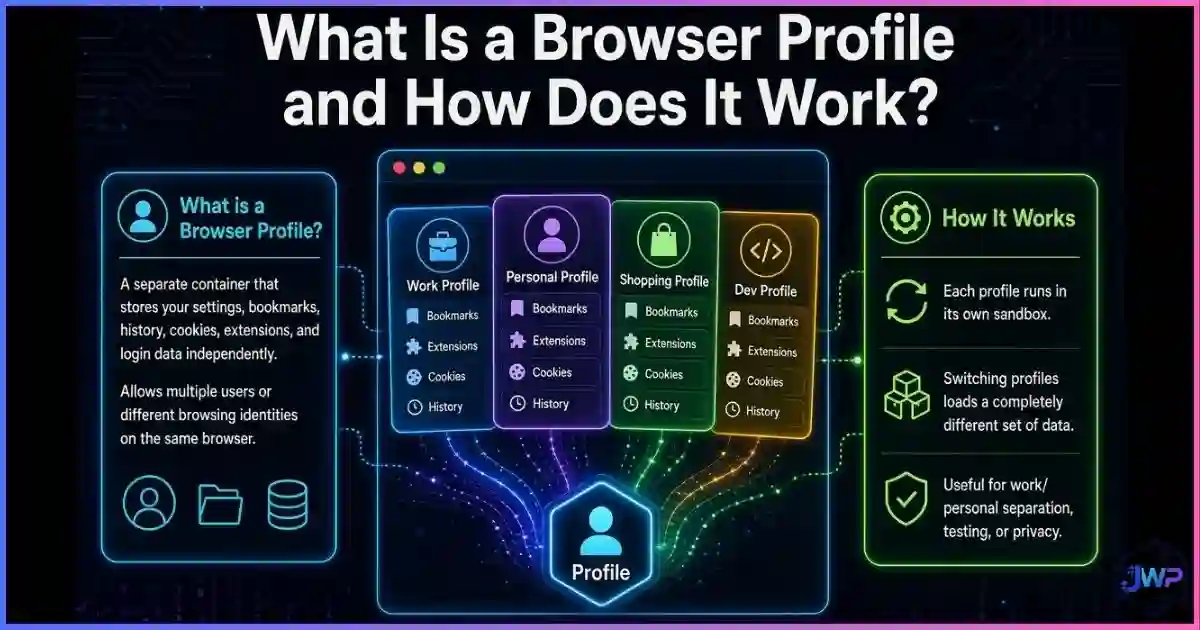
When you visit a website, the platform does not see your face or your name (unless you log in). It sees a digital construct made up of four distinct layers. If any of these layers match another account, the platform’s fraud system flags them as linked. Understanding what a browser profile is helps explain where this data lives.
🌐 Network Layer
Your IP address, ISP, DNS requests, and geolocation. Ties your traffic to a physical household or proxy server.
🔒 Protocol Layer
TLS handshake (JA3 fingerprint), HTTP headers, and cipher suites. Identifies your exact browser version and OS without running JavaScript.
🖥️ Browser Layer
Canvas hash, WebGL renderer, installed fonts, AudioContext, screen resolution, and timezone. See what browser fingerprinting is.
💾 State Layer
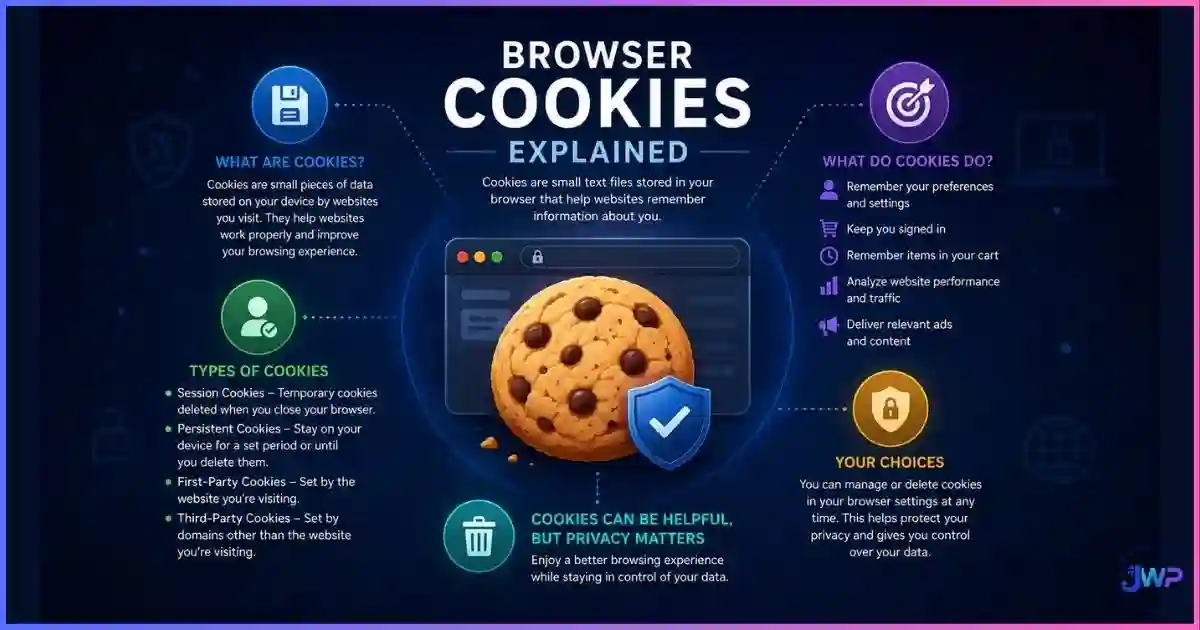
Cookies, localStorage, IndexedDB, cache, and ETags. Persistent IDs stored on your device across sessions.
🧠 Behavioral Layer
Mouse movements, typing cadence, scrolling speed, and navigation patterns. Used by advanced ML fraud systems.
🔗 Account Layer
Email patterns, phone numbers, payment methods, and recovery addresses. The human-provided links between accounts.
Most users only protect the Network Layer (using a VPN). But if your Browser Layer is unique, advertisers and platforms can simply link your new VPN IP address to your old identity the moment you visit a site that reads your canvas fingerprint. Understanding how websites track you across these layers is the first step to defeating them.
Data
How Platforms Link & Ban Accounts
Platforms do not ban accounts randomly. They use sophisticated fraud-detection engines (like Forter, Riskified, or internal ML models) to link accounts that share underlying digital identities. Here is the weight different tracking vectors carry in modern fraud detection:
Tracking vectors used to link multi-accounts
Source: Industry fraud detection whitepapers and e-commerce platform documentation (2024–2026).
Tracking vector coverage by tool type
Editorial scoring based on vector coverage (Network, Protocol, Browser, State). Higher is better for identity isolation.
Standard tools leave massive gaps in your digital identity:
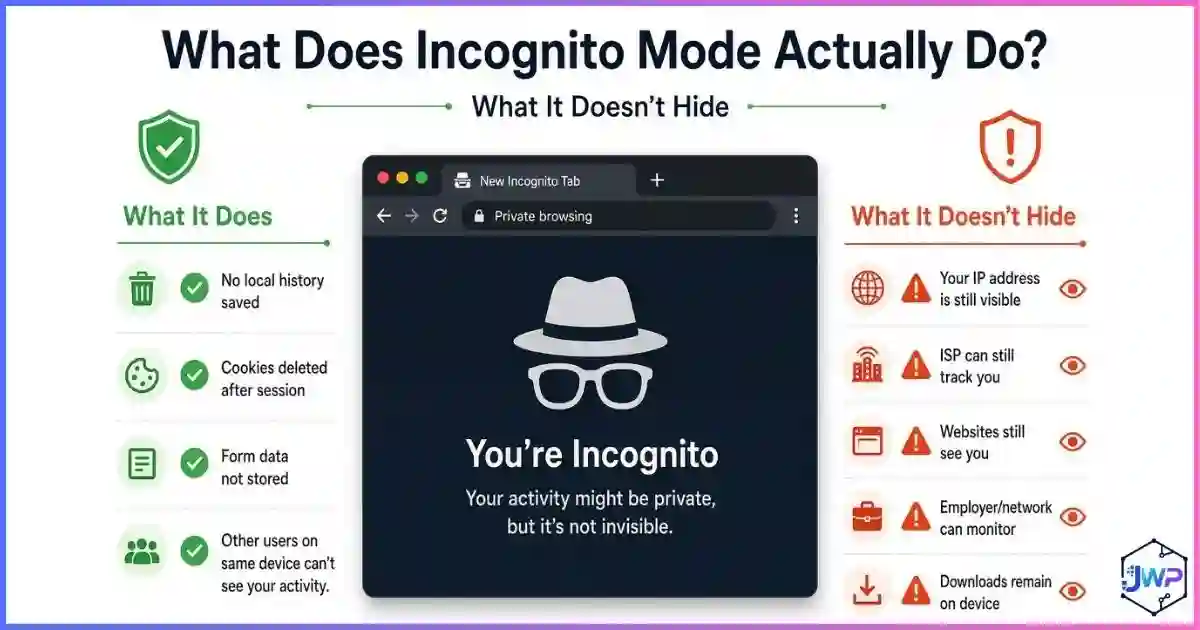
- Incognito Mode (~5%): Only stops local history storage. Fingerprint and IP remain fully exposed.
- Standard VPN (~35%): Hides IP but not fingerprints, WebRTC leaks, or cookies. See anti-detect vs VPN vs proxy.
- Anti-Detect Browser (~90%): Spoofs the browser layer, isolates the state layer, and pairs with proxies to cover the network layer.
Mechanics
How Anti-Detect Profiles Spoof the Browser Layer
An anti-detect browser does not just clear cookies; it actively lies to websites about your hardware and software environment. When you create a new profile in a tool like Incogniton, the browser intercepts JavaScript API calls and returns spoofed values. Here is what anti-detect browsers can hide and spoof:
| API / Data Point | Default Browser Behavior | Anti-Detect Spoofing |
|---|---|---|
| HTML5 Canvas | Returns a unique hash based on your GPU and OS rendering. | Adds mathematical noise or returns a consistent, spoofed hash per profile. |
| WebGL Renderer | Reports your actual graphics card (e.g., “NVIDIA RTX 4090”). | Spoofs a believable GPU matching the chosen OS (e.g., “Intel Iris Pro” for a MacBook profile). |
| AudioContext | Returns a unique audio processing fingerprint. | Spoofs audio processing properties to match the profile’s hardware. |
| Fonts & Screen Size | Reports all installed system fonts and real monitor resolution. | Restricts fonts to standard OS defaults and spoofs a common screen resolution (e.g., 1920×1080). |
| Timezone & Language | Pulls from your operating system settings. | Forces timezone and language to match the attached proxy’s geolocation. |
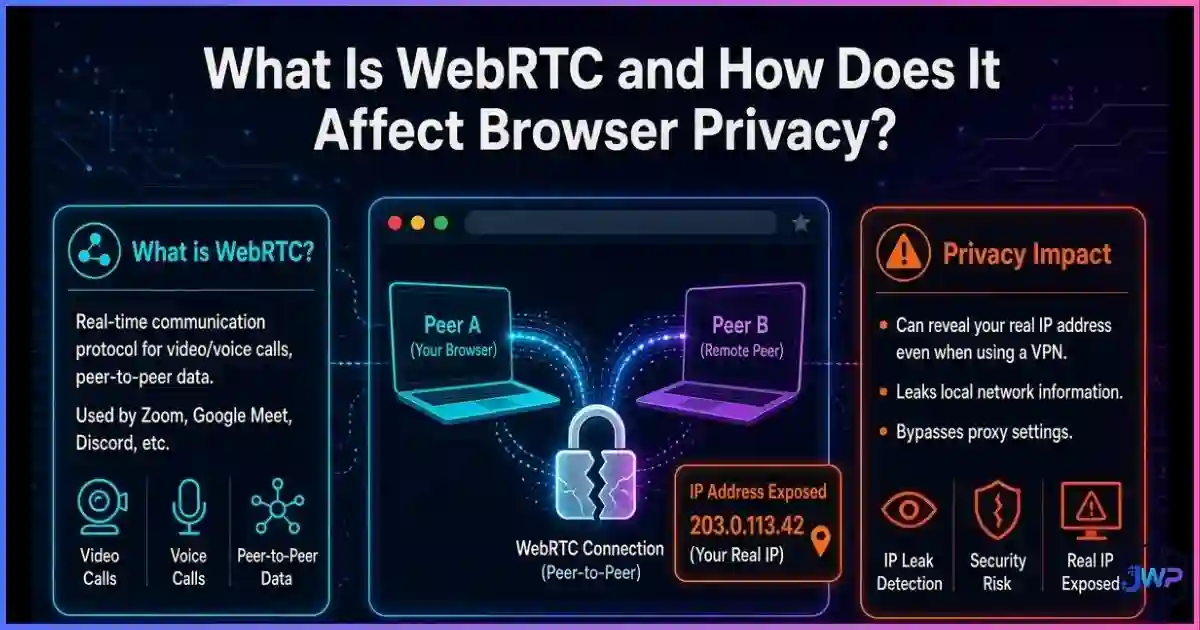
| WebRTC | Can leak your real local IP address even through a VPN. | Blocks or spoofs WebRTC IP returns to match the proxy. |
| Cookies & Storage | Shared across all tabs and windows in the same profile. | Strictly isolated per profile. Profile A cannot read Profile B’s cookies. |
Stop leaking your real hardware to every platform.
Incogniton spoofs over 50 browser parameters per profile, ensuring your canvas hash, WebGL renderer, and timezone always match a believable, isolated digital identity. Pair each profile with a dedicated proxy for full network-layer coverage.
Create Spoofed Profiles in Incogniton → Affiliate link — we may earn a commission at no extra cost to you.The Golden Rule
Consistency vs Randomization
The biggest mistake beginners make with browser profile isolation is randomizing their fingerprint on every page load. Fraud systems are designed to catch this exact behavior.
The Mistake
Randomizing fingerprints every session.
Why it fails
If your canvas hash changes every time you refresh the page, fraud systems instantly flag you as a bot or spoofed browser. Real human hardware does not change its GPU renderer every 5 minutes.
The Solution
Persistent, consistent spoofing.
Why it works
A good anti-detect profile saves its spoofed fingerprint to disk. Profile A always reports the same canvas hash, the same fonts, and the same WebGL renderer. It looks like a real, stable user returning to the site.
The Consistency Rule: Your spoofed fingerprint must remain stable across sessions, and it must be internally consistent. If your profile claims to be a MacBook Pro running macOS Sonoma, but your WebGL renderer reports an NVIDIA RTX card and your timezone is set to Windows defaults, websites will detect the anti-detect browser through inconsistency checks.
Comparison
Anti-Detect Profiles vs Standard Chrome Profiles vs VMs
There are three basic ways to run multiple identities, and they sit on a clear trade-off curve: convenience vs isolation.
| Method | State Isolation | Fingerprint Spoofing | Network Isolation | Speed / Cost |
|---|---|---|---|---|
| Chrome Profile Switcher | ✓ Cookies isolated | ✕ Same hardware/OS | ✕ Same IP | Fast / Free |
| Separate Browsers (Chrome + Firefox) | ✓ Cookies isolated | ~ Different engine | ✕ Same IP | Fast / Free |
| Virtual Machines (VMs) | ✓ Full OS isolation | ✓ Real virtual hardware | ✓ Per-VM proxy | Slow / Heavy |
| Anti-Detect Browser (Incogniton) | ✓ Strict isolation | ✓ Spoofed APIs | ✓ Per-profile proxy | Fast / Freemium |
| Tor Browser | ✓ Ephemeral | ✓ Uniform (crowd hiding) | ✓ Relays | Very Slow / Free |
For most professionals (affiliate marketers, ad buyers, e-commerce operators), anti-detect browser + per-profile proxy is the sweet spot: the isolation of a VM with the speed and compatibility of a normal Chromium browser. For a deeper breakdown of the alternatives, see our guide on profiles vs separate browsers vs virtual machines.
Myth Busting
6 Myths About Digital Identities & Profiles
Myth 1
“If I clear my cookies, my identity is reset.”
Reality
Clearing cookies only resets the State Layer. Your Browser Layer (fingerprint) and Network Layer (IP) remain identical, allowing platforms to instantly re-link you.
Myth 2
“Anti-detect browsers make me 100% anonymous.”
Reality
They provide identity isolation, not true anonymity. They make you look like a different real person, not an invisible ghost. For true anonymity, use Tor.
Myth 3
“A VPN is enough to run multiple accounts.”
Reality
A VPN only changes the IP. If you log into 5 Amazon accounts from the same Chrome browser with the same canvas hash, Amazon will link them regardless of the IP.
Myth 4
“Websites can’t tell I’m using an anti-detect browser.”
Reality
Poorly configured profiles with mismatched timezones, noisy canvas hashes, or datacenter IPs are easily detected. Quality and consistency matter.
Myth 5
“I can share proxies across multiple profiles.”
Reality
Sharing a proxy links the profiles at the Network Layer. If one account gets banned, the shared IP is flagged, and all accounts using it are at risk.
Myth 6
“Incognito mode is a separate digital identity.”
Reality
Incognito is a temporary session that deletes local data on close. It shares the exact same fingerprint, IP, and hardware signature as your main profile.
Action Plan
How to Build & Manage Profiles Correctly
Define the persona before creating the profile
Decide the OS (Windows/Mac/Android), the geolocation (City/Country), and the use case. A profile meant to look like a New York iPhone user needs different spoofed parameters than a London desktop user.
Source a high-quality dedicated proxy
Never use shared datacenter proxies for serious multi-accounting. Use residential or mobile proxies that match the geolocation of your spoofed profile. See our list of the best proxy providers.
Configure internal consistency
Ensure the timezone, language, and WebGL renderer match the chosen OS and proxy location. A Mac profile should not report Windows fonts.
Warm up the profile
Do not immediately log into a high-risk ad account or marketplace. Spend 10–15 minutes browsing neutral sites (news, Wikipedia) to establish a baseline behavioral history and gather normal third-party cookies.
Never cross-contaminate
Never log into “Profile A” inside “Profile B’s” environment. Never check your personal Gmail inside a client’s ad account profile. One mistake permanently links the identities.
Audit and archive
If a proxy burns or an account gets banned, archive the profile. Do not reuse the same fingerprint for a new account; create a fresh profile with a new proxy.
Skip these assumptions
- “Clearing cookies resets my identity”
- “VPNs hide my browser fingerprint”
- “Randomizing fingerprints every session is safer”
- “I can share one proxy across 10 accounts”
- “Incognito mode isolates my accounts”
Do this instead
- Spoof the Browser Layer with persistent consistency
- Pair every profile with a dedicated residential proxy
- Match timezone/language to the proxy’s geolocation
- Warm up new profiles before hitting high-risk platforms
- Use anti-detect browsers for strict state isolation
Profile creation checklist
- Persona defined (OS, device type, target geolocation).
- Dedicated residential or mobile proxy assigned and tested for leaks.
- Timezone, language, and geolocation spoofed to match the proxy.
- WebGL and Canvas hashes are consistent and match the spoofed OS.
- WebRTC leak prevention is enabled and verified.
- Profile is named clearly (e.g., “Client A — NY — Mobile”).
- Profile is warmed up on neutral sites before target platform login.
Manage dozens of digital identities without the bans.
Incogniton provides strict profile isolation, consistent fingerprint spoofing, and team collaboration features. Start with up to 10 profiles for free, and scale as your agency or affiliate operation grows. Check our roundup of the best anti-detect browsers to see how it compares.
Try Incogniton Free → Affiliate link — we may earn a commission at no extra cost to you.FAQs
Frequently Asked Questions
What is a digital browser identity?
How do anti-detect browser profiles work?
Can websites detect if I am using an anti-detect browser?
Do I need a separate proxy for every profile?
Is identity isolation the same as anonymity?
Why do my accounts get banned even when I use a VPN?
📚 Sources & Research Notes (click to expand)
This guide draws on browser fingerprinting research, fraud detection documentation, and anti-detect browser architecture analysis. Platform detection methods evolve rapidly; verify current vendor documentation before making decisions based on this article.
- Eckersley, P. (2010). “How Unique Is Your Web Browser?” EFF Panopticlick — foundational research showing 83.6% of browsers have unique fingerprints. panopticlick.org
- Laperdrix, P., et al. (2020). “Fingerprinting the Fingerprinters.” INRIA AMIUNIQUE project — analysis of cross-site tracking vectors and evasion techniques. amiunique.org
- Englehardt, S., & Narayanan, A. (2016). “Online Tracking: A 1-million-site Measurement and Analysis.” Princeton CITP — large-scale measurement of cookie and fingerprinting prevalence. citp.princeton.edu
- Gómez-Boix, A., et al. (2018). “An Analysis of the Effectiveness of Browser Fingerprinting.” ACM CCS — analysis of fingerprint uniqueness and defensive measures.
- Industry Fraud Detection Whitepapers (2024–2026) — documentation from Forter, Riskified, and e-commerce platforms on multi-account linking vectors.
- W3C Specifications — HTML5 Canvas, WebGL, and WebRTC API behaviors and fingerprinting surfaces.
Platform detection algorithms and browser APIs evolve quickly. Always verify current documentation from your chosen anti-detect browser vendor and proxy provider before scaling multi-account operations.