Do Anti-Detect Browsers Really Work? The Truth About Multi-Accounting
Yes, They Work. But Only If You Avoid These 5 Fatal Mistakes.
You’ve seen the ads and the forums: “Manage 100 Facebook ad accounts without getting banned.” “Run 50 Amazon seller profiles simultaneously.” It sounds like magic, or worse, expensive snake oil. So, what is an anti-detect browser really, and do they actually work? The short answer is yes, they work exceptionally well for identity isolation and multi-accounting—but they do not make you invisible to state-level actors, and they will not save you if you pair them with cheap datacenter proxies. This guide breaks down the actual mechanics of how fingerprint spoofing works, the data behind why accounts still get banned, and the exact setup required to make these tools work.
Quick answer
Do anti-detect browsers really work?
Yes. Anti-detect browsers work by spoofing your device’s hardware and software fingerprints (Canvas, WebGL, AudioContext, Fonts) and isolating your cookies and local storage into separate, persistent profiles. When paired with high-quality residential proxies, they allow you to manage multiple accounts on strict platforms like Facebook, Amazon, TikTok, and Google Ads without triggering automated fraud systems.
However, they are not magic cloaks of invisibility. They provide identity isolation, not true anonymity. If you use a blacklisted proxy, mismatch your timezone with your IP address, or randomize your fingerprint on every page load, platforms will catch you. The tool works; the user configuration is usually where the failure happens.

The Mechanics
How Anti-Detect Browsers Actually Work
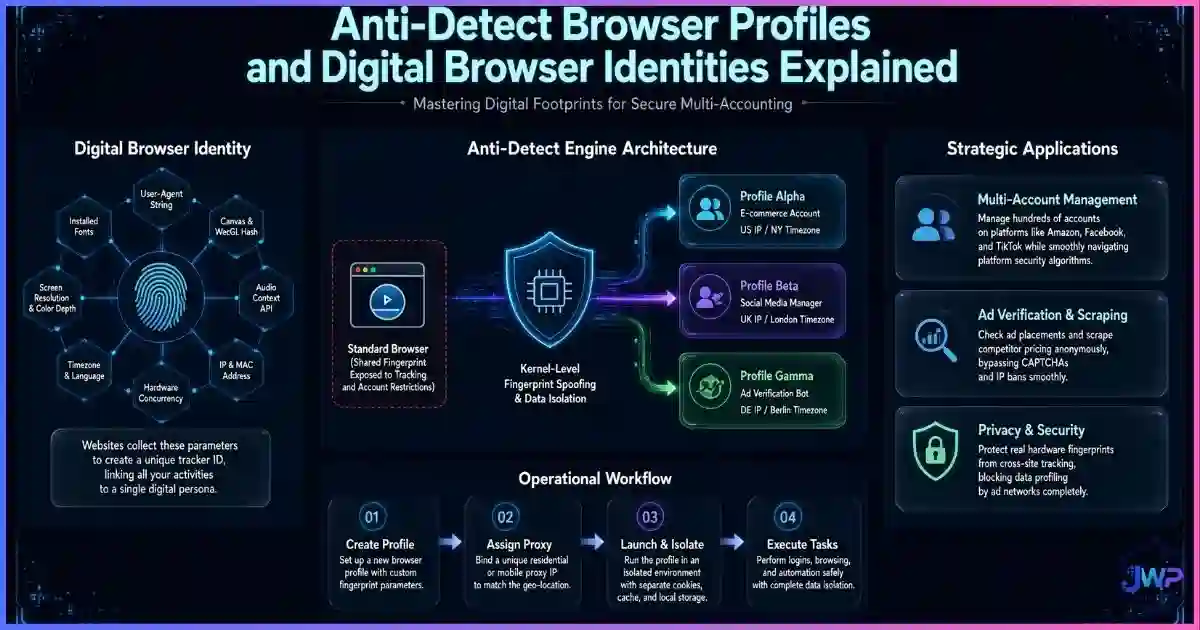
To understand if they work, you have to understand what browser fingerprinting is. When you visit a website, the site runs JavaScript to query your browser about your hardware. It asks: What is your screen resolution? What graphics card are you using? How many fonts are installed? How does your audio processor render this specific sound wave?
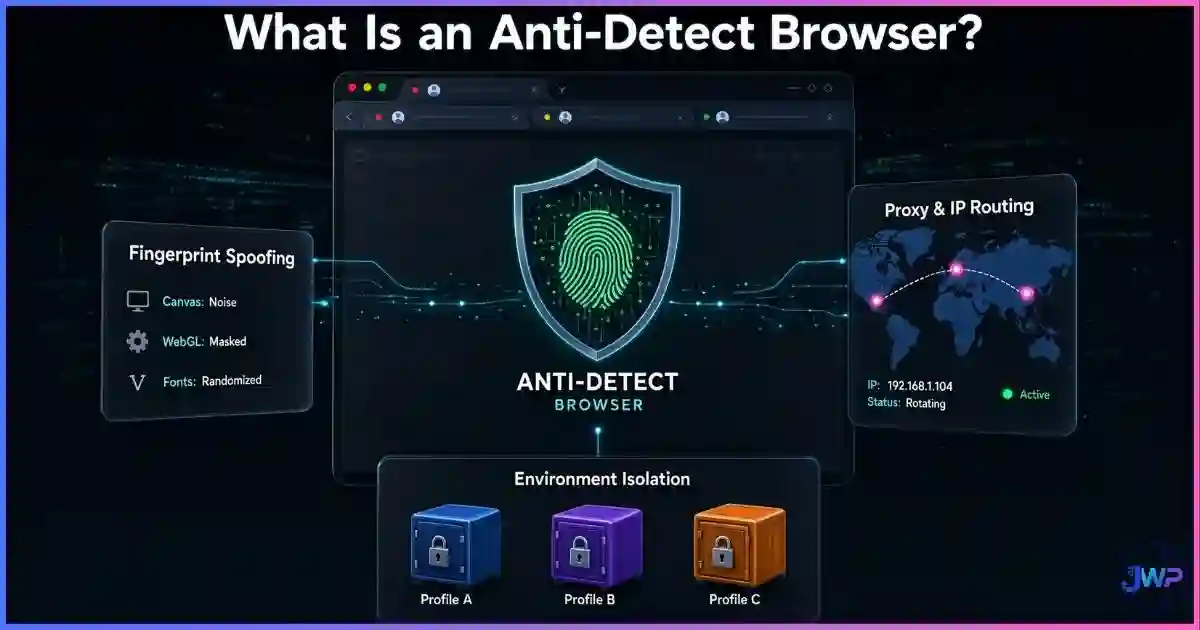
An anti-detect browser intercepts these JavaScript API calls before they reach your actual operating system, and returns spoofed, believable answers. Here is exactly what anti-detect browsers can hide and spoof:
🎨 Canvas & WebGL
Intercepts HTML5 Canvas and WebGL rendering commands to add mathematical noise or return a completely different GPU hash.
🔊 AudioContext
Spoofs the way your device processes audio signals, which is a highly unique hardware identifier used by advanced trackers.
🔤 Fonts & Screen
Restricts the list of visible fonts to match the spoofed OS (e.g., Mac fonts for a Mac profile) and forces standard screen resolutions.
🌍 Timezone & Geo
Overrides the OS-level timezone, language, and geolocation APIs to perfectly match the IP address of your attached proxy.
🍪 State Isolation
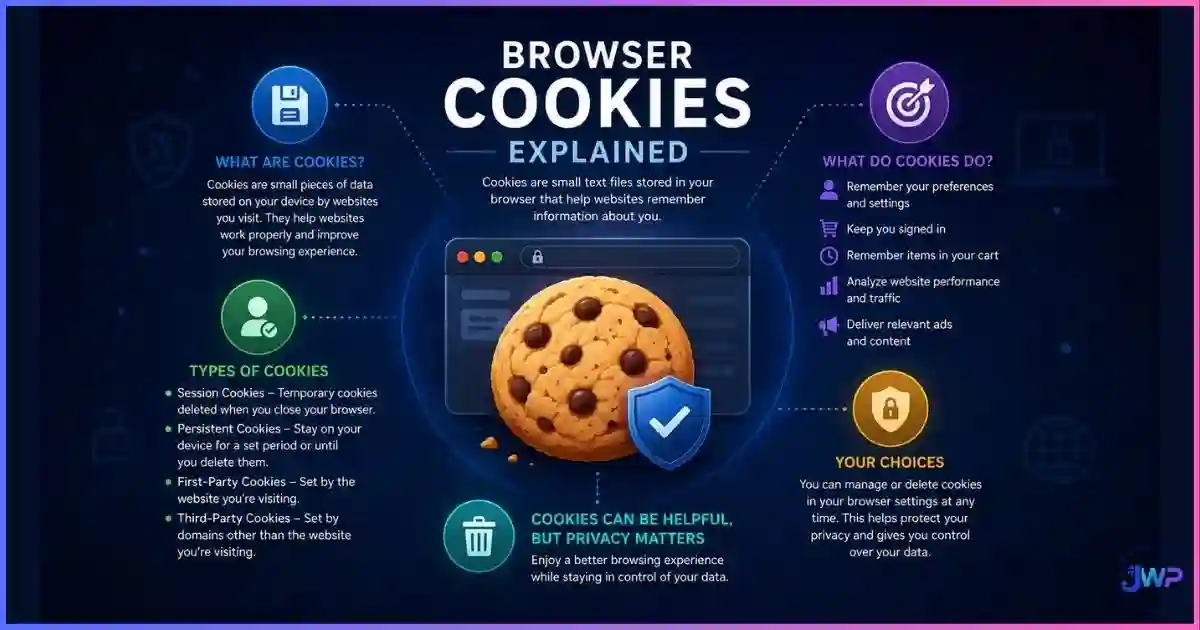
Creates strictly isolated browser profile isolation environments. Cookies, cache, and localStorage never bleed between profiles.
🛡️ WebRTC Leak Block
Prevents WebRTC from bypassing your proxy and leaking your real, local IP address to the destination website.
By controlling these parameters, the browser creates a completely separate digital identity for every profile. To Facebook, Profile A looks like a Windows user in New York. To Amazon, Profile B looks like a Mac user in London. The platforms cannot link them.
Experience true profile isolation.
Incogniton spoofs over 50 browser parameters per profile, ensuring your canvas hash, WebGL renderer, and timezone always match a believable, isolated digital identity. Start with up to 10 free profiles.
Create Spoofed Profiles in Incogniton → Affiliate link — we may earn a commission at no extra cost to you.The Data
Why Accounts Get Banned (And How Anti-Detect Fixes It)
When an agency or affiliate marketer gets their accounts banned, they usually blame the anti-detect browser. But industry fraud-detection data shows that bans are almost always caused by a failure in one of four specific layers. Anti-detect browsers are designed to solve the two biggest offenders:
Primary triggers for multi-account bans
Source: Aggregated industry fraud detection whitepapers and e-commerce platform documentation (2024–2026).
If you use a standard Chrome browser with a VPN, you solve the IP problem (30%), but you leave the Fingerprint (45%) and State (15%) completely exposed. An anti-detect browser solves the Fingerprint and State layers. When you pair it with a high-quality proxy from one of the best proxy providers, you cover 90% of the ban triggers.
Capabilities
What They Can and Cannot Hide
Anti-detect browsers are powerful, but they are not magic. Understanding their limits is the difference between a successful multi-account setup and a banned ad account.
| Data Point | Can Anti-Detect Hide/Spoof It? | Notes |
|---|---|---|
| Browser Fingerprint (Canvas/WebGL) | ✓ Yes | The core feature. Spoofs hardware signatures to look like different devices. |
| Cookies & LocalStorage | ✓ Yes | Strictly isolated per profile. No cross-contamination. |
| Timezone & Language | ✓ Yes | Forced to match the attached proxy’s geolocation. |
| WebRTC IP Leaks | ✓ Yes | Blocks or spoofs WebRTC to prevent real IP exposure. |
| Your Real IP Address | ✕ No (Requires Proxy) | The browser itself doesn’t hide your IP; the proxy you attach to the profile does. |
| Platform Account History | ✕ No | If you log into a previously banned account, the platform remembers the ban. |
| Credit Card / Payment Links | ✕ No | Using the same credit card across multiple profiles will link them instantly. |
Troubleshooting
Why They Fail: User Error vs. Tool Failure
When users ask “do anti-detect browsers really work?” after getting banned, the issue is rarely the software itself. Modern platforms like Facebook and Amazon have incredibly sophisticated fraud engines. They catch users through configuration mistakes:
Failure 1
Using cheap datacenter proxies.
The Fix
Datacenter IPs are flagged by every major platform. You must use residential or mobile proxies that match the geolocation of your spoofed profile.
Failure 2
Mismatched configurations.
The Fix
If your proxy is in Germany, but your profile timezone is set to Los Angeles and your language is English, fraud systems flag the inconsistency immediately.
Failure 3
Randomizing fingerprints.
The Fix
A fingerprint that changes on every page load is instantly flagged as a bot. Profiles must maintain a consistent spoofed fingerprint across sessions.
Failure 4
Cross-contamination.
The Fix
Logging into your personal Gmail or main Facebook account inside a client’s isolated profile permanently links the two identities.
For a deeper dive into how platforms catch these mistakes, read our guide on can websites detect anti-detect browsers?
Comparison
Anti-Detect vs. Tor vs. VPNs
People often confuse anti-detect browsers with anonymity networks. They serve completely different purposes.
| Tool | Primary Goal | Fingerprint Spoofing | Speed | Best For |
|---|---|---|---|---|
| Anti-Detect Browser | Identity Isolation | ✓ Spoofs unique hardware | Fast | Multi-accounting, ad buying, e-commerce |
| Tor Browser | True Anonymity | ✓ Forces uniform hardware | Very Slow | Whistleblowing, evading state surveillance |
| Standard VPN | Network Privacy | ✕ Does not touch fingerprint | Fast | Hiding traffic from ISP, public Wi-Fi safety |
| Incognito Mode | Local Privacy | ✕ Does not touch fingerprint | Fast | Shared devices, quick clean sessions |
If your goal is to manage 20 TikTok ad accounts, Tor is useless (it’s too slow and gets blocked). A VPN is useless (it doesn’t hide your fingerprint). An anti-detect browser is the only tool built for the job. See our full breakdown of the best anti-detect browsers on the market.
Stop getting banned for fingerprint leaks.
Incogniton provides the exact fingerprint spoofing and state isolation required to run multiple accounts on strict platforms like Facebook, Amazon, and TikTok. Pair it with a good residential proxy and you’re covered.
Try Incogniton Free → Affiliate link — we may earn a commission at no extra cost to you.Myth Busting
5 Myths About Anti-Detect Browsers
Myth 1
“They make me 100% anonymous.”
Reality
They provide identity isolation, not anonymity. They make you look like a different real person, not an invisible ghost. Law enforcement can still trace you if required.
Myth 2
“I don’t need a proxy if I use an anti-detect browser.”
Reality
The browser spoofs your hardware, but your ISP still assigns your real IP address. You must attach a proxy to hide your network layer.
Myth 3
“They are illegal to use.”
Reality
The software itself is completely legal. It is used by QA testers, security researchers, and agencies. What may violate terms of service is the action of multi-accounting on specific platforms.
Myth 4
“Clearing cookies is the same as using an anti-detect browser.”
Reality
Clearing cookies only resets the State Layer. Your hardware fingerprint remains identical, allowing platforms to instantly re-link you.
Myth 5
“All anti-detect browsers are the same.”
Reality
Cheap tools use detectable “noise” patterns in their Canvas spoofing that advanced fraud systems easily catch. Quality and consistency matter immensely.
Action Plan
How to Make Them Actually Work (The Setup)
If you want anti-detect browsers to work for you, follow this exact setup protocol:
Source high-quality residential proxies
Never use shared datacenter proxies. Buy static residential or mobile proxies from a reputable provider. The IP must be clean and dedicated to you.
Create the profile with internal consistency
When setting up the profile in your anti-detect browser, ensure the OS, Timezone, Language, and WebGL renderer all match the geolocation of your proxy. A Mac profile should not report Windows fonts.
Warm up the profile
Do not immediately log into a high-risk ad account. Spend 10–15 minutes browsing neutral sites (news, Wikipedia, YouTube) to establish a baseline behavioral history and gather normal third-party cookies.
Never cross-contaminate
Never log into your personal accounts inside a client’s isolated profile. One mistake permanently links the identities in the platform’s database.
Use unique payment methods
Even with perfect browser isolation, using the same credit card across 10 accounts will trigger a ban. Use virtual cards or separate business entities for payment verification.
Skip these assumptions
- “The browser hides my IP automatically”
- “Datacenter proxies are fine if they are private”
- “I can randomize my fingerprint every session”
- “I can use my personal credit card for all accounts”
- “Anti-detect makes me invisible to law enforcement”
Do this instead
- Always pair the browser with a dedicated proxy
- Use residential or mobile proxies only
- Keep fingerprints stable and consistent
- Use virtual cards or separate entities for billing
- Warm up profiles before hitting target platforms
Anti-Detect Setup Checklist
- Dedicated residential or mobile proxy assigned and tested for leaks.
- Timezone, language, and geolocation spoofed to match the proxy exactly.
- WebGL and Canvas hashes are consistent and match the spoofed OS.
- WebRTC leak prevention is enabled and verified.
- Profile is warmed up on neutral sites before target platform login.
- Unique payment method / virtual card assigned to the profile.
Manage dozens of digital identities without the bans.
Incogniton provides strict profile isolation, consistent fingerprint spoofing, and team collaboration features. Start with up to 10 profiles for free, and scale as your agency or affiliate operation grows.
Try Incogniton Free → Affiliate link — we may earn a commission at no extra cost to you.FAQs
Frequently Asked Questions
Do anti-detect browsers really work for Facebook and Amazon?
Can websites detect if I am using an anti-detect browser?
Do I need a proxy if I use an anti-detect browser?
Are anti-detect browsers legal?
Why do my accounts still get banned when using an anti-detect browser?
What is the difference between an anti-detect browser and a VPN?
📚 Sources & Research Notes (click to expand)
This guide draws on browser fingerprinting research, fraud detection documentation, and anti-detect browser architecture analysis. Platform detection methods evolve rapidly; verify current vendor documentation before making decisions based on this article.
- Eckersley, P. (2010). “How Unique Is Your Web Browser?” EFF Panopticlick — foundational research showing 83.6% of browsers have unique fingerprints. panopticlick.org
- Laperdrix, P., et al. (2020). “Fingerprinting the Fingerprinters.” INRIA AMIUNIQUE project — analysis of cross-site tracking vectors and evasion techniques. amiunique.org
- Englehardt, S., & Narayanan, A. (2016). “Online Tracking: A 1-million-site Measurement and Analysis.” Princeton CITP — large-scale measurement of cookie and fingerprinting prevalence.
- Gómez-Boix, A., et al. (2018). “An Analysis of the Effectiveness of Browser Fingerprinting.” ACM CCS — analysis of fingerprint uniqueness and defensive measures.
- Industry Fraud Detection Whitepapers (2024–2026) — documentation from Forter, Riskified, and e-commerce platforms on multi-account linking vectors.
- W3C Specifications — HTML5 Canvas, WebGL, and WebRTC API behaviors and fingerprinting surfaces.
Platform detection algorithms and browser APIs evolve quickly. Always verify current documentation from your chosen anti-detect browser vendor and proxy provider before scaling multi-account operations.