What Is an Anti-Detect Browser? How They Work & Who Needs One
One Device. Dozens of Identities. Zero Cross-Contamination.
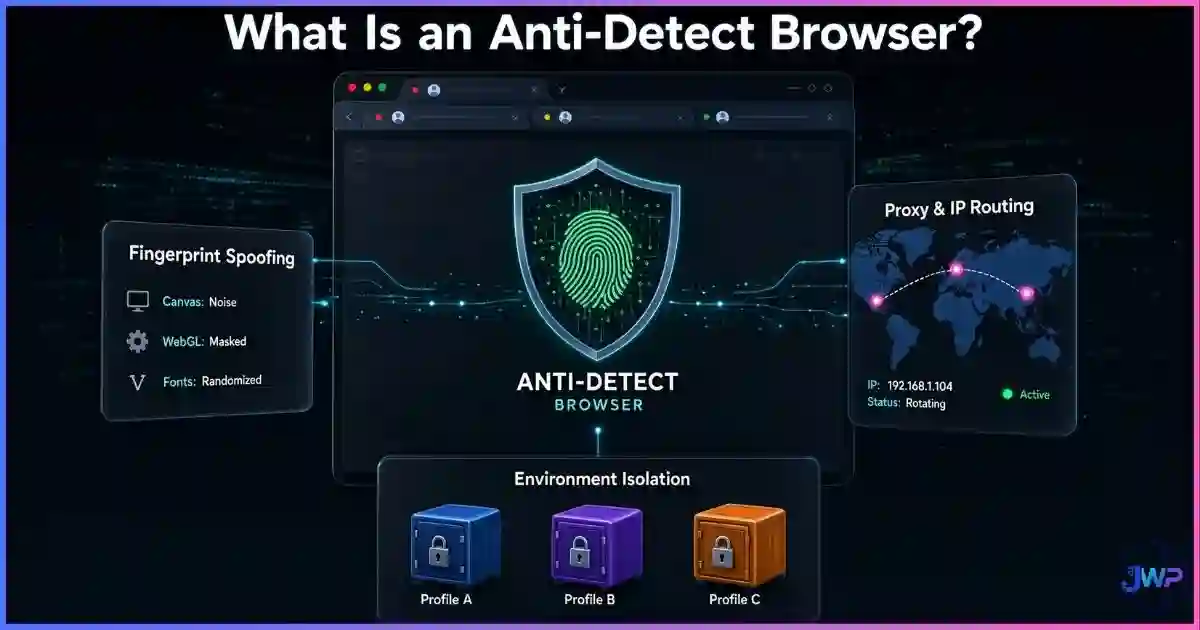
An anti-detect browser is a specialized Chromium-based browser that lets you create dozens of fully isolated browser profiles, each with its own spoofed fingerprint, cookies, cache, and proxy. While mainstream browsers make every tab share the same device identity — the same canvas hash, the same fonts, the same User-Agent, the same IP — anti-detect browsers break that link so platforms cannot tie your accounts together. It’s why they’ve become the default tool for affiliate marketers, ad buyers, e-commerce operators, QA testers, and anyone managing multiple accounts on platforms that aggressively ban duplicates.
Quick answer
What is an anti-detect browser?
An anti-detect browser is a privacy-focused browser that spoofs your device fingerprint and isolates every profile into its own digital identity. Each profile gets its own User-Agent, screen resolution, timezone, WebGL/Canvas hash, installed fonts, hardware concurrency, language, WebRTC behavior, and paired proxy. The result is identity isolation: Platform A sees a “Mac user in New York” and Platform B sees a “Windows user in London,” with no shared cookies, cache, or fingerprints to link them.
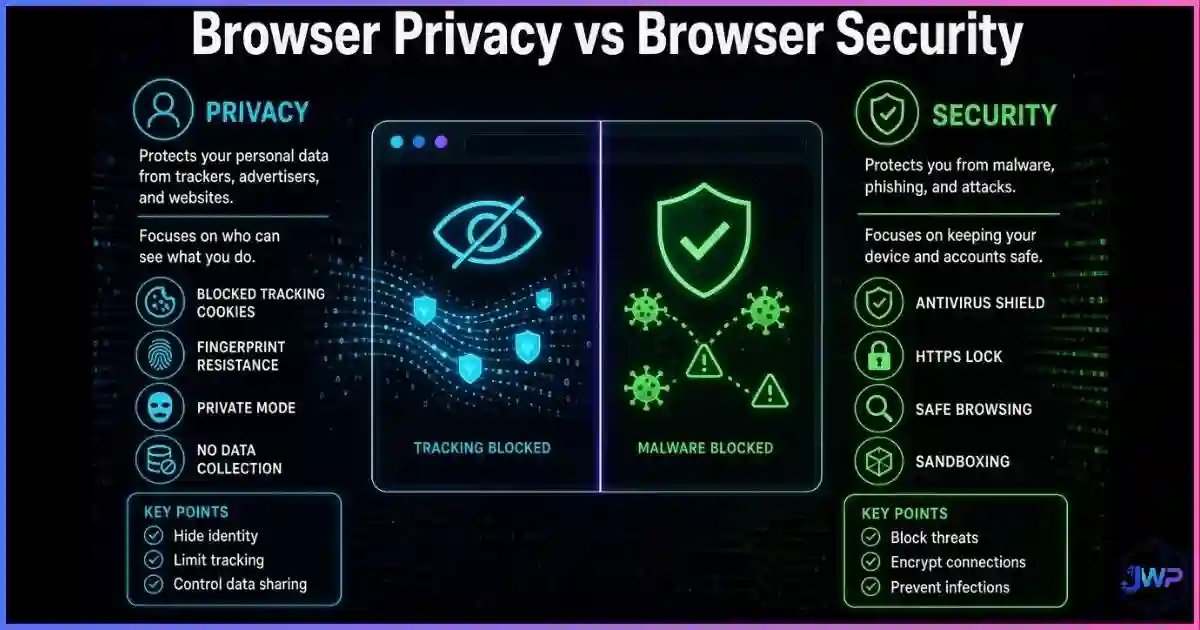
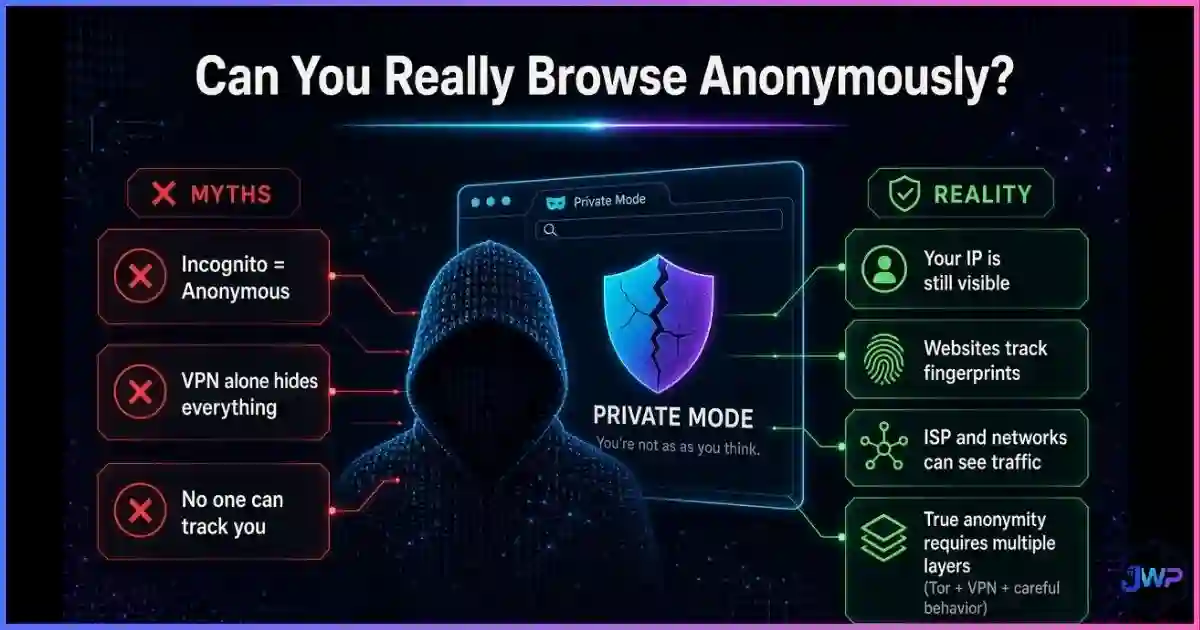
This is fundamentally different from incognito mode (which only hides local history) and from a standard VPN (which only hides your IP but leaves your fingerprint unchanged). Anti-detect browsers address the full stack of identity signals that modern fraud and multi-accounting systems use to detect you.
Definition
What an Anti-Detect Browser Is (and Isn’t)
At its core, an anti-detect browser is a Chromium-based browser with a built-in identity-management layer. Every profile you create inside it runs in a fully isolated environment, with its own spoofed hardware and software fingerprint. When you visit a website, that website sees the spoofed identity — not your real device. For a full breakdown of what makes your device identifiable, read what is browser fingerprinting.
Fingerprint Spoofing
Mask your device
Each profile presents a believable, consistent device identity:
- User-Agent & platform
- Screen size & color depth
- Canvas & WebGL hash
- Timezone & language
- Hardware concurrency & fonts
Proxy Integration
Own IP per profile
Each profile is paired with a dedicated proxy so:
- IPs don’t cross-contaminate
- Geolocation matches the fingerprint
- Residential/mobile IPs avoid blocklists
- Leaks are contained to one profile
What an anti-detect browser is not: it is not an anonymity tool in the Tor sense. It doesn’t route your traffic through volunteer relays or try to make you look identical to every other user. Instead, it makes each profile look like a different real device, so platforms treat each one as a separate, legitimate user. For the full comparison, read our guide on anti-detect browser profiles and digital identities.
Stop getting linked across accounts.
Incogniton spoofs every fingerprint signal, isolates every cookie jar, and pairs each profile with its own proxy — so Platform X has no way to connect Profile A to Profile B. Free plan includes 10 profiles to get started.
Try Incogniton Free → Affiliate link — we may earn a commission at no extra cost to you.Data
The Data: Market, Fraud, and Detection
Anti-detect browsers have gone from a niche tool used by ad arbitrage specialists to a mainstream piece of infrastructure for anyone managing identities online. The numbers explain why:
Why platforms invest heavily in detection
Sources: JuicyScore 2021, MojoAuth ATO Statistics 2026, Sardine/Visitor Fingerprint, Group-IB.
The anti-detect browser market in 2026
Source: MostLogin market analysis, 2026.
What’s driving the growth:
- Explosion of multi-account work in affiliate marketing and e-commerce.
- Platforms like Facebook, TikTok, and Google tightening duplicate-account detection.
- Agencies needing to manage dozens of client accounts from one team.
- QA teams needing to test sites from different device and geo profiles.
What platforms actually check (detection surface)
Editorial scoring based on public documentation from major ad networks, fraud providers, and e-commerce platforms.
The takeaway is clear: platforms now treat fingerprint and cookie isolation as a first-class defense signal. That’s the exact problem anti-detect browsers were built to solve — and why they’ve moved from a grey-area tool to a mainstream piece of operational infrastructure.
How It Works
How Anti-Detect Browsers Work Under the Hood
Every website you visit already tries to identify your device. For a full overview, see how websites track you. An anti-detect browser intercepts those identification calls and returns spoofed-but-consistent answers. Here’s what a typical site probes for, and how the browser responds:
| Signal probed | Standard browser response | Anti-detect browser response |
|---|---|---|
| navigator.userAgent | Real Chrome/Firefox string | Spoofed per profile (OS, browser version, device type) |
| Screen resolution & color depth | Actual monitor | Configurable per profile (e.g., 1920×1080, 24-bit) |
| Canvas fingerprint | Unique GPU-rendered hash | Spoofed or noise-injected per profile |
| WebGL renderer & vendor | Actual GPU model | Configurable (e.g., “Intel Iris” vs “NVIDIA RTX”) |
| Installed fonts | Real font list | Whitelisted per profile for consistency |
| Timezone & language | OS-level setting | Matched to the profile’s proxy geolocation |
| Hardware concurrency | Real CPU core count | Spoofed to match a believable device class |
| WebRTC IP | Often leaks real local IP | Routed through the profile’s proxy, or disabled |
| DNS resolver | OS default | Per-profile DNS over HTTPS when supported |
| Cookies & localStorage | Shared across all tabs | Strictly isolated per profile |
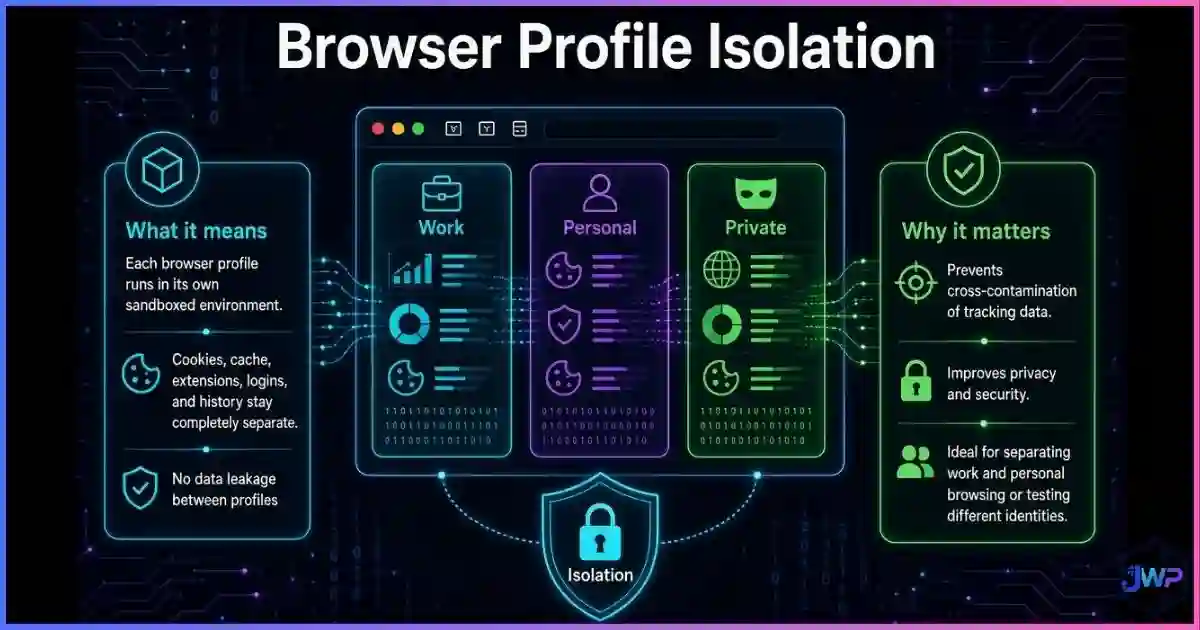
The critical rule — and what separates professional anti-detect browsers from free scripts — is consistency. A spoofed fingerprint that changes on every refresh is flagged as a bot in milliseconds. A spoofed fingerprint that remains stable across days and weeks looks like a real user. For the deeper breakdown, see browser profile isolation.
Inside a Profile
What a Single Anti-Detect Profile Actually Contains
Think of a profile as a complete digital identity, not just a saved window. When you open Profile A, every layer below is loaded from its own isolated store:
| Layer | Contents | Why it matters |
|---|---|---|
| Identity | User-Agent, screen, timezone, language, fonts, WebGL, canvas hash, audio context | This is the device the website sees. If it matches another profile, you’re linked. |
| Network | Proxy (HTTP/SOCKS), DNS server, WebRTC routing, IP reputation | Mismatched geolocation or a datacenter IP triggers fraud flags. |
| State | Cookies, localStorage, IndexedDB, cache, service workers, HSTS | Shared state is the most common way platforms link accounts. |
| Permissions | Camera, mic, location, notifications per profile | Inconsistent permissions across profiles raise red flags. |
| Automation | Optional Puppeteer/Playwright bindings for workflow automation | Lets teams automate without breaking the fingerprint. |
Good anti-detect browsers also include a “fingerprint template” generator that produces believable combinations — a Windows 11 profile won’t be paired with macOS fonts, a German-language profile won’t be assigned a Los Angeles timezone, and a low-end CPU won’t advertise RTX 4090 WebGL capabilities. This is exactly why changing your IP address alone doesn’t change your browser fingerprint, and why a VPN doesn’t change your fingerprint either.
Use Cases
Who Uses Anti-Detect Browsers (and Why)
Anti-detect browsers aren’t a hobbyist tool. They’re an operational one, used by people whose business depends on managing multiple accounts cleanly and at scale. The legitimate use cases below account for the vast majority of the market:
Affiliate marketing
Ad buyers & media buyers
Managing dozens of ad accounts on Facebook, TikTok, and Google without triggering “unusual activity” bans or account linking.
- One profile per ad account
- Residential proxies per region
- Separate billing fingerprints
E-commerce & dropshipping
Multi-store operators
Running multiple storefronts on Amazon, eBay, Etsy, Shopify, or Walmart without being flagged for duplicate seller accounts.
- Isolated seller identities
- Per-store IP & fingerprint
- Clean review and feedback history
Social media management
Agencies & brand managers
Handling 20+ client accounts on Instagram, X, LinkedIn, TikTok from one team machine without cross-account contamination.
- Per-client profiles
- Per-client proxies
- Team sharing with role-based access
QA & market research
Product teams & analysts
Testing sites from different geographies, device types, and price segments without buying hardware or travel.
- Simulate mobile users
- Check localized pricing
- Verify geo-restricted content
Ad verification
Brand safety teams
Checking whether ads are being served correctly across regions and devices without contaminating real user data.
- Simulate real users
- Test creative delivery
- Detect fraud & malvertising
Web scraping
Data teams & researchers
Collecting public web data at scale without getting blocked by fingerprint or IP-based rate limits. See best web scraping providers.
- Rotating fingerprints
- Residential proxy pools
- Headless mode support
Managing more than one identity? You already need this.
Incogniton gives you strict profile isolation, believable fingerprint templates, and native proxy integration. Start with up to 10 profiles for free — scale as your operations grow.
Get Started with Incogniton → Affiliate link — we may earn a commission at no extra cost to you.Comparison
Anti-Detect Browser vs VPN vs Incognito vs Tor
These four tools defend against completely different threat models. Mixing them up is the #1 reason people choose the wrong tool. For a deep dive, see anti-detect browser vs VPN vs proxy and anti-detect browser vs incognito mode.
| Protection | Incognito | VPN | Tor | Anti-Detect Browser |
|---|---|---|---|---|
| Hides local history | ✓ | ✕ | ✓ | ✓ |
| Hides IP address | ✕ | ✓ | ✓ | ✓ (via proxy) |
| Changes browser fingerprint | ✕ | ✕ | ✓ (uniform) | ✓ (per profile) |
| Isolates cookies per identity | ✕ | ✕ | ✓ | ✓ |
| Prevents account linking | ✕ | ✕ | ~ | ✓ |
| Maintains real web compatibility | ✓ | ✓ | ✕ | ✓ |
| Supports multi-account workflows | ✕ | ✕ | ✕ | ✓ |
| Speed | Full | Fast | Very slow | Full |
| Best for | Shared-device privacy | Network-level privacy | Whistleblowing, anonymity | Multi-account operators |
✓ = yes ~ = partial ✕ = no. The short rule: incognito for your shared laptop, VPN for public Wi-Fi, Tor for anonymity, anti-detect browsers for multi-account work.
Detection
Can Websites Detect Anti-Detect Browsers?
Yes — and no. The honest answer is: poorly configured anti-detect browsers are easy to detect; well-configured ones are effectively invisible. For the full technical breakdown, read can websites detect anti-detect browsers. Common detection methods include:
| Detection method | What it catches | How a good anti-detect browser defends |
|---|---|---|
| IP blocklists | Known Tor, VPN, and datacenter IP ranges | Pairs each profile with residential or mobile proxies |
| Consistency checks | German IP with US timezone; Windows UA with macOS fonts | Template generators that enforce realistic combinations |
| Canvas noise analysis | Mathematical patterns in “noisy” fingerprints | Stable, believable canvas hashes per profile |
| WebRTC leaks | Mismatch between HTTP IP and WebRTC IP | WebRTC routed through the proxy or disabled |
| Navigator inconsistencies | Claimed cores ≠ real cores; claimed UA ≠ TLS signature | Deep Chromium patching to align all signals |
| Behavioral analysis | Inhuman click patterns, mouse trajectories | Real human usage; automation tools that simulate human behavior |
The consistency rule matters more than the sophistication rule. A tool with 50 spoofing features that produces inconsistent profiles will be caught. A tool with 20 well-aligned features that produces stable profiles will not. That’s why reviews focus less on the number of fingerprint parameters and more on real-world undetection rates. See do anti-detect browsers really work for our testing methodology.
Safety & Legality
Are Anti-Detect Browsers Safe and Legal?
This is the most common question we get, and the honest answer depends on how you use them, not that you use them. For a full discussion, see are anti-detect browsers safe and legal.
Generally legitimate uses
- Managing multiple ad accounts you own
- Running multiple storefronts you operate
- QA and market research
- Social media agencies managing client accounts
- Ad verification and brand safety
- Public web scraping that respects ToS
- Privacy-conscious personal browsing
Uses that violate ToS or law
- Fraud, identity theft, account takeover
- Bonus & promo-code abuse
- Review manipulation and astroturfing
- Carding and payment fraud
- Harassment or ban evasion where prohibited
- Scraping that violates ToS or copyright
- Impersonation of real people
The tool itself is neutral — like a car, a lock pick, or a spreadsheet. It becomes problematic only when paired with fraudulent or abusive intent. Most platforms prohibit multi-accounting in their Terms of Service, so users should understand the risk: accounts can be banned, and violating ToS can have civil consequences even when it isn’t criminal. Responsible operators use anti-detect browsers to protect legitimate business accounts from being accidentally linked — not to commit fraud.
Myth Busting
7 Anti-Detect Browser Myths, Busted
Myth 1
“They make you anonymous.”
Reality
They provide identity isolation, not anonymity. Each profile is a separate believable identity, not an invisible one. True anonymity is what Tor does.
Myth 2
“A VPN is just as good.”
Reality
A VPN hides your IP but leaves your fingerprint, cookies, and browser behavior unchanged. Platforms will still link your accounts.
Myth 3
“They’re only for fraudsters.”
Reality
Agencies, affiliate networks, e-commerce operators, QA teams, and ad buyers are the largest legitimate user base.
Myth 4
“They’re always detectable.”
Reality
Poorly configured profiles get flagged quickly; well-configured ones are effectively indistinguishable from real devices.
Myth 5
“More spoofing features = better.”
Reality
Consistency matters more than feature count. A tool with 20 aligned signals beats one with 100 inconsistent ones.
Myth 6
“Free versions are good enough.”
Reality
Free scripts and free tiers often fail consistency checks and share infrastructure with thousands of other users — the opposite of what you want.
Myth 7
“They replace a VPN.”
Reality
They complement a proxy stack. For network-level privacy on public Wi-Fi, you still want a VPN.
Choosing
How to Choose the Right Anti-Detect Browser
There are over a dozen serious players in the market today. Rather than reviewing every feature, focus on the signals that actually matter for your use case:
Pick the right Chromium core
Most tools are built on Chromium, but the underlying version matters for compatibility and detectability. Newer cores generally perform better on modern platforms. Verify the current core before subscribing.
Verify fingerprint coverage & consistency
The browser should cover canvas, WebGL, audio, fonts, User-Agent, screen, timezone, WebRTC, and navigator properties — and deliver consistent results across sessions. A free test on a fingerprint-checker site reveals most problems immediately.
Match the proxy stack
The best browser won’t save you if you pair it with cheap datacenter proxies. Plan for residential or mobile proxies per profile. See our best proxy providers list and best VPN providers roundup for recommendations.
Check team & automation features
If you’re operating at scale, look for team permissions, profile sharing, role-based access, and native Puppeteer / Playwright / Selenium integration. These are the real productivity multipliers.
Pricing vs profile count
Most tools charge per profile. Count how many you actually need, then look at annual discounts. See our full comparison on the best anti-detect browsers and the cheapest anti-detect browsers if budget is the main constraint.
Try before you commit
Every serious player offers a free tier. Run a real-world test: create 2–3 profiles, pair them with your proxies, and operate normally for a week on the platforms you care about. The only test that matters is whether accounts stay unlinked.
Start with a free test — no credit card required.
Incogniton offers up to 10 isolated profiles on its free plan, native proxy integration, team sharing, and full Chromium compatibility. Use it on your own real workflows before committing to a paid plan.
Try Incogniton Free → Affiliate link — we may earn a commission at no extra cost to you.Take Action
The Anti-Detect Setup Checklist
Skip these mistakes
- Pairing profiles with datacenter proxies
- Reusing the same fingerprint template twice
- Mixing real accounts with spoofed profiles on one device
- Using free scripts from untrusted sources
- Believing a VPN replaces fingerprint control
- Running all accounts from one IP
Do these instead
- One profile = one identity = one proxy
- Use a believable fingerprint template per profile
- Keep personal browsing in a separate real browser
- Test each profile on a fingerprint-checker site
- Use residential or mobile proxies for high-risk platforms
- Rotate proxies if a profile gets flagged
Final anti-detect setup checklist
- I understand that anti-detect browsers provide identity isolation, not anonymity.
- Every profile has a unique, consistent, believable fingerprint.
- Every profile is paired with its own residential or mobile proxy.
- WebRTC is routed through the proxy or disabled per profile.
- Cookies, cache, and localStorage never cross-contaminate between profiles.
- Real-world tests confirm accounts stay unlinked after a week of use.
- Team members have role-based access where needed.
- Profiles are named, tagged, and documented in an internal tracker.
FAQs
Frequently Asked Questions
What is the main purpose of an anti-detect browser?
Is an anti-detect browser the same as a VPN?
Can websites detect that I am using an anti-detect browser?
Are anti-detect browsers legal to use?
Do I need a proxy with an anti-detect browser?
How much does an anti-detect browser cost?
Can I use an anti-detect browser for everyday browsing?
What is the difference between Incogniton, GoLogin, Multilogin, and AdsPower?
📚 Sources & Research Notes (click to expand)
This guide draws on industry market reports, fraud-detection vendor research, browser vendor documentation, and public platform anti-fraud disclosures. The anti-detect browser market and platform detection methods evolve quickly; verify current vendor documentation before making purchasing decisions.
- MostLogin (2026). The Antidetect Browser Market in 2026: Size, Growth, and Trends — segment valued at approximately $890M, up 41% YoY. mostlogin.com
- AdsPower (2026). Trusted by 9M+ users — active-user count across major anti-detect browsers. adspower.com
- JuicyScore (2021). Multi-accounting — a modern-day plague for online business — $20B+ in e-commerce fraud losses attributed to multi-account abuse. juicyscore.ai
- MojoAuth (2026). Account Takeover Statistics 2026 — e-commerce and digital media ATO attack rates 2.9–3.4× the cross-industry baseline. mojoauth.com
- Sardine / Visitor Fingerprint (2025). Device Fingerprinting for Fraud and ATO Prevention — up to 97% reduction in collision rates and 95% reduction in division rates vs legacy methods. sardine.ai
- Group-IB. Antidetect Browsers: Risks, Detection & Fraud Prevention — how businesses detect and prevent browser-based fraud. group-ib.com
- SEON (2025). Browser Fingerprinting: What Is It & How It Works Against Fraud — fingerprinting as a first-class fraud signal. seon.io
- Experian Insights (2025). What is Browser Fingerprinting? — detecting inconsistencies for unauthorized logins and synthetic identity fraud. experian.com
- Fingerprint.com (2026). Detect Fraud That Blends in With Enhanced Anti-Detect Browser Detection — vendor analysis of anti-detect browser detection techniques. fingerprint.com
- AIMultiple (2026). Ranked the 12 Best Antidetect Browsers in 2026 — comparative reviews. aimultiple.com
Anti-detect browser features, platform detection methods, and ToS policies evolve quickly. Always verify current vendor documentation and platform rules before deploying anti-detect browsers in production.