Does a VPN Change Your Browser Fingerprint? (The Short Answer is No)
A VPN Hides Where You Are. It Doesn’t Hide What You Are.
One of the most common misconceptions in online privacy is that turning on a VPN makes your browser untrackable. It doesn’t. A Virtual Private Network operates at the network layer — encrypting your traffic and swapping your IP address. But browser fingerprinting operates at the application layer, reading the hardware and software characteristics of your device. A VPN changes exactly one signal (your IP address) while leaving the other 50+ signals that make up your fingerprint completely untouched.
Quick answer
Does a VPN change your browser fingerprint?
No. A VPN does not change your browser fingerprint. Your fingerprint is made up of hardware and software signals like your screen resolution, installed fonts, Canvas rendering hash, WebGL vendor, timezone, and CPU core count. A VPN only encrypts your network traffic and masks your IP address. It has zero ability to alter how your browser reports its hardware to websites.
If you visit a site with a VPN turned on, the site sees a different IP address, but it sees the exact same device signature. This is why platforms can still link your VPN-protected sessions to your real identity using cross-site tracking and fingerprint persistence.
The Network Layer
What a VPN Actually Changes
A VPN is a network-level tool. It creates an encrypted tunnel between your device and a remote server. When you turn it on, it successfully changes three things:
- Your public IP address: Websites see the VPN server’s IP, not your home or office IP.
- Your ISP visibility: Your Internet Service Provider can no longer see the specific domains you visit (though they can see you are using a VPN).
- Your traffic encryption: Data in transit is encrypted, protecting you from local Wi-Fi eavesdropping.
For a deeper look at how this compares to other network tools, read our breakdown of anti-detect browser vs VPN vs proxy. But critically, none of these changes touch the browser engine itself. The VPN sits below the browser in the networking stack. It routes the packets, but it doesn’t rewrite the JavaScript APIs the browser uses to talk to websites.
The Browser Layer
What a VPN Leaves Completely Exposed
When a website runs a fingerprinting script, it queries dozens of browser APIs. A VPN intercepts the network traffic, but it cannot alter the answers the browser gives. Here is what remains 100% unchanged when your VPN is on:
| Signal | What it reveals | Changed by VPN? |
|---|---|---|
| Canvas Fingerprint | How your specific GPU renders 2D graphics and text. | ✕ No |
| WebGL Renderer | Your exact graphics card model and vendor (e.g., NVIDIA RTX 4070). | ✕ No |
| AudioContext | How your audio hardware processes signals. | ✕ No |
| Installed Fonts | The exact list of fonts installed on your OS. | ✕ No |
| Screen Resolution | Your monitor’s width, height, and color depth. | ✕ No |
| Timezone | Your OS-level timezone setting (e.g., America/New_York). | ✕ No |
| CPU Cores | How many logical processors your device has. | ✕ No |
| User-Agent | Your browser and OS version string. | ✕ No |
Because these signals remain identical, a website can easily recognize your device even if you switch VPN servers. For a full breakdown of the different types of browser fingerprinting, see our dedicated guide.
Need to change the signals a VPN can’t touch?
Incogniton spoofs Canvas, WebGL, Audio, Fonts, and Timezone at the browser engine level, creating completely isolated digital identities for every profile. A VPN hides your network; Incogniton hides your device.
Try Incogniton Free → Affiliate link — we may earn a commission at no extra cost to you.Data
The Data: VPNs vs Fingerprint Uniqueness
Research consistently shows that masking your IP address does almost nothing to reduce your overall trackability if your device fingerprint remains unique.
What a VPN actually changes (out of 50+ tracking signals)
Editorial scoring based on standard VPN architecture and browser API exposure.
Browser uniqueness rate: With vs Without a VPN
Source: EFF Panopticlick & Cover Your Tracks data. A VPN does not reduce your uniqueness score.
Why the uniqueness rate stays the same:
- Fingerprinting relies on hardware (GPU, CPU) and OS-level data, which a VPN cannot intercept.
- Trackers simply log your new VPN IP and attach it to your existing, unique hardware fingerprint.
- See how accurate browser fingerprinting is for the full math.
The Leak
The WebRTC Leak Problem
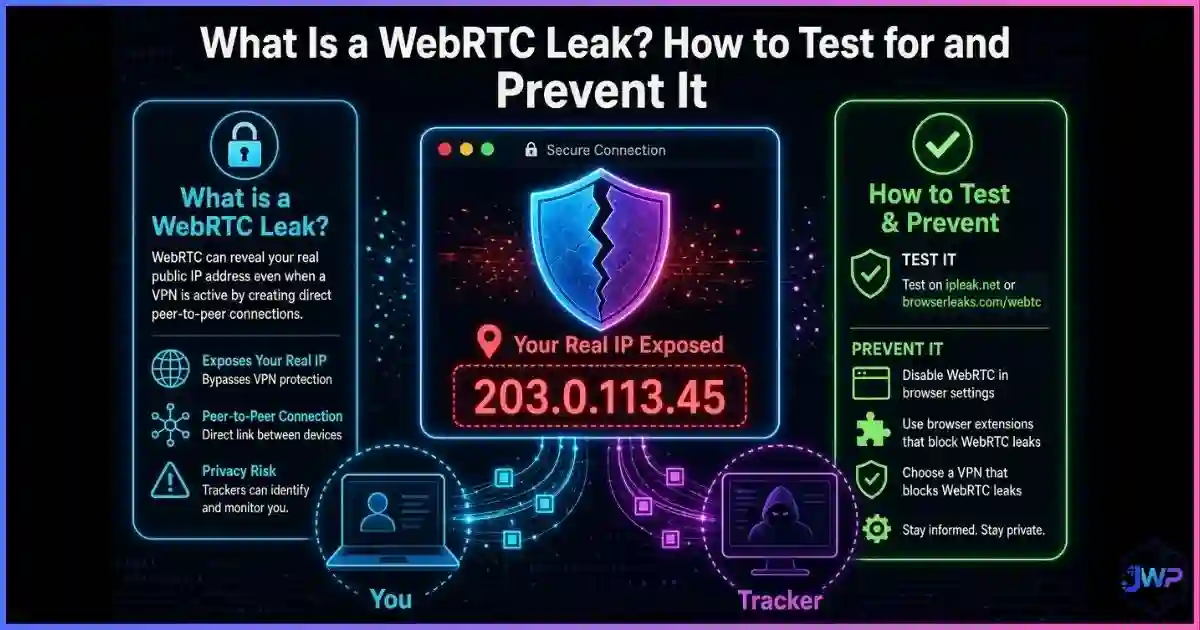
Not only does a VPN fail to change your fingerprint, but many commercial VPNs also fail to protect the one thing they are supposed to: your IP address. This happens via WebRTC leaks.
WebRTC is a browser API used for peer-to-peer video and audio (like Google Meet or Discord). To establish a connection, it queries your operating system for your local network interfaces. Many VPN applications only route standard HTTP/HTTPS traffic through the encrypted tunnel, leaving WebRTC traffic to bypass the VPN entirely. The result? A simple JavaScript snippet on a website can read your real, local IP address, completely defeating the VPN.
The Linkage
How Trackers Link Your VPN to Your Real Identity
If your fingerprint doesn’t change, how do trackers use it against you? The process is called identity resolution, and it works like this:
You browse normally (No VPN)
You visit sites, log into accounts, and build a profile. Trackers record your Real IP + Unique Fingerprint A.
You turn on the VPN
You visit a new site. The site sees VPN IP + Unique Fingerprint A.
The database merges
Because Fingerprint A is identical, the tracker’s database instantly links the new VPN IP to your old Real IP. Your “anonymous” session is now permanently tied to your real identity.
This is exactly why changing your IP doesn’t change your browser fingerprint. The fingerprint is the anchor; the IP is just a temporary attribute attached to it.
Comparison
VPN vs Anti-Detect Browser vs Tor
If a VPN doesn’t change your fingerprint, what does? You need tools that operate at the browser layer. For a full breakdown, see what an anti-detect browser is.
| Tool | Changes IP? | Changes Fingerprint? | Isolates Cookies? | Best For |
|---|---|---|---|---|
| Standard VPN | ✓ Yes | ✕ No | ✕ No | Network privacy, public Wi-Fi |
| Anti-Detect Browser | ✓ Yes (via proxy) | ✓ Yes (Spoofed) | ✓ Yes | Multi-accounting, ad ops, isolation |
| Tor Browser | ✓ Yes | ✓ Yes (Forced Uniformity) | ✓ Yes | Whistleblowing, high-risk anonymity |
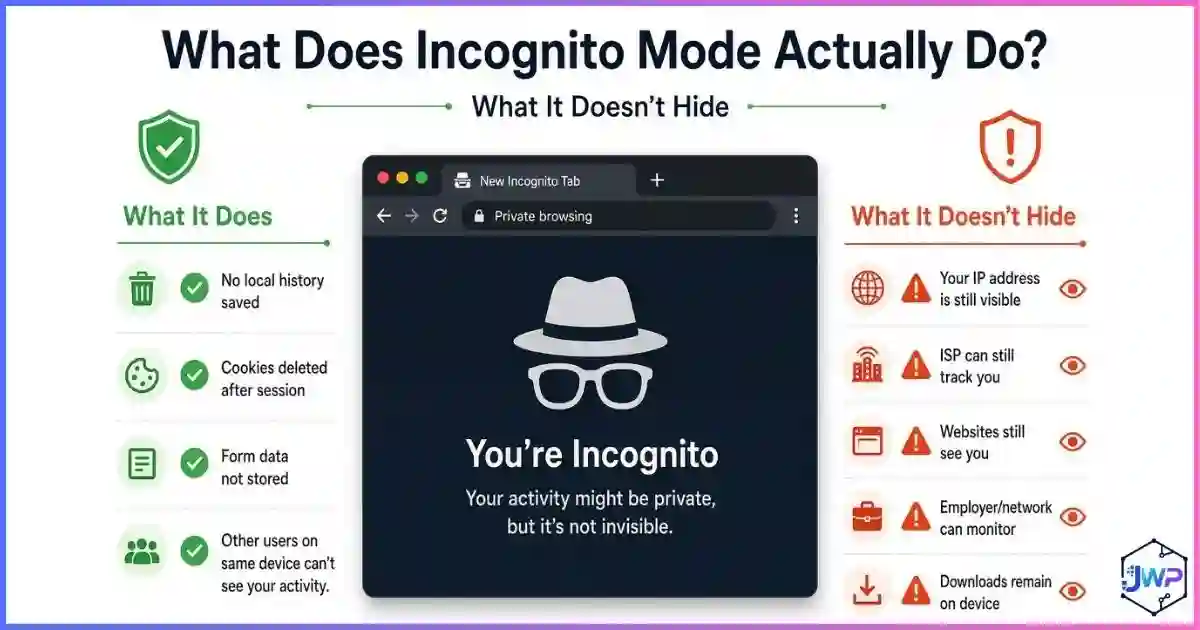
| Incognito Mode | ✕ No | ✕ No | ~ Session only | Shared device privacy |
The critical difference: Anti-detect browsers and Tor actually modify the browser engine to return different (or uniform) answers to fingerprinting scripts. A VPN simply routes the packets the browser sends. See what anti-detect browsers can actually hide for the full technical stack.
Myth Busting
5 VPN Fingerprint Myths, Busted
Myth 1
“My VPN makes me untrackable.”
Reality
It makes your network location untrackable. Your device hardware signature remains fully visible and trackable via fingerprinting.
Myth 2
“Switching VPN servers resets my identity.”
Reality
It gives you a new IP, but the same Canvas, WebGL, and Font signals. Trackers simply attach the new IP to your existing profile.
Myth 3
“VPNs block fingerprinting scripts.”
Reality
VPNs encrypt traffic; they don’t filter it. The fingerprinting script downloads and executes normally, reading your hardware.
Myth 4
“A VPN hides my timezone and language.”
Reality
Those are read from your operating system via JavaScript. A VPN has no access to modify your OS-level locale settings.
Myth 5
“I don’t need an anti-detect browser if I have a premium VPN.”
Reality
If your goal is multi-account isolation or defeating device-level tracking, a VPN is the wrong tool. You need browser-layer spoofing.
Action Plan
How to Actually Change Your Fingerprint
If you need to change your fingerprint (for multi-accounting, ad verification, or privacy), you must use tools that intervene at the browser layer:
Use an Anti-Detect Browser
Tools like Incogniton patch the Chromium engine to return spoofed, consistent values for Canvas, WebGL, Audio, and Fonts. This is the professional standard for identity isolation.
Pair with a Residential Proxy
An anti-detect browser handles the device layer; a residential proxy handles the network layer. Together, they create a complete, believable digital identity.
Use Tor for True Anonymity
If your goal is whistleblowing or evading state-level surveillance, Tor forces uniformity (making all users look identical) rather than spoofing. It is slow, but highly effective for its specific use case.
Verify with a Checker
Before trusting your setup, run how to check your browser fingerprint on a site like BrowserLeaks or AmIUnique to ensure your spoofed signals are consistent and believable.
Skip these assumptions
- “VPN on = invisible device”
- “Changing IP resets my fingerprint”
- “VPNs block tracking scripts”
- “Incognito + VPN = full privacy”
Do this instead
- Use VPNs for network encryption (public Wi-Fi)
- Use Anti-Detect browsers for device isolation
- Pair profiles with dedicated proxies
- Test your setup on fingerprint checkers
The Complete Privacy Stack Checklist
- I understand that a VPN only changes my IP address, not my hardware fingerprint.
- For multi-account work, I use an anti-detect browser to isolate cookies and spoof hardware signals.
- Every isolated profile is paired with a dedicated proxy (residential or mobile).
- I have tested my setup for WebRTC leaks to ensure my real IP isn’t bleeding through.
- I use Tor only when true network-level anonymity is required (and accept the speed trade-off).
Stop relying on a tool that only hides your IP.
Incogniton spoofs the 50+ hardware and software signals that a VPN can’t touch. Create isolated, believable digital identities for every account you manage. Free plan includes 10 profiles.
Try Incogniton Free → Affiliate link — we may earn a commission at no extra cost to you.FAQs
Frequently Asked Questions
Does a VPN hide my browser fingerprint?
Can websites still track me if I use a VPN?
What is a WebRTC leak and does my VPN prevent it?
Does changing my VPN server change my fingerprint?
What tool actually changes my browser fingerprint?
Is Tor better than a VPN for hiding my fingerprint?
📚 Sources & Research Notes (click to expand)
This guide draws on foundational browser fingerprinting research, network protocol documentation, and privacy tool analysis.
- Eckersley, P. (2010). “How Unique Is Your Web Browser?” EFF Panopticlick — foundational research establishing that 83.6% of browsers have unique fingerprints, a rate that persists regardless of IP masking. coveryourtracks.eff.org
- Laperdrix, P., et al. (2020). “Fingerprinting the Fingerprinters.” INRIA / AmIUnique project — analysis of hardware-level tracking vectors (Canvas, WebGL, Audio) that operate independently of network-layer tools like VPNs. amiunique.org
- Revealing Your IP Address via WebRTC. BrowserLeaks Documentation — technical explanation of how WebRTC APIs bypass standard VPN tunnels to expose local network interfaces. browserleaks.com
- Englehardt, S., & Narayanan, A. (2016). “Online Tracking: A 1-million-site Measurement and Analysis.” Princeton CITP — large-scale measurement of cross-site tracking persistence and identity resolution techniques. citp.princeton.edu
- Tor Project (2024). Tor Browser Design Documents — explanation of forced uniformity (making all users look identical) vs. spoofing (making users look like different real devices). torproject.org
Browser tracking techniques and VPN architectures evolve. Always test your specific VPN provider for WebRTC and DNS leaks, and verify your fingerprint uniqueness using public checkers before relying on any tool for high-stakes privacy.