What Can Anti-Detect Browsers Hide? (The Full Spoofing Stack)
It’s Not Just Your IP. It’s Your Canvas, Your Fonts, and Your CPU Cores.
Most people assume “hiding online” means changing their IP address. That’s only layer one. Modern platforms like Facebook, Google, Amazon, and fraud-detection engines (like Sift or SEON) identify you through a stack of over 50 distinct signals — from the way your graphics card renders a hidden triangle to the specific list of fonts installed on your operating system. An anti-detect browser is the only tool designed to spoof this entire stack simultaneously. But what exactly does it hide, where does it stop, and what can it never hide?
Quick answer
What do anti-detect browsers actually hide?
Anti-detect browsers hide your device’s hardware fingerprint, your network location, and your browsing state. Specifically, they spoof or isolate:
- Hardware: Canvas & WebGL hashes, audio context, installed fonts, CPU core count, screen resolution, battery status, and timezone.
- Network: IP address (via paired proxy), WebRTC leaks, DNS requests, and HTTP headers (User-Agent, Accept-Language).
- State: Cookies, LocalStorage, IndexedDB, Cache, and Service Workers — keeping every profile 100% isolated.
What they cannot hide: Your behavior (mouse movements, typing speed), your account-level identity (if you log in), your payment methods, and your ISP-level traffic (unless you use a proxy). For a deeper look at how these signals combine, read our guide on what browser fingerprinting is.
The Architecture
The 3 Layers of Identity Anti-Detect Browsers Hide
To understand what an anti-detect browser hides, you have to understand how platforms identify you. It’s not one signal; it’s a stack. When you visit a site like Facebook or Amazon, their fraud engine queries three distinct layers of your browser. Anti-detect browsers intervene at every single one.
Layer 1: Hardware
The Device Signature
How your specific computer renders graphics and processes data.
- Canvas & WebGL hashes
- AudioContext fingerprint
- CPU cores & RAM
- Screen resolution & color depth
- Installed fonts list
Layer 2: Network
The Connection Signature
Where you are connecting from and how your browser introduces itself.
- IP Address (via proxy)
- WebRTC local IP leaks
- Timezone & Language
- User-Agent string
- TLS/JA3 fingerprint
Layer 3: State
The Memory Signature
What the browser remembers about you from previous visits.
- Cookies (1st & 3rd party)
- LocalStorage & IndexedDB
- Cache & ETags
- Service Workers
- HSTS supercookies
A standard browser (Chrome, Safari, Edge) exposes all three layers truthfully. An anti-detect browser spoofs Layer 1, routes Layer 2, and isolates Layer 3. This is why simply changing your IP address doesn’t change your browser fingerprint — you are only fixing Layer 2 while leaving Layers 1 and 3 wide open.
Layer 1: Hardware
The Hardware & Rendering Stack (What They Spoof)
This is the most sophisticated layer. Platforms use JavaScript to ask your browser to perform tasks that reveal your specific hardware. Because every GPU and CPU combination produces slightly different results, these tasks create a unique ID. For a full breakdown, see types of browser fingerprinting.
| Signal | What it reveals | How Anti-Detect Browsers hide it |
|---|---|---|
| Canvas Fingerprint | How your GPU draws 2D shapes and text. Unique to your graphics driver. | Spoofed: Adds invisible noise to the rendering output or returns a consistent fake hash per profile. |
| WebGL Render | Your specific GPU model (e.g., “NVIDIA RTX 4090”) and vendor. | Spoofed: Overrides the WEBGL_debug_renderer_info extension to report a generic or matched GPU. |
| AudioContext | How your audio hardware processes a signal. Unique like a voiceprint. | Spoofed: Injects noise into the audio processing API to alter the fingerprint. |
| Font Enumeration | The exact list of fonts installed on your OS. | Whitelisted: Restricts the visible font list to a standard set (e.g., “Windows 10 Standard”). |
| CPU Cores | navigator.hardwareConcurrency — how many logical processors you have. | Spoofed: Reports a value consistent with the spoofed device class (e.g., 4 cores for a MacBook Air). |
| Screen Resolution | Available screen width/height and color depth. | Spoofed: Matches the viewport to a common resolution (e.g., 1920×1080) to avoid standing out. |
The goal here is consistency. A profile that claims to be a “MacBook Pro M2” must report M2-specific GPU drivers, Mac-specific fonts, and a Retina screen resolution. If the Canvas hash says “Windows” but the User-Agent says “Mac,” fraud systems flag the account instantly.
Spoof the hardware stack without breaking the web.
Incogniton generates consistent, believable hardware fingerprints for every profile — matching Canvas, WebGL, Audio, and Fonts to the OS you select. No more “impossible device” flags.
Create Your First Profile → Affiliate link — we may earn a commission at no extra cost to you.Layer 2: Network
The Network & Protocol Stack (What They Route)
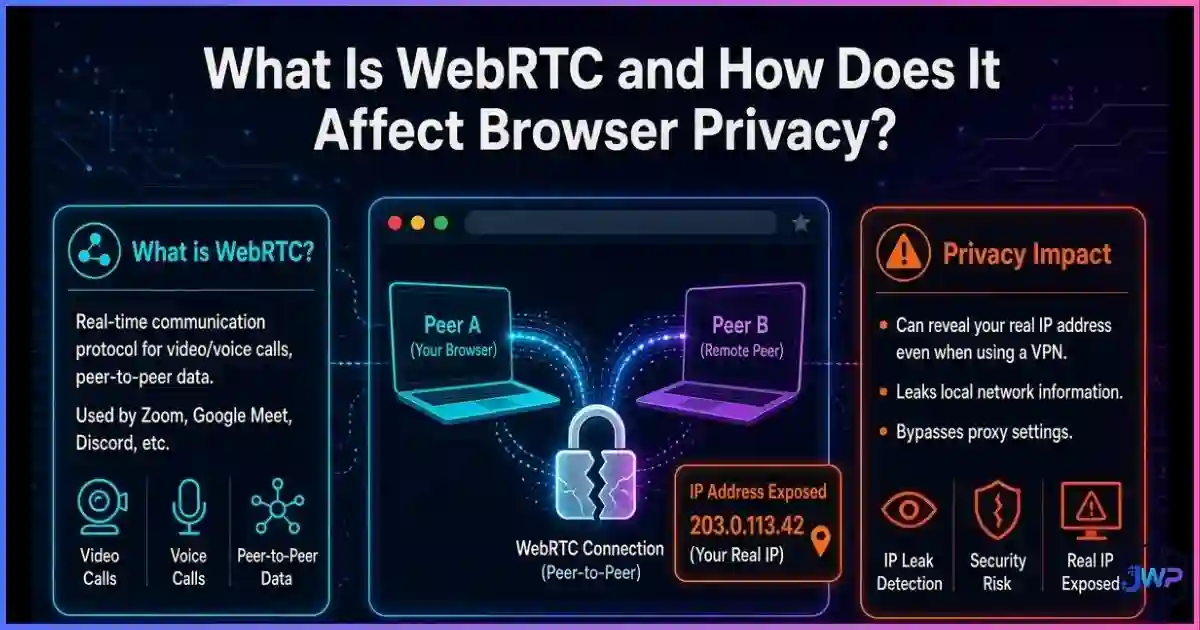
This is the layer most users understand (IP addresses), but it includes subtle leaks that standard VPNs often miss. For a deep dive, read what WebRTC is and how it affects privacy.
| Signal | Risk if exposed | Anti-Detect Defense |
|---|---|---|
| IP Address | Links accounts to your home/office location. | Proxied: Each profile is paired with a dedicated residential or mobile proxy. |
| WebRTC Leak | Reveals your real local IP even if a VPN/Proxy is active. | Blocked/Routed: WebRTC traffic is forced through the proxy or disabled entirely. |
| Timezone | Mismatch with IP geolocation triggers fraud alerts (e.g., NY IP + London Timezone). | Synced: Automatically sets browser timezone to match the proxy’s location. |
| Language | Accept-Language header reveals your OS language preferences. | Spoofed: Sets language to match the target region (e.g., de-DE for Germany). |
| DNS Resolver | ISP DNS logs can leak domains you visit. | Isolated: Uses proxy DNS or DoH (DNS over HTTPS) where supported. |
The critical failure point for most “privacy” setups is the WebRTC leak. Many commercial VPNs encrypt your HTTP traffic but leave the WebRTC API open, allowing a simple script to read your real local IP address. Anti-detect browsers patch this API at the Chromium level to ensure the IP returned matches the proxy.
Layer 3: State
The State & Storage Stack (What They Isolate)
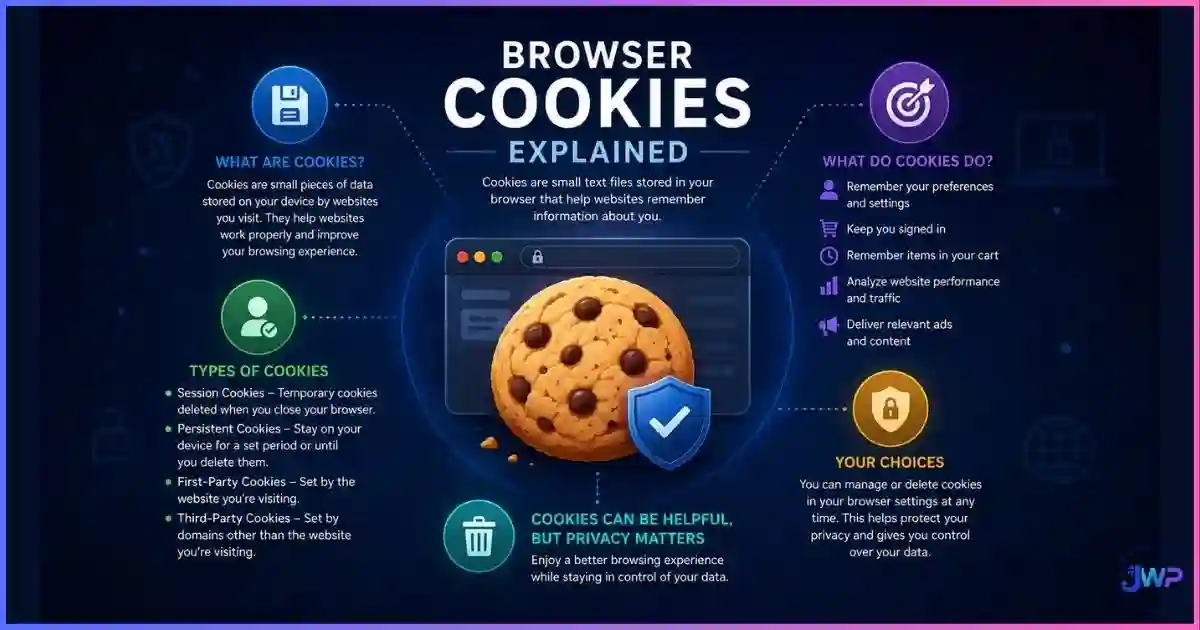
This is the layer that links accounts via “supercookies” and persistent storage. See cookies vs local storage vs fingerprinting for the technical details. Anti-detect browsers enforce strict browser profile isolation:
- Cookies: Profile A cannot read Profile B’s cookies. Ever.
- LocalStorage / IndexedDB: Each profile has its own database. Clearing one does not affect the other.
- Cache: Images and scripts are cached per-profile, preventing cross-profile timing attacks.
- Service Workers: Background scripts are contained within the profile that installed them.
- HSTS Supercookies: The browser prevents HSTS state from leaking across profiles (a common tracking vector).
This isolation is why you can log into 5 different Facebook accounts on the same machine without them ever “seeing” each other. To the platform, they are 5 different computers in 5 different houses.
The Limits
What Anti-Detect Browsers CANNOT Hide
No tool is magic. Understanding the blind spots is just as important as understanding the features. These are the vectors that anti-detect browsers generally do not cover:
Limit 1
Behavioral Biometrics
Reality
Mouse movement patterns, typing cadence, and scroll speed are unique to humans. While some advanced tools simulate this, most rely on real human behavior. If you copy-paste the same text into 10 accounts at the exact same speed, platforms will link them.
Limit 2
Account-Level Identity
Reality
If you log into a Gmail account that is linked to your real name, the browser profile is instantly de-anonymized. The browser hides the device, not the user who logs in.
Limit 3
Payment Methods
Reality
Using the same credit card across 10 profiles links them immediately at the payment processor level (Stripe, PayPal). The browser cannot hide your bank details.
Limit 4
ISP Visibility
Reality
Without a proxy, your ISP sees every domain you visit. The anti-detect browser encrypts nothing by itself; it only changes the headers and fingerprints sent to the destination.
Limit 5
Malware & Phishing
Reality
These are privacy/isolation tools, not antivirus software. They will not stop a malicious download or a phishing page from loading (though they may block some trackers).
Data
The Data: Why Hiding the Stack Matters
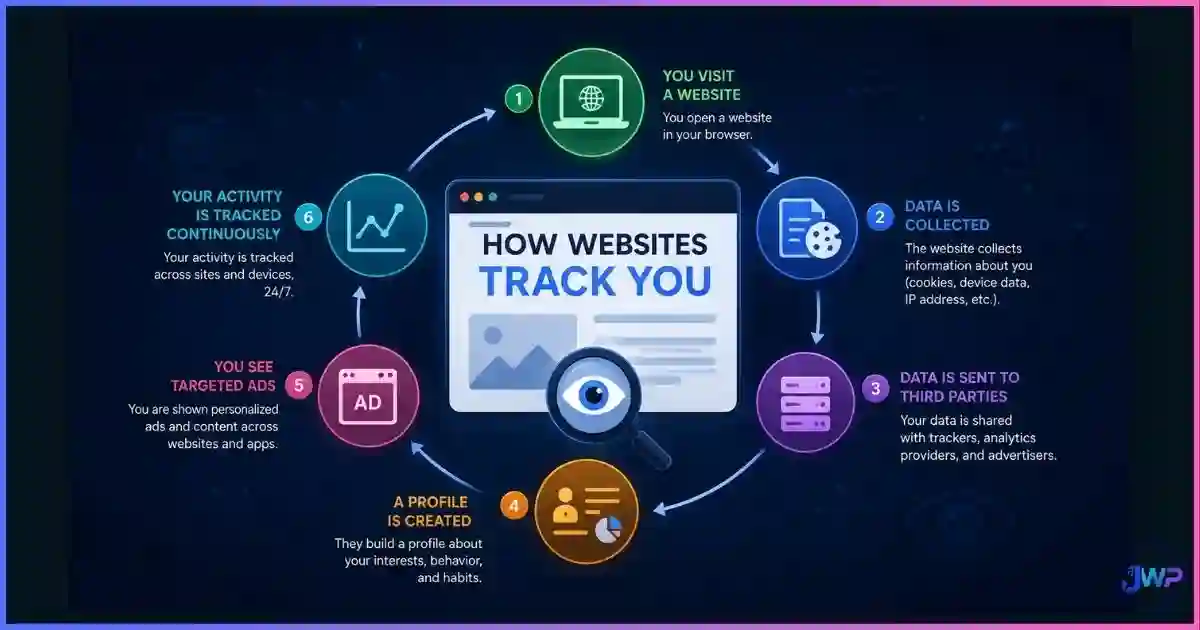
The reason anti-detect browsers exist is that standard browsers are incredibly unique. The EFF’s Panopticlick study and subsequent data from FingerprintJS show that the vast majority of users are instantly identifiable without cookies.
Browser Uniqueness Rates (Higher = More Trackable)
Source: EFF Panopticlick & FingerprintJS Pro data.
Interpretation: A standard Chrome user is in the 83.6% “unique” bucket — easily tracked. A Tor user is in the <1% bucket (blending in with all other Tor users). A well-configured anti-detect profile aims for the “common but distinct” bucket — looking like a normal, non-unique Windows/Mac user, which is the safest place to be for multi-accounting.
Comparison
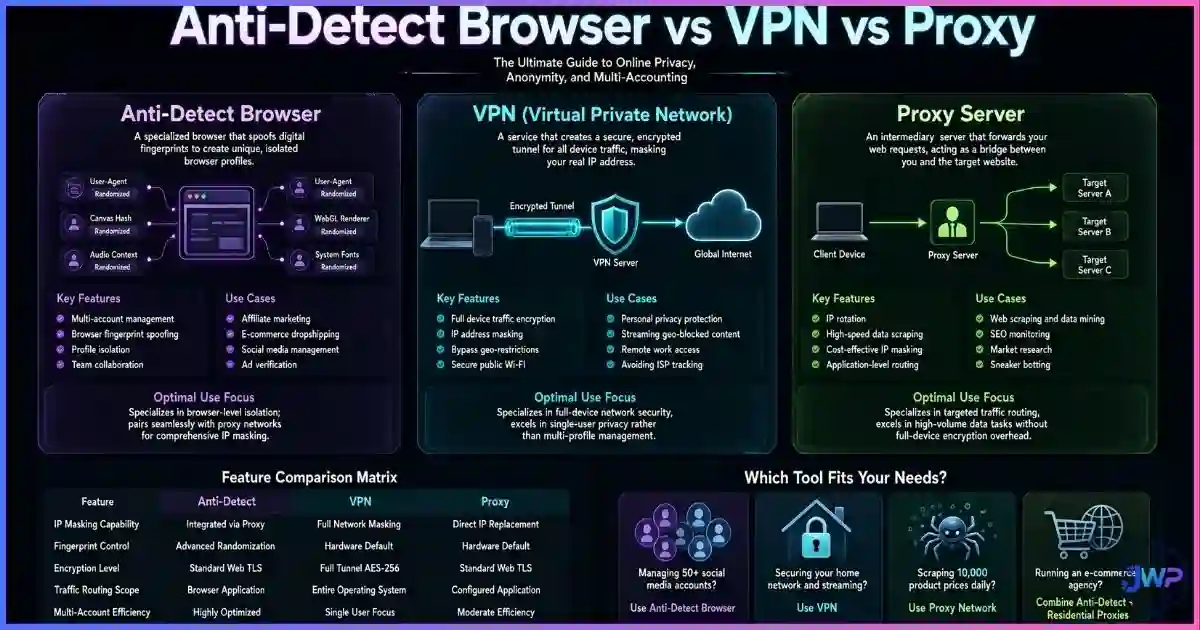
Spoofing Coverage Matrix
How do different tools compare in hiding these layers?
| Signal | Incognito | Standard VPN | Tor | Anti-Detect Browser |
|---|---|---|---|---|
| IP Address | ✕ | ✓ | ✓ | ✓ (via Proxy) |
| Canvas / WebGL | ✕ | ✕ | ✓ (Blocked) | ✓ (Spoofed) |
| WebRTC Leaks | ✕ | ~ (Often Leaks) | ✓ | ✓ |
| Cookies / Storage | ~ (Session only) | ✕ | ✓ | ✓ (Persistent) |
| Fonts / Audio | ✕ | ✕ | ✓ | ✓ |
| Timezone / Lang | ✕ | ✕ | ✓ | ✓ |
Myth Busting
5 Myths About What They Hide
Myth 1
“They make me invisible.”
Reality
They make you look like a different specific person, not an invisible ghost. They provide identity isolation, not invisibility.
Myth 2
“They hide my credit card.”
Reality
Never. Payment processors link identities faster than browsers do. You need separate payment methods for separate profiles.
Myth 3
“I don’t need a proxy if I have the browser.”
Reality
The browser spoofs the device. The proxy spoofs the location. You need both for a complete identity.
Myth 4
“They hide my typing speed.”
Reality
Most do not. Behavioral biometrics are a separate layer of defense that requires human variation or advanced simulation.
Myth 5
“Incognito is the same thing.”
Reality
Incognito only forgets history when you close the tab. It changes zero hardware or network signals while open.
Take Action
The “Am I Actually Hidden?” Checklist
Before trusting a profile, run it through this check:
- IP Check: Does
whatismyip.comshow the proxy IP, not my real one? - WebRTC Check: Does
browserleaks.com/webrtcshow the proxy IP (or disabled)? - Canvas Check: Is the Canvas hash unique to this profile (not matching my main browser)?
- Font Check: Does the font list match the OS I selected (e.g., Windows fonts for a Windows profile)?
- Timezone Check: Does the browser timezone match the proxy’s city?
- Cookie Check: If I log into Gmail in Profile A, is Profile B still logged out?
Stop guessing. Start isolating.
Incogniton handles the complex Chromium patching required to spoof Canvas, WebGL, and AudioContext consistently. Pair it with your favorite proxy provider and manage dozens of unique digital identities from one dashboard.
Try Incogniton Free → Affiliate link — we may earn a commission at no extra cost to you.FAQs
Frequently Asked Questions
Does an anti-detect browser hide my IP address?
Can websites see my real screen resolution?
screen.width and screen.height APIs to report the value you set in the profile settings (e.g., 1920×1080), regardless of your actual monitor.Do they hide my browsing history from my ISP?
Will it hide my Facebook/Google account identity?
What is the “Canvas Fingerprint” and why hide it?
Can they hide my location (GPS)?
📚 Sources & Research Notes (click to expand)
This guide draws on foundational browser fingerprinting research, fraud detection documentation, and technical analysis of Chromium-based spoofing techniques.
- Eckersley, P. (2010). “How Unique Is Your Web Browser?” EFF Panopticlick. Foundational study establishing that 83.6% of browsers have unique fingerprints. panopticlick.org
- FingerprintJS (2024). Browser Fingerprinting Accuracy Studies. Data on 99.5% identification accuracy using smart signals. fingerprint.com
- Laperdrix, P. (2020). “Fingerprinting the Fingerprinters.” INRIA / AmIUnique project. Analysis of tracking vectors including Canvas and WebGL. amiunique.org
- Mozilla Developer Network (MDN). Web APIs: Canvas, WebGL, AudioContext. Technical documentation on the APIs used for hardware fingerprinting. developer.mozilla.org
- Chromium Project. Site Isolation and Privacy Sandbox. Documentation on browser architecture and state isolation. chromium.org
Browser tracking techniques evolve rapidly. The signals listed above are current, but platforms constantly develop new methods (e.g., TLS fingerprinting, battery API) to identify devices.